
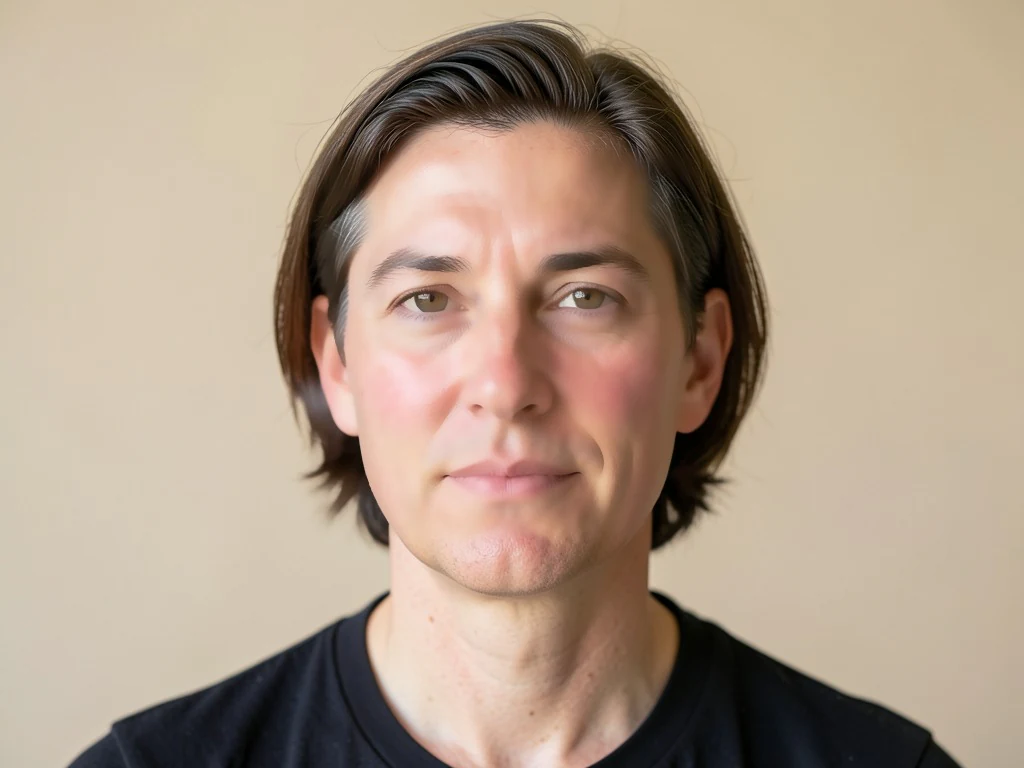

ਬਿਊਟੀਫਾਈ ਫੇਸ ਔਨਲਾਈਨ - ਮੁਲਾਇਮ ਸਕਿਨ ਅਤੇ ਰੀਟਚ ਫੋਟੋਆਂ
JPG, PNG, WEBP ਨਾਲ ਕੰਮ ਕਰਦਾ ਹੈ
ਕਠੋਰ ਰੋਸ਼ਨੀ ਨੇ ਤੁਹਾਡੀ ਚਮੜੀ 'ਤੇ ਹਰ ਅਸਮਾਨ ਪੈਚ ਪਾਇਆ। ਇੱਥੋਂ ਤੱਕ ਕਿ ਧੁੰਦਲੇ, ਪਲਾਸਟਿਕ ਦੀ ਦਿੱਖ ਤੋਂ ਬਿਨਾਂ ਟੋਨ ਅਤੇ ਟੈਕਸਟ ਇੱਕ ਫਿਲਟਰ ਪਿੱਛੇ ਛੱਡਦਾ ਹੈ।
- ਕਿਨਾਰੇ ਸਾਂਭ ਕੇ ਚਮੜੀ ਮੁਲਾਇਮ — ਅੱਖਾਂ ਤੇ ਵਾਲ ਤਿੱਖੇ ਰਹਿੰਦੇ ਹਨ
- ਚਮੜੀ ਦਾ ਰੰਗ ਇੱਕਸਾਰ ਕਰਦਾ ਹੈ ਅਤੇ ਲਾਲੀ ਤੇ ਖੁਰਦਰਾਪਣ ਘਟਾਉਂਦਾ ਹੈ
- ਇੱਕ ਚੰਗੇ ਦਿਨ 'ਤੇ ਤੁਹਾਡੇ ਵਰਗੇ ਦਿੱਖ, ਇੱਕ ਫਿਲਟਰ ਵਰਗੇ ਨਾ
ਇੱਕ ਸੈਲਫੀ ਜਾਂ ਪੋਰਟਰੇਟ ਸੁੱਟੋ — ਇੱਕ ਕੁਦਰਤੀ ਤੌਰ 'ਤੇ ਮੁੜ ਸੰਸਕਰਣ ਪ੍ਰਾਪਤ ਕਰੋ
ਸਭ ਤੋਂ ਵਧੀਆ ਨਤੀਜੇ ਲਈ ਨੁਸਖੇ
• ਸਭ ਤੋਂ ਕੁਦਰਤੀ ਲੁੱਕ ਲਈ ਇਸ ਨੂੰ ਘੱਟ ਰੱਖੋ
• ਪਹਿਲਾਂ Blemish Remover ਨਾਲ ਦਾਗ਼ ਹਟਾਓ
• ਪੇਸ਼ੇਵਰ ਜਾਂ ID ਫੋਟੋਆਂ ਲਈ ਘੱਟ ਸਟ੍ਰੈਂਥ ਵਰਤੋ
ਚਿਹਰਾ ਸੁੰਦਰ ਬਣਾਉਣ ਵਾਲੇ ਟੂਲ ਬਾਰੇ
ਫੇਸ ਬਿਊਟੀਫਾਇਰ ਚਿਹਰੇ ਦੇ ਚਮੜੀ ਵਾਲੇ ਹਿੱਸਿਆਂ ਨੂੰ ਪਛਾਣਦਾ ਹੈ ਤੇ ਸਿਰਫ਼ ਉੱਥੇ ਹੀ ਕਿਨਾਰੇ-ਸੰਭਾਲਣ ਵਾਲੀ ਸਮੂਥਿੰਗ ਲਾਉਂਦਾ ਹੈ, ਅੱਖਾਂ, ਭਰਵੱਟਿਆਂ, ਬੁੱਲ੍ਹਾਂ, ਵਾਲਾਂ ਤੇ ਖਾਕੇ ਨੂੰ ਤਿੱਖਾ ਰੱਖਦੇ ਹੋਏ ਟੈਕਸਚਰ ਤੇ ਟੋਨ ਨੂੰ ਇੱਕਸਾਰ ਕਰਦਾ ਹੈ। ਇਹ ਚੋਣਵਾਂ ਤਰੀਕਾ ਇੱਕ ਨਿਖਰੀ, ਕੁਦਰਤੀ ਫਿਨਿਸ਼ ਦਿੰਦਾ ਹੈ — ਨਾ ਕਿ ਪੂਰੇ-ਉੱਤੇ ਲੱਗੇ ਫਿਲਟਰਾਂ ਦੀ ਧੁੰਦਲੀ, ਪਲਾਸਟਿਕ ਦਿੱਖ।
ਇਹ ਕਿਵੇਂ ਕੰਮ ਕਰਦਾ ਹੈ
1. ਕੋਈ ਸੈਲਫ਼ੀ ਜਾਂ ਪੋਰਟ੍ਰੇਟ ਅੱਪਲੋਡ ਕਰੋ
2. AI ਚਿਹਰੇ ਦੀ ਚਮੜੀ ਲੱਭਦਾ ਹੈ
3. ਚਮੜੀ ਮੁਲਾਇਮ ਹੋ ਜਾਂਦੀ ਹੈ, ਕਿਨਾਰੇ ਤਿੱਖੇ ਰਹਿੰਦੇ ਹਨ
4. ਤੀਬਰਤਾ ਸੈੱਟ ਕਰੋ ਅਤੇ ਡਾਊਨਲੋਡ ਕਰੋ
ਇਨ੍ਹਾਂ ਲਈ ਢੁਕਵਾਂ
• ਸੈਲਫੀਆਂ ਅਤੇ ਪੋਰਟ੍ਰੇਟ ਫੋਟੋਆਂ
• ਪ੍ਰੋਫਾਈਲ ਅਤੇ ਸੋਸ਼ਲ ਮੀਡੀਆ ਫੋਟੋਆਂ
• ਪੇਸ਼ੇਵਰ ਹੈੱਡਸ਼ਾਟ
• ਇਵੈਂਟ ਅਤੇ ਗਰੁੱਪ ਪੋਰਟ੍ਰੇਟ
ਤੁਸੀਂ ਚਿਹਰਾ ਸੁੰਦਰ ਬਣਾਉਣ ਵਾਲਾ ਨਾਲ ਕੀ ਕਰ ਸਕਦੇ ਹੋ
ਸ਼ੁਰੂ ਕਰਨ ਤੋਂ ਪਹਿਲਾਂ ਮੁੱਖ ਸਮਰੱਥਾਵਾਂ ਦੀ ਸਮੀਖਿਆ ਕਰੋ।
- ਸੈਲਫੀ ਅਤੇ ਪੋਰਟਰੇਟ 'ਤੇ ਮੁਲਾਇਮ ਚਮੜੀ
- ਇੱਕ ਟੈਪ ਵਿੱਚ ਅਸਮਾਨ ਚਮੜੀ ਦੇ ਟੋਨ ਨੂੰ ਵੀ ਬਾਹਰ ਕੱਢੋ
- ਕੁਦਰਤੀ ਦਿੱਖ ਲਈ ਚਿਹਰਿਆਂ ਨੂੰ ਹੌਲੀ-ਹੌਲੀ ਮੁੜ ਛੂਹੋ
- ਅੱਖਾਂ, ਵਾਲਾਂ ਅਤੇ ਕਿਨਾਰਿਆਂ ਨੂੰ ਤਿੱਖਾ ਰੱਖੋ
- ਵਿਵਸਥਿਤ ਕਰੋ ਕਿ ਕਿੰਨੀ ਸਮੂਥਿੰਗ ਲਾਗੂ ਕਰਨੀ ਹੈ
ਸੈਟਿੰਗਾਂ ਦਾ ਹਵਾਲਾ
2 ਸੈਟਿੰਗਾਂ
ਚਿਹਰਾ ਸੁੰਦਰ ਬਣਾਉਣ ਵਾਲਾ ਲਈ ਉਪਲਬਧ ਨਿਯੰਤਰਣ।
- ਪ੍ਰੋਸੈਸਿੰਗ ਮੋਡਪ੍ਰੀਸੈਟ
- ਇੱਕ ਇਨਪੁੱਟ ਪ੍ਰੋਸੈਸ ਕਰੋ ਜਾਂ ਇੱਕੋ ਸੈਟਿੰਗਾਂ ਨਾਲ ਕਈ ਇਨਪੁੱਟ ਪ੍ਰੋਸੈਸ ਕਰਨ ਲਈ Premium ਬੈਚ ਮੋਡ ਚੁਣੋ। ਉਪਲਬਧ ਇਨਪੁੱਟ ਕਿਸਮਾਂ ਟੂਲ ਉੱਤੇ ਨਿਰਭਰ ਕਰਦੀਆਂ ਹਨ।ਚੋਣਾਂ: ਇੱਕ ਤਸਵੀਰਬੈਚ
ਵਿਵਸਥਿਤ ਕਰੋ
- ਨਿਖਾਰ ਦੀ ਤੀਬਰਤਾਸਲਾਈਡਰਰੇਂਜ: 0–1 · ਮੂਲ: 0.7
- ਕੰਟਰੋਲ ਕਰਦਾ ਹੈ ਕਿ ਚਮੜੀ ਕਿੰਨੀ ਮੁਲਾਇਮ ਕੀਤੀ ਜਾਵੇ, ਕੁਦਰਤੀ ਤੋਂ ਗਲੈਮ ਤੱਕ — ਭਰੋਸੇਯੋਗ ਪੇਸ਼ੇਵਰ ਹੈੱਡਸ਼ਾਟਾਂ ਲਈ ਇਸ ਨੂੰ ਘੱਟ ਰੱਖੋ, ਚਮਕਦਾਰ ਸੋਸ਼ਲ-ਮੀਡੀਆ ਫ਼ਿਨਿਸ਼ ਲਈ ਵਧਾ ਦਿਓ।
ਚਿਹਰਾ ਸੁੰਦਰ ਬਣਾਉਣ ਵਾਲਾ ਲਈ ਸੰਬੰਧਿਤ ਟੂਲ
ਚਿਹਰਾ ਸੁੰਦਰ ਬਣਾਉਣ ਵਾਲਾ ਤੋਂ ਬਾਅਦ ਆਮ ਅਗਲੇ ਪੜਾਵਾਂ ਲਈ ਟੂਲ।
ਪੋਰਟਰੇਟ ਅਤੇ ਹੈੱਡਸ਼ੌਟ ਸਟੂਡੀਓ
ਦਾਗ਼ ਹਟਾਉਣ ਵਾਲਾ
ਆਲੇ ਦੁਆਲੇ ਦੀ ਚਮੜੀ ਦੀ ਬਣਤਰ 'ਤੇ ਪ੍ਰਭਾਵ ਦੀ ਸਮੀਖਿਆ ਕਰਦੇ ਹੋਏ ਦਿਖਾਈ ਦੇਣ ਵਾਲੇ ਧੱਬੇ, ਚਟਾਕ ਅਤੇ ਕਾਲੇ ਨਿਸ਼ਾਨਾਂ ਨੂੰ ਘਟਾਓ।
ਹੁਣੇ ਅਜ਼ਮਾਓ
ਫ਼ੋਟੋ Enhancement
AI ਫ਼ੋਟੋ ਐਨਹਾਂਸਰ
ਇੱਕ ਸੁਧਾਰ ਵਰਕਫਲੋ ਵਿੱਚ ਸ਼ੋਰ, ਤਿੱਖਾਪਨ, ਰੰਗ ਅਤੇ ਪੈਮਾਨੇ ਨੂੰ ਵਿਵਸਥਿਤ ਕਰੋ, ਫਿਰ ਨਤੀਜੇ ਦੀ ਅਸਲੀ ਨਾਲ ਤੁਲਨਾ ਕਰੋ।
ਹੁਣੇ ਅਜ਼ਮਾਓ
ਫ਼ੋਟੋ Enhancement
AI ਚਿੱਤਰ ਅਪਸਕੇਲਰ
ਇੱਕ ਚਿੱਤਰ ਨੂੰ 2×, 3×, ਜਾਂ 4× ਤੱਕ ਅੱਪਸਕੇਲ ਕਰੋ ਅਤੇ ਡਾਊਨਲੋਡ ਕਰਨ ਤੋਂ ਪਹਿਲਾਂ ਵਿਸਤ੍ਰਿਤ ਨਤੀਜੇ ਦੀ ਸਮੀਖਿਆ ਕਰੋ।
ਹੁਣੇ ਅਜ਼ਮਾਓਅਕਸਰ ਪੁੱਛੇ ਜਾਂਦੇ ਸਵਾਲ
ਚਿਹਰਾ ਸੁੰਦਰ ਬਣਾਉਣ ਵਾਲਾ ਤੁਹਾਡਾ ਕੰਮ ਕਰਨ ਵਿੱਚ ਕਿਵੇਂ ਮਦਦ ਕਰਦਾ ਹੈ
ਅਸਲ ਸਮੱਸਿਆਵਾਂ ਜੋ ਇਹ ਹਰ ਰੋਜ਼ ਹੱਲ ਕਰਦੀ ਹੈ — ਕਾਰੋਬਾਰਾਂ, ਸਿਰਜਣਹਾਰਾਂ ਅਤੇ ਰੋਜ਼ਾਨਾ ਦੇ ਕੰਮਾਂ ਲਈ। ਉਹ ਵਰਤੋਂ ਕੇਸ ਲੱਭੋ ਜੋ ਤੁਹਾਡੇ ਲਈ ਫਿੱਟ ਹੈ ਅਤੇ ਸ਼ੁਰੂ ਕਰੋ।
ਡੇਟਿੰਗ ਪ੍ਰੋਫਾਈਲ ਫੋਟੋਆਂ ਜੋ ਹੁਣ ਵੀ ਤੁਹਾਡੇ ਵਰਗੀਆਂ ਲੱਗਣ
Tinder, Hinge ਜਾਂ Bumble ਫ਼ੋਟੋਆਂ ਲਈ ਥੱਕੀ ਹੋਈ ਚਮੜੀ ਅਤੇ ਲਾਲੀ ਨੂੰ ਨਰਮ ਕਰਨ ਵਾਸਤੇ Smoothing ਸਟ੍ਰੈਂਥ ਸਲਾਈਡਰ ਨੂੰ Natural ਦੇ ਨੇੜੇ ਰੱਖੋ, ਉਸ ਵੱਧ-ਮੁਲਾਇਮ ਦਿੱਖ ਤੋਂ ਬਿਨਾਂ ਜੋ ਪ੍ਰੋਫ਼ਾਈਲ ਨੂੰ ਨਕਲੀ ਵਜੋਂ ਫਲੈਗ ਕਰਵਾ ਦਿੰਦੀ ਹੈ।
ਇਨਫਲੂਐਂਸਰ ਤੇ UGC ਸਮੱਗਰੀ ਦੇ ਟੱਚ-ਅੱਪ
ਪ੍ਰਕਾਸ਼ਿਤ ਕਰਨ ਤੋਂ ਪਹਿਲਾਂ ਸਪਾਂਸਰ ਕੀਤੀਆਂ ਪੋਸਟਾਂ ਜਾਂ ਉਤਪਾਦ ਫ਼ੋਟੋਆਂ ਉੱਤੇ ਚਮੜੀ ਨੂੰ ਮੁਲਾਇਮ ਕਰੋ, ਪੂਰੇ ਸਟੂਡੀਓ ਰੀਟੱਚਿੰਗ ਵਰਕਫਲੋ ਤੋਂ ਬਿਨਾਂ ਬ੍ਰਾਂਡ ਸਮੱਗਰੀ ਨੂੰ ਪਾਲਿਸ਼ਡ ਦਿੱਖਦਾ ਰੱਖੋ।
Realtor ਤੇ ਏਜੰਟ ਲਿਸਟਿੰਗ ਹੈੱਡਸ਼ਾਟ
MLS ਲਿਸਟਿੰਗ, ਵਿਜ਼ਟਿੰਗ ਕਾਰਡ ਅਤੇ ਯਾਰਡ-ਸਾਈਨ ਫ਼ੋਟੋਆਂ ਲਈ ਇੱਕ ਰੀਅਲ ਅਸਟੇਟ ਏਜੰਟ ਦੇ ਹੈੱਡਸ਼ਾਟ ਨੂੰ ਘੱਟ, Natural-ਸਟ੍ਰੈਂਥ ਪਾਸ ਰਾਹੀਂ ਚਲਾਓ, ਉਸ ਪਲਾਸਟਿਕ ਵੱਧ-ਮੁਲਾਇਮਪਣ ਤੋਂ ਬਿਨਾਂ ਜੋ ਏਜੰਟ ਦੀ ਫ਼ੋਟੋ ਨੂੰ ਨਕਲੀ ਦਿਖਾਉਂਦੀ ਹੈ, ਬ੍ਰੋਕਰੇਜ ਵੱਲੋਂ ਉਮੀਦ ਕੀਤੀ ਜਾਂਦੀ ਪਾਲਿਸ਼ਡ-ਪਰ-ਭਰੋਸੇਯੋਗ ਦਿੱਖ ਰੱਖਦੇ ਹੋਏ।
ਟੀਮ ਡਾਇਰੈਕਟਰੀ ਲਈ ਇੱਕਸਾਰ ਕਾਰਪੋਰੇਟ ਹੈੱਡਸ਼ਾਟ
ਹਰ ਕਰਮਚਾਰੀ ਦੇ ਹੈੱਡਸ਼ਾਟ ਨੂੰ ਵੱਖਰੇ ਤੌਰ 'ਤੇ ਉਸੇ ਘੱਟ, Natural-ਸਟ੍ਰੈਂਥ ਸੈਟਿੰਗ ਨਾਲ ਪ੍ਰੋਸੈਸ ਕਰੋ ਤਾਂ ਜੋ ਕੰਪਨੀ ਡਾਇਰੈਕਟਰੀ ਜਾਂ LinkedIn ਪੰਨਾ ਇੱਕਸਾਰ ਨਿਖਰਿਆ ਦਿੱਸੇ, ਬਿਨਾਂ ਕਿਸੇ ਇੱਕ ਫੋਟੋ 'ਤੇ ਅਸਲੀ ਚਮੜੀ ਦੀ ਬਣਤਰ ਨੂੰ ਸਪਾਟ ਕਰਨ ਵਾਲੇ ਹਰ-ਪਾਸੇ ਦੇ ਬਲਰ ਫਿਲਟਰ ਦੇ।
ਕਲਾਇੰਟ ਡਿਲੀਵਰੀ ਤੋਂ ਪਹਿਲਾਂ ਵਿਆਹ ਤੇ ਪੋਰਟ੍ਰੇਟ ਪ੍ਰੂਫ਼ ਰੀਟਚਿੰਗ
ਕਿਸੇ ਜੋੜੇ ਜਾਂ ਕਲਾਇੰਟ ਨੂੰ ਪ੍ਰੂਫ਼ ਭੇਜਣ ਤੋਂ ਪਹਿਲਾਂ ਇੱਕ ਸ਼ੂਟ ਦੀ ਹਰੇਕ ਪੋਜ਼ ਕੀਤੀ ਪੋਰਟਰੇਟ ਉੱਤੇ ਚਮੜੀ ਦੀ ਟੋਨ ਅਤੇ ਬਣਤਰ ਨੂੰ ਇੱਕ ਹਲਕੇ, Natural-ਸਟ੍ਰੈਂਥ ਪਾਸ ਨਾਲ ਮੁਲਾਇਮ ਕਰੋ, ਉਸ ਹੱਥੀਂ ਪ੍ਰਤੀ-ਫ਼ੋਟੋ ਰੀਟੱਚਿੰਗ ਨੂੰ ਘਟਾਉਂਦੇ ਹੋਏ ਜੋ ਇੱਕ ਫ਼ੋਟੋਗ੍ਰਾਫ਼ਰ ਵਰਨਾ ਹੱਥੀਂ ਕਰਦਾ।
ਹਰ ਰੂਪਾਂਤਰ ਲਾਗੂ ਹੁੰਦਾ ਵੇਖੋ
ਹਰ ਫੋਟੋ ਸਲੈਸ਼ ਨੂੰ ਬਿਨਾਂ ਛੂਹ ਕੇ ਪਾਰ ਕਰਦੀ ਹੈ ਅਤੇ ਦੂਜੇ ਪਾਸੇ ਤੋਂ ਬਾਹਰ ਆਉਂਦੀ ਹੈ।























