
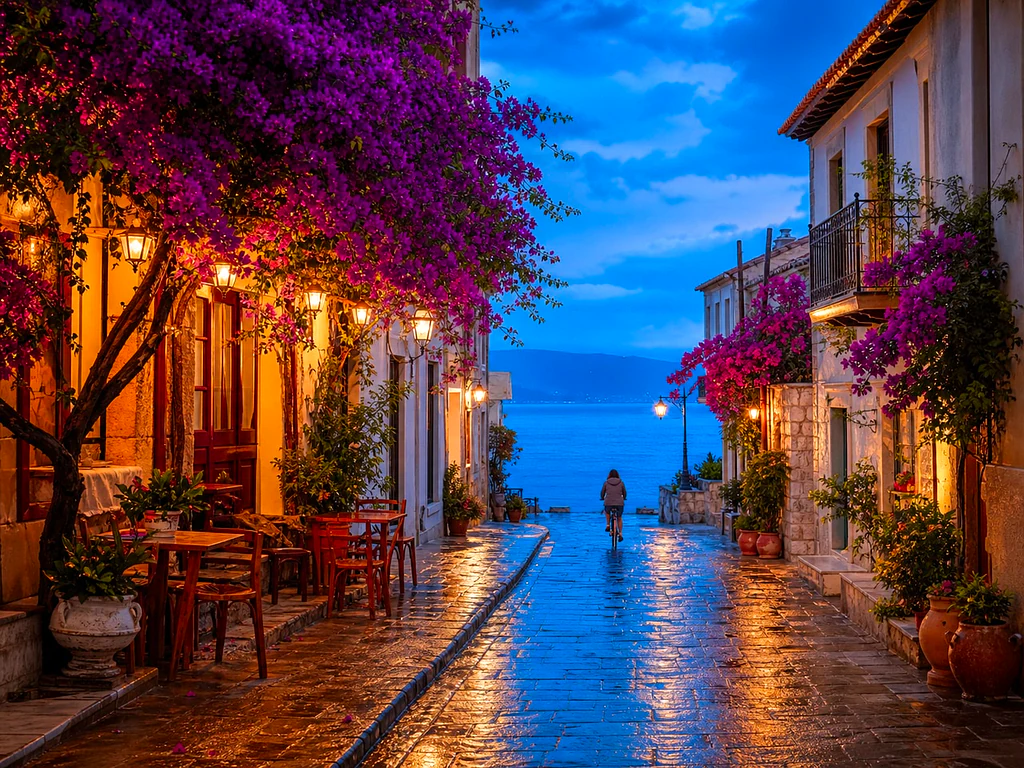
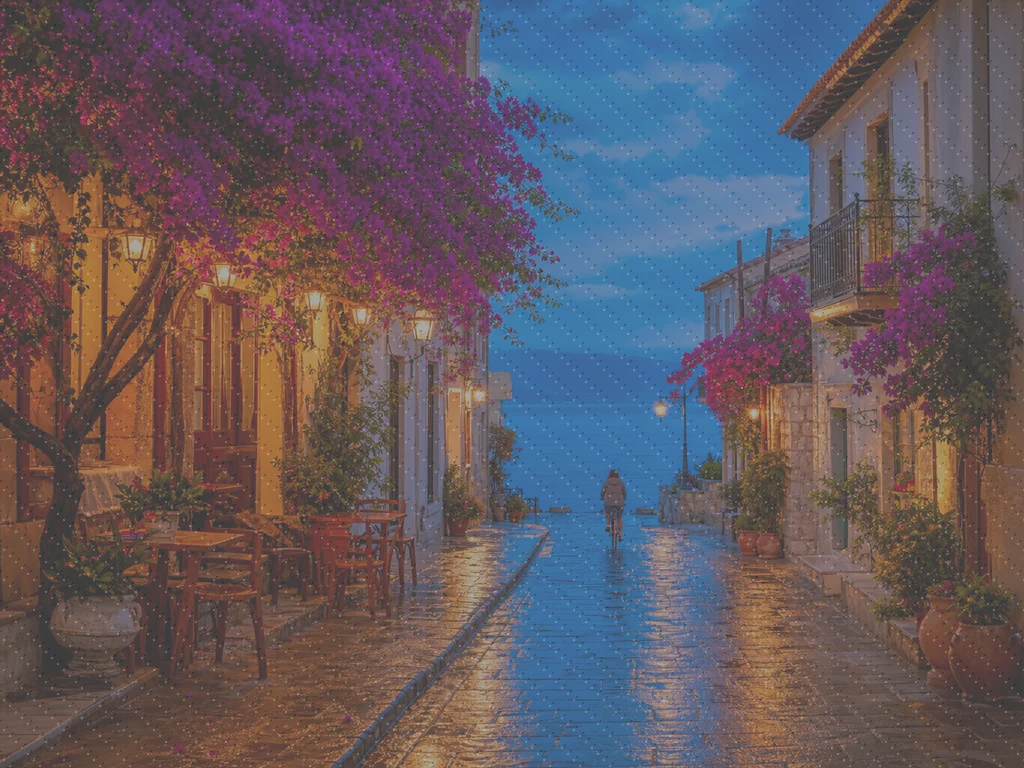
AI ਫੋਟੋ ਵਧਾਉਣ ਵਾਲਾ - ਮੁਫਤ AI ਚਿੱਤਰ ਵਧਾਉਣ ਵਾਲਾ ਔਨਲਾਈਨ
JPG, PNG, WEBP ਨਾਲ ਕੰਮ ਕਰਦਾ ਹੈ
ਫ਼ੋਟੋ ਗੂੜ੍ਹੀ, ਦਾਣੇਦਾਰ ਜਾਂ ਥੋੜੀ ਜਿਹੀ ਫੋਕਸ ਤੋਂ ਬਾਹਰ ਹੈ, ਅਤੇ ਇਹ ਇੱਕੋ ਇੱਕ ਕਾਪੀ ਹੈ ਜੋ ਮੌਜੂਦ ਹੈ। ਇਸਨੂੰ ਇੱਕ ਕਲਿੱਕ ਵਿੱਚ ਵਧਾਓ ਅਤੇ ਇਸਨੂੰ ਰੱਖਣ ਤੋਂ ਪਹਿਲਾਂ ਤੁਲਨਾ ਕਰੋ।
- One click: denoise, sharpen, auto color and a 2x boost for small photos
- ਪੁਰਾਣੀਆਂ, ਹਨੇਰੀਆਂ, ਦਾਣੇਦਾਰ ਜਾਂ ਥੋੜ੍ਹੀਆਂ ਧੁੰਦਲੀਆਂ ਫੋਟੋਆਂ ਲਈ ਵਧੀਆ
- ਤੁਹਾਡੇ ਕੋਲ ਮਹੱਤਵਪੂਰਣ ਫੋਟੋ ਦੀ ਇੱਕੋ ਇੱਕ ਕਾਪੀ ਬਚਾਓ
ਇੱਕ ਧੁੰਦਲੀ ਜਾਂ ਧੁੰਦਲੀ ਫੋਟੋ ਸੁੱਟੋ — ਇੱਕ ਕਰਿਸਪ, ਸਪਸ਼ਟ ਸੰਸਕਰਣ ਵਾਪਸ ਪ੍ਰਾਪਤ ਕਰੋ
ਸਭ ਤੋਂ ਵਧੀਆ ਨਤੀਜੇ ਲਈ ਨੁਸਖੇ
• ਪੋਰਟ੍ਰੇਟਾਂ ਉੱਤੇ ਹਲਕੀ ਸਟ੍ਰੈਂਥ ਸਭ ਤੋਂ ਕੁਦਰਤੀ ਲੱਗਦੀ ਹੈ
• ਹਨੇਰੀਆਂ ਜਾਂ ਗ੍ਰੇਨੀ ਫੋਟੋਆਂ ਉੱਤੇ ਜ਼ਿਆਦਾ ਮਜ਼ਬੂਤ ਸੈਟਿੰਗਾਂ ਵਰਤੋ
• ਤੁਹਾਡੇ ਕੋਲ ਮੌਜੂਦ ਸਭ ਤੋਂ ਵੱਡੇ ਮੂਲ ਤੋਂ ਸ਼ੁਰੂ ਕਰੋ — ਪਹਿਲਾਂ ਤੋਂ ਹੀ ਸੰਕੁਚਿਤ ਕਾਪੀ ਸੀਮਿਤ ਕਰਦੀ ਹੈ ਕਿ ਕੀ ਮੁੜ ਪ੍ਰਾਪਤ ਕੀਤਾ ਜਾ ਸਕਦਾ ਹੈ
AI ਫ਼ੋਟੋ ਐਨਹਾਂਸਰ ਬਾਰੇ
Our photo enhancer combines several fixes into one click: noise reduction, edge-aware sharpening, automatic brightness, contrast and color correction, and a 2x enlargement for small photos. It turns dull, dark or low-res phone photos into crisp, vivid images without any manual editing.
ਇਹ ਕਿਵੇਂ ਕੰਮ ਕਰਦਾ ਹੈ
1. ਆਪਣੀ ਫ਼ੋਟੋ ਅੱਪਲੋਡ ਕਰੋ
2. The enhancer denoises, sharpens and fixes color
3. ਆਪਣੀ ਪਸੰਦ ਮੁਤਾਬਕ ਤੀਬਰਤਾ ਸੈੱਟ ਕਰੋ
4. ਬਿਹਤਰ ਬਣਾਇਆ ਨਤੀਜਾ ਡਾਊਨਲੋਡ ਕਰੋ
ਇਨ੍ਹਾਂ ਲਈ ਢੁਕਵਾਂ
• ਫਿੱਕੀਆਂ ਜਾਂ ਫਲੈਟ ਦਿਖਣ ਵਾਲੀਆਂ ਫੋਨ ਫੋਟੋਆਂ
• ਹਨੇਰੀਆਂ, ਘੱਟ ਰੋਸ਼ਨੀ ਵਾਲੀਆਂ ਅਤੇ ਗ੍ਰੇਨੀ ਫੋਟੋਆਂ
• ਪੁਰਾਣੇ ਜਾਂ ਘੱਟ-ਰੈਜ਼ੋਲਿਊਸ਼ਨ ਵਾਲੇ ਚਿੱਤਰ
• ਪ੍ਰੋਡਕਟ, ਲਿਸਟਿੰਗ ਅਤੇ ਸੋਸ਼ਲ ਮੀਡੀਆ ਫੋਟੋਆਂ
ਤੁਸੀਂ AI ਫ਼ੋਟੋ ਐਨਹਾਂਸਰ ਨਾਲ ਕੀ ਕਰ ਸਕਦੇ ਹੋ
ਸ਼ੁਰੂ ਕਰਨ ਤੋਂ ਪਹਿਲਾਂ ਮੁੱਖ ਸਮਰੱਥਾਵਾਂ ਦੀ ਸਮੀਖਿਆ ਕਰੋ।
- ਜਦੋਂ ਦੁਬਾਰਾ ਸ਼ੂਟ ਦੀ ਕੋਈ ਸੰਭਾਵਨਾ ਨਹੀਂ ਹੁੰਦੀ ਤਾਂ ਇੱਕ ਫੋਟੋ ਨੂੰ ਬਚਾਓ
- ਹਨੇਰੇ ਸ਼ਾਟਸ ਤੋਂ ਸ਼ੋਰ ਅਤੇ ਅਨਾਜ ਨੂੰ ਹਟਾਓ
- ਧੁੰਦਲੀ ਜਾਂ ਨਰਮ ਫ਼ੋਨ ਦੀਆਂ ਫ਼ੋਟੋਆਂ ਨੂੰ ਤਿੱਖਾ ਕਰੋ
- ਸੰਜੀਵ ਰੋਸ਼ਨੀ ਅਤੇ ਫਲੈਟ ਰੰਗ ਨੂੰ ਠੀਕ ਕਰੋ
- ਘੱਟ-ਰੈਜ਼ੋਲੇਸ਼ਨ ਦੀਆਂ ਤਸਵੀਰਾਂ ਨੂੰ ਕਰਿਸਪ, ਚਮਕਦਾਰ ਚਿੱਤਰਾਂ ਵਿੱਚ ਬਦਲੋ
- ਨਿਯੰਤਰਣ ਕਰੋ ਕਿ ਸੁਧਾਰ ਕਿੰਨਾ ਮਜ਼ਬੂਤ ਦਿਖਾਈ ਦਿੰਦਾ ਹੈ
ਸੈਟਿੰਗਾਂ ਦਾ ਹਵਾਲਾ
2 ਸੈਟਿੰਗਾਂ
AI ਫ਼ੋਟੋ ਐਨਹਾਂਸਰ ਲਈ ਉਪਲਬਧ ਨਿਯੰਤਰਣ।
- ਪ੍ਰੋਸੈਸਿੰਗ ਮੋਡਪ੍ਰੀਸੈਟ
- ਇੱਕ ਇਨਪੁੱਟ ਪ੍ਰੋਸੈਸ ਕਰੋ ਜਾਂ ਇੱਕੋ ਸੈਟਿੰਗਾਂ ਨਾਲ ਕਈ ਇਨਪੁੱਟ ਪ੍ਰੋਸੈਸ ਕਰਨ ਲਈ Premium ਬੈਚ ਮੋਡ ਚੁਣੋ। ਉਪਲਬਧ ਇਨਪੁੱਟ ਕਿਸਮਾਂ ਟੂਲ ਉੱਤੇ ਨਿਰਭਰ ਕਰਦੀਆਂ ਹਨ।ਚੋਣਾਂ: ਇੱਕ ਤਸਵੀਰਬੈਚ
ਵਿਵਸਥਿਤ ਕਰੋ
- ਸੁਧਾਰ ਦੀ ਤੀਬਰਤਾਸਲਾਈਡਰਰੇਂਜ: 0–1 · ਮੂਲ: 0.7
- ਸੂਖਮ ਤੋਂ ਮਜ਼ਬੂਤ ਤੱਕ ਪੂਰੇ ਇੱਕ-ਕਲਿੱਕ ਕਲੀਨ-ਅੱਪ (ਸ਼ੋਰ ਘਟਾਉਣ, ਸ਼ਾਰਪਨਿੰਗ, ਆਟੋ ਕਲਰ ਅਤੇ ਡਿਟੇਲ ਬੂਸਟ) ਨੂੰ ਸਕੇਲ ਕਰਦਾ ਹੈ — ਇਸਨੂੰ ਕੁਦਰਤੀ ਪੋਰਟਰੇਟ ਲਈ ਘੱਟ ਰੱਖੋ, ਗੂੜ੍ਹੇ ਜਾਂ ਦਾਣੇਦਾਰ ਫ਼ੋਟੋਆਂ ਲਈ ਇਸ ਨੂੰ ਵਧਾਓ।
AI ਫ਼ੋਟੋ ਐਨਹਾਂਸਰ ਲਈ ਸੰਬੰਧਿਤ ਟੂਲ
AI ਫ਼ੋਟੋ ਐਨਹਾਂਸਰ ਤੋਂ ਬਾਅਦ ਆਮ ਅਗਲੇ ਪੜਾਵਾਂ ਲਈ ਟੂਲ।

ਫ਼ੋਟੋ Enhancement
AI ਚਿੱਤਰ ਅਪਸਕੇਲਰ
ਇੱਕ ਚਿੱਤਰ ਨੂੰ 2×, 3×, ਜਾਂ 4× ਤੱਕ ਅੱਪਸਕੇਲ ਕਰੋ ਅਤੇ ਡਾਊਨਲੋਡ ਕਰਨ ਤੋਂ ਪਹਿਲਾਂ ਵਿਸਤ੍ਰਿਤ ਨਤੀਜੇ ਦੀ ਸਮੀਖਿਆ ਕਰੋ।
ਹੁਣੇ ਅਜ਼ਮਾਓ
ਪੋਰਟਰੇਟ ਅਤੇ ਹੈੱਡਸ਼ੌਟ ਸਟੂਡੀਓ
ਦਾਗ਼ ਹਟਾਉਣ ਵਾਲਾ
ਆਲੇ ਦੁਆਲੇ ਦੀ ਚਮੜੀ ਦੀ ਬਣਤਰ 'ਤੇ ਪ੍ਰਭਾਵ ਦੀ ਸਮੀਖਿਆ ਕਰਦੇ ਹੋਏ ਦਿਖਾਈ ਦੇਣ ਵਾਲੇ ਧੱਬੇ, ਚਟਾਕ ਅਤੇ ਕਾਲੇ ਨਿਸ਼ਾਨਾਂ ਨੂੰ ਘਟਾਓ।
ਹੁਣੇ ਅਜ਼ਮਾਓ
ਪੋਰਟਰੇਟ ਅਤੇ ਹੈੱਡਸ਼ੌਟ ਸਟੂਡੀਓ
ਚਿਹਰਾ ਸੁੰਦਰ ਬਣਾਓ
ਚਿਹਰੇ ਦੇ ਵੇਰਵਿਆਂ ਅਤੇ ਕਿਨਾਰਿਆਂ ਦੀ ਸਮੀਖਿਆ ਕਰਦੇ ਹੋਏ ਵਿਵਸਥਿਤ ਚਮੜੀ ਦੀ ਸਮੂਥਿੰਗ ਅਤੇ ਟੋਨ ਸੁਧਾਰ ਲਾਗੂ ਕਰੋ।
ਹੁਣੇ ਅਜ਼ਮਾਓਅਕਸਰ ਪੁੱਛੇ ਜਾਂਦੇ ਸਵਾਲ
AI ਫ਼ੋਟੋ ਐਨਹਾਂਸਰ ਤੁਹਾਡਾ ਕੰਮ ਕਰਨ ਵਿੱਚ ਕਿਵੇਂ ਮਦਦ ਕਰਦਾ ਹੈ
ਅਸਲ ਸਮੱਸਿਆਵਾਂ ਜੋ ਇਹ ਹਰ ਰੋਜ਼ ਹੱਲ ਕਰਦੀ ਹੈ — ਕਾਰੋਬਾਰਾਂ, ਸਿਰਜਣਹਾਰਾਂ ਅਤੇ ਰੋਜ਼ਾਨਾ ਦੇ ਕੰਮਾਂ ਲਈ। ਉਹ ਵਰਤੋਂ ਕੇਸ ਲੱਭੋ ਜੋ ਤੁਹਾਡੇ ਲਈ ਫਿੱਟ ਹੈ ਅਤੇ ਸ਼ੁਰੂ ਕਰੋ।
ਸਕੈਨ ਕੀਤੀਆਂ ਪਰਿਵਾਰਕ ਫੋਟੋਆਂ ਨੂੰ ਵਧਾਓ
ਸਕੈਨ ਕੀਤੀਆਂ ਜਾਂ ਫਿੱਕੀਆਂ ਪੁਰਾਣੀਆਂ ਪਰਿਵਾਰਕ ਫੋਟੋਆਂ 'ਤੇ Enhancement strength ਸਲਾਈਡਰ ਨੂੰ Strong ਵੱਲ ਵਧਾਓ ਤਾਂ ਜੋ ਨੌਇਜ਼ ਸਾਫ਼ ਹੋਵੇ ਅਤੇ ਉਮਰ, ਘੱਟ ਰੈਜ਼ੋਲਿਊਸ਼ਨ ਜਾਂ ਸਸਤੇ ਅਸਲੀ ਸਕੈਨ ਕਾਰਨ ਗੁਆਚੀ ਬਾਰੀਕੀ ਵਾਪਸ ਆਵੇ।
ਲਿਸਟਿੰਗ ਤੋਂ ਪਹਿਲਾਂ ਉਤਪਾਦ ਫ਼ੋਟੋਆਂ ਨੂੰ ਤਿੱਖਾ ਕਰੋ
ਉਤਪਾਦਾਂ ਦੀਆਂ ਫੋਟੋਆਂ ਨੂੰ ਸੂਖਮ ਤਾਕਤ ਸੈਟਿੰਗ ਨਾਲ ਚਲਾਓ ਤਾਂ ਜੋ ਮਾਮੂਲੀ ਫੋਨ-ਕੈਮਰੇ ਦੀ ਨਰਮਤਾ ਅਤੇ ਰੰਗ ਦੀ ਨਿਜੀਤਾ ਨੂੰ ਓਵਰ-ਪ੍ਰੋਸੈਸਿੰਗ ਤੋਂ ਬਿਨਾਂ ਸਾਫ਼ ਕੀਤਾ ਜਾ ਸਕੇ, ਸੂਚੀਆਂ ਨੂੰ ਸਹੀ ਅਤੇ ਭਰੋਸੇਮੰਦ ਦਿਖਾਈ ਦੇਣ।
ਘੱਟ-ਰੌਸ਼ਨੀ ਵਾਲੇ ਇਵੈਂਟ ਤੇ ਕੰਸਰਟ ਸ਼ਾਟਸ ਨੂੰ ਸਾਫ਼ ਕਰੋ
ਕੰਸਰਟਾਂ, ਪਾਰਟੀਆਂ ਜਾਂ ਮੱਧਮ ਥਾਵਾਂ ਦੀਆਂ ਹਨੇਰੀਆਂ, ਰਵੇਂਦਾਰ ਫੋਟੋਆਂ ਇੱਕ ਕਲਿੱਕ ਵਿੱਚ ਸ਼ੋਰ-ਮੁਕਤ, ਚਮਕਦਾਰ ਤੇ ਤਿੱਖੀਆਂ ਹੋ ਜਾਂਦੀਆਂ ਹਨ — ਸਭ ਤੋਂ ਪ੍ਰਭਾਵਸ਼ਾਲੀ ਸ਼ੋਰ ਸਫ਼ਾਈ ਲਈ ਤੀਬਰਤਾ ਨੂੰ Strong ਵੱਲ ਵਧਾਓ।
ਰੀਅਲ ਅਸਟੇਟ ਲਿਸਟਿੰਗ ਫੋਟੋਆਂ ਨੂੰ ਨਿਖਾਰੋ
ਇੱਕ-ਕਲਿੱਕ ਡੈਨੋਇਜ਼, ਸ਼ਾਰਪਨ ਅਤੇ ਕਲਰ ਸੁਧਾਰ ਫਲੈਟ ਜਾਂ ਮੱਧਮ ਅੰਦਰੂਨੀ ਅਤੇ ਬਾਹਰੀ ਫੋਨ ਫੋਟੋਆਂ ਨੂੰ ਕਰਿਸਪਰ ਵਿੱਚ ਬਦਲਦਾ ਹੈ, ਪੂਰੀ ਫੋਟੋ-ਸੰਪਾਦਨ ਵਰਕਫਲੋ ਤੋਂ ਬਿਨਾਂ ਸੂਚੀਬੱਧ ਚਿੱਤਰਾਂ ਨੂੰ ਵਧੇਰੇ ਸੱਦਾ ਦੇਣ ਵਾਲਾ।
ਡਾਕੂਮੈਂਟਾਂ ਲਈ ਸਕੈਨ ਅਤੇ ਸਕ੍ਰੀਨਸ਼ਾਟ ਤਿਆਰ ਕਰੋ
ਕਿਉਂਕਿ ਇਹ ਸਿਰਫ਼ ਫੋਟੋਆਂ ਲਈ ਨਹੀਂ ਸਗੋਂ ਇੱਕ ਆਮ ਇਮੇਜ ਸੁਧਾਰਕ ਵਜੋਂ ਕੰਮ ਕਰਦਾ ਹੈ, ਸਾਂਝਾ ਕਰਨ ਜਾਂ ਆਰਕਾਈਵ ਕਰਨ ਤੋਂ ਪਹਿਲਾਂ ਟੈਕਸਟ ਤਿੱਖਾ ਕਰਨ ਅਤੇ ਕੰਪਰੈਸ਼ਨ ਖ਼ਰਾਬੀਆਂ ਸਾਫ਼ ਕਰਨ ਲਈ ਸਕੈਨ ਕੀਤੇ ਦਸਤਾਵੇਜ਼, ਵ੍ਹਾਈਟਬੋਰਡ ਫੋਟੋਆਂ ਜਾਂ ਸਕ੍ਰੀਨਸ਼ਾਟ ਇਸ ਵਿੱਚੋਂ ਲੰਘਾਓ।
ਇਸ ਟੂਲ ਦੀਆਂ ਗਾਈਡਾਂ
- How to Improve Shopify Product Images in Bulk for Better ListingsImprove Shopify product images in bulk with Pixoate. Review backgrounds, detail, resolution and file size to create a clearer, more consistent catalogue.
- How to Improve Etsy Product Photos for Handmade and Custom ItemsImprove Etsy photos of handmade and custom products with Pixoate. Show texture, finishing and personalisation clearly without changing the real item.
ਹਰ ਰੂਪਾਂਤਰ ਲਾਗੂ ਹੁੰਦਾ ਵੇਖੋ
ਹਰ ਫੋਟੋ ਸਲੈਸ਼ ਨੂੰ ਬਿਨਾਂ ਛੂਹ ਕੇ ਪਾਰ ਕਰਦੀ ਹੈ ਅਤੇ ਦੂਜੇ ਪਾਸੇ ਤੋਂ ਬਾਹਰ ਆਉਂਦੀ ਹੈ।























