
ਰੰਗ ਚੋਣਕਾਰ ਅਤੇ ਪਹੀਆ
ਰੰਗ ਮੇਲ
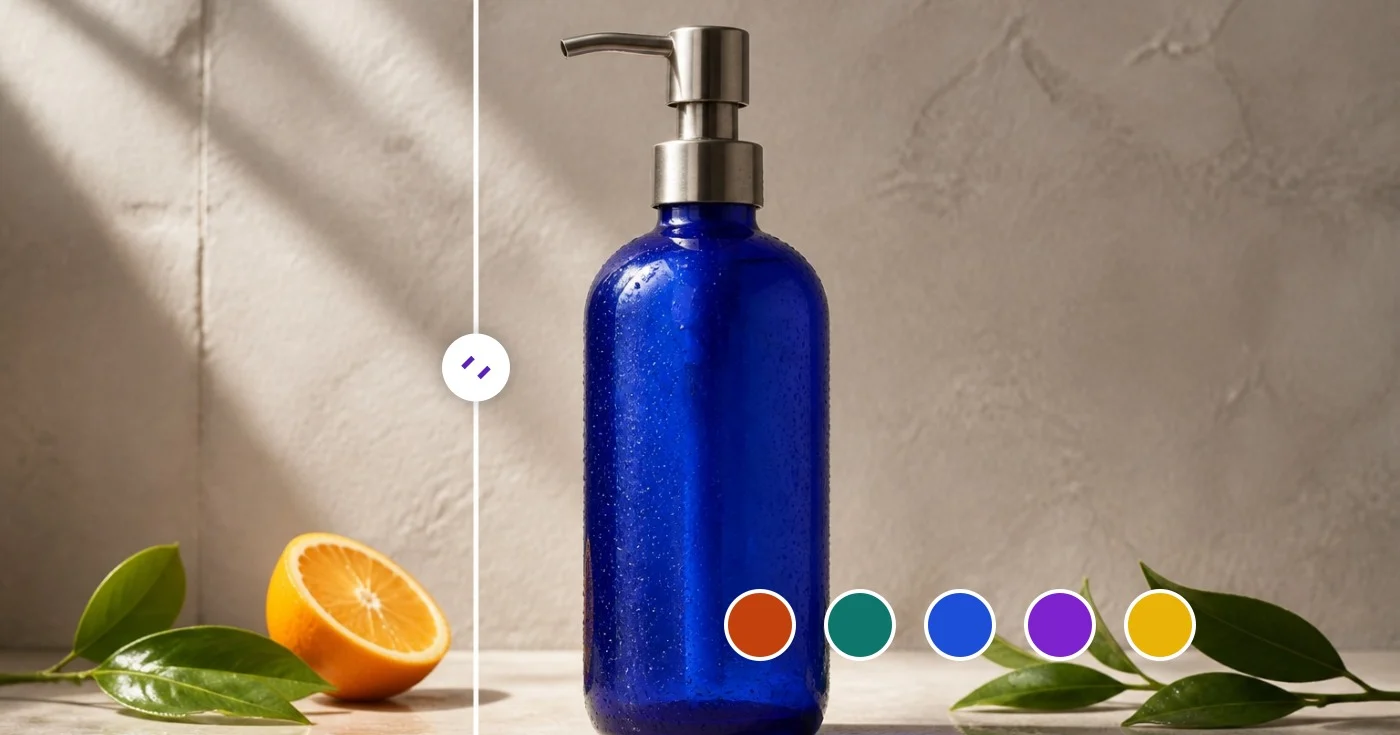
ਚਿੱਤਰ ਤੋਂ ਰੰਗ ਚੋਣਕਾਰ — HEX ਅਤੇ RGB ਰੰਗ ਕੋਡ ਪ੍ਰਾਪਤ ਕਰੋ
HEX, RGB ਅਤੇ HSL ਮੁੱਲਾਂ ਨੂੰ ਪੜ੍ਹਨ ਲਈ ਇੱਕ ਪਿਕਸਲ ਚੁਣੋ, ਜਾਂ JSON ਜਾਂ CSS ਵੇਰੀਏਬਲ ਦੇ ਰੂਪ ਵਿੱਚ ਇੱਕ ਪ੍ਰਮੁੱਖ ਪੈਲੇਟ ਨਿਰਯਾਤ ਕਰੋ।
ਇੱਕ ਚਿੱਤਰ ਸੁੱਟੋ - ਇਸਦੇ ਕੋਡ ਲਈ ਕਿਸੇ ਵੀ ਪਿਕਸਲ 'ਤੇ ਕਲਿੱਕ ਕਰੋ ਜਾਂ ਪੂਰਾ ਪੈਲੇਟ ਐਕਸਟਰੈਕਟ ਕਰੋ
PNG, JPG, WEBP, GIF
ਤੁਸੀਂ ਕਲਰ ਪਿਕਰ ਨਾਲ ਕੀ ਕਰ ਸਕਦੇ ਹੋ
ਸ਼ੁਰੂ ਕਰਨ ਤੋਂ ਪਹਿਲਾਂ ਮੁੱਖ ਸਮਰੱਥਾਵਾਂ ਦੀ ਸਮੀਖਿਆ ਕਰੋ।
- ਇੱਕ ਫੋਟੋ ਤੋਂ HEX, RGB ਜਾਂ HSL ਦੇ ਰੂਪ ਵਿੱਚ ਕੋਈ ਵੀ ਰੰਗ ਚੁਣੋ
- ਇੱਕ ਚਿੱਤਰ ਤੋਂ ਪ੍ਰਭਾਵਸ਼ਾਲੀ ਰੰਗ ਪੈਲਅਟ ਨੂੰ ਐਕਸਟਰੈਕਟ ਕਰੋ
- ਇੱਕ ਸਕ੍ਰੀਨਸ਼ੌਟ ਜਾਂ ਲੋਗੋ ਤੋਂ ਬ੍ਰਾਂਡ ਦੇ ਰੰਗ ਲਵੋ
- ਆਪਣੇ ਡਿਜ਼ਾਈਨ ਲਈ ਰੰਗ ਕੋਡ ਕਾਪੀ ਕਰੋ
- ਪੈਲੇਟ ਨੂੰ JSON ਜਾਂ CSS ਵੇਰੀਏਬਲ ਦੇ ਰੂਪ ਵਿੱਚ ਨਿਰਯਾਤ ਕਰੋ
- ਇੱਕ ਹਵਾਲਾ ਫੋਟੋ ਤੋਂ ਇੱਕ ਰੰਗ ਸਕੀਮ ਬਣਾਓ
ਸੈਟਿੰਗਾਂ ਦਾ ਹਵਾਲਾ
9 ਸੈਟਿੰਗਾਂ
ਕਲਰ ਪਿਕਰ ਲਈ ਉਪਲਬਧ ਨਿਯੰਤਰਣ।
- ਪ੍ਰੋਸੈਸਿੰਗ ਮੋਡਪ੍ਰੀਸੈਟ
- ਇੱਕ ਇਨਪੁੱਟ ਪ੍ਰੋਸੈਸ ਕਰੋ ਜਾਂ ਇੱਕੋ ਸੈਟਿੰਗਾਂ ਨਾਲ ਕਈ ਇਨਪੁੱਟ ਪ੍ਰੋਸੈਸ ਕਰਨ ਲਈ Premium ਬੈਚ ਮੋਡ ਚੁਣੋ। ਉਪਲਬਧ ਇਨਪੁੱਟ ਕਿਸਮਾਂ ਟੂਲ ਉੱਤੇ ਨਿਰਭਰ ਕਰਦੀਆਂ ਹਨ।ਚੋਣਾਂ: ਇੱਕ ਤਸਵੀਰਬੈਚ
ਰੰਗ ਚੋਣਕਾਰ ਅਤੇ ਪਹੀਆ
- ਬੇਤਰਤੀਬਇੱਕ-ਕਲਿੱਕ ਕਰੋ
- ਇੱਕ ਕਲਿੱਕ ਵਿੱਚ ਨਵਾਂ ਬੇਤਰਤੀਬ ਰੰਗ ਲੈ ਆਉਂਦਾ ਹੈ ਤਾਂ ਜੋ ਝੱਟ ਪ੍ਰੇਰਨਾ ਮਿਲੇ; HEX, RGB, HSL ਮੁੱਲ ਅਤੇ ਹਾਰਮਨੀ ਪੈਲੇਟ ਸਾਰੇ ਨਾਲੋ-ਨਾਲ ਅੱਪਡੇਟ ਹੋ ਜਾਂਦੇ ਹਨ।
- ਸੰਤ੍ਰਿਪਤਾ ਅਤੇ ਚਮਕਸਲਾਈਡਰਰੇਂਜ: 0–100%
- ਰੰਗ ਕਿੰਨਾ ਚਮਕਦਾਰ ਹੋਵੇ (ਖੱਬੇ ਤੋਂ ਸੱਜੇ) ਅਤੇ ਕਿੰਨਾ ਹਲਕਾ ਜਾਂ ਗੂੜ੍ਹਾ ਹੋਵੇ (ਉੱਪਰ ਤੋਂ ਹੇਠਾਂ), ਇਹ ਤੈਅ ਕਰਨ ਲਈ ਵਰਗ ਉੱਤੇ ਮਾਰਕਰ ਖਿੱਚੋ।
- ਰੰਗਤਸਲਾਈਡਰਰੇਂਜ: 0–360 · ਮੂਲ: 211
- ਮੂਲ ਰੰਗਤ ਚੁਣਨ ਲਈ ਸਤਰੰਗੀ ਪੱਟੀ ਉੱਤੇ ਸਲਾਈਡ ਕਰੋ — ਲਾਲ ਤੋਂ ਪੀਲੇ, ਹਰੇ, ਨੀਲੇ ਤੇ ਮੈਜੈਂਟਾ ਹੁੰਦੇ ਹੋਏ ਵਾਪਸ ਲਾਲ ਤੱਕ।
- HEXਟੈਕਸਟ ਇਨਪੁੱਟ
- ਕੋਈ ਵੀ ਰੰਗ ਮੁੱਲ ਟਾਈਪ ਕਰੋ ਜਾਂ ਪੇਸਟ ਕਰੋ — HEX ਕੋਡ, rgb() ਜਾਂ hsl() ਨੋਟੇਸ਼ਨ, ਜਾਂ CSS ਰੰਗ ਨਾਮ — ਅਤੇ ਸਿੱਧਾ ਉਸੇ ਸਟੀਕ ਰੰਗ ਉੱਤੇ ਪਹੁੰਚ ਜਾਓ।
- RGBਨੰਬਰ ਇੰਪੁੱਟਰੇਂਜ: 0–255
- ਜਦੋਂ ਤੁਹਾਨੂੰ ਡਿਜ਼ਾਈਨ ਸਪੈਸੀਫ਼ਿਕੇਸ਼ਨ ਵਿੱਚੋਂ ਸਹੀ RGB ਮੁੱਲ ਨਾਲ ਮੇਲ ਕਰਨਾ ਹੋਵੇ, ਤਾਂ ਲਾਲ, ਹਰੇ ਤੇ ਨੀਲੇ ਚੈਨਲ ਵੱਖ-ਵੱਖ 0 ਤੋਂ 255 ਤੱਕ ਸੈੱਟ ਕਰੋ।
- HSLਨੰਬਰ ਇੰਪੁੱਟਰੇਂਜ: 0–360
- ਰੰਗਤ (0–360) ਦੇ ਨਾਲ-ਨਾਲ ਸੰਤ੍ਰਿਪਤਾ ਅਤੇ ਲਾਈਟਨੈੱਸ (0–100) ਨੂੰ ਅੰਕਾਂ ਵਜੋਂ ਸੈੱਟ ਕਰੋ — ਰੰਗਤ ਬਦਲੇ ਬਿਨਾਂ ਕਿਸੇ ਰੰਗ ਨੂੰ ਥੋੜ੍ਹਾ ਹਲਕਾ ਜਾਂ ਮੱਧਮ ਕਰਨ ਲਈ ਲਾਹੇਵੰਦ।
ਪ੍ਰਮੁੱਖ ਪੈਲੇਟ
- ਆਕਾਰਡ੍ਰੌਪਡਾਊਨ
- ਅੱਪਲੋਡ ਕੀਤੇ ਚਿੱਤਰ ਵਿੱਚੋਂ ਕਿੰਨੇ ਮੁੱਖ ਰੰਗ ਕੱਢਣੇ ਹਨ, ਇਹ ਚੁਣਦਾ ਹੈ (ਮੂਲ 8); ਸਾਫ਼-ਸੁਥਰੇ ਬ੍ਰਾਂਡ ਪੈਲੇਟ ਲਈ ਛੋਟੀ ਗਿਣਤੀ ਚੁਣੋ ਜਾਂ ਹਲਕੇ ਐਕਸੈਂਟ ਸ਼ੇਡ ਸਾਹਮਣੇ ਲਿਆਉਣ ਲਈ ਵੱਡੀ।ਚੋਣਾਂ: 58101624
- ਚੁਣਿਆ ਰੰਗਰੰਗ ਚੋਣਕਾਰ
- ਉਸ ਪਿਕਸਲ ਦਾ ਰੰਗ ਲੈਣ ਲਈ ਅੱਪਲੋਡ ਕੀਤੀ ਫ਼ੋਟੋ 'ਤੇ ਕਿਤੇ ਵੀ ਕਲਿੱਕ ਜਾਂ ਟੈਪ ਕਰੋ; ਹਰ ਚੋਣ HEX, RGB ਅਤੇ HSL ਕੀਮਤਾਂ ਵਾਲਾ ਸਵੈਚ ਜੋੜ ਦਿੰਦੀ ਹੈ, ਜਿਸ ਨੂੰ ਵੱਖਰੇ ਤੌਰ 'ਤੇ ਜਾਂ ਸਾਰੇ ਇਕੱਠੇ ਹਟਾਇਆ ਜਾ ਸਕਦਾ ਹੈ।
ਕਲਰ ਪਿਕਰ ਲਈ ਸੰਬੰਧਿਤ ਟੂਲ
ਕਲਰ ਪਿਕਰ ਤੋਂ ਬਾਅਦ ਆਮ ਅਗਲੇ ਪੜਾਵਾਂ ਲਈ ਟੂਲ।
ਰਚਨਾਤਮਕ ਅਤੇ ਡਿਜ਼ਾਈਨ
ਕਲਰ ਪੈਲੇਟ ਜਨਰੇਟਰ
ਇਕਸੁਰਤਾ ਮੋਡਾਂ ਦੇ ਨਾਲ 3-8 ਰੰਗ ਪੈਲੇਟ ਤਿਆਰ ਕਰੋ, ਰੰਗਾਂ ਨੂੰ ਲਾਕ ਕਰੋ ਅਤੇ ਸਾਂਝਾ ਕਰੋ, ਫਿਰ PNG, CSS ਵੇਰੀਏਬਲ, ਜਾਂ JSON ਨੂੰ ਨਿਰਯਾਤ ਕਰੋ।
ਹੁਣੇ ਅਜ਼ਮਾਓ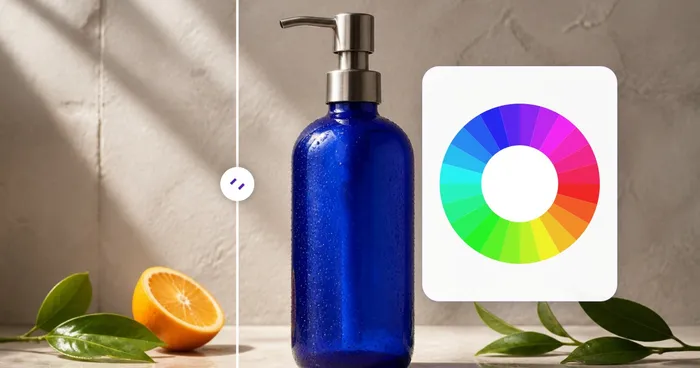
ਰਚਨਾਤਮਕ ਅਤੇ ਡਿਜ਼ਾਈਨ
ਕਲਰ ਵ੍ਹੀਲ
ਕਾਪੀ ਕਰਨ ਯੋਗ HEX ਕੋਡਾਂ ਦੇ ਨਾਲ ਪੂਰਕ, ਸਮਾਨ, ਟ੍ਰਾਈਡਿਕ, ਟੈਟਰਾਡਿਕ ਅਤੇ ਵਰਗ ਇਕਸੁਰਤਾ ਲੱਭਣ ਲਈ ਇੱਕ ਇੰਟਰਐਕਟਿਵ ਕਲਰ ਵ੍ਹੀਲ ਦੀ ਵਰਤੋਂ ਕਰੋ।
ਹੁਣੇ ਅਜ਼ਮਾਓ
ਰਚਨਾਤਮਕ ਅਤੇ ਡਿਜ਼ਾਈਨ
ਰੰਗਾਂ ਦੇ ਅਰਥ
ਕਿਸੇ ਵੀ HEX ਮੁੱਲ ਲਈ ਰੰਗਾਂ ਦੇ ਅਰਥ, ਮਨੋਵਿਗਿਆਨ, ਪ੍ਰਤੀਕਵਾਦ, ਸੱਭਿਆਚਾਰਕ ਸੰਦਰਭ, ਬ੍ਰਾਂਡ ਉਦਾਹਰਨਾਂ, ਅਤੇ ਸੁਝਾਏ ਗਏ ਜੋੜਾਂ ਦੀ ਪੜਚੋਲ ਕਰੋ।
ਹੁਣੇ ਅਜ਼ਮਾਓਅਕਸਰ ਪੁੱਛੇ ਜਾਂਦੇ ਸਵਾਲ
ਕਲਰ ਪਿਕਰ ਤੁਹਾਡਾ ਕੰਮ ਕਰਨ ਵਿੱਚ ਕਿਵੇਂ ਮਦਦ ਕਰਦਾ ਹੈ
ਅਸਲ ਸਮੱਸਿਆਵਾਂ ਜੋ ਇਹ ਹਰ ਰੋਜ਼ ਹੱਲ ਕਰਦੀ ਹੈ — ਕਾਰੋਬਾਰਾਂ, ਸਿਰਜਣਹਾਰਾਂ ਅਤੇ ਰੋਜ਼ਾਨਾ ਦੇ ਕੰਮਾਂ ਲਈ। ਉਹ ਵਰਤੋਂ ਕੇਸ ਲੱਭੋ ਜੋ ਤੁਹਾਡੇ ਲਈ ਫਿੱਟ ਹੈ ਅਤੇ ਸ਼ੁਰੂ ਕਰੋ।
ਬ੍ਰਾਂਡ ਪਛਾਣ ਆਡਿਟ
ਆਪਣੀ ਸਟਾਈਲ ਗਾਈਡ ਵਿੱਚ ਪਾਉਣ ਲਈ ਮੌਜੂਦਾ ਲੋਗੋ ਜਾਂ ਮਾਰਕੀਟਿੰਗ ਐਸੈੱਟ ਵਿੱਚੋਂ ਠੀਕ HEX ਮੁੱਲ ਕੱਢੋ। ਪੋਜ਼ੀਸ਼ਨਿੰਗ ਡੈੱਕ ਜਾਂ ਪਿਚ ਲਈ ਮੁਕਾਬਲੇਬਾਜ਼ ਬ੍ਰਾਂਡ ਰੰਗਾਂ ਨਾਲ ਮਿਲਾਓ।
ਵੈੱਬ ਡਿਜ਼ਾਈਨ ਪੈਲੇਟ ਬਣਾਉਣਾ
ਕਿਸੇ ਫ਼ੋਟੋ ਜਾਂ ਮੂਡ-ਬੋਰਡ ਵਿੱਚੋਂ ਪ੍ਰਮੁੱਖ ਰੰਗ ਕੱਢੋ, ਉਹਨਾਂ ਨੂੰ CSS ਵੈਰੀਏਬਲਾਂ ਵਜੋਂ ਐਕਸਪੋਰਟ ਕਰੋ, ਅਤੇ ਆਪਣੀ ਸਟਾਈਲਸ਼ੀਟ ਵਿੱਚ ਪਾ ਦਿਓ। 5-8 ਰੰਗਾਂ ਦੀ ਸਹੀ ਰੇਂਜ ਪੂਰੇ ਡਿਜ਼ਾਈਨ ਸਿਸਟਮ ਦੇ ਅਧਾਰ ਲਈ ਪ੍ਰਾਇਮਰੀ, ਐਕਸੈਂਟ ਅਤੇ ਨਿਊਟ੍ਰਲ ਰੰਗ ਕਵਰ ਕਰਦੀ ਹੈ।
ਈ-ਕਾਮਰਸ ਉਤਪਾਦ ਸੂਚੀਆਂ
ਪ੍ਰੋਡਕਟ ਫ਼ੋਟੋ ਦੇ ਬੈਕਗ੍ਰਾਊਂਡ ਰੰਗਾਂ ਨੂੰ ਆਪਣੇ ਸਟੋਰ ਦੀ ਥੀਮ ਨਾਲ ਮਿਲਾਓ। ਸਨੀਕਰ ਜਾਂ ਪਹਿਰਾਵੇ ਦੀ ਫ਼ੋਟੋ ਤੋਂ ਪ੍ਰਮੁੱਖ ਐਕਸੈਂਟ ਰੰਗ ਚੁਣੋ ਅਤੇ ਇਸ ਨੂੰ ਲਿਸਟਿੰਗ ਦੇ ਕਾਲ-ਆਊਟ ਹਾਈਲਾਈਟ ਵਜੋਂ ਵਰਤੋ।
ਅੰਦਰੂਨੀ ਸਜਾਵਟ ਤੇ ਫੈਸ਼ਨ ਪ੍ਰੇਰਨਾ
ਆਪਣੇ ਪਸੰਦ ਦੇ ਕਮਰੇ ਜਾਂ ਪਹਿਰਾਵੇ ਦੀ ਫੋਟੋ ਖਿੱਚੋ ਅਤੇ ਉਸ ਦਾ ਰੰਗ-ਪਟ ਕੱਢੋ। ਇਸ ਨੂੰ ਅਜਿਹਾ ਪੇਂਟ, ਕੱਪੜਾ ਜਾਂ ਸਜਾਵਟੀ ਸਮਾਨ ਚੁਣਨ ਲਈ ਵਰਤੋ ਜੋ ਮੌਜੂਦਾ ਤਰਤੀਬ ਨਾਲ ਮੇਲ ਖਾਂਦਾ ਹੋਵੇ — ਇਸ ਤਰ੍ਹਾਂ ਦ੍ਰਿਸ਼ ਪ੍ਰੇਰਣਾ ਨੂੰ ਕੰਮ-ਯੋਗ ਰੰਗ ਨਮੂਨਿਆਂ ਵਿੱਚ ਬਦਲਿਆ ਜਾਂਦਾ ਹੈ।
ਡੇਟਾ ਵਿਜ਼ੁਅਲਾਈਜ਼ੇਸ਼ਨ ਸਕੀਮਾਂ
ਉਸ ਚਿੱਤਰ ਤੋਂ ਲਏ 10-16 ਰੰਗਾਂ ਦਾ ਸ਼੍ਰੇਣੀਬੱਧ ਪੈਲੇਟ ਤਿਆਰ ਕਰੋ ਜਿਸ ਦਾ ਅਹਿਸਾਸ ਤੁਸੀਂ ਦੇਣਾ ਚਾਹੁੰਦੇ ਹੋ (ਜਿਵੇਂ ਕਿ ਨਰਮ ਚਾਰਟ ਲਈ ਵਾਟਰ ਕਲਰ ਪੇਂਟਿੰਗ, ਜਾਂ ਗਰਮ-ਤੋਂ-ਠੰਡੇ ਗ੍ਰੇਡੀਐਂਟ ਲਈ ਸੂਰਜ ਡੁੱਬਣ ਦਾ ਦ੍ਰਿਸ਼)। ਆਮ ਰੰਗ ਚੁਣਨ ਨਾਲੋਂ ਬਿਹਤਰ।
ਗੇਮ ਅਤੇ UI ਐਸਟ ਵਰਕਫਲੋ
ਪਿਕਸਲ-ਆਰਟ ਔਜ਼ਾਰ ਜਾਂ ਗੇਮ ਇੰਜਣ ਵਿੱਚ ਪਾਉਣ ਲਈ ਸਪ੍ਰਾਈਟ ਆਰਟ ਜਾਂ UI ਮੌਕਅੱਪਾਂ ਵਿੱਚੋਂ ਇੰਡੈਕਸ ਕੀਤਾ ਰੰਗ ਪੈਲੇਟ ਕੱਢੋ। ਪੈਲੇਟ JSON ਐਕਸਪੋਰਟ Aseprite, Photoshop ਅਤੇ ਜ਼ਿਆਦਾਤਰ ਐਸੈੱਟ ਪਾਈਪਲਾਈਨਾਂ ਨਾਲ ਜੁੜਦਾ ਹੈ।
ਸ਼ਿਪ ਕਰਨ ਤੋਂ ਪਹਿਲਾਂ WCAG ਕੰਟਰਾਸਟ ਜਾਂਚਾਂ
ਅਲੱਗ Color Picker & Wheel ਵਿੱਚ ਟੈਕਸਟ ਅਤੇ ਬੈਕਗ੍ਰਾਊਂਡ ਰੰਗ ਦੀ ਜੋੜੀ ਸੈੱਟ ਕਰੋ ਅਤੇ ਚਿੱਟੇ ਤੇ ਕਾਲੇ ਦੇ ਮੁਕਾਬਲੇ ਇਹਨਾਂ ਦਾ ਕੰਟਰਾਸਟ ਰੇਸ਼ੋ ਤੁਰੰਤ ਪੜ੍ਹੋ, ਤਾਂ ਜੋ ਤੁਸੀਂ AA/AAA ਪਹੁੰਚਯੋਗਤਾ ਦੀ ਕਮੀ ਨੂੰ ਪ੍ਰੋਡਕਸ਼ਨ ਤੱਕ ਪਹੁੰਚਣ ਤੋਂ ਪਹਿਲਾਂ ਫੜ ਸਕੋ।
ਕਸਟਮ ਪੇਂਟ ਅਤੇ ਪ੍ਰਿੰਟ ਰੰਗ ਸੈੱਟ ਕਰੋ
ਫੋਟੋ ਨੂੰ ਪੂਰੀ ਤਰ੍ਹਾਂ ਛੱਡ ਦਿਓ — ਕਿਸੇ ਖਾਸ ਪੇਂਟ ਮਿਸ਼ਰਣ, ਸਪਾਟ ਰੰਗ, ਜਾਂ ਬ੍ਰਾਂਡ ਟੋਨ ਨੂੰ ਸਹੀ ਢੰਗ ਨਾਲ ਤੈਅ ਕਰਨ ਲਈ ਇੱਕ ਸਟੀਕ HEX, RGB ਜਾਂ HSL ਮੁੱਲ ਟਾਈਪ ਕਰੋ, ਜਾਂ ਸੰਤ੍ਰਿਪਤਾ/ਰੰਗਤ ਕੰਟਰੋਲਾਂ ਨੂੰ ਖਿੱਚੋ, ਫਿਰ ਸਪਲਾਇਰ ਨਾਲ ਆਸਾਨ ਸੰਚਾਰ ਲਈ ਇਸਦੇ ਸਭ ਤੋਂ ਨੇੜਲੇ ਨਾਮਿਤ ਰੰਗ ਦੀ ਜਾਂਚ ਕਰੋ।
ਇੱਕ ਫ਼ੋਟੋ ਤੋਂ ਬਹੁ-ਬਿੰਦੂ ਸਵੈਚ ਬੋਰਡ
ਇੱਕ ਹੀ ਹਵਾਲਾ ਫੋਟੋ 'ਤੇ ਕਈ ਥਾਵਾਂ 'ਤੇ ਕਲਿੱਕ ਕਰੋ — ਅਸਮਾਨ, ਪੁਸ਼ਾਕ, ਫੁੱਲ — ਤਾਂ ਜੋ ਆਪਣੇ-ਆਪ ਕੱਢੇ ਗਏ ਪ੍ਰਮੁੱਖ ਪੈਲੇਟ 'ਤੇ ਭਰੋਸਾ ਕਰਨ ਦੀ ਬਜਾਏ ਇੱਕ ਚੋਣਵਾਂ ਬਹੁ-ਰੰਗੀ ਸਵੈਚ ਸੈੱਟ ਬਣਾਇਆ ਜਾ ਸਕੇ, ਫਿਰ ਇਸਨੂੰ ਕਲਾਇੰਟ ਮੂਡ ਬੋਰਡ ਲਈ JSON ਜਾਂ CSS ਵਜੋਂ ਐਕਸਪੋਰਟ ਕਰੋ।
ਤੁਰੰਤ ਬ੍ਰਾਂਡ ਰੰਗ ਹਾਰਮਨੀ ਸੈੱਟ
ਇੱਕ ਸਮਾਜਿਕ ਟੈਮਪਲੇਟ ਜਾਂ ਵਿਗਿਆਪਨ ਪੈਲੇਟ ਵਿੱਚ ਸਮੀਖਿਆ ਲਈ ਪੂਰਕ, ਤ੍ਰਿਏਡਿਕ ਅਤੇ ਸਪਲਿਟ-ਪੂਰਕ ਸਵੈਚਾਂ ਦੀ ਗਣਨਾ ਕਰਨ ਲਈ ਇੱਕ ਬ੍ਰਾਂਡ HEX ਕੋਡ ਦਾਖਲ ਕਰੋ।
ਮੁਕਾਬਲੇਬਾਜ਼ ਦੇ ਸਕ੍ਰੀਨਸ਼ਾਟ ਤੋਂ ਡਿਜ਼ਾਈਨ ਟੋਕਨ ਪੈਲੇਟ ਕੱਢੋ
ਕਿਸੇ ਫੋਟੋ ਦੀ ਬਜਾਏ ਕਿਸੇ ਪ੍ਰਤੀਯੋਗੀ ਦੀ ਵੈੱਬਸਾਈਟ ਜਾਂ ਐਪ ਦਾ ਸਕ੍ਰੀਨਸ਼ਾਟ ਅੱਪਲੋਡ ਕਰੋ, ਅਤੇ ਪ੍ਰਮੁੱਖ-ਪੈਲੇਟ ਐਕਸਟ੍ਰੈਕਟਰ ਇਸਦੇ ਸਟੀਕ ਬੈਕਗ੍ਰਾਊਂਡ, ਐਕਸੈਂਟ ਅਤੇ ਟੈਕਸਟ ਰੰਗਾਂ ਨੂੰ HEX ਕੋਡਾਂ ਵਜੋਂ ਕੱਢ ਲੈਂਦਾ ਹੈ ਜਿਨ੍ਹਾਂ ਨੂੰ ਤੁਸੀਂ CSS ਵੇਰੀਏਬਲਾਂ ਵਜੋਂ ਐਕਸਪੋਰਟ ਕਰ ਸਕਦੇ ਹੋ — ਕਿਸੇ ਕੰਪ ਜਾਂ ਪਿੱਚ ਡੈੱਕ ਲਈ ਰੰਗ ਸਕੀਮ ਨੂੰ ਰਿਵਰਸ-ਇੰਜੀਨੀਅਰ ਕਰਨ ਦਾ ਇੱਕ ਤੇਜ਼ ਤਰੀਕਾ।
ਹਰ ਰੂਪਾਂਤਰ ਲਾਗੂ ਹੁੰਦਾ ਵੇਖੋ
ਹਰ ਫੋਟੋ ਸਲੈਸ਼ ਨੂੰ ਬਿਨਾਂ ਛੂਹ ਕੇ ਪਾਰ ਕਰਦੀ ਹੈ ਅਤੇ ਦੂਜੇ ਪਾਸੇ ਤੋਂ ਬਾਹਰ ਆਉਂਦੀ ਹੈ।























