

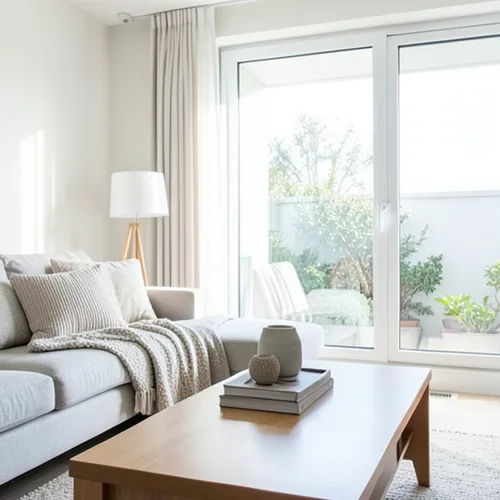
The same source image before and after applying Near–Far Jaettu sävy.
Near–Far Jaettu sävy photo effect applied to the same source image
Original source image before the Near–Far Jaettu sävy photo effect

Lähellä ja kaukana jaettujen sävyjen valokuvasuodatin verkossa

Apply cool-far and warm-near color grading from the estimated depth of your photo. Control the strength, compare the result, and download a finished image from your browser.

Lataa valokuva Near–Far Jaettu sävy-efektiä varten

Mitä voit tehdä Near–Far Jaettu sävy-efektillä

Tarkista käytettävissä olevat tehosteominaisuudet ennen kuin aloitat.

  • Apply the Near–Far Jaettu sävy effect to any photo
  • Fine-tune the effect strength to taste
  • Preview your photo live as you edit
  • Download your edited photo in high quality
  • Apply Near–Far Jaettu sävy to many photos at once

Näin se toimii

Near–Far Split Tone estimates relative—not measured—depth, ignores the most extreme near and far readings, and cleans up tiny isolated specks. It then cools the colors of farther areas and warms the colors of nearer areas, with no overlap between the two, around a neutral middle band left exactly as photographed. Intensity directly controls how strong the color shift is; brightness is not deliberately changed, and already saturated colors are shifted more gently so they do not clip to flat color. Each pixel is only recolored in place: nothing is moved, copied, stretched, repainted, or generated, framing stays fixed, and transparency is kept in the lossless PNG. Larger uploads may be resized proportionally first: free results are delivered at web size, and very large photos are scaled down before depth analysis.


Käsitellään

Near–Far Jaettu sävy käyttää tekoälytoimintoa. Mahdolliset erilliset lisäykset näytetään ennen kuin tämä vaikutus alkaa käsitellä.

Parasta varten

muotokuvat, joissa kohde erottuu selvästi, elokuvamaiset still-kuvat, sisätilat, matkakuvat, tuotteet ja julisteet, joihin sopii hillitty lämpimän lähialueen ja viileän kaukoalueen värisuunta.

Soveltuu vähemmän: tasaiset näkymät, lasi, peilit, heijastukset, savu, hennot hiukset tai lehvästö, päällekkäiset pinnat, jo valmiiksi kylläiset värit sekä valokuvat, joissa lähdekuvan värin on säilyttävä täsmälleen ennallaan; epävarma suhteellinen syvyys voi sävyttää väärän pinnan siirtämättä sitä.

Near–Far Jaettu sävy:n käyttötavat

    Near–Far Jaettu sävy kysymyksiä

    Voiko se siirtää tai monistaa kohteeni tai muuttaa sen muotoa?
    No. It only changes the color of each pixel where it already is. It never moves, copies, stretches, repaints, or generates a face, arm, body, object, or background pixel, and transparency is kept in the lossless PNG. A mistaken depth estimate can color the wrong surface, but it cannot deform a face or body.
    Voinko vaihtaa lämpimän ja viileän puolen keskenään?
    No. The direction is deliberately fixed to warm-near and cool-far so the control stays predictable. Intensity changes only the strength of that real perceptual color shift; it cannot swap or reverse the two grades. Strongly saturated colors receive a gentler shift so they do not clip to flat color.

    Lisää Syvyys & Mitat-efektejä

    Älykäs uudelleentarkennus

    Syvyys & MitatEdistynyt tekoäly

    Pidä yksi automaattisesti tunnistettu pääkohde terävänä ja sumenna tausta siististi syvyystiedon perusteella

    Avaa sivu

    Tilt-shift-dioraama

    Syvyys & MitatEdistynyt tekoäly

    Muunna yläviistosta kuvatut kadut ja maisemat pienoismaailmoiksi siistin, syvyystietoa hyödyntävän tarkennusalueen avulla

    Avaa sivu

    3D-wigglegram

    Syvyys & MitatEdistynyt tekoäly

    Create a clean eight-frame depth loop where nearer and farther parts move by different amounts

    Avaa sivu

    Depth Anaglyfi-3D

    Syvyys & MitatEdistynyt tekoäly

    Create a comfortable red-cyan 3D view for standard glasses from the estimated depth of your photo

    Avaa sivu

    Kristallin valon taittuminen

    Syvyys & MitatEdistynyt tekoäly

    Refract only the background through bounded crystal facets while keeping the detected subject fixed

    Avaa sivu

    Parallaksileikekuvajuliste

    Syvyys & MitatEdistynyt tekoäly

    Muodosta viisi laajaa, lähdekuvaan kohdistettua paperitasoa monistamatta ihmisiä tai esineitä

    Avaa sivu

    Topografiset syvyysviivat

    Syvyys & MitatEdistynyt tekoäly

    Trace 18 clean depth contour bands over your photo without moving people or objects

    Avaa sivu

    Paperisyvyysdioraama

    Syvyys & MitatEdistynyt tekoäly

    Style the frame as up to seven layered paper sheets without duplicating people or objects

    Avaa sivu

    Ilmakehän syvyyssumu

    Syvyys & MitatEdistynyt tekoäly

    Add soft atmospheric haze that grows with the estimated distance in your photo

    Avaa sivu

    Lensballin maailma

    Syvyys & Mitat

    Pakkaa ja käännä näkymä rajatun lasipallon sisällä säilyttäen kaikki sen ulkopuoliset pikselit muuttumattomina

    Avaa sivu

    Lentikulaarinen syvyystuloste

    Syvyys & MitatEdistynyt tekoäly

    Interlace depth-shifted strips only across the background while keeping the detected subject fixed

    Avaa sivu

    See featured effects sisällä motion

    The strongest effect picks lead this belt before rest – catalog.




























