
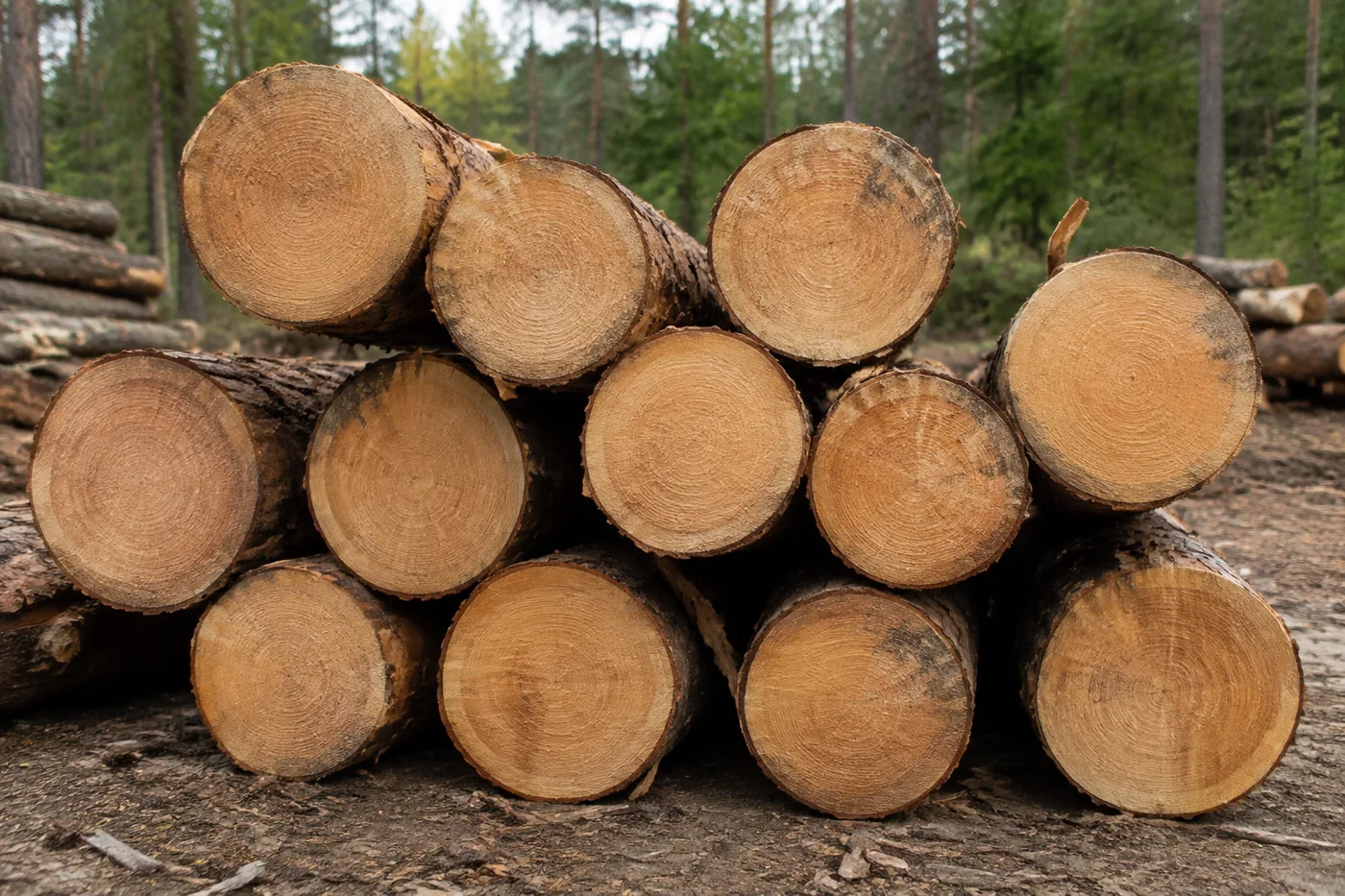
Conteggio dei tronchi in una foto: registro AI e contatore di legname
Funziona con JPG, PNG, WEBP · Gratuito fino a 20 MB, Premium 50 MB
Photograph the pile or truck load end-on, upload the photo and review the tally markers against the photo. Built for timber deliveries, yard inventories and haulage checks.
- Controlla la foto, quindi conta i tronchi visibili
- Upload a photo and get an automatic count
- Review the markers to catch logs counted twice or missed
- Uso gratuito · Nessuna registrazione richiesta · Senza filigrana
Carica immagine
Consigli per un conteggio accurato
• Usa una foto ben illuminata in modo uniforme, con il tronchi interamente nell'inquadratura
• Keep your logs visible and avoid overlapping items
• Punti e mappa di calore mostrano i rilevamenti mantenuti — controlla e correggi il conteggio
Informazioni su Contatore di tronchi
The log counter counts visible logs from your photo and marks detections for review. Counting starts automatically once the photo and item are ready. Visibility, overlap and similar-looking items can affect the total. Built for timber yards, sawmills and forestry teams.
Come funziona
1. Fotografa il tuo tronchi
2. Upload your photo to count logs automatically
3. Review the markers and correct the tally if needed
4. Aggiungi al foglio di conteggio ed esporta il conteggio in CSV
Perfetto per
• Bozze di carico camion di legname revisionate
• Inventari di segheria e piazzale
• Conteggi del raccolto forestale
• Conteggi delle scorte di legna da ardere
Cosa puoi fare con Contatore di tronchi
Esamina le funzionalità principali prima di iniziare.
- Conta tronchi e legname in catasta o su camion, visti di testa
- Conta un carico per le verifiche di pesatura e consegna
- Esamina ogni marcatore di tronco conteggiato e correggi il totale
- Controlla più carichi in un'unica sessione in blocco
- Aggiungi ogni camion a un conteggio progressivo per etichetta
- Contrassegna facoltativamente un tronco per perfezionare il conteggio
Riferimento alle impostazioni
14 impostazioni
Controlli disponibili per Contatore di tronchi.
Carica
- Foto singola / Conteggio in bloccoPreimpostazioni
- Scegli il conteggio di una singola foto o un controllo collettivo Premium. Rivedi ogni risultato.Opzioni: Foto singolaAudit in blocco
Conteggio
- Contrassegni inclusiCursoreIntervallo: 0–1 · Predefinito: 0.21
- Parte dal 21%; sposta il cursore verso Mostra di più per includere gli indicatori meno evidenti o verso Solo i più forti per nasconderli.
- Stile di sovrapposizionePreimpostazioni
- Scegli punti, una mappa termica, entrambi o un'anteprima pulita.Opzioni: EntrambiPuntiCaloreNessuno
Avanzate
- Sovrapposizione dei risultatiMenu a discesa
- Choose how count markers appear in the on-screen preview; the download keeps its own markers.Opzioni: Punti + mappa di caloreSolo puntiSolo mappa di calore
Conteggio
- Aggiungi al conteggioCon un clic
- Add this count to the tally sheet under the name of the object that was counted. Signed-in accounts add finished counts automatically unless that is turned off under Account settings; in bulk mode every photo also has its own Add to tally button.
- EtichettaInserimento testo
- Rename a tally row. Edits and removals wait until you choose Save changes, so you can fix several rows at once.
- ConteggioCampo numerico
- Correct a row's count; totals, the chart and exports follow once the change is saved.
- Save changesCon un clic
- Apply every edited or removed tally row in one step, or choose Discard changes to leave the sheet as it was.
Chart
- By objectPreimpostazioni
- The chart is the same in every counting tool and covers the tallies of all of them. By object draws a separate line chart for each tally name, such as pipes and people. By tool draws a chart for each counting tool.Opzioni: By objectBy tool
- PeriodoPreimpostazioni
- Choose how far back the chart looks. Days without a count appear as zero.Opzioni: 7 days30 days90 days12 months
History
- Counting setupGalleria
- Keep comparable counts together. A first setup is created for you, so the first count can be saved straight away.
- Observed atInserimento testo
- The date and time of the count, shown as a date and a time field.
- NoteInserimento testo
- Starts with every detected object and its count, one per line, such as Pipes - 11. Edit it before saving.
- Save countCon un clic
- Save the count to your account history. Open a saved count later to correct it or download its source photo.
Strumenti correlati per Contatore di tronchi
Strumenti per i passaggi successivi comuni dopo Contatore di tronchi.

Conteggio e inventario
Contatore di oggetti
Stima il numero di oggetti in una foto. Controlla e correggi gli indicatori numerati prima di usare il conteggio.
Provalo ora
Conteggio e inventario
Contatore di Oggetti in Tempo Reale
Punta il tuo telefono su oggetti separati e completamente visibili e rivedi i marcatori del rilevatore mentre il conteggio si aggiorna in tempo reale.
Provalo ora
Conteggio e inventario
Contatore di bottiglie
Conta le bottiglie sugli scaffali, nelle casse o nelle celle frigorifere da una sola foto, con i rilevamenti conteggiati contrassegnati per la verifica.
Provalo oraDomande frequenti
Come Contatore di tronchi ti aiuta a portare a termine il lavoro
Problemi reali che risolve ogni giorno: per aziende, creatori e attività quotidiane. Trova il caso d'uso adatto a te e inizia.
Revisione della consegna del camion di legname
Fotografa le estremità dei tronchi sul camion frontalmente per una bozza assistita dall'IA, poi controlla il carico fisico, correggi il conteggio e segui la normale procedura di consegna prima di firmare. Non firmare basandoti sulla sola immagine.
Audit del piazzale di ricezione della segheria
Apri Controllo in blocco per eseguire la modalità Oggetti distinti su tutte le foto delle pile, quindi controlla ogni risultato contrassegnato prima della riconciliazione settimanale.
Conteggi delle scorte per fornitori di legna da ardere
Usa la modalità Elementi simili per un conteggio provvisorio di legna da ardere tagliata e accatastata, poi controlla e correggi gli indicatori confrontandoli con il carico fisico prima di indicare un conteggio in un annuncio.
Conteggio del raccolto forestale per classe diametrica
Per un riepilogo per misura, prima di ogni conteggio indica nelle impostazioni Esempi un tronco campione, una classe di diametro alla volta, e registra ogni passaggio verificato in una riga separata anziché usare un totale misto.
Registri di legname per assicurazioni e danni da tempesta
Usa l'immagine contrassegnata come bozza assistita dall'IA quando documenti legname abbattuto o recuperato, poi ottieni le prove manuali qualificate richieste dall'assicuratore o dal processo contrattuale. L'immagine e il conteggio dell'IA non sono di per sé prova della perdita o della quantità.
Conteggio della scorta personale di legna da ardere per l'inverno
Conta la tua legna da ardere accatastata prima dell'inverno per sapere quanti ciocchi hai a disposizione e se devi ordinarne altri, usando la modalità Oggetti simili su una catasta di legna domestica anziché su un carico di legname commerciale.
Guarda ogni trasformazione applicarsi
Ogni foto attraversa la barra senza modifiche e ne esce dall'altro lato già completata.
 Miglioramento dell'intelligenza artificiale
 Arredamento virtuale
 Bellezza naturale
 Ritratti professionali con IA
 Flash diretto usa e getta
 Foto per inserzioni Amazon
 Riilluminazione autentica dell'ora d'oro
 Ristrutturazione della cucina
 Rifocalizzazione Intelligente
 Pubblicità di prodotti
 Acquerello
 Rimozione sfondo










