
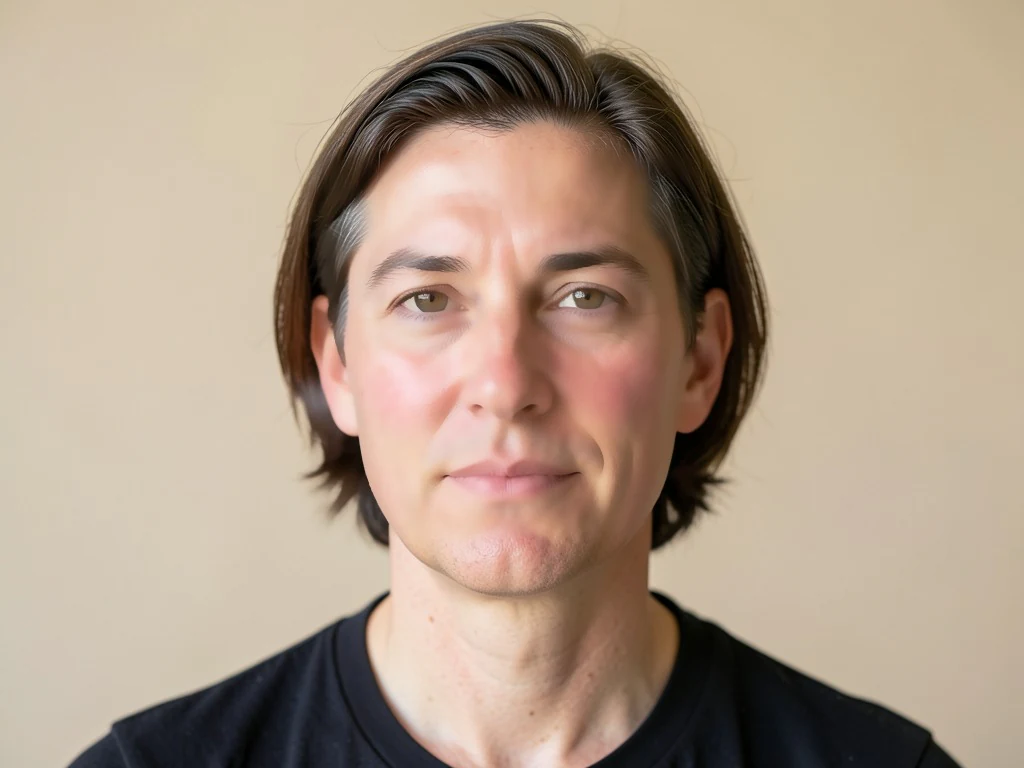
Retouch selfies naturally — smooth, not plastic
Harsh light and uneven tone? Skin is smoothed and evened in one tap while eyes, hair and edges stay sharp — a natural retouch in seconds.
- 윤곽을 보존하는 피부 보정 — 눈과 머리카락은 선명하게 유지
- 피부 톤을 고르게 정리하고 붉은기와 거친 질감을 부드럽게 다듬습니다
- Free daily allowance · no signup · clean, full-quality results on every plan
Works with JPG, PNG, WEBP · Free up to 20 MB, Premium 50 MB


Drop a selfie or portrait — get a naturally retouched version back
최상의 결과를 위한 팁
• 가장 자연스러운 결과를 원하면 강도를 낮게 유지하세요
• 먼저 잡티 제거로 잡티를 없애세요
• 전문가용 또는 신분증 사진에는 약한 강도를 사용하세요
얼굴 보정기 소개
얼굴 보정 도구는 얼굴의 피부 영역을 감지해 그곳에만 윤곽을 살린 스무딩을 적용하여, 눈, 눈썹, 입술, 머리카락, 실루엣은 선명하게 유지하면서 질감과 톤을 고르게 다듬습니다. 이렇게 선택적으로 보정하기 때문에 전체에 필터를 입혀 흐릿하고 인위적으로 보이는 느낌이 아니라, 깔끔하고 자연스러운 마무리를 얻을 수 있습니다.
작동 방식
1. 셀카나 인물 사진을 업로드하세요
2. AI가 얼굴 피부를 찾아냅니다
3. 피부는 매끄러워지고 윤곽은 선명하게 유지됩니다
4. 강도를 조절하고 다운로드하세요
이런 분께 안성맞춤
• 셀카 및 인물 사진
• 프로필 및 소셜 미디어 사진
• 전문가용 프로필 사진
• 행사 및 단체 인물 사진
What you can do with 얼굴 보정기
Everything this tool helps you accomplish — no learning curve, no setup.
- Smooth skin on selfies and portraits
- Even out uneven skin tone in one tap
- Softly retouch faces for a natural look
- Keep eyes, hair and edges sharp
- Adjust how much smoothing to apply
Settings information
1 setting
Every control in 얼굴 보정기, explained — what it does and when to use it.
조정
- 스무딩 강도SliderRange: 0–1 · 기본값: 0.7
- 피부를 얼마나 매끄럽게 다듬을지 자연스럽게부터 글램까지 조절합니다 — 사실적인 프로필 사진에는 낮게 유지하고, 세련된 소셜 미디어용 마무리에는 높이세요.
얼굴 보정기 작업을 마치셨나요? 다음 도구를 사용해 보세요
얼굴 보정기와 잘 어울리는 엄선된 도구입니다. 파일을 잃지 않고 계속 작업하세요.
잡티 제거기
Breakout in your best photo? Blemishes, spots and dark marks are healed automatically while natural skin texture stays intact — done in seconds.
지금 사용해 보기AI 사진 화질 개선기
Noise, blur, bad lighting? One click removes noise, sharpens detail, fixes color and upscales — phone photos come back crisp and vivid in seconds.
지금 사용해 보기AI 이미지 업스케일러
Photo too small to print or post? Upscale it 2x, 3x or 4x while edges stay crisp and detail holds — done in seconds. Full-resolution downloads with Premium.
지금 사용해 보기배경 제거
Stop tracing edges by hand — get a clean transparent PNG with hair-level edge detail in seconds. Free cut-outs download clean at up to 2048px, no signup — Premium exports at the original resolution.
지금 사용해 보기사진 필터 & 효과
Flat photos get scrolled past. Pick a cinematic, vintage, glitch, or beauty effect, preview every look instantly, and download the one you love in seconds. Free to start, no credit card.
지금 사용해 보기이미지를 KB 단위로 압축
Form says 'max 100KB'? Compress JPG, PNG or WebP to any exact target — 20KB, 50KB, 100KB — without visible quality loss, in seconds. Free to start, no credit card.
지금 사용해 보기자주 묻는 질문
얼굴의 피부 영역을 인식해 그 부분에만 가장자리를 살리는 스무딩을 적용하므로, 눈, 눈썹, 입술, 머리카락, 윤곽은 선명하게 유지하면서 고르지 않은 질감과 붉은기만 부드럽게 다듬습니다. 이런 선택적 방식 덕분에 전체에 필터를 입혔을 때 나타나는 흐릿하고 인위적인 느낌을 피할 수 있습니다.
quality잡티 제거기는 여드름이나 뾰루지 같은 특정 부위를 지웁니다. 얼굴 보정은 전체적인 피부 질감과 톤을 매끄럽게 다듬어 고르고 세련된 마무리를 만들어 줍니다. 두 기능은 함께 쓰면 좋습니다. 먼저 잡티를 제거한 뒤 얼굴을 보정하세요.
features네, 강도 슬라이더로 거의 티 나지 않는 미세한 보정부터 강렬한 글래머 마무리까지 자유롭게 조절할 수 있습니다. 프로필이나 증명사진용이라면 강도를 낮게 두어야 가장 자연스러운 결과를 얻을 수 있습니다.
featuresYes, free every day with no signup, and every free result downloads clean — nothing stamped on it. Premium lifts the daily cap and adds batch processing. Your photo is uploaded only to process and deleted automatically afterwards.
privacyLinkedIn 사진, 이력서 또는 신분증 스타일 인물 사진의 경우 부드럽게 강도 슬라이더를 "자연스럽게" 근처에 두어 가까이 봐도 피부 질감이 그럴듯하게 유지되도록 하세요. 캐주얼한 소셜 게시물에는 슬라이더를 "화려하게" 쪽으로 밀어 더 매끄럽고 세련된 마무리를 낼 수 있으며, 실시간 미리 보기가 즉시 업데이트되어 다운로드 전에 둘을 비교할 수 있습니다.
tipsYes — Pixoate supports batch and bulk processing. Switch to Batch mode, add up to 100 photos, set your options once, and every photo is processed with the same settings before you download a single ZIP. Bulk processing is a Premium feature; the output uses the same quality and settings as single mode.
featuresYes — with bulk processing you configure the settings a single time and they apply to every item in the batch, up to 100 photos. There is no need to repeat the setup per item, and Temporary uploaded and generated files are processed securely and deleted automatically.
usage얼굴 보정기가 작업을 완수하도록 돕는 방법
비즈니스, 크리에이터, 일상 작업에서 매일 해결하는 실제 문제들. 나에게 맞는 활용 사례를 찾아 몇 초 만에 시작하세요.
여전히 나답게 보이는 데이팅 프로필 사진
Smoothing strength 슬라이더를 Natural 가까이에 두어 Tinder, Hinge 또는 Bumble 사진에서 피곤한 피부와 홍조를 부드럽게 하되, 프로필이 가짜로 신고될 만큼 지나치게 매끄러운 느낌은 피하세요.
인플루언서 및 UGC 콘텐츠 보정
게시하기 전에 협찬 게시물이나 제품 사진의 피부를 매끄럽게 다듬어, 전체 스튜디오 리터칭 작업 없이도 브랜드 콘텐츠를 세련되게 유지하세요.
부동산 중개인 및 에이전트 매물용 프로필 사진
부동산 중개인의 프로필 사진을 낮은 Natural 강도로 처리해 MLS 매물, 명함, 마당 표지판 사진에 활용하세요. 중개업체가 기대하는 세련되면서도 신뢰감 있는 모습을 유지하면서, 사진을 가짜처럼 보이게 하는 인공적인 과도한 피부 보정은 피할 수 있습니다.
팀 디렉터리용 일관된 기업 프로필 사진
각 직원의 프로필 사진을 동일한 낮은 자연스러움(Natural) 강도 설정으로 개별 처리하면 전체적인 흐림 필터가 어느 한 사진의 실제 피부 질감을 뭉개지 않으면서도 회사 인명부나 LinkedIn 페이지가 일관되게 깔끔해 보입니다.
고객 전달 전 웨딩 및 포트레이트 시안 리터칭
촬영에서 나온 각 포즈 인물 사진의 피부 톤과 질감을 가벼운 Natural 강도로 다듬은 뒤 커플이나 고객에게 시안을 보내, 사진작가가 손으로 일일이 해야 할 사진별 수동 리터칭을 줄이세요.
Pixoate






















