
PDF 분할 — 온라인에서 무료로 PDF에서 페이지 추출
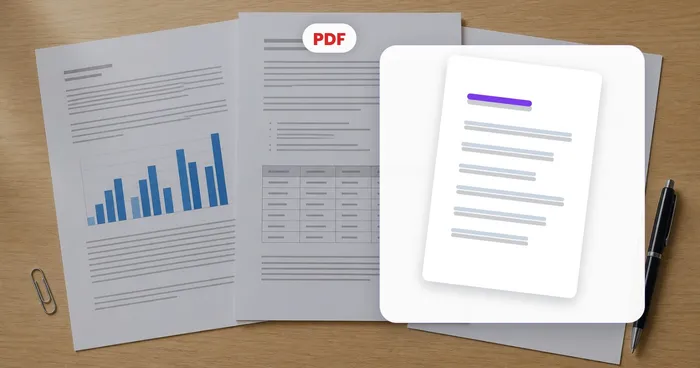
그들은 4~9페이지를 요청했는데 60페이지를 모두 보내는 것은 옵션이 아닙니다. PDF를 분할하고 원하는 페이지를 자체 파일로 추출하세요.
- 꼭 봐야할 페이지만 보내세요
- 단일 페이지, 범위 또는 모든 페이지로 분할
- 원본 품질과 형식은 그대로 유지됩니다.
여기에 PDF를 놓습니다. 정확한 페이지를 파일이나 ZIP으로 다시 가져옵니다.
PDF 분할로 할 수 있는 일
시작하기 전에 주요 기능을 검토하세요.
- 사용자 정의 페이지 범위로 PDF 분할
- N 페이지마다 큰 PDF를 작은 부분으로 나눕니다.
- 각 페이지를 별도의 PDF로 저장
- 모든 분할된 부분을 하나의 ZIP으로 다운로드
- 이메일 제한을 위해 각 부분을 크기 제한 아래로 유지하세요.
- 문서에서 필요한 페이지만 추출하세요
설정 참고
5 설정
PDF 분할에 사용 가능한 제어 기능입니다.
- 처리 방식프리셋
- 입력 하나를 처리하거나 Premium 일괄 처리 모드에서 여러 입력에 같은 설정을 적용하세요. 입력할 수 있는 자료의 종류는 도구마다 다릅니다.옵션: PDF 하나일괄 처리
분할
- 분할 기준프리셋
- PDF를 나누는 방식을 선택합니다. 특정 페이지 범위만 뽑아 한 파일로 만들거나, N페이지씩 균등하게 자르거나, 페이지마다 PDF 한 개로 분리하거나, 각 조각의 파일 크기를 제한할 수 있습니다.옵션: 페이지 범위N페이지마다페이지당 하나파일 크기별
- 페이지텍스트 입력
- 추출할 페이지 번호와 범위를 1-3, 5, 8-10처럼 입력합니다. '페이지 범위' 모드에서만 표시되며 1-3, 5로 시작합니다.
- 엔숫자입력
- 'N페이지마다' 모드에서 결과 파일 하나에 들어갈 페이지 수입니다. 남는 페이지는 더 작은 마지막 파일로 묶입니다. 최소 1이며 2에서 시작합니다.
- 파트당 최대 MB숫자입력
- 파일 크기별 모드에서 각 분할 파일의 크기 상한을 MB 단위로 지정합니다. 페이지는 잘리지 않고 통째로 상한까지 채워진 뒤 새 파일이 시작됩니다. 최소 0.1 MB이며 기본값은 5입니다.
PDF 분할 관련 도구
PDF 분할 이후 일반적인 다음 단계를 위한 도구입니다.

자주 묻는 질문
PDF 분할가 작업을 완수하도록 돕는 방법
비즈니스, 크리에이터, 일상 업무의 실제 문제를 매일 해결합니다. 귀하에게 적합한 사용 사례를 찾아 시작해보세요.
전자책에서 한 챕터만 추출하기
페이지 범위(예: "47-86")를 사용해 400페이지짜리 참고 PDF에서 필요한 챕터만 뽑아내세요. 공유도 빠르고, 태블릿에서 불러오기도 빠르며, 주석 달기도 쉽습니다.
계좌별 은행 거래내역서 분할
공동 명의 은행 거래내역서 PDF에는 각 예금주별로 별도 섹션이 들어 있는 경우가 많습니다. 페이지 범위를 사용해 각 예금주의 섹션을 추출하여 개별로 보관하거나 공유하세요.
대용량 보고서를 이메일에 적합한 조각으로 나눠 보내기
200페이지짜리 보고서는 일반적인 이메일 첨부 용량 제한을 초과합니다. 20페이지 단위로 나눠 순차적으로 보내거나, 파일 공유에 한 묶음씩 업로드하세요.
여러 페이지 스캔을 개별 파일로 분리하기
여러 종류가 섞여 스캔된 문서 묶음(공과금 청구서, 신분증, 영수증)을 개별로 정리해야 할 때가 있습니다. 페이지마다 하나의 PDF로 분리한 다음, 각각 이름을 바꿔 정리하세요.
계약서에서 서명된 페이지 추출하기
긴 계약서에서 서명된 페이지는 보통 마지막 2~3페이지입니다. 거래 상대방의 기록용으로, 또는 체결된 서명 페이지만 필요한 인사 문서 보관 시스템용으로 해당 페이지만 추출하세요.
맞춤형 강의 자료 배포하기
교사가 마스터 PDF를 준비한 뒤 서로 다른 학생 그룹에 각기 다른 부분을 나눠줘야 합니다. 페이지 범위로 분할해 그룹별 유인물을 만드세요.
이민 서류용 단일 페이지 업로드 준비
비자, 여권, 이민 포털은 모든 첨부 서류를 각각 한 페이지짜리 파일로 요구하는 경우가 많습니다. 페이지당 PDF 1개 모드를 사용해 스캔한 신분증, 은행 서류, 사진 묶음을 개별 이름이 붙은 파일로 분리하여 하나씩 업로드할 준비를 하세요.
법원 전자 제출 용량 제한 통과하기
법원 전자 제출 시스템과 정부 포털은 흔히 10-25 MB의 엄격한 용량 상한을 넘는 PDF를 거부합니다. 파일 크기 기준 모드를 사용하면 큰 증거 묶음을 각 부분이 제한을 넘지 않도록 자동으로 나눠, 제출 시 반려되는 일이 없습니다.
투자자 자료의 한 섹션만 공유
데이터룸 PDF 안의 자본 구성표 페이지, 재무 모델, 법률 부록은 흔히 서로 다른 수신자를 위한 것입니다. 페이지 범위를 사용해 전체 자료를 보내지 않고도 특정 투자자나 자문이 봐야 할 섹션만 추출하세요.
정리 전 여러 환자 기록 분리
재택 간병 기관과 소규모 진료소는 여러 환자의 방문 기록을 하나의 합쳐진 PDF로 스캔하는 경우가 많습니다. 페이지당 하나의 PDF(또는 환자별 페이지 범위)를 사용해 보관 전에 묶음을 개별 환자 파일로 분리하면, 어떤 기록에도 다른 환자의 정보가 나타나지 않습니다.
이 도구 사용 가이드
- The Application Is Finished. The PDF Is Too Large to Submit.A finished application can still fail at a PDF upload limit. Explore Pixoate compression and page review to prepare a smaller, readable submission.
- Compress a PDF for an Application Upload LimitReduce a PDF for an application portal, compare quality presets and check every page. Learn what to do when a readable document still exceeds the upload limit.
각 변화를 확인하세요
모든 사진이 원본 그대로 슬래시를 지나 반대편에서 완성된 결과물로 나옵니다.























