


Uskarp bildebakgrunn på nettet — Gratis bildebakgrunnsuskarphet
Fungerer med JPG, PNG, WEBP og mer
Gjør en bildebakgrunn på nettet uskarp for portretter, hodebilder eller produktbilder mens motivet forblir skarpt. Prøv en gratis eller bruk samme uskarphet på en batch med Premium.
- Pikselnøyaktige kanter – selv hår og fine detaljer
- Få en gjennomsiktig PNG, klar til å settes inn i et hvilket som helst design
- Ingen manuell maskering, og ingen glorie å rydde opp i etterpå
Slipp et bilde her – motivet forblir skarpt, bakgrunnen uskarpt
Velg innstillingene dine før du laster opp
Velg innstillingene før du legger til en fil. De brukes når behandlingen starter.
Motor
Tips for bakgrunnsfjerning
• Skarpe, godt opplyste bilder gir de skarpeste kantene
• Opptatte bakgrunner er fine — lav kontrast mellom motiv og bakgrunn er det som skaper problemer
• Zoom inn på hår og tynne kanter før du laster ned, ikke etter
• Lagre som PNG — en JPG kan ikke inneholde gjennomsiktighet og fyller den med hvitt
Om AI-bakgrunnsfjerning
En utklipp med en hvit glorie eller opptygget hår er verre enn ingen utklipp - noen må fikse det for hånd før det kan brukes. Denne holder hår og fine kanter, og eksporterer en gjennomsiktig PNG klar for produktoppføringer, profilbilder og markedsføringsgrafikk.
Slik fungerer det
1. Last opp bildet du trenger å klippe ut
2. Sjekk kantene – hår og tynne detaljer først
3. Legg til en farge, bilde eller uskarp bakgrunn hvis du trenger en
4. Last ned den gjennomsiktige PNG-en
Perfekt for
• Produktbilder som en markedsplass stadig avviser
• Portretter der rommet bak deg er distraherende
• E-handelsoppføringer som trenger én konsistent bakgrunn
• Sosialt medieinnhold som må sitte på hvilken som helst farge
• Designarbeid der motivet faller over på en ny layout
Hva du kan gjøre med Uskarp bakgrunn
Se gjennom hovedfunksjonene før du begynner.
- Gjør bakgrunnen bak motivet uskarpt
- Få en portrett-dybde-av-felt-fokuseffekt
- Hold motivet skarpt mens du mykner opp resten
- Bruk en dybdeskarphet-effekt på portrettbilder
- Forbered portrettbilder for sosiale layouter
Relaterte verktøy for Uskarp bakgrunn
Verktøy for vanlige neste trinn etter Uskarp bakgrunn.

Bakgrunnsstudio
Fjern bakgrunn
Fjern bakgrunnen fra et bilde og last ned en gjennomsiktig PNG. Kontroller hår og kanter før bruk.
Prøv det nå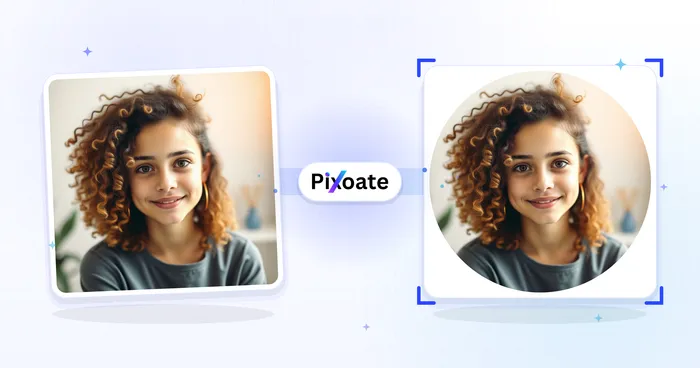
Portrett & Headshot Studio
Profilbildemaker
Lag et profilbilde med uskarp bakgrunn, ensfarget bakgrunn eller en egendefinert bakgrunn.
Prøv det nå
Bakgrunnsstudio
Bakgrunnsveksler
Replace a background with a photo, color, gradient or library design. Choose from 21,000+ backgrounds.
Prøv det nåOfte stilte spørsmål
Slik hjelper Uskarp bakgrunn deg med å få jobben gjort
Virkelige problemer den løser hver dag – for bedrifter, skapere og hverdagslige oppgaver. Finn brukssaken som passer deg og start.
Profilbilder i portrettmodus
Gi telefon- eller webkamerabilder et dybdeskarphet-utseende i DSLR-stil – motivet forblir skarpt mens bakgrunnen mykt uskarpt – for profesjonelle LinkedIn-, CV-er og sosiale avatarer uten portrettkamera.
Distraksjonsfrie produkt- og oppføringsbilder
Myk opp et rotete rom eller en travel hylle bak et produkt slik at varen skiller seg ut, og beholder konteksten uten støy for markedsplasser, kataloger og bilder fra sosial handel.
Se hver forvandling lande
Hvert bilde krysser skråstreken uberørt og kommer ut på den andre siden ferdig.























