
Slik fungerer det
Upload one portrait and choose the effect strength. AI applies a light photographic finish with instructions to preserve the same person, expression, and composition. Compare the result with your original before downloading.
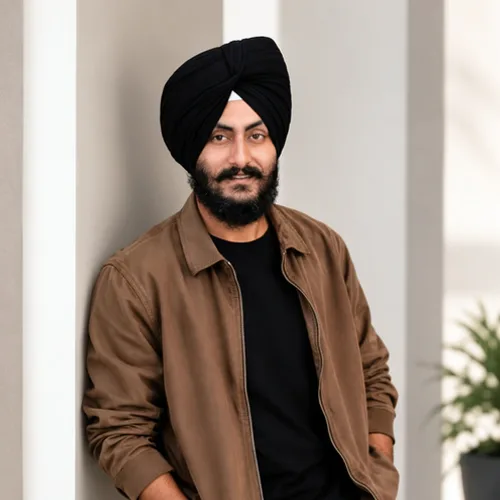

Gi portrettet en lett finpuss av lys, farger og kontrast.
Se gjennom de tilgjengelige effektfunksjonene før du begynner.
Upload one portrait and choose the effect strength. AI applies a light photographic finish with instructions to preserve the same person, expression, and composition. Compare the result with your original before downloading.
Last opp et bilde, juster Portrettfinish-intensiteten, sammenlign den behandlede forhåndsvisningen med kilden, og last ned det ferdige resultatet.
Bruk intensitetskontrollen til å balansere Portrettfinish-behandlingen med detaljene og karakteren til originalbildet ditt.
En redusert Portrettfinish forhåndsvisning holder justeringer responsive. Gratis nedlastinger er rene og nettbaserte; Premium eller en kreditt låser opp den opprinnelige oppløsningen.
Portrettfinish-opplastinger behandles på sikre servere og fjernes automatisk under den vanlige oppbevaringspolicyen for Pixoate.
Upload one portrait and choose the effect strength. AI applies a light photographic finish with instructions to preserve the same person, expression, and composition. Compare the result with your original before downloading.
Portrettfinish bruker en AI-handling. Eventuelt separat godtgjørelse vises før denne effekten starter behandling.
clear, well-focused portraits that need a subtle lighting or color adjustment.
Mindre egnet til: blurred faces, very dark photos, distant subjects, and images without a clear portrait.
Verktøy for vanlige neste trinn etter Fotoeffekter.
Kreativt og design
Gjør et bilde om til klassisk, eventyrbok-, klistremerke-, akvarell- eller egendefinert tegneseriekunstverk med redigerbare AI-instruksjoner.
Prøv det nåKreativt og design
Konverter et bilde til et blyantskissestilbilde og juster skyggedybden før nedlasting.
Prøv det nåBilderedigering og verktøy
Gjør et bilde om til svart-hvitt. Juster intensiteten og forhåndsvis resultatet.
Prøv det nåDen sterkeste effekten plukker leder dette beltet foran resten av katalogen.























