
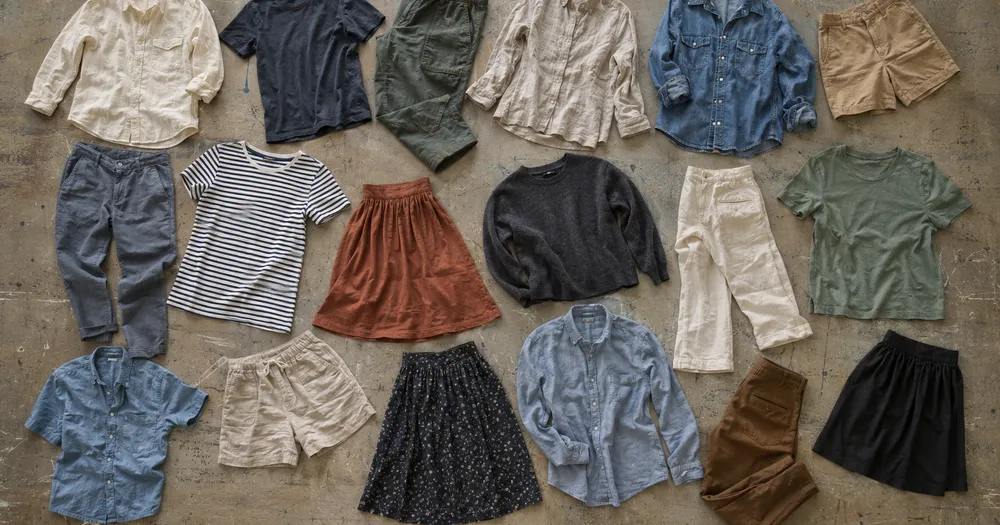
ਇੱਕ ਫੋਟੋ ਤੋਂ ਇੱਕ ਬੈਚ ਵਿੱਚ ਕੱਪੜਿਆਂ ਦੀ ਗਿਣਤੀ ਕਰੋ
JPG, PNG, WEBP ਨਾਲ ਕੰਮ ਕਰਦਾ ਹੈ · 20 MB, Premium 50 MB ਤੱਕ ਮੁਫ਼ਤ
ਕੱਪੜੇ ਨੂੰ ਇਸ ਤਰ੍ਹਾਂ ਫੈਲਾਓ ਕਿ ਉਹ ਘੱਟ ਤੋਂ ਘੱਟ ਇੱਕ-ਦੂਜੇ ਉੱਤੇ ਆਉਣ — ਇੱਕੋ ਪਰਤ ਸਭ ਤੋਂ ਵਧੀਆ ਹੈ — ਅਤੇ ਇਕਸਾਰ ਰੌਸ਼ਨੀ ਵਿੱਚ ਉੱਪਰੋਂ ਫੋਟੋ ਖਿੱਚੋ. ਇਹ ਕੱਪੜਾ ਫੈਕਟਰੀਆਂ, ਥੋਕ ਵਿਕਰੇਤਾ ਅਤੇ ਲਾਂਡਰੀ ਲਈ ਬਣਾਇਆ ਗਿਆ ਹੈ — ਹਰ ਫੋਟੋ ਨੂੰ CSV ਜਾਂ PDF ਗਿਣਤੀ ਵਿੱਚ ਜੋੜਨ ਤੋਂ ਪਹਿਲਾਂ ਜਾਂਚੋ ਅਤੇ ਠੀਕ ਕਰੋ.
- ਫੋਟੋ ਦੀ ਜਾਂਚ ਕਰੋ, ਫਿਰ ਦਿਸਦੇ ਕੱਪੜੇ ਗਿਣੋ
- Upload a photo and get an automatic count
- Review the markers to catch garments counted twice or missed
- ਵਰਤਣ ਲਈ ਮੁਫ਼ਤ · ਸਾਈਨਅੱਪ ਦੀ ਲੋੜ ਨਹੀਂ · ਬਿਨਾਂ ਵਾਟਰਮਾਰਕ
ਤਸਵੀਰ ਅੱਪਲੋਡ ਕਰੋ
ਸਹੀ ਗਿਣਤੀ ਲਈ ਨੁਸਖੇ
• ਇਕਸਾਰ ਤੇ ਚੰਗੀ ਰੌਸ਼ਨੀ ਵਾਲੀ ਫੋਟੋ ਵਰਤੋ, ਜਿਸ ਵਿੱਚ ਕੱਪੜੇ ਪੂਰੀ ਤਰ੍ਹਾਂ ਫਰੇਮ ਵਿੱਚ ਹੋਵੇ
• Keep your garments visible and avoid overlapping items
• ਬਿੰਦੂ ਅਤੇ ਹੀਟਮੈਪ ਬਰਕਰਾਰ ਰੱਖੀਆਂ ਖੋਜਾਂ ਦਿਖਾਉਂਦੇ ਹਨ — ਸਮੀਖਿਆ ਕਰੋ ਅਤੇ ਗਿਣਤੀ ਠੀਕ ਕਰੋ
ਕੱਪੜੇ ਗਿਣਤੀਕਾਰ ਬਾਰੇ
The garments counter counts visible garments from your photo and marks detections for review. Counting starts automatically once the photo and item are ready. Visibility, overlap and similar-looking items can affect the total. Built for garment factories, wholesalers and laundries.
ਇਹ ਕਿਵੇਂ ਕੰਮ ਕਰਦਾ ਹੈ
1. ਆਪਣੇ ਕੱਪੜੇ ਦੀ ਫੋਟੋ ਖਿੱਚੋ
2. Upload your photo to count garments automatically
3. Review the markers and correct the tally if needed
4. ਟੈਲੀ ਸ਼ੀਟ ਵਿੱਚ ਸ਼ਾਮਲ ਕਰੋ ਅਤੇ ਆਪਣੀ ਗਿਣਤੀ ਨੂੰ CSV ਵਜੋਂ ਐਕਸਪੋਰਟ ਕਰੋ
ਇਨ੍ਹਾਂ ਲਈ ਢੁਕਵਾਂ
• ਉਤਪਾਦਨ ਆਰਡਰ ਦੇ ਵਿਰੁੱਧ ਲਾਈਨ-ਆਉਟਪੁੱਟ ਲੰਬਾਈ
• ਪੈਕਿੰਗ ਸੂਚੀ ਦੇ ਵਿਰੁੱਧ ਡਿਸਪੈਚ ਗਿਣਤੀ ਦੀ ਜਾਂਚ ਕੀਤੀ ਗਈ
• ਸੀਜ਼ਨਾਂ ਵਿਚਕਾਰ ਸਟਾਕਰੂਮ ਆਡਿਟ
• ਅੰਦਰ ਅਤੇ ਬਾਹਰ ਲਾਂਡਰੀ ਅਤੇ ਕਿਰਾਏ ਦੀ ਗਿਣਤੀ
ਅਕਸਰ ਪੁੱਛੇ ਜਾਣ ਵਾਲੇ ਸਵਾਲ
- ਕੀ ਇਹ ਖਿੱਲਰੇ ਢੇਰ ਉੱਤੇ ਕੰਮ ਕਰਦਾ ਹੈ?
- ਇਹ ਸਿਰਫ ਦਿਖਾਈ ਦੇਣ ਵਾਲੀ ਪਰਤ ਨੂੰ ਚਿੰਨ੍ਹਿਤ ਕਰ ਸਕਦਾ ਹੈ। ਆਈਟਮਾਂ ਨੂੰ ਇੱਕ ਪਰਤ ਡੂੰਘਾਈ ਵਿੱਚ ਫੈਲਾਓ, ਇੱਕ ਸਪੱਸ਼ਟ ਉਦਾਹਰਨ ਦੀ ਨਿਸ਼ਾਨਦੇਹੀ ਕਰੋ, ਅਤੇ ਨਤੀਜੇ ਮਾਰਕਰਾਂ ਦੀ ਸਮੀਖਿਆ ਕਰੋ ਅਤੇ ਉਹਨਾਂ ਨੂੰ ਠੀਕ ਕਰੋ। ਇੱਕ ਵੱਡੇ ਢੇਰ 'ਤੇ ਦਿਖਾਈ ਦੇਣ ਵਾਲੇ ਚਿਹਰੇ ਦੀ ਗਿਣਤੀ ਨੂੰ ਅੰਦਾਜ਼ੇ ਦੇ ਰੂਪ ਵਿੱਚ ਮੰਨੋ ਅਤੇ ਜਾਂਚਾਂ ਦੇ ਵਿਚਕਾਰ ਇੱਕੋ ਫਰੇਮਿੰਗ ਦੀ ਵਰਤੋਂ ਕਰੋ।
- ਜੇ ਫੋਟੋ ਵਿੱਚ ਕੱਪੜੇ ਤੋਂ ਇਲਾਵਾ ਹੋਰ ਚੀਜ਼ਾਂ ਵੀ ਹੋਣ ਤਾਂ ਕੀ ਹੋਵੇਗਾ?
- The counter automatically looks for garments in your photo. Similar-looking distractors can still affect the result, so review every marker before using the total.
- ਕੀ ਮੈਂ ਕਈ ਫੋਟੋਆਂ ਨੂੰ ਇੱਕ ਕੁੱਲ ਵਿੱਚ ਗਿਣ ਸਕਦਾ ਹਾਂ?
- Yes — count each photo and add every reviewed result to the tally sheet as a labelled row. Export the tally as CSV or a PDF report, or save it to your account.
- ਕੀ ਇਹ ਮੁਫ਼ਤ ਤੇ ਨਿੱਜੀ ਹੈ?
- Yes. You can count, review and download a free result without an account. Downloads are free without a watermark. No signup required. Server-processed photos are encrypted in transit and removed under our Security policy.
ਤੁਸੀਂ AI ਇਨਵੈਂਟਰੀ ਕਾਊਂਟਰ ਨਾਲ ਕੀ ਕਰ ਸਕਦੇ ਹੋ
ਸ਼ੁਰੂ ਕਰਨ ਤੋਂ ਪਹਿਲਾਂ ਮੁੱਖ ਸਮਰੱਥਾਵਾਂ ਦੀ ਸਮੀਖਿਆ ਕਰੋ।
- ਫੋਟੋਆਂ ਤੋਂ ਸ਼ੈਲਫਾਂ, ਸਟੈਕ, ਕਰੇਟ ਅਤੇ ਪੈਲੇਟਸ ਦੀ ਗਿਣਤੀ ਕਰੋ
- ਐਕਸਪੋਰਟ ਤੋਂ ਪਹਿਲਾਂ ਫ਼ੋਟੋ ਟੈਲੀਆਂ ਦੀ ਸਮੀਖਿਆ ਕਰੋ ਅਤੇ ਠੀਕ ਕਰੋ
- ਆਪਣੇ ਸਟਾਕ-ਟੇਕ ਨੂੰ ਇੱਕ CSV ਫਾਈਲ ਵਿੱਚ ਨਿਰਯਾਤ ਕਰੋ
- ਸ਼ੈਲਫ ਦੁਆਰਾ ਇੱਕ ਪੂਰਾ ਆਡਿਟ ਸ਼ੈਲਫ ਚਲਾਓ
- ਇੱਕ SKU ਨਿਸ਼ਾਨਾ ਬਣਾਉਣ ਲਈ ਵਿਕਲਪਿਕ ਤੌਰ 'ਤੇ ਇੱਕ ਆਈਟਮ ਨਿਸ਼ਾਨਬੱਧ ਕਰੋ
- ਬਲਕ ਫ਼ੋਟੋਆਂ ਨੂੰ ਕੁੱਲ ਇੱਕ ਵਸਤੂ ਸੂਚੀ ਵਿੱਚ ਜੋੜੋ
- ਸ਼ੁੱਧਤਾ ਲਈ ਛੋਟੇ ਅਵਾਰਾ ਖੋਜਾਂ ਨੂੰ ਅਣਡਿੱਠ ਕਰੋ
ਸੈਟਿੰਗਾਂ ਦਾ ਹਵਾਲਾ
15 ਸੈਟਿੰਗਾਂ
AI ਇਨਵੈਂਟਰੀ ਕਾਊਂਟਰ ਲਈ ਉਪਲਬਧ ਨਿਯੰਤਰਣ।
ਅੱਪਲੋਡ ਕਰੋ
- ਇਕਹਿਰੀ ਫ਼ੋਟੋ / ਬਲਕ ਆਡਿਟਪ੍ਰੀਸੈਟ
- ਇੱਕ ਸਿੰਗਲ-ਫੋਟੋ ਗਿਣਤੀ ਜਾਂ ਪ੍ਰੀਮੀਅਮ ਬਲਕ ਆਡਿਟ ਚੁਣੋ। ਹਰ ਨਤੀਜੇ ਦੀ ਸਮੀਖਿਆ ਕਰੋ.ਚੋਣਾਂ: ਇਕਹਿਰੀ ਫ਼ੋਟੋਬਲਕ ਆਡਿਟ
ਗਿਣਤੀ
- ਸ਼ਾਮਲ ਮਾਰਕਰਸਲਾਈਡਰਰੇਂਜ: 0–1 · ਮੂਲ: 0.21
- Starts at 21%; slide toward Show more to include weaker markers or Only strongest to hide them.
- ਓਵਰਲੇ ਸ਼ੈਲੀਪ੍ਰੀਸੈਟ
- ਬਿੰਦੀਆਂ, ਇੱਕ ਹੀਟਮੈਪ, ਦੋਵੇਂ ਜਾਂ ਇੱਕ ਸਾਫ਼ ਝਲਕ ਚੁਣੋ।ਚੋਣਾਂ: ਦੋਵੇਂਬਿੰਦੀਆਂਗਰਮੀਕੋਈ ਨਹੀਂ
- ਕੀ ਗਿਣਨਾ ਹੈਟੈਕਸਟ ਇਨਪੁੱਟ
- Enter the item to count, then press Enter or leave the field to start automatically. Review every result marker.
ਐਡਵਾਂਸਡ
- ਨਤੀਜਾ ਓਵਰਲੇਡ੍ਰੌਪਡਾਊਨ
- Choose how count markers appear in the on-screen preview; the download keeps its own markers.ਚੋਣਾਂ: ਡੌਟ + ਹੀਟਮੈਪਸਿਰਫ਼ ਡੌਟਸਿਰਫ਼ ਹੀਟਮੈਪ
ਗਿਣਤੀ
- ਟੈਲੀ ਵਿੱਚ ਸ਼ਾਮਲ ਕਰੋਇੱਕ-ਕਲਿੱਕ ਕਰੋ
- Add this count to the tally sheet under the name of the object that was counted. Signed-in accounts add finished counts automatically unless that is turned off under Account settings; in bulk mode every photo also has its own Add to tally button.
- ਲੇਬਲਟੈਕਸਟ ਇਨਪੁੱਟ
- Rename a tally row. Edits and removals wait until you choose Save changes, so you can fix several rows at once.
- ਗਿਣਤੀਨੰਬਰ ਇੰਪੁੱਟ
- Correct a row's count; totals, the chart and exports follow once the change is saved.
- Save changesਇੱਕ-ਕਲਿੱਕ ਕਰੋ
- Apply every edited or removed tally row in one step, or choose Discard changes to leave the sheet as it was.
Chart
- By objectਪ੍ਰੀਸੈਟ
- The chart is the same in every counting tool and covers the tallies of all of them. By object draws a separate line chart for each tally name, such as pipes and people. By tool draws a chart for each counting tool.ਚੋਣਾਂ: By objectBy tool
- ਅੰਤਰਾਲਪ੍ਰੀਸੈਟ
- Choose how far back the chart looks. Days without a count appear as zero.ਚੋਣਾਂ: 7 days30 days90 days12 months
History
- Counting setupਗੈਲਰੀ
- Keep comparable counts together. A first setup is created for you, so the first count can be saved straight away.
- Observed atਟੈਕਸਟ ਇਨਪੁੱਟ
- The date and time of the count, shown as a date and a time field.
- ਸੁਰਟੈਕਸਟ ਇਨਪੁੱਟ
- Starts with every detected object and its count, one per line, such as Pipes - 11. Edit it before saving.
- Save countਇੱਕ-ਕਲਿੱਕ ਕਰੋ
- Save the count to your account history. Open a saved count later to correct it or download its source photo.
AI ਇਨਵੈਂਟਰੀ ਕਾਊਂਟਰ ਲਈ ਸੰਬੰਧਿਤ ਟੂਲ
AI ਇਨਵੈਂਟਰੀ ਕਾਊਂਟਰ ਤੋਂ ਬਾਅਦ ਆਮ ਅਗਲੇ ਪੜਾਵਾਂ ਲਈ ਟੂਲ।

ਗਿਣਤੀ ਅਤੇ ਇਨਵੈਂਟਰੀ
ਆਬਜੈਕਟ ਕਾਊਂਟਰ
Estimate an object count from a photo. Review and correct the numbered markers before using the count.
ਹੁਣੇ ਅਜ਼ਮਾਓ
ਗਿਣਤੀ ਅਤੇ ਇਨਵੈਂਟਰੀ
ਲਾਈਵ ਆਬਜੈਕਟ ਕਾਊਂਟਰ
ਆਪਣੇ ਫ਼ੋਨ ਨੂੰ ਵੱਖ ਕੀਤੀਆਂ, ਪੂਰੀ ਤਰ੍ਹਾਂ ਦਿਖਾਈ ਦੇਣ ਵਾਲੀਆਂ ਆਈਟਮਾਂ 'ਤੇ ਨਿਸ਼ਾਨਾ ਬਣਾਓ ਅਤੇ ਡਿਟੈਕਟਰ ਮਾਰਕਰਾਂ ਦੀ ਸਮੀਖਿਆ ਕਰੋ ਕਿਉਂਕਿ ਅਸਲ ਸਮੇਂ ਵਿੱਚ ਗਿਣਤੀ ਦੇ ਅੱਪਡੇਟ ਹੁੰਦੇ ਹਨ।
ਹੁਣੇ ਅਜ਼ਮਾਓ
ਗਿਣਤੀ ਅਤੇ ਇਨਵੈਂਟਰੀ
ਬੋਤਲ ਕਾਊਂਟਰ
ਸ਼ੈਲਫਾਂ, ਕਰੇਟਾਂ ਜਾਂ ਕੋਲਡ ਰੂਮਾਂ ਵਿੱਚ ਬੋਤਲਾਂ ਨੂੰ ਇੱਕ ਫ਼ੋਟੋ ਨਾਲ ਗਿਣੋ, ਸਮੀਖਿਆ ਲਈ ਨਿਸ਼ਾਨਬੱਧ ਖੋਜਾਂ ਦੇ ਨਾਲ।
ਹੁਣੇ ਅਜ਼ਮਾਓAI ਇਨਵੈਂਟਰੀ ਕਾਊਂਟਰ ਤੁਹਾਡਾ ਕੰਮ ਕਰਨ ਵਿੱਚ ਕਿਵੇਂ ਮਦਦ ਕਰਦਾ ਹੈ
ਅਸਲ ਸਮੱਸਿਆਵਾਂ ਜੋ ਇਹ ਹਰ ਰੋਜ਼ ਹੱਲ ਕਰਦੀ ਹੈ — ਕਾਰੋਬਾਰਾਂ, ਸਿਰਜਣਹਾਰਾਂ ਅਤੇ ਰੋਜ਼ਾਨਾ ਦੇ ਕੰਮਾਂ ਲਈ। ਉਹ ਵਰਤੋਂ ਕੇਸ ਲੱਭੋ ਜੋ ਤੁਹਾਡੇ ਲਈ ਫਿੱਟ ਹੈ ਅਤੇ ਸ਼ੁਰੂ ਕਰੋ।
ਬਹੁ-ਸਥਾਨ ਰਿਟੇਲ ਸਾਈਕਲ ਗਿਣਤੀ
ਪ੍ਰਬੰਧਕ ਬਲਕ ਆਡਿਟ ਨਾਲ ਹਰ ਸ਼ੈਲਫ਼ ਫ਼ੋਟੋ ਉੱਤੇ ਵੱਖਰੀਆਂ ਵਸਤੂਆਂ ਮੋਡ ਚਲਾ ਸਕਦੇ ਹਨ, ਹਰ ਗਿਣਤੀ ਜਾਂਚ ਸਕਦੇ ਹਨ ਅਤੇ ਹਰ ਸਟੋਰ ਦਾ ਠੀਕ ਕੀਤਾ ਸੈਸ਼ਨ ਵੱਖਰੇ ਤੌਰ ਉੱਤੇ ਸੇਵ ਕਰ ਸਕਦੇ ਹਨ।
ਵੇਅਰਹਾਊਸ ਗੁੱਡਸ-ਇਨ ਪ੍ਰਾਪਤੀ ਆਡਿਟ
ਵੇਅਰਹਾਊਸ ਕਰਮਚਾਰੀ ਹਰ ਪੈਲੇਟ ਦੀ ਫ਼ੋਟੋ ਲੈਣ, ਉਦਾਹਰਨਾਂ ਵਿੱਚ 1–3 ਚੀਜ਼ਾਂ—ਫ਼ੋਟੋ ਦੇ ਹਰ SKU ਲਈ ਇੱਕ—ਨਿਸ਼ਾਨਬੱਧ ਕਰਨ ਅਤੇ ਖਰੀਦ ਆਰਡਰ ਨਾਲ ਮਿਲਾਉਣ ਲਈ ਜਾਂਚੀ ਗਿਣਤੀ CSV ਵਜੋਂ ਐਕਸਪੋਰਟ ਕਰਨ।
ਫਾਰਮੇਸੀ ਨਿਯੰਤ੍ਰਿਤ-ਸਟਾਕ ਸਮੀਖਿਆ ਟ੍ਰੇਲ
ਫਾਰਮੇਸੀਆਂ ਉਦਾਹਰਨਾਂ ਵਿੱਚ 1–3 ਚੀਜ਼ਾਂ—ਹਰ SKU ਲਈ ਇੱਕ—ਨਿਸ਼ਾਨਬੱਧ ਕਰਕੇ ਸ਼ੈਲਫ਼-ਵਾਰ ਏਆਈ ਮਸੌਦਾ ਬਣਾ ਸਕਦੀਆਂ ਹਨ। ਫਿਰ ਲੋੜੀਂਦੀ ਹੱਥੀਂ ਪ੍ਰਕਿਰਿਆ ਅਨੁਸਾਰ ਯੋਗ ਵਿਅਕਤੀ ਤੋਂ ਜਾਂਚ ਅਤੇ ਸੋਧ ਕਰਵਾਓ। ਐਕਸਪੋਰਟ ਜਾਂਚ ਵਿੱਚ ਸਹਾਇਕ ਹੈ, ਪਰ ਆਪਣੇ ਆਪ ਵਿੱਚ ਅਨੁਕੂਲਤਾ ਰਿਕਾਰਡ ਨਹੀਂ।
ਨੁਕਸਾਨ-ਰੋਕਥਾਮ ਅਤੇ ਕਮੀ ਸਪਾਟ ਜਾਂਚਾਂ
ਸਟੋਰ ਮੈਨੇਜਰ ਸਮੇਂ ਦੇ ਨਾਲ ਸਮੀਖਿਆ ਕੀਤੇ ਅਤੇ ਠੀਕ ਕੀਤੇ ਫੋਟੋ ਟੈਲੀਆਂ ਦੀ ਤੁਲਨਾ ਕਰ ਕੇ ਸ਼ੁਰੂਆਤੀ ਸਟਾਕ-ਘਾਟੇ ਦੀ ਜਾਂਚ ਕਰ ਸਕਦੇ ਹਨ, ਫਿਰ ਕਾਰਵਾਈ ਕਰਨ ਤੋਂ ਪਹਿਲਾਂ ਫ਼ਰਕ ਦੀ ਸਰੀਰਕ ਤੌਰ 'ਤੇ ਪੁਸ਼ਟੀ ਕਰ ਸਕਦੇ ਹਨ।
ਛੋਟੇ ਨਿਰਮਾਤਾ ਅਤੇ ਵਰਕਸ਼ਾਪ ਪੁਰਜ਼ਾ ਗਿਣਤੀ
ਮਸ਼ੀਨ ਵਰਕਸ਼ਾਪਾਂ ਪੇਚਾਂ, ਫਾਸਟਨਰਾਂ ਜਾਂ ਗੈਸਕਿਟਾਂ ਵਾਲੇ ਡੱਬਿਆਂ ਦੀ ਫ਼ੋਟੋ ਖਿੱਚਦੀਆਂ ਹਨ ਅਤੇ ਨਿਰਮਾਣ ਯੋਜਨਾ ਜਾਂ ਮੁੜ ਆਰਡਰ ਲਈ ਗਿਣਤੀ ਕਰਨ ਤੋਂ ਪਹਿਲਾਂ ਨਮੂਨੇ ਸੈਟਿੰਗ ਵਿੱਚ 1–3 ਹਿੱਸੇ ਨਿਸ਼ਾਨਬੱਧ ਕਰਦੀਆਂ ਹਨ—ਮਿਲੀ-ਜੁਲੀ ਟਰੇ ਵਿੱਚ ਹਰ ਹਿੱਸੇ ਦੀ ਕਿਸਮ ਲਈ ਇੱਕ।
ਹਰ ਰੂਪਾਂਤਰ ਲਾਗੂ ਹੁੰਦਾ ਵੇਖੋ
ਹਰ ਫੋਟੋ ਸਲੈਸ਼ ਨੂੰ ਬਿਨਾਂ ਛੂਹ ਕੇ ਪਾਰ ਕਰਦੀ ਹੈ ਅਤੇ ਦੂਜੇ ਪਾਸੇ ਤੋਂ ਬਾਹਰ ਆਉਂਦੀ ਹੈ।























