
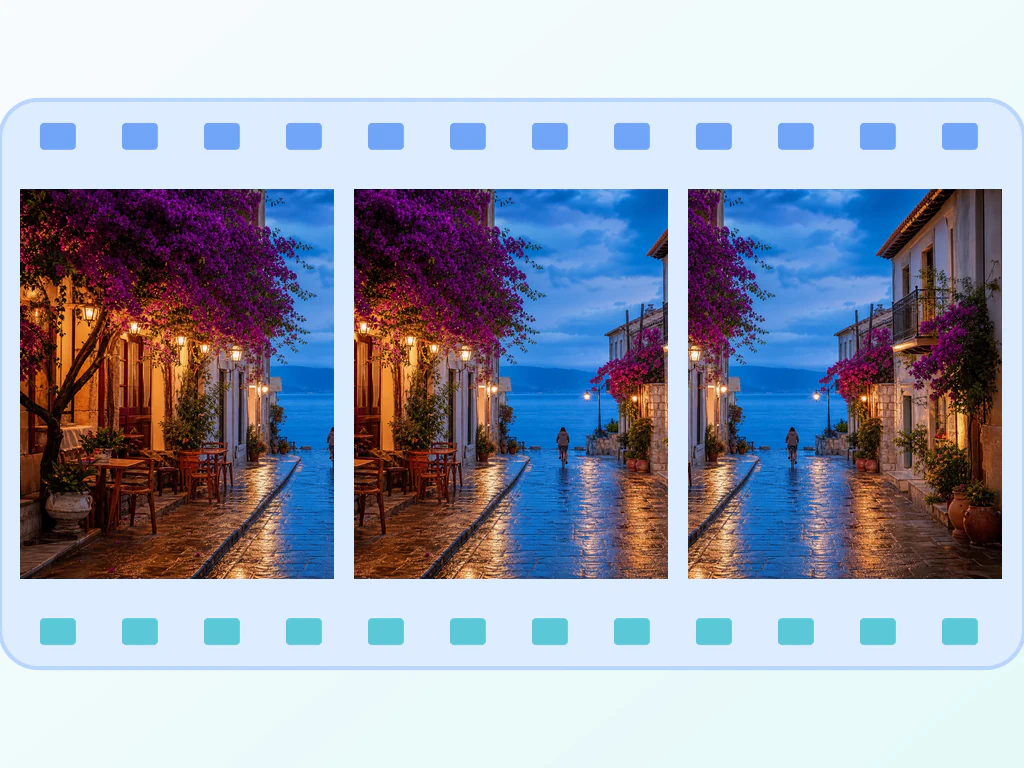
GIF ਮੇਕਰ - ਚਿੱਤਰਾਂ ਜਾਂ ਵੀਡੀਓ ਤੋਂ ਇੱਕ ਐਨੀਮੇਟਡ GIF ਬਣਾਓ
JPG, PNG ਅਤੇ WEBP ਫਰੇਮ
ਵੀਡੀਓ ਕਲਿੱਪ ਭੇਜਣ ਲਈ ਬਹੁਤ ਵੱਡੀ ਹੈ ਅਤੇ ਕੋਈ ਵੀ ਇਸਨੂੰ ਕਿਸੇ ਵੀ ਤਰ੍ਹਾਂ ਨਹੀਂ ਚਲਾ ਸਕਦਾ ਹੈ। ਇਸਨੂੰ ਇੱਕ ਐਨੀਮੇਟਿਡ GIF ਬਣਾਓ ਜੋ ਚੈਟ ਵਿੱਚ ਆਉਣ ਦੇ ਪਲ ਨੂੰ ਲੂਪ ਕਰਦਾ ਹੈ।
- ਇੱਕ ਭਾਰੀ ਵੀਡੀਓ ਕਲਿੱਪ ਨੂੰ ਭੇਜਣ ਲਈ ਇੱਕ GIF ਲਾਈਟ ਵਿੱਚ ਬਦਲੋ
- ਚਿੱਤਰ ਫਰੇਮਾਂ ਜਾਂ ਵੀਡੀਓ ਤੋਂ ਐਨੀਮੇਟਡ GIF ਬਣਾਓ
- ਨਿਰਯਾਤ ਕਰਨ ਤੋਂ ਪਹਿਲਾਂ ਪਲੇਬੈਕ ਸਪੀਡ ਨੂੰ ਕੱਟੋ, ਮੁੜ ਕ੍ਰਮਬੱਧ ਕਰੋ ਅਤੇ ਸੈੱਟ ਕਰੋ
2 ਜਾਂ ਵੱਧ ਚਿੱਤਰ ਸੁੱਟੋ — ਇੱਕ ਲੂਪਿੰਗ GIF ਵਾਪਸ ਪ੍ਰਾਪਤ ਕਰੋ
ਦੋ ਜਾਂ ਵੱਧ JPG, PNG, WEBP, AVIF, GIF ਜਾਂ BMP ਫਰੇਮ ਇੱਥੇ ਛੱਡੋ
ਤੁਸੀਂ GIF ਮੇਕਰ ਨਾਲ ਕੀ ਕਰ ਸਕਦੇ ਹੋ
ਸ਼ੁਰੂ ਕਰਨ ਤੋਂ ਪਹਿਲਾਂ ਮੁੱਖ ਸਮਰੱਥਾਵਾਂ ਦੀ ਸਮੀਖਿਆ ਕਰੋ।
- ਚਿੱਤਰਾਂ ਦੇ ਇੱਕ ਸੈੱਟ ਨੂੰ ਐਨੀਮੇਟ ਕਰੋ ਜਾਂ ਕਿਸੇ ਵੀਡੀਓ ਕਲਿੱਪ ਤੋਂ ਸ਼ੁਰੂ ਕਰੋ
- ਸਮਰਥਿਤ ਵੀਡੀਓ ਨੂੰ ਟ੍ਰਿਮ ਕਰੋ ਅਤੇ ਸਾਈਨਅੱਪ ਤੋਂ ਪਹਿਲਾਂ 10 ਫ੍ਰੇਮ ਜਾਂ ਸਾਈਨਅੱਪ ਤੋਂ ਬਾਅਦ 50 ਸੈਂਪਲ ਕਰੋ
- ਚਿੱਤਰ ਫ੍ਰੇਮਾਂ ਨੂੰ ਬਿਲਕੁਲ ਉਸੇ ਕ੍ਰਮ ਵਿੱਚ ਖਿੱਚੋ ਜਿਸ ਵਿੱਚ ਤੁਸੀਂ ਚਾਹੁੰਦੇ ਹੋ
- ਫ੍ਰੇਮ ਦੇਰੀ, ਆਊਟਪੁੱਟ ਚੌੜਾਈ ਅਤੇ GIF ਗੁਣਵੱਤਾ ਸੈੱਟ ਕਰੋ
- ਐਨੀਮੇਸ਼ਨ ਨੂੰ ਹਮੇਸ਼ਾ ਲਈ ਲੂਪ ਕਰੋ ਜਾਂ ਇਸਨੂੰ ਇੱਕ ਵਾਰ ਚਲਾਓ
ਸੈਟਿੰਗਾਂ ਦਾ ਹਵਾਲਾ
11 ਸੈਟਿੰਗਾਂ
GIF ਮੇਕਰ ਲਈ ਉਪਲਬਧ ਨਿਯੰਤਰਣ।
ਮੋਡ
- ਤੁਸੀਂ ਕੀ ਐਨੀਮੇਟ ਕਰਨਾ ਚਾਹੁੰਦੇ ਹੋ?ਪ੍ਰੀਸੈਟ
- ਅੱਪਲੋਡ ਕੀਤੀਆਂ ਤਸਵੀਰਾਂ ਨੂੰ ਫ੍ਰੇਮਾਂ ਵਜੋਂ ਤਰਤੀਬ ਦੇਣ ਅਤੇ ਗੁਮਨਾਮ ਤੌਰ 'ਤੇ 10 ਜਾਂ ਸਾਈਨ-ਅੱਪ ਤੋਂ ਬਾਅਦ 50 ਤੱਕ ਫ੍ਰੇਮ ਸੈਂਪਲ ਕਰਨ ਤੋਂ ਪਹਿਲਾਂ ਬ੍ਰਾਊਜ਼ਰ-ਸਮਰਥਿਤ ਵੀਡੀਓ ਨੂੰ ਟ੍ਰਿਮ ਕਰਨ ਵਿਚਕਾਰ ਚੁਣਦਾ ਹੈ।ਚੋਣਾਂ: ਚਿੱਤਰ ਐਨੀਮੇਟ ਕਰੋਵੀਡੀਓ ਕਲਿੱਪ ਨੂੰ GIF ਵਿੱਚ ਬਦਲੋ
ਫ੍ਰੇਮ
- ਫ੍ਰੇਮ ਜੋੜੋਫਾਈਲ ਇੰਪੁੱਟ
- ਕਿਸੇ ਵੀ ਵੇਲੇ ਐਨੀਮੇਸ਼ਨ ਵਿੱਚ ਹੋਰ ਚਿੱਤਰ ਜੋੜਦਾ ਹੈ; ਨਵੇਂ ਫ੍ਰੇਮ ਲੜੀ ਦੇ ਅੰਤ ਵਿੱਚ ਲੱਗਦੇ ਹਨ ਅਤੇ ਫਿਰ ਖਿੱਚ ਕੇ ਥਾਂ ਸਿਰ ਕੀਤੇ ਜਾ ਸਕਦੇ ਹਨ।
- ਮੁੜ-ਤਰਤੀਬ ਦੇਣ ਲਈ ਡਰੈਗ ਕਰੋਇੱਕ-ਕਲਿੱਕ ਕਰੋ
- ਗ੍ਰਿੱਪ ਹੈਂਡਲ ਨੂੰ ਖਿੱਚ ਕੇ ਜਾਂ ਹਮੇਸ਼ਾ ਉਪਲਬਧ ਤੀਰ ਬਟਨਾਂ ਦੀ ਵਰਤੋਂ ਕਰਕੇ ਚਿੱਤਰ-ਫ੍ਰੇਮ ਦੀ ਪਲੇਬੈਕ ਤਰਤੀਬ ਬਦਲਦਾ ਹੈ; ਕ੍ਰਮ ਤਿਆਰ ਹੋਣ ਤੋਂ ਬਾਅਦ ਮੇਰਾ GIF ਬਣਾਓ ਚੁਣੋ।
- ਫ੍ਰੇਮ ਹਟਾਓਇੱਕ-ਕਲਿੱਕ ਕਰੋ
- ਇਸ ਦੇ ਰੱਦੀ ਆਈਕਨ ਦੀ ਵਰਤੋਂ ਕਰਕੇ ਕ੍ਰਮ ਵਿੱਚੋਂ ਇੱਕ ਫ੍ਰੇਮ ਮਿਟਾਉਂਦਾ ਹੈ ਅਤੇ ਆਪਣੇ-ਆਪ ਕੋਈ ਹੋਰ ਏਨਕੋਡ ਸ਼ੁਰੂ ਕੀਤੇ ਬਿਨਾਂ ਕੋਈ ਵੀ ਪੁਰਾਣਾ ਨਤੀਜਾ ਸਾਫ਼ ਕਰ ਦਿੰਦਾ ਹੈ।
ਸੈਟਿੰਗਾਂ
- ਫ੍ਰੇਮ ਦੇਰੀਸਲਾਈਡਰਰੇਂਜ: 50–1000ms · ਮੂਲ: 300ms
- ਸੈੱਟ ਕਰਦਾ ਹੈ ਕਿ ਹਰ ਫ਼ਰੇਮ ਸਕ੍ਰੀਨ 'ਤੇ ਕਿੰਨੀ ਦੇਰ ਰਹੇ; ਕਦਮ-ਦਰ-ਕਦਮ ਡੈਮੋ ਵਰਗੀਆਂ ਹੌਲੀ, ਸੌਖੀਆਂ-ਸਮਝ ਆਉਣ ਵਾਲੀਆਂ ਐਨੀਮੇਸ਼ਨਾਂ ਲਈ ਇਸਨੂੰ ਵਧਾਓ, ਤੇਜ਼ ਹਰਕਤ ਲਈ ਘਟਾਓ।
- ਚੌੜਾਈਸਲਾਈਡਰਰੇਂਜ: 160–1280px · ਮੂਲ: 480px
- ਆਊਟਪੁੱਟ GIF ਦੀ ਚੌੜਾਈ ਪਿਕਸਲ ਵਿੱਚ ਤੈਅ ਕਰਦਾ ਹੈ; ਹਰ ਫ੍ਰੇਮ ਇਸੇ ਕੈਨਵਸ ਉੱਤੇ ਫਿੱਟ ਕੀਤਾ ਜਾਂਦਾ ਹੈ, ਇਸ ਲਈ ਵੱਧ ਚੌੜਾਈ ਨਾਲ ਵੇਰਵਾ ਵਧੇਰੇ ਸਾਫ਼ ਮਿਲਦਾ ਹੈ ਪਰ ਫ਼ਾਈਲਾਂ ਵੱਡੀਆਂ ਹੋ ਜਾਂਦੀਆਂ ਹਨ।
- ਗੁਣਵੱਤਾਸਲਾਈਡਰਰੇਂਜ: 1–30 · ਮੂਲ: 10
- ਏਨਕੋਡ ਹੋਏ GIF ਦੀ ਰੰਗ ਗੁਣਵੱਤਾ ਕੰਟਰੋਲ ਕਰਦਾ ਹੈ; ਘੱਟ ਅੰਕ ਘੱਟ ਬੈਂਡਿੰਗ ਨਾਲ ਤਿੱਖੇ, ਸਾਫ਼ ਰੰਗ ਦਿੰਦੇ ਹਨ, ਪਰ ਏਨਕੋਡਿੰਗ ਵਿੱਚ ਵੱਧ ਸਮਾਂ ਲੱਗਦਾ ਹੈ।
- ਹਮੇਸ਼ਾ ਲੂਪ ਕਰੋਚਾਲੂ/ਬੰਦ
- ਜਦੋਂ ਚਾਲੂ ਹੋਵੇ, ਤਾਂ ਤਿਆਰ GIF ਲਗਾਤਾਰ ਦੁਹਰਾਉਂਦੀ ਰਹਿੰਦੀ ਹੈ; ਐਨੀਮੇਸ਼ਨ ਇੱਕ ਵਾਰ ਚੱਲ ਕੇ ਆਖ਼ਰੀ ਫ੍ਰੇਮ ਉੱਤੇ ਰੁਕ ਜਾਵੇ, ਇਸ ਲਈ ਇਸਨੂੰ ਬੰਦ ਕਰ ਦਿਓ।
ਵੀਡੀਓ ਕਲਿੱਪ
- ਸ਼ੁਰੂ ਕਰੋਸਲਾਈਡਰ
- ਸੈੱਟ ਕਰਦਾ ਹੈ ਕਿ ਸੈਂਪਲ ਕੀਤਾ ਵੀਡੀਓ ਸੈਗਮੈਂਟ ਕਿੱਥੇ ਸ਼ੁਰੂ ਹੁੰਦਾ ਹੈ; ਇਹ End ਤੋਂ ਪਹਿਲਾਂ ਹੀ ਰਹਿਣਾ ਚਾਹੀਦਾ ਹੈ।
- ਅੰਤਸਲਾਈਡਰ
- ਸੈੱਟ ਕਰਦਾ ਹੈ ਕਿ ਸੈਂਪਲ ਕੀਤਾ ਸੈਗਮੈਂਟ ਕਿੱਥੇ ਰੁਕਦਾ ਹੈ; ਛੋਟੀਆਂ ਕਲਿੱਪਾਂ ਨੂੰ ਘੱਟ ਫ੍ਰੇਮਾਂ ਦੀ ਲੋੜ ਹੁੰਦੀ ਹੈ ਅਤੇ ਆਮ ਤੌਰ 'ਤੇ ਛੋਟੇ GIF ਬਣਾਉਂਦੀਆਂ ਹਨ।
- ਸੈਂਪਲਿੰਗ ਦਰਸਲਾਈਡਰਰੇਂਜ: 1–12frames/second · ਮੂਲ: 6frames/second
- ਚੁਣਦਾ ਹੈ ਕਿ ਪ੍ਰਤੀ ਸਕਿੰਟ ਕਿੰਨੇ ਫ੍ਰੇਮ ਸੈਂਪਲ ਕੀਤੇ ਜਾਂਦੇ ਹਨ, ਸੁਰੱਖਿਅਤ ਬ੍ਰਾਊਜ਼ਰ ਵਰਕਫਲੋ ਲਈ 12 FPS ਅਤੇ 50 ਤਿਆਰ ਫ੍ਰੇਮਾਂ ਤੱਕ ਸੀਮਤ।
GIF ਮੇਕਰ ਲਈ ਸੰਬੰਧਿਤ ਟੂਲ
GIF ਮੇਕਰ ਤੋਂ ਬਾਅਦ ਆਮ ਅਗਲੇ ਪੜਾਵਾਂ ਲਈ ਟੂਲ।

ਫ਼ੋਟੋ ਸੰਪਾਦਨ ਅਤੇ ਸਹੂਲਤਾਂ
GIF ਕੰਪ੍ਰੈਸਰ
ਲੂਪ ਅਤੇ ਟਾਈਮਿੰਗ ਨੂੰ ਸੁਰੱਖਿਅਤ ਰੱਖਦੇ ਹੋਏ ਰੰਗਾਂ ਨੂੰ ਘਟਾ ਕੇ, ਫਰੇਮਾਂ ਨੂੰ ਅਨੁਕੂਲਿਤ ਕਰਕੇ, ਜਾਂ ਇਸ ਨੂੰ ਸਕੇਲ ਕਰਕੇ ਐਨੀਮੇਟਡ GIF ਨੂੰ ਸੰਕੁਚਿਤ ਕਰੋ।
ਹੁਣੇ ਅਜ਼ਮਾਓਫ਼ੋਟੋ ਸੰਪਾਦਨ ਅਤੇ ਸਹੂਲਤਾਂ
GIF ਰੀਸਾਈਜ਼ਰ
ਹਰੇਕ ਫਰੇਮ, ਲੂਪ ਅਤੇ ਇਸਦੇ ਸਮੇਂ ਨੂੰ ਸੁਰੱਖਿਅਤ ਰੱਖਦੇ ਹੋਏ ਪ੍ਰਤੀਸ਼ਤ ਜਾਂ ਸਟੀਕ ਪਿਕਸਲ ਦੁਆਰਾ ਇੱਕ ਐਨੀਮੇਟਡ GIF ਦਾ ਆਕਾਰ ਬਦਲੋ।
ਹੁਣੇ ਅਜ਼ਮਾਓਫ਼ੋਟੋ ਸੰਪਾਦਨ ਅਤੇ ਸਹੂਲਤਾਂ
GIF ਕ੍ਰੌਪਰ
ਐਨੀਮੇਟਡ GIF ਨੂੰ ਸਟੀਕ ਪਿਕਸਲ ਦੁਆਰਾ ਕੱਟੋ, ਹਰ ਫਰੇਮ 'ਤੇ ਇੱਕੋ ਖੇਤਰ ਨੂੰ ਲਾਗੂ ਕਰੋ, ਅਤੇ ਲੂਪ ਅਤੇ ਸਮਾਂ ਸੁਰੱਖਿਅਤ ਕਰੋ।
ਹੁਣੇ ਅਜ਼ਮਾਓਅਕਸਰ ਪੁੱਛੇ ਜਾਂਦੇ ਸਵਾਲ
GIF ਮੇਕਰ ਤੁਹਾਡਾ ਕੰਮ ਕਰਨ ਵਿੱਚ ਕਿਵੇਂ ਮਦਦ ਕਰਦਾ ਹੈ
ਅਸਲ ਸਮੱਸਿਆਵਾਂ ਜੋ ਇਹ ਹਰ ਰੋਜ਼ ਹੱਲ ਕਰਦੀ ਹੈ — ਕਾਰੋਬਾਰਾਂ, ਸਿਰਜਣਹਾਰਾਂ ਅਤੇ ਰੋਜ਼ਾਨਾ ਦੇ ਕੰਮਾਂ ਲਈ। ਉਹ ਵਰਤੋਂ ਕੇਸ ਲੱਭੋ ਜੋ ਤੁਹਾਡੇ ਲਈ ਫਿੱਟ ਹੈ ਅਤੇ ਸ਼ੁਰੂ ਕਰੋ।
ਉਤਪਾਦ ਡੈਮੋ ਵਾਕਥਰੂ
ਤੁਹਾਡੀ ਐਪ ਦੀ ਮੁੱਖ ਕਿਰਿਆ ਦਿਖਾਉਂਦਾ 5-ਸਕਿੰਟ ਦਾ GIF ਇੱਕ ਸਥਿਰ ਸਕ੍ਰੀਨਸ਼ਾਟ ਨਾਲੋਂ ਵੱਧ ਖਿੱਚ ਪਾਉਂਦਾ ਹੈ ਅਤੇ ਵੀਡੀਓ ਨਾਲੋਂ ਹਲਕਾ ਹੁੰਦਾ ਹੈ। ਵਿਕਾਸ ਦੌਰਾਨ ਖਿੱਚੇ 4-8 ਫ੍ਰੇਮ ਪਾਓ ਅਤੇ ਲੈਂਡਿੰਗ ਪੰਨਿਆਂ ਉੱਤੇ ਭੇਜ ਦਿਓ।
Slack ਅਤੇ Discord ਪ੍ਰਤੀਕਰਮ
ਗਰੁੱਪ ਫੋਟੋਆਂ, ਅੰਦਰੂਨੀ ਮਜ਼ਾਕਾਂ ਦੇ ਸਕ੍ਰੀਨਸ਼ਾਟਾਂ ਜਾਂ ਐਨੀਮੇਟਡ ਲੋਗੋ ਤੋਂ ਟੀਮ-ਵਿਸ਼ੇਸ਼ ਰੀਐਕਸ਼ਨ GIF ਬਣਾਓ। ਉਨ੍ਹਾਂ ਨੂੰ Slack ਵਿੱਚ ਕਸਟਮ ਇਮੋਜੀ ਜਾਂ Discord ਵਿੱਚ ਸਰਵਰ ਸਟਿੱਕਰ ਵਜੋਂ ਛੱਡੋ।
ਪਹਿਲਾਂ / ਬਾਅਦ ਦੀਆਂ ਤੁਲਨਾਵਾਂ
ਫੋਟੋ ਰੀਟਚਿੰਗ, ਘਰ ਦੀ ਮੁਰੰਮਤ, ਭਾਰ ਘਟਾਉਣਾ, ਜਾਂ ਡਿਜ਼ਾਈਨ ਦੇ ਵੱਖ-ਵੱਖ ਪੜਾਅ — ਬਦਲਾਅ ਨੂੰ ਅੱਗੇ-ਪਿੱਛੇ ਚੱਲਣ ਵਾਲੇ GIF ਵਜੋਂ ਦਿਖਾਓ ਜੋ ਸੋਸ਼ਲ ਮੀਡੀਆ ਉੱਤੇ ਉਸ ਤਰ੍ਹਾਂ ਧਿਆਨ ਖਿੱਚਦਾ ਹੈ ਜੋ ਦੋ ਸਥਿਰ ਤਸਵੀਰਾਂ ਨਹੀਂ ਕਰ ਸਕਦੀਆਂ।
ਐਨੀਮੇਟਡ ਅਵਤਾਰ ਤੇ ਪ੍ਰੋਫਾਈਲ ਤਸਵੀਰਾਂ
Twitch, Discord ਅਤੇ ਕੁਝ ਸੋਸ਼ਲ ਪਲੇਟਫਾਰਮ ਐਨੀਮੇਟਡ ਅਵਤਾਰਾਂ ਨੂੰ ਸਮਰਥਨ ਦਿੰਦੇ ਹਨ। ਆਪਣੇ ਪੋਰਟ੍ਰੇਟ ਜਾਂ ਲੋਗੋ ਦੇ 3-5 ਫ੍ਰੇਮਾਂ ਤੋਂ ਇੱਕ ਹਲਕਾ ਪਲਸ ਜਾਂ ਰੰਗ-ਬਦਲਦਾ ਲੂਪ ਬਣਾਓ।
ਪ੍ਰਕਿਰਿਆ ਦਸਤਾਵੇਜ਼ੀਕਰਨ
ਕਿਸੇ ਬਹੁ-ਪੜਾਵੀ ਵਰਕਫਲੋ (ਬਿਲਡ ਪਾਈਪਲਾਈਨ ਸਥਿਤੀ, ਸਮੇਂ ਨਾਲ ਡੈਸ਼ਬੋਰਡ ਅੱਪਡੇਟ, ਇੱਕ ਤਿਮਾਹੀ ਦੌਰਾਨ ਵਾਧੇ ਦਾ ਚਾਰਟ) ਨੂੰ ਇੱਕ ਅਜਿਹੀ GIF ਵਜੋਂ ਦਰਜ ਕਰੋ ਜੋ ਕਿਸੇ ਵੀ Markdown ਵਿਊਅਰ — GitHub README, Notion, Confluence — ਵਿੱਚ ਆਪਣੇ-ਆਪ ਚੱਲਦੀ ਹੈ।
ਵਿੱਦਿਅਕ ਸਟਾਪ-ਮੋਸ਼ਨ
ਅਧਿਆਪਕ ਵ੍ਹਾਈਟਬੋਰਡ ਫ਼ੋਟੋਆਂ, ਲੈਬ ਪ੍ਰਦਰਸ਼ਨ ਸ਼ੌਟਾਂ ਜਾਂ ਕਦਮ-ਦਰ-ਕਦਮ ਕ੍ਰਾਫ਼ਟ ਪ੍ਰੋਜੈਕਟ ਤਸਵੀਰਾਂ ਦੀ ਲੜੀ ਤੋਂ ਸਟਾਪ-ਮੋਸ਼ਨ GIF ਬਣਾਉਂਦੇ ਹਨ। ਦ੍ਰਿਸ਼ਟੀ-ਆਧਾਰਿਤ ਸਿਖਿਆਰਥੀਆਂ ਲਈ ਬਹੁਤ ਵਧੀਆ।
Shopify 360° ਉਤਪਾਦ ਸਪਿਨ GIF
ਟਰਨਟੇਬਲ ਉਤਪਾਦ ਸ਼ਾਟਾਂ ਦੀ ਇੱਕ ਲੜੀ ਨੂੰ ਆਪਣੀ ਲਿਸਟਿੰਗ ਲਈ ਇੱਕ ਨਿਰਵਿਘਨ ਲੂਪਿੰਗ GIF ਵਿੱਚ ਬਦਲੋ — Loop forever ਚਾਲੂ ਕਰੋ ਅਤੇ ਚੌੜਾਈ ਲਗਭਗ 800px ਸੈੱਟ ਕਰੋ ਤਾਂ ਜੋ ਖਰੀਦਦਾਰ ਹੌਲੀ ਪੇਜ ਲੋਡ ਤੋਂ ਬਿਨਾਂ ਪੂਰਾ ਸਪਿਨ ਵੇਰਵਾ ਵੇਖਣ।
ਰੀਅਲ-ਅਸਟੇਟ ਲਿਸਟਿੰਗ ਵਾਕਥਰੂ ਲੂਪ
ਕਮਰੇ ਦੀਆਂ ਫੋਟੋਆਂ ਨੂੰ ਉਹਨਾਂ ਲਿਸਟਿੰਗ ਸਾਈਟਾਂ ਅਤੇ ਬਾਜ਼ਾਰਾਂ ਲਈ ਇੱਕ ਹੌਲੀ-ਰਫ਼ਤਾਰ GIF (400-600ms ਦੇਰੀ) ਵਿੱਚ ਮਿਲਾਓ ਜੋ ਏਮਬੈੱਡ ਕੀਤੇ ਵੀਡੀਓ ਦਾ ਸਮਰਥਨ ਨਹੀਂ ਕਰਦੀਆਂ, ਖਰੀਦਦਾਰਾਂ ਨੂੰ ਨਤੀਜੇ ਪੇਜ ਛੱਡੇ ਬਿਨਾਂ ਇੱਕ ਤੇਜ਼ ਦ੍ਰਿਸ਼ਟੀ ਟੂਰ ਦਿੰਦੇ ਹੋਏ।
ਸਪੋਰਟ ਟਿਕਟਾਂ ਲਈ ਹਲਕੇ ਬੱਗ-ਰਿਪੋਰਟ ਲੂਪ
ਕਿਸੇ UI ਗੜਬੜ ਨੂੰ ਇੱਕ ਛੋਟੀ ਤਸਵੀਰ ਲੜੀ ਵਜੋਂ ਕੈਪਚਰ ਕਰੋ ਅਤੇ ਇਸਨੂੰ ਸੰਕੁਚਿਤ ਚੌੜਾਈ (320-480px) 'ਤੇ ਵੱਧ ਕੁਆਲਿਟੀ ਨੰਬਰ ਨਾਲ ਰੈਂਡਰ ਕਰੋ — ਨਤੀਜੇ ਵਾਲੀ GIF ਇੰਨੀ ਛੋਟੀ ਹੈ ਕਿ ਇਸਨੂੰ ਸਿੱਧਾ ਸਪੋਰਟ ਟਿਕਟ ਜਾਂ ਚੈਟ ਥਰੈੱਡ ਵਿੱਚ ਪੇਸਟ ਕੀਤਾ ਜਾ ਸਕਦਾ ਹੈ, ਕਿਸੇ ਸਕ੍ਰੀਨ-ਰਿਕਾਰਡਿੰਗ ਸਾਫਟਵੇਅਰ ਦੀ ਲੋੜ ਨਹੀਂ।
ਕਦਮ-ਦਰ-ਕਦਮ ਰੈਸਿਪੀ Pinterest ਲੂਪ
ਫ੍ਰੇਮ ਆਰਡਰ ਅਤੇ ਸਮੇਂ 'ਤੇ ਨਿਯੰਤਰਣ ਦੇ ਨਾਲ, Pinterest ਪਿੰਨ ਅਤੇ ਫੂਡ-ਬਲੌਗ ਪੋਸਟਾਂ ਲਈ ਹਰੇਕ ਪਕਾਉਣ ਦੇ ਪੜਾਅ ਦੀਆਂ ਫੋਟੋਆਂ ਨੂੰ ਇੱਕ ਲੂਪਿੰਗ GIF ਵਿੱਚ ਬਦਲੋ।
ਫਿਟਨੈੱਸ ਤੇ ਤਰੱਕੀ ਪਰਿਵਰਤਨ ਲੂਪ
ਹਫ਼ਤਾਵਾਰੀ ਤਰੱਕੀ ਫੋਟੋਆਂ ਨੂੰ ਇੱਕ ਸਥਿਰ ਨਾਲ-ਨਾਲ ਦੀ ਬਜਾਏ ਇੱਕ ਲੂਪਿੰਗ GIF ਵਿੱਚ ਪਰੋ ਦਿਓ — ਇੱਕ ਇਕਸਾਰ ਚੌੜਾਈ ਅਤੇ ਲੰਮੀ ਦੇਰੀ (500ms+) ਸੈੱਟ ਕਰੋ ਤਾਂ ਜੋ ਸ਼ੁਰੂਆਤ ਵੱਲ ਵਾਪਸ ਲੂਪ ਹੋਣ ਤੋਂ ਪਹਿਲਾਂ ਹਰ ਹਫ਼ਤਾ ਸਾਫ਼ ਦਿਖਾਈ ਦੇਵੇ।
ਆਨਲਾਈਨ ਕੋਰਸਾਂ ਅਤੇ ਦਸਤਾਵੇਜ਼ਾਂ ਲਈ ਕਦਮ-ਦਰ-ਕਦਮ ਟਿਊਟੋਰੀਅਲ GIF
UI ਸਕ੍ਰੀਨਸ਼ਾਟਾਂ ਦੀ ਇੱਕ ਲੜੀ ਨੂੰ ਇੱਕ ਸਵੈ-ਲੂਪਿੰਗ ਵਾਕਥਰੂ GIF ਵਿੱਚ ਬਦਲੋ ਜੋ ਇੱਕ ਪੂਰਾ ਵਰਕਫਲੋ (ਜਿਵੇਂ 'ਇੱਥੇ ਕਲਿੱਕ ਕਰੋ, ਫਿਰ ਇੱਥੇ') ਇੱਕ ਨਜ਼ਰ ਵਿੱਚ ਦਿਖਾਉਂਦਾ ਹੈ — ਸਥਿਰ ਸਕ੍ਰੀਨਸ਼ਾਟਾਂ ਨਾਲ ਗਿਣਤੀਦਾਰ ਕਦਮ ਲਿਖਣ ਦੀ ਬਜਾਏ ਇਸ ਨੂੰ ਸਿੱਧਾ ਕਿਸੇ ਕੋਰਸ ਪਾਠ, ਗਿਆਨ-ਅਧਾਰ ਲੇਖ ਜਾਂ ਆਨਬੋਰਡਿੰਗ ਈਮੇਲ ਵਿੱਚ ਏਮਬੈੱਡ ਕਰੋ।
ਹਰ ਰੂਪਾਂਤਰ ਲਾਗੂ ਹੁੰਦਾ ਵੇਖੋ
ਹਰ ਫੋਟੋ ਸਲੈਸ਼ ਨੂੰ ਬਿਨਾਂ ਛੂਹ ਕੇ ਪਾਰ ਕਰਦੀ ਹੈ ਅਤੇ ਦੂਜੇ ਪਾਸੇ ਤੋਂ ਬਾਹਰ ਆਉਂਦੀ ਹੈ।























