
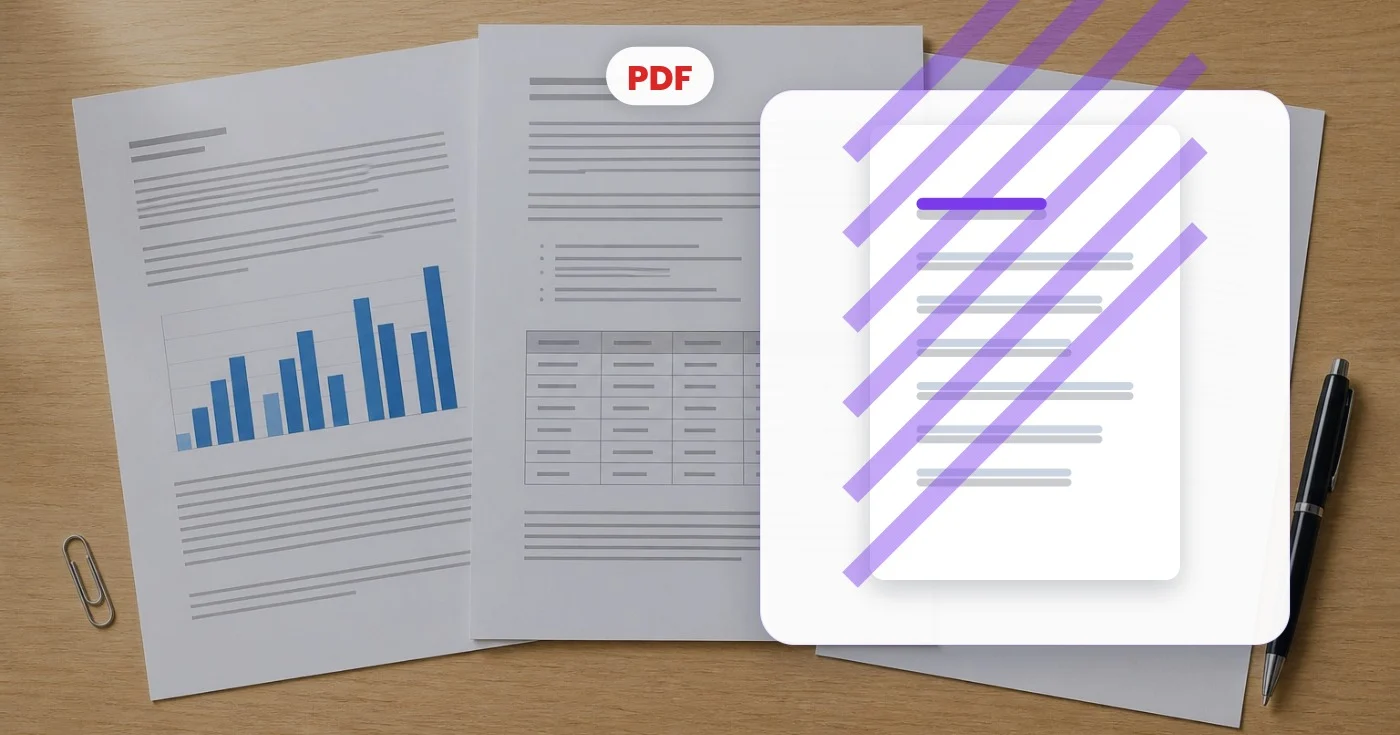
ਵਾਟਰਮਾਰਕ ਪੀਡੀਐਫ - ਹਰੇਕ ਪੀਡੀਐਫ ਪੰਨੇ ਵਿੱਚ ਇੱਕ ਵਾਟਰਮਾਰਕ ਸ਼ਾਮਲ ਕਰੋ ਮੁਫਤ
ਵਿਵਸਥਿਤ ਆਕਾਰ, ਰੰਗ, ਧੁੰਦਲਾਪਨ ਅਤੇ ਕੋਣ ਦੇ ਨਾਲ PDF ਪੰਨਿਆਂ ਵਿੱਚ ਇੱਕ ਟੈਕਸਟ ਵਾਟਰਮਾਰਕ ਸ਼ਾਮਲ ਕਰੋ।
ਇੱਥੇ ਇੱਕ PDF ਡ੍ਰੌਪ ਕਰੋ - ਇਸਨੂੰ ਹਰ ਪੰਨੇ 'ਤੇ ਵਾਪਸ ਮੋਹਰ ਲਗਾਓ
PDF ਫਾਈਲਾਂ
ਤੁਸੀਂ PDF 'ਤੇ ਵਾਟਰਮਾਰਕ ਨਾਲ ਕੀ ਕਰ ਸਕਦੇ ਹੋ
ਸ਼ੁਰੂ ਕਰਨ ਤੋਂ ਪਹਿਲਾਂ ਮੁੱਖ ਸਮਰੱਥਾਵਾਂ ਦੀ ਸਮੀਖਿਆ ਕਰੋ।
- ਹਰ ਪੰਨੇ 'ਤੇ ਗੁਪਤ ਜਾਂ ਡਰਾਫਟ ਸਟੈਂਪ ਕਰੋ
- ਇੱਕ PDF ਵਿੱਚ ਆਪਣਾ ਖੁਦ ਦਾ ਕਸਟਮ ਵਾਟਰਮਾਰਕ ਟੈਕਸਟ ਸ਼ਾਮਲ ਕਰੋ
- ਸਾਂਝਾ ਕਰਨ ਤੋਂ ਪਹਿਲਾਂ ਦਸਤਾਵੇਜ਼ਾਂ ਦੀ ਨਿੱਜੀ ਵਜੋਂ ਨਿਸ਼ਾਨਦੇਹੀ ਕਰੋ
- ਵਾਟਰਮਾਰਕ ਧੁੰਦਲਾਪਨ, ਕੋਣ ਅਤੇ ਰੰਗ ਸੈੱਟ ਕਰੋ
- ਡਰਾਫਟ ਅਤੇ ਸਬੂਤਾਂ ਨੂੰ ਵਿਕਰਣ ਸਟੈਂਪ ਨਾਲ ਸੁਰੱਖਿਅਤ ਕਰੋ
ਸੈਟਿੰਗਾਂ ਦਾ ਹਵਾਲਾ
8 ਸੈਟਿੰਗਾਂ
PDF 'ਤੇ ਵਾਟਰਮਾਰਕ ਲਈ ਉਪਲਬਧ ਨਿਯੰਤਰਣ।
- ਪ੍ਰੋਸੈਸਿੰਗ ਮੋਡਪ੍ਰੀਸੈਟ
- ਇੱਕ ਇਨਪੁੱਟ ਪ੍ਰੋਸੈਸ ਕਰੋ ਜਾਂ ਇੱਕੋ ਸੈਟਿੰਗਾਂ ਨਾਲ ਕਈ ਇਨਪੁੱਟ ਪ੍ਰੋਸੈਸ ਕਰਨ ਲਈ Premium ਬੈਚ ਮੋਡ ਚੁਣੋ। ਉਪਲਬਧ ਇਨਪੁੱਟ ਕਿਸਮਾਂ ਟੂਲ ਉੱਤੇ ਨਿਰਭਰ ਕਰਦੀਆਂ ਹਨ।ਚੋਣਾਂ: Single PDFਬੈਚ
ਟੈਕਸਟ
- ਤੇਜ਼ ਪ੍ਰੀਸੈੱਟਪ੍ਰੀਸੈਟ
- ਇੱਕ-ਕਲਿੱਕ ਮੋਹਰਾਂ ਜੋ ਵਾਟਰਮਾਰਕ ਟੈਕਸਟ ਅਤੇ ਉਸ ਨਾਲ ਮਿਲਦਾ ਰੰਗ ਇੱਕੋ ਵਾਰ ਭਰ ਦਿੰਦੀਆਂ ਹਨ, ਜਿਵੇਂ ਲਾਲ ਰੰਗ ਵਿੱਚ CONFIDENTIAL ਜਾਂ ਸਲੇਟੀ ਵਿੱਚ DRAFT; ਬਾਅਦ ਵਿੱਚ ਤੁਸੀਂ ਸਭ ਕੁਝ ਬਾਰੀਕੀ ਨਾਲ ਬਦਲ ਵੀ ਸਕਦੇ ਹੋ।ਚੋਣਾਂ: ਗੁਪਤਖਰੜਾਕਾਪੀਮਨਜ਼ੂਰਸ਼ੁਦਾਅੰਤਿਮਨਮੂਨਾਭੁਗਤਾਨ ਕੀਤਾਕਾਪੀ ਨਾ ਕਰੋ
- ਵਾਟਰਮਾਰਕ ਟੈਕਸਟਟੈਕਸਟ ਇਨਪੁੱਟ
- PDF ਦੇ ਹਰ ਪੇਜ ਉੱਤੇ ਲੱਗਣ ਵਾਲਾ ਟੈਕਸਟ; ਕੋਈ ਵੀ ਮਨਪਸੰਦ ਸ਼ਬਦ ਟਾਈਪ ਕਰੋ, ਜਿਵੇਂ ਕੰਪਨੀ ਦਾ ਨਾਮ, ਦਸਤਾਵੇਜ਼ ਦੀ ਸਥਿਤੀ, ਜਾਂ ਵਰਜ਼ਨ ਬਾਰੇ ਨੋਟ।
- ਫੌਂਟ ਸਾਈਜ਼ਸਲਾਈਡਰਰੇਂਜ: 10–120pt · ਮੂਲ: 60pt
- ਸੈੱਟ ਕਰਦਾ ਹੈ ਕਿ ਹਰ ਪੰਨੇ 'ਤੇ ਵਾਟਰਮਾਰਕ ਦਾ ਟੈਕਸਟ ਕਿੰਨਾ ਵੱਡਾ ਦਿਖੇ; ਵੱਡੇ ਆਕਾਰ ਗੂੜ੍ਹੀ ਤਿਰਛੀ ਚੇਤਾਵਨੀ ਲਈ ਢੁੱਕਵੇਂ ਹਨ, ਜਦਕਿ ਛੋਟੇ ਆਕਾਰ ਕੋਨੇ ਵਾਲੀ ਹਲਕੀ ਮੋਹਰ ਲਈ ਬਿਹਤਰ ਰਹਿੰਦੇ ਹਨ।
ਸ਼ੈਲੀ
- ਸਥਿਤੀਪ੍ਰੀਸੈਟ
- ਵਾਟਰਮਾਰਕ ਨੂੰ ਪੰਨੇ ਦੀਆਂ ਨੌਂ ਥਾਵਾਂ ਵਿੱਚੋਂ ਇੱਕ 'ਤੇ ਲਾਉਂਦਾ ਹੈ, ਜਾਂ ਕਲਾਸਿਕ ਨਕਲ-ਰੋਕੂ ਸ਼ੈਲੀ ਵਿੱਚ ਹਰ ਪੰਨੇ ਦੇ ਵਿਚਕਾਰੋਂ ਲੰਘਾਉਣ ਲਈ ਤਿਰਛਾ ਵਰਤੋ।ਚੋਣਾਂ: ਉੱਪਰ ਖੱਬੇਉੱਪਰਉੱਪਰ ਸੱਜੇਖੱਬੇਵਿਚਕਾਰਸੱਜੇਹੇਠਾਂ ਖੱਬੇਹੇਠਾਂਹੇਠਾਂ ਸੱਜੇਤਿਰਛਾ
- ਅਪਾਰਦਰਸ਼ਤਾਸਲਾਈਡਰਰੇਂਜ: 5–100% · ਮੂਲ: 25%
- ਕੰਟਰੋਲ ਕਰਦਾ ਹੈ ਕਿ ਵਾਟਰਮਾਰਕ ਕਿੰਨਾ ਆਰ-ਪਾਰ ਦਿਸੇ; ਘੱਟ ਕੀਮਤਾਂ ਹੇਠਲੀ ਪੰਨਾ ਸਮੱਗਰੀ ਨੂੰ ਪੜ੍ਹਨਯੋਗ ਰੱਖਦੀਆਂ ਹਨ, ਜਦਕਿ ਵੱਧ ਕੀਮਤਾਂ ਮੋਹਰ ਨੂੰ ਖ਼ੂਬ ਉਭਾਰ ਦਿੰਦੀਆਂ ਹਨ।
- ਰੋਟੇਸ਼ਨਸਲਾਈਡਰਰੇਂਜ: -90–90° · ਮੂਲ: -30°
- ਤਿਰਛੀ ਸਥਿਤੀ ਚੁਣਨ ਉੱਤੇ ਵਾਟਰਮਾਰਕ ਨੂੰ ਕਿਸੇ ਵੀ ਕੋਣ ਉੱਤੇ ਝੁਕਾ ਦਿੰਦਾ ਹੈ; ਕੋਨੇ ਤੇ ਵਿਚਕਾਰਲੀਆਂ ਸਥਿਤੀਆਂ ਹਮੇਸ਼ਾ ਸਿੱਧੀਆਂ ਰਹਿੰਦੀਆਂ ਹਨ, ਇਸ ਲਈ ਉਹਨਾਂ ਲਈ ਇਹ ਸਲਾਈਡਰ ਬੰਦ ਰਹਿੰਦਾ ਹੈ।
- ਰੰਗਰੰਗ ਚੋਣਕਾਰ
- ਨੌਂ ਤੁਰੰਤ ਸਵੈਚਾਂ ਜਾਂ ਪੂਰੇ ਪਿਕਰ ਨਾਲ ਵਾਟਰਮਾਰਕ ਟੈਕਸਟ ਦਾ ਰੰਗ ਤੈਅ ਕਰਦਾ ਹੈ, ਜਿੱਥੇ ਤੁਸੀਂ ਕਿਸੇ ਬ੍ਰਾਂਡ ਜਾਂ ਦਸਤਾਵੇਜ਼ ਦੀ ਸ਼ੈਲੀ ਨਾਲ ਮੇਲ ਖਾਂਦਾ ਸਟੀਕ HEX ਕੋਡ ਵੀ ਦਰਜ ਕਰ ਸਕਦੇ ਹੋ।
PDF 'ਤੇ ਵਾਟਰਮਾਰਕ ਲਈ ਸੰਬੰਧਿਤ ਟੂਲ
PDF 'ਤੇ ਵਾਟਰਮਾਰਕ ਤੋਂ ਬਾਅਦ ਆਮ ਅਗਲੇ ਪੜਾਵਾਂ ਲਈ ਟੂਲ।

PDF ਅਤੇ ਦਸਤਾਵੇਜ਼
PDF ਸਾਈਨ ਕਰੋ
ਦਸਤਖਤ ਖਿੱਚੋ, ਟਾਈਪ ਕਰੋ ਜਾਂ ਅਪਲੋਡ ਕਰੋ, ਇਸਨੂੰ PDF ਪੰਨੇ 'ਤੇ ਰੱਖੋ ਅਤੇ ਹਸਤਾਖਰਿਤ ਕਾਪੀ ਡਾਊਨਲੋਡ ਕਰੋ।
ਹੁਣੇ ਅਜ਼ਮਾਓPDF ਅਤੇ ਦਸਤਾਵੇਜ਼
PDF ਪਾਸਵਰਡ
ਇੱਕ PDF ਵਿੱਚ ਪਾਸਵਰਡ ਇਨਕ੍ਰਿਪਸ਼ਨ ਸ਼ਾਮਲ ਕਰੋ, ਜਾਂ ਕਿਸੇ ਫਾਈਲ ਤੋਂ ਇੱਕ ਜਾਣਿਆ ਪਾਸਵਰਡ ਹਟਾਓ ਜਿਸ ਨੂੰ ਤੁਸੀਂ ਸੋਧਣ ਲਈ ਅਧਿਕਾਰਤ ਕੀਤਾ ਹੈ।
ਹੁਣੇ ਅਜ਼ਮਾਓ
PDF ਅਤੇ ਦਸਤਾਵੇਜ਼
PDF ਮਿਲਾਓ
ਇੱਕ ਤੋਂ ਵੱਧ PDF ਨੂੰ ਜੋੜੋ, ਉਹਨਾਂ ਨੂੰ ਲੋੜੀਂਦੇ ਕ੍ਰਮ ਵਿੱਚ ਵਿਵਸਥਿਤ ਕਰੋ ਅਤੇ ਇੱਕ ਵਿਲੀਨ ਕੀਤੀ ਫਾਈਲ ਨੂੰ ਡਾਊਨਲੋਡ ਕਰੋ।
ਹੁਣੇ ਅਜ਼ਮਾਓਅਕਸਰ ਪੁੱਛੇ ਜਾਂਦੇ ਸਵਾਲ
PDF 'ਤੇ ਵਾਟਰਮਾਰਕ ਤੁਹਾਡਾ ਕੰਮ ਕਰਨ ਵਿੱਚ ਕਿਵੇਂ ਮਦਦ ਕਰਦਾ ਹੈ
ਅਸਲ ਸਮੱਸਿਆਵਾਂ ਜੋ ਇਹ ਹਰ ਰੋਜ਼ ਹੱਲ ਕਰਦੀ ਹੈ — ਕਾਰੋਬਾਰਾਂ, ਸਿਰਜਣਹਾਰਾਂ ਅਤੇ ਰੋਜ਼ਾਨਾ ਦੇ ਕੰਮਾਂ ਲਈ। ਉਹ ਵਰਤੋਂ ਕੇਸ ਲੱਭੋ ਜੋ ਤੁਹਾਡੇ ਲਈ ਫਿੱਟ ਹੈ ਅਤੇ ਸ਼ੁਰੂ ਕਰੋ।
ਅੰਦਰੂਨੀ ਦਸਤਾਵੇਜ਼ਾਂ ਉੱਤੇ CONFIDENTIAL ਦੀ ਮੋਹਰ ਲਾਓ
ਅੰਦਰੂਨੀ ਰਣਨੀਤੀ ਡੈੱਕ, M&A ਜਾਂਚ ਅਤੇ ਬੋਰਡ ਸਮੱਗਰੀ ਨੂੰ ਸਪੱਸ਼ਟ ਤੌਰ ਉੱਤੇ ਗੁਪਤ ਵਜੋਂ ਚਿੰਨ੍ਹਿਤ ਕੀਤਾ ਜਾਣਾ ਚਾਹੀਦਾ ਹੈ। ਜੇ ਕੋਈ ਫਾਈਲ ਤੈਅ-ਸ਼ੁਦਾ ਦਰਸ਼ਕਾਂ ਤੋਂ ਬਾਹਰ ਨਿਕਲ ਜਾਵੇ ਤਾਂ ਲੀਕ ਰੋਕਣ ਲਈ ਵੰਡਣ ਤੋਂ ਪਹਿਲਾਂ ਹਰ ਪੰਨੇ ਉੱਤੇ ਤਿਰਛੀ ਮੋਹਰ ਲਾਓ।
ਚੱਲ ਰਹੇ ਇਕਰਾਰਨਾਮਿਆਂ 'ਤੇ DRAFT ਮਾਰਕ ਕਰੋ
ਹਰ ਪੰਨੇ ਉੱਤੇ ਲੱਗਾ "DRAFT" ਵਾਟਰਮਾਰਕ ਕਿਸੇ ਮੁੱਢਲੇ ਸੰਸਕਰਣ ਨੂੰ ਗ਼ਲਤੀ ਨਾਲ ਦਸਤਖ਼ਤ ਕੀਤਾ ਕਰਾਰਨਾਮਾ ਸਮਝੇ ਜਾਣ ਤੋਂ ਰੋਕਦਾ ਹੈ। ਅੰਤਮ ਸੰਸਕਰਣ ਮਨਜ਼ੂਰ ਹੋਣ ਉੱਤੇ ਨਵੀਂ ਮਰਜ ਨਾਲ ਵਾਟਰਮਾਰਕ ਹਟਾ ਦਿਓ।
ਕਲਾਇੰਟ-ਵਿਸ਼ੇਸ਼ ਵਾਟਰਮਾਰਕ
ਡਿਲੀਵਰੇਬਲਾਂ ਉੱਤੇ ਪ੍ਰਤੀ-ਕਲਾਇੰਟ ਵਾਟਰਮਾਰਕ (ਜਿਵੇਂ ਕਲਾਇੰਟ ਨਾਮ + ਮਿਤੀ) ਜੋੜੋ ਤਾਂ ਜੋ ਜੇ ਫਾਈਲ ਪ੍ਰੋਜੈਕਟ ਤੋਂ ਬਾਹਰ ਸਾਂਝੀ ਹੋ ਜਾਵੇ, ਤਾਂ ਤੁਹਾਨੂੰ ਪਤਾ ਲੱਗੇ ਕਿ ਕਿਸ ਦੀ ਕਾਪੀ ਲੀਕ ਹੋਈ। ਨਿਮਰ ਰੋਕਥਾਮ, ਮਜ਼ਬੂਤ ਟਰੈਕਿੰਗ।
ਵਿੱਦਿਅਕ ਸਮੱਗਰੀ ਬ੍ਰਾਂਡਿੰਗ
ਆਨਲਾਈਨ ਕੋਰਸ ਪ੍ਰਦਾਤਾ ਮੁੜ-ਸਾਂਝਾ ਕਰਨ ਨੂੰ ਨਿਰਉਤਸ਼ਾਹਿਤ ਕਰਨ ਲਈ ਕੋਰਸ PDF 'ਤੇ ਵਿਦਿਆਰਥੀ ਦਾ ਨਾਮ ਅਤੇ ਦਾਖਲਾ ID ਮੋਹਰ ਲਾਉਂਦੇ ਹਨ। ਜ਼ਿਆਦਾਤਰ ਅਦਾਇਗੀ-ਸਮੱਗਰੀ ਪਲੇਟਫਾਰਮਾਂ ਲਈ ਨਿੱਜੀਕ੍ਰਿਤ ਵਾਟਰਮਾਰਕ ਆਮ DRM ਨਾਲੋਂ ਬਿਹਤਰ ਰਹਿੰਦੇ ਹਨ।
ਫੋਟੋਗ੍ਰਾਫਰ ਅਤੇ ਡਿਜ਼ਾਈਨਰ ਪਰੂਫ
ਸੰਭਾਵੀ ਕਲਾਇੰਟਾਂ ਨੂੰ PDF ਪੋਰਟਫੋਲੀਓ ਭੇਜਣ ਵੇਲੇ, "PROOF" ਵਾਟਰਮਾਰਕ ਭੁਗਤਾਨ ਤੋਂ ਪਹਿਲਾਂ ਬਿਨਾਂ ਲਾਇਸੰਸ ਵਰਤੋਂ ਨੂੰ ਰੋਕਦਾ ਹੈ। ਇਨਵੌਇਸ ਕਲੀਅਰ ਹੋਣ 'ਤੇ ਹਟਾ ਦਿਓ।
ਸਰਕਾਰੀ ਫਾਰਮ ਵਰਜ਼ਨਿੰਗ
ਟੈਂਪਲੇਟ ਵਰਜ਼ਨ ਸਾਫ਼-ਸਾਫ਼ ਮਾਰਕ ਕਰੋ (ਜਿਵੇਂ "DRAFT v3 - 2026") ਤਾਂ ਜੋ ਸਮੀਖਿਅਕਾਂ ਨੂੰ ਠੀਕ ਪਤਾ ਹੋਵੇ ਕਿ ਉਨ੍ਹਾਂ ਦੇ ਮੇਜ਼ 'ਤੇ ਕਿਹੜਾ ਵਰਜ਼ਨ ਹੈ। ਜਦੋਂ ਕਈ ਹਿੱਸੇਦਾਰ ਹਫ਼ਤਿਆਂ ਤੱਕ ਇੱਕੋ ਫਾਰਮ ਦੀ ਸਮੀਖਿਆ ਕਰ ਰਹੇ ਹੋਣ ਤਾਂ ਇਹ ਬਹੁਤ ਜ਼ਰੂਰੀ ਹੈ।
ਰੀਅਲ ਅਸਟੇਟ ਲਿਸਟਿੰਗ ਪਰੂਫ ਸਟੈਂਪ
ਏਜੰਟ ਸੰਭਾਵੀ ਗਾਹਕਾਂ ਨੂੰ ਭੇਜੇ PDF ਫਲੋਰ ਪਲਾਨ ਅਤੇ ਬਰੋਸ਼ਰਾਂ 'ਤੇ ਤਿਰਛੇ "SAMPLE" ਜਾਂ "NOT FOR DISTRIBUTION" ਸਟੈਂਪ ਲਗਾਉਂਦੇ ਹਨ, ਤਾਂ ਜੋ ਡਰਾਫਟ ਨੂੰ ਅੰਤਿਮ ਮਾਰਕੀਟਿੰਗ ਪੈਕੇਜ ਸਮਝਣ ਦੀ ਗ਼ਲਤੀ ਨਾ ਹੋਵੇ।
ਫ੍ਰੀਲਾਂਸਰਾਂ ਲਈ ਇਨਵਾਇਸ ਸਥਿਤੀ ਮੋਹਰ
ਫ੍ਰੀਲਾਂਸਰ ਅਤੇ ਛੋਟੀਆਂ ਏਜੰਸੀਆਂ ਇਨਵੌਇਸ PDF 'ਤੇ ਹਰੇ ਵਿੱਚ "PAID" ਜਾਂ ਲਾਲ ਵਿੱਚ "UNPAID" ਸਟੈਂਪ ਕਰਨ ਲਈ ਕਲਰ ਪਿਕਰ ਅਤੇ ਟੈਕਸਟ ਫ਼ੀਲਡ ਵਰਤਦੀਆਂ ਹਨ, ਤਾਂ ਜੋ ਫ਼ਾਈਲ ਖੋਲ੍ਹਣ ਵਾਲੇ ਕਿਸੇ ਵੀ ਵਿਅਕਤੀ ਨੂੰ ਭੁਗਤਾਨ ਦੀ ਸਥਿਤੀ ਸਪਸ਼ਟ ਰਹੇ।
ਸਮਾਗਮ ਟਿਕਟ ਤੇ ਪ੍ਰੈੱਸ ਪਾਸ ਧੋਖਾਧੜੀ-ਵਿਰੋਧੀ ਨਿਸ਼ਾਨ
ਸਮਾਗਮ ਪ੍ਰਬੰਧਕ PDF ਟਿਕਟਾਂ ਅਤੇ ਪ੍ਰੈੱਸ ਪਾਸਾਂ ਉੱਤੇ ਹਾਜ਼ਰੀਨ ਦੇ ਨਾਮ ਜਾਂ "VOID IF COPIED" ਨੂੰ ਇੱਕ ਛੋਟੇ ਕੋਨੇ ਦੀ ਸਥਿਤੀ ਵਿੱਚ ਸਟੈਂਪ ਕਰਦੇ ਹਨ, ਮੁੜ-ਵਿਕਰੀ ਅਤੇ ਨਕਲ ਨੂੰ ਨਿਰਉਤਸ਼ਾਹਿਤ ਕਰਦੇ ਹੋਏ।
ਟ੍ਰੈਵਲ ਏਜੰਸੀਆਂ ਲਈ ਨਮੂਨਾ ਯਾਤਰਾ-ਸੂਚੀ ਮੋਹਰਾਂ
ਟ੍ਰੈਵਲ ਏਜੰਟ ਬੁਕਿੰਗ ਤੋਂ ਪਹਿਲਾਂ ਗਾਹਕਾਂ ਨੂੰ ਭੇਜੀਆਂ ਪ੍ਰਸਤਾਵਿਤ ਸਫ਼ਰ PDF ਦੇ ਆਰ-ਪਾਰ ਤਿਰਛੀ "SAMPLE ITINERARY — NOT VALID FOR TRAVEL" ਮੋਹਰ ਲਗਾਉਂਦੇ ਹਨ, ਜਿਸ ਨਾਲ ਕਿਸੇ ਖਰੜੇ ਨੂੰ ਅਸਲ ਸਫ਼ਰ ਦਸਤਾਵੇਜ਼ ਸਮਝਣ ਤੋਂ ਰੋਕਿਆ ਜਾਂਦਾ ਹੈ।
ਸਿਹਤ-ਸੰਭਾਲ ਰਿਕਾਰਡ ਗੁਪਤਤਾ ਸਟੈਂਪਿੰਗ
ਕਲੀਨਿਕ ਅਤੇ ਸਿਹਤ-ਸੰਭਾਲ ਪ੍ਰਬੰਧਕ ਮਰੀਜ਼ ਰਿਕਾਰਡ PDF ਨੂੰ ਬੀਮਾਕਰਤਾਵਾਂ, ਹਵਾਲਾ ਦੇਣ ਵਾਲੇ ਪ੍ਰਦਾਤਿਆਂ ਜਾਂ ਕਾਨੂੰਨੀ ਸਲਾਹਕਾਰ ਨੂੰ ਫ਼ੈਕਸ ਜਾਂ ਈਮੇਲ ਕਰਨ ਤੋਂ ਪਹਿਲਾਂ ਉਹਨਾਂ ਦੇ ਆਰ-ਪਾਰ ਤਿਰਛੀ "CONFIDENTIAL - PROTECTED HEALTH INFORMATION" ਮੋਹਰ ਲਗਾਉਂਦੇ ਹਨ, ਜਿਸ ਨਾਲ ਦਸਤਾਵੇਜ਼ ਦੀ ਸੰਵੇਦਨਸ਼ੀਲਤਾ ਇੱਕ ਨਜ਼ਰ ਵਿੱਚ ਸਪੱਸ਼ਟ ਹੋ ਜਾਂਦੀ ਹੈ।
ਹਰ ਰੂਪਾਂਤਰ ਲਾਗੂ ਹੁੰਦਾ ਵੇਖੋ
ਹਰ ਫੋਟੋ ਸਲੈਸ਼ ਨੂੰ ਬਿਨਾਂ ਛੂਹ ਕੇ ਪਾਰ ਕਰਦੀ ਹੈ ਅਤੇ ਦੂਜੇ ਪਾਸੇ ਤੋਂ ਬਾਹਰ ਆਉਂਦੀ ਹੈ।























