
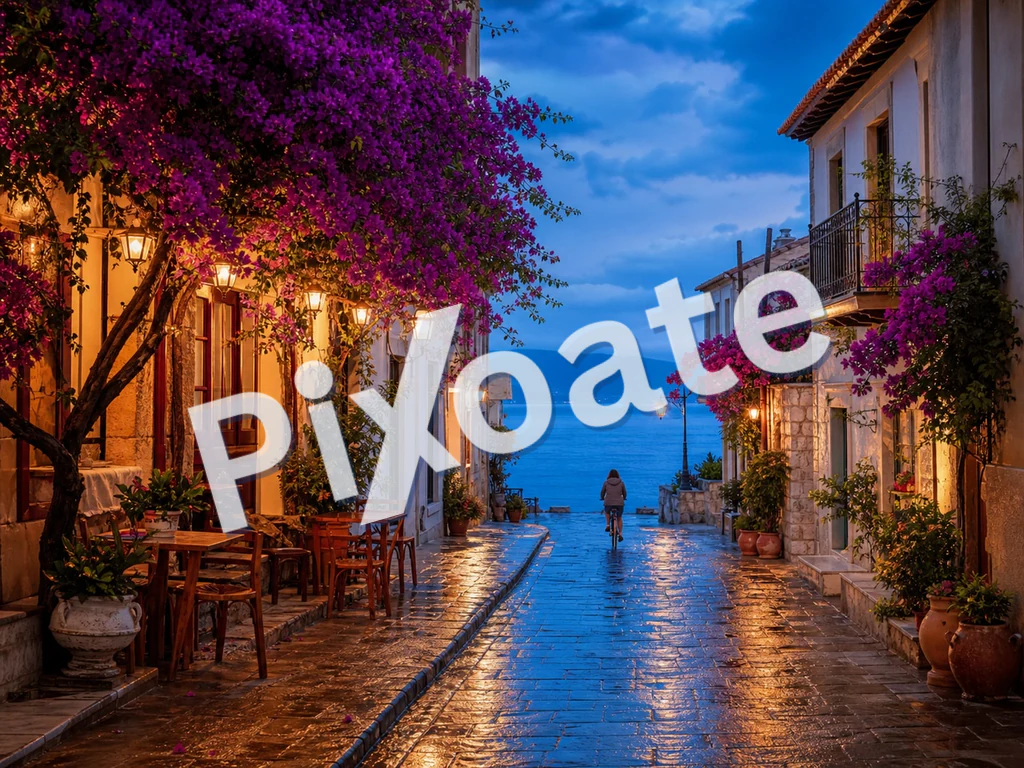
ਵਾਟਰਮਾਰਕ ਚਿੱਤਰ ਆਨਲਾਈਨ — ਇੱਕ ਟੈਕਸਟ ਜਾਂ ਲੋਗੋ ਸ਼ਾਮਲ ਕਰੋ ਵਾਟਰਮਾਰਕ ਮੁਫ਼ਤ
JPG, PNG, WEBP ਅਤੇ ਹੋਰ
ਤੁਸੀਂ ਸਬੂਤ ਭੇਜਦੇ ਹੋ ਅਤੇ ਉਹ ਤੁਹਾਡੇ ਨਾਮ ਤੋਂ ਬਿਨਾਂ ਦੁਬਾਰਾ ਪੋਸਟ ਕਰਕੇ ਵਾਪਸ ਆ ਜਾਂਦੇ ਹਨ। ਹਰ ਚਿੱਤਰ ਨੂੰ ਤੁਹਾਡੇ ਹੱਥ ਛੱਡਣ ਤੋਂ ਪਹਿਲਾਂ ਆਪਣੇ ਟੈਕਸਟ ਜਾਂ ਲੋਗੋ ਨਾਲ ਵਾਟਰਮਾਰਕ ਕਰੋ।
- ਸਬੂਤਾਂ ਨੂੰ ਭੇਜਣ ਤੋਂ ਪਹਿਲਾਂ ਆਪਣੇ ਨਾਮ ਜਾਂ ਲੋਗੋ 'ਤੇ ਮੋਹਰ ਲਗਾਓ
- ਟੈਕਸਟ ਜਾਂ ਲੋਗੋ ਵਾਟਰਮਾਰਕਸ, ਚਿੱਤਰ ਵਿੱਚ ਟਾਈਲ ਕੀਤੇ ਜਾਂ ਇੱਕ ਵਾਰ ਰੱਖੇ ਗਏ
- ਧੁੰਦਲਾਪਨ, ਆਕਾਰ ਅਤੇ ਸਥਿਤੀ ਨੂੰ ਟਿਊਨ ਕਰੋ ਤਾਂ ਜੋ ਇਹ ਸ਼ਾਟ ਨੂੰ ਬਰਬਾਦ ਕੀਤੇ ਬਿਨਾਂ ਰੱਖਿਆ ਕਰੇ
ਆਪਣੀ ਫੋਟੋ ਸੁੱਟੋ — ਆਪਣੇ ਟੈਕਸਟ ਜਾਂ ਲੋਗੋ ਦੀ ਸਥਿਤੀ ਬਣਾਓ ਅਤੇ ਵਾਟਰਮਾਰਕਡ ਕਾਪੀ ਡਾਊਨਲੋਡ ਕਰੋ
ਤੁਸੀਂ ਚਿੱਤਰ 'ਤੇ ਵਾਟਰਮਾਰਕ ਨਾਲ ਕੀ ਕਰ ਸਕਦੇ ਹੋ
ਸ਼ੁਰੂ ਕਰਨ ਤੋਂ ਪਹਿਲਾਂ ਮੁੱਖ ਸਮਰੱਥਾਵਾਂ ਦੀ ਸਮੀਖਿਆ ਕਰੋ।
- ਆਪਣੀਆਂ ਫੋਟੋਆਂ ਵਿੱਚ ਇੱਕ ਟੈਕਸਟ ਵਾਟਰਮਾਰਕ ਸ਼ਾਮਲ ਕਰੋ
- ਉਤਪਾਦ ਚਿੱਤਰਾਂ ਵਿੱਚ ਆਪਣੇ ਲੋਗੋ ਦੀ ਮੋਹਰ ਲਗਾਓ
- ਫੋਟੋਆਂ ਨੂੰ ਕ੍ਰੈਡਿਟ ਤੋਂ ਬਿਨਾਂ ਮੁੜ-ਵਰਤਣ ਤੋਂ ਬਚਾਓ
- ਵਾਟਰਮਾਰਕ ਦੀ ਸਥਿਤੀ, ਘੁੰਮਾਓ ਅਤੇ ਮੁੜ ਆਕਾਰ ਦਿਓ
- ਇੱਕ ਸੂਖਮ ਓਵਰਲੇ ਲਈ ਵਾਟਰਮਾਰਕ ਧੁੰਦਲਾਪਨ ਸੈੱਟ ਕਰੋ
- ਇੱਕ ਵਾਰ ਵਿੱਚ ਕਈ ਚਿੱਤਰਾਂ ਨੂੰ ਵਾਟਰਮਾਰਕ ਕਰੋ ਅਤੇ ਇੱਕ ਜ਼ਿਪ ਡਾਊਨਲੋਡ ਕਰੋ
ਸੈਟਿੰਗਾਂ ਦਾ ਹਵਾਲਾ
11 ਸੈਟਿੰਗਾਂ
ਚਿੱਤਰ 'ਤੇ ਵਾਟਰਮਾਰਕ ਲਈ ਉਪਲਬਧ ਨਿਯੰਤਰਣ।
ਵਾਟਰਮਾਰਕ
- ਵਾਟਰਮਾਰਕਪ੍ਰੀਸੈਟ
- ਵਾਟਰਮਾਰਕ ਨੂੰ ਟਾਈਪ ਕੀਤੇ ਟੈਕਸਟ ਅਤੇ ਅੱਪਲੋਡ ਕੀਤੀ ਲੋਗੋ ਤਸਵੀਰ ਵਿਚਕਾਰ ਬਦਲਦਾ ਹੈ; ਹੇਠਾਂ ਦਿੱਤੇ ਕੰਟਰੋਲ ਚੁਣੀ ਕਿਸਮ ਅਨੁਸਾਰ ਬਦਲ ਜਾਂਦੇ ਹਨ।ਚੋਣਾਂ: ਟੈਕਸਟਲੋਗੋ
- ਤੇਜ਼ ਟੈਕਸਟਪ੍ਰੀਸੈਟ
- ਇੱਕ-ਕਲਿੱਕ ਪ੍ਰੀਸੈੱਟ ਵਾਕ ਜਿਵੇਂ ਕਾਪੀਰਾਈਟ ਲਾਈਨ, CONFIDENTIAL ਜਾਂ DRAFT, ਜੋ ਵਾਟਰਮਾਰਕ ਟੈਕਸਟ ਖ਼ਾਨਾ ਤੁਰੰਤ ਭਰ ਦਿੰਦੇ ਹਨ ਅਤੇ ਸੋਧਣਯੋਗ ਰਹਿੰਦੇ ਹਨ।ਚੋਣਾਂ: © 2026© Pixoateਗੁਪਤਖਰੜਾਨਮੂਨਾਕਾਪੀ ਨਾ ਕਰੋਝਲਕ
- ਵਾਟਰਮਾਰਕ ਟੈਕਸਟਟੈਕਸਟ ਇਨਪੁੱਟ
- ਹਰ ਤਸਵੀਰ ਉੱਤੇ ਲੱਗਣ ਵਾਲਾ ਸਟੀਕ ਟੈਕਸਟ; ਆਪਣਾ ਵਾਕਾਂਸ਼ ਟਾਈਪ ਕਰੋ ਜਾਂ ਕਿਸੇ ਤੁਰੰਤ-ਟੈਕਸਟ ਪ੍ਰੀਸੈਟ ਤੋਂ ਸ਼ੁਰੂ ਕਰਕੇ ਉਸ ਨੂੰ ਸੋਧ ਲਵੋ।
- ਫੌਂਟਡ੍ਰੌਪਡਾਊਨ
- ਟੈਕਸਟ ਵਾਟਰਮਾਰਕ ਲਈ ਵਰਤਿਆ ਜਾਣ ਵਾਲਾ ਟਾਈਪਫੇਸ — ਸਾਫ਼-ਸੁਥਰੇ sans-serif ਤੋਂ ਲੈ ਕੇ ਕਲਾਸਿਕ serif ਅਤੇ ਗੂੜ੍ਹੇ ਡਿਸਪਲੇ ਸਟਾਈਲਾਂ ਤੱਕ; ਅਜਿਹਾ ਚੁਣੋ ਜੋ ਛੋਟੇ ਆਕਾਰ ਵਿੱਚ ਵੀ ਪੜ੍ਹਨਯੋਗ ਰਹੇ।ਚੋਣਾਂ: system-uiArialGeorgiaCourier NewImpactTimes New Roman
- ਮੋਟਾਚਾਲੂ/ਬੰਦ
- ਵਾਟਰਮਾਰਕ ਟੈਕਸਟ ਨੂੰ ਮੋਟਾ ਕਰ ਦਿੰਦਾ ਹੈ, ਤਾਂ ਜੋ ਘੱਟ ਅਪਾਰਦਰਸ਼ਤਾ ਜਾਂ ਛੋਟੇ ਆਕਾਰ ਉੱਤੇ ਵੀ ਉਹ ਪੜ੍ਹਨਯੋਗ ਰਹੇ।
- ਰੰਗਰੰਗ ਚੋਣਕਾਰ
- ਪੂਰੇ ਪਿਕਰ ਜਾਂ ਇੱਕ-ਟੈਪ ਪ੍ਰੀਸੈਟ ਸਵੈਚਾਂ ਨਾਲ ਟੈਕਸਟ ਵਾਟਰਮਾਰਕ ਦਾ ਰੰਗ ਤੈਅ ਕਰਦਾ ਹੈ; ਅਜਿਹਾ ਸ਼ੇਡ ਚੁਣੋ ਜੋ ਤੁਹਾਡੀਆਂ ਫ਼ੋਟੋਆਂ ਦੇ ਮੁਕਾਬਲੇ ਵੱਖਰਾ ਉੱਭਰੇ।ਚੋਣਾਂ: #ffffff#000000#dc2626#16a34a#1e40af#4387f4#eab308
- ਲੋਗੋ ਅੱਪਲੋਡ ਕਰੋ (ਪਾਰਦਰਸ਼ੀ ਬੈਕਗ੍ਰਾਊਂਡ ਵਾਲਾ PNG ਸਭ ਤੋਂ ਵਧੀਆ ਚੱਲਦਾ ਹੈ)ਫਾਈਲ ਇੰਪੁੱਟ
- ਜਦੋਂ ਲੋਗੋ ਟੈਬ ਚੁਣੀ ਹੋਵੇ ਤਾਂ ਵਾਟਰਮਾਰਕ ਵਜੋਂ ਵਰਤਿਆ ਜਾਂਦਾ ਦੂਜਾ ਚਿੱਤਰ; ਪਾਰਦਰਸ਼ੀ PNG ਤੁਹਾਡੀਆਂ ਫ਼ੋਟੋਆਂ ਉੱਤੇ ਸਭ ਤੋਂ ਸਾਫ਼-ਸੁਥਰਾ ਰਲ਼ਦਾ ਹੈ।
ਸਥਿਤੀ
- ਸਥਿਤੀਪ੍ਰੀਸੈਟ
- ਵਾਟਰਮਾਰਕ ਨੂੰ ਚਿੱਤਰ ਦੀਆਂ ਨੌਂ ਥਾਵਾਂ ਵਿੱਚੋਂ ਇੱਕ 'ਤੇ ਲਾਉਂਦਾ ਹੈ, ਜਾਂ ਨਕਲ ਤੋਂ ਹੋਰ ਵੀ ਪੱਕੀ ਸੁਰੱਖਿਆ ਲਈ ਇਸਨੂੰ ਪੂਰੇ ਫ਼ਰੇਮ 'ਤੇ ਵਾਰ-ਵਾਰ ਟਾਈਲ ਕਰ ਦਿੰਦਾ ਹੈ।ਚੋਣਾਂ: ਉੱਪਰ ਖੱਬੇਉੱਪਰਉੱਪਰ ਸੱਜੇਖੱਬੇਵਿਚਕਾਰਸੱਜੇਹੇਠਾਂ ਖੱਬੇਹੇਠਾਂਹੇਠਾਂ ਸੱਜੇਟਾਇਲ
- ਰੋਟੇਸ਼ਨਸਲਾਈਡਰਰੇਂਜ: -90–90° · ਮੂਲ: 0°
- ਵਾਟਰਮਾਰਕ ਨੂੰ ਕਿਸੇ ਵੀ ਪਾਸੇ 90 ਡਿਗਰੀ ਤੱਕ ਝੁਕਾਉਂਦਾ ਹੈ; ਤਿਰਛਾ ਝੁਕਾਅ ਪੜ੍ਹਨ ਵਿੱਚ ਸੁਭਾਵਿਕ ਲੱਗਦਾ ਹੈ, ਪਰ ਉਸ ਨੂੰ ਕੱਟ ਕੇ ਹਟਾਉਣਾ ਔਖਾ ਹੁੰਦਾ ਹੈ।
ਸ਼ੈਲੀ
- ਅਪਾਰਦਰਸ਼ਤਾਸਲਾਈਡਰਰੇਂਜ: 5–100% · ਮੂਲ: 50%
- ਵਾਟਰਮਾਰਕ ਕਿੰਨਾ ਗੂੜ੍ਹਾ ਦਿਖੇ, ਹਲਕੇ 5% ਤੋਂ ਲੈ ਕੇ ਪੂਰੀ ਤਰ੍ਹਾਂ ਅਪਾਰਦਰਸ਼ੀ ਤੱਕ; ਘੱਟ ਮੁੱਲ ਹੇਠਲੀ ਫ਼ੋਟੋ ਨੂੰ ਸਾਫ਼ ਦਿਖਦਾ ਰੱਖਦੇ ਹਨ।
- ਸਕੇਲਸਲਾਈਡਰਰੇਂਜ: 2–40% · ਮੂਲ: 18%
- ਹਰ ਤਸਵੀਰ ਦੇ ਪ੍ਰਤੀਸ਼ਤ ਵਜੋਂ ਵਾਟਰਮਾਰਕ ਦਾ ਆਕਾਰ, ਤਾਂ ਜੋ ਬੈਚ ਵਿੱਚ ਵੱਖ-ਵੱਖ ਆਕਾਰ ਦੀਆਂ ਫ਼ੋਟੋਆਂ ਉੱਤੇ ਨਿਸ਼ਾਨ ਅਨੁਪਾਤ ਪੱਖੋਂ ਇੱਕੋ ਜਿਹਾ ਰਹੇ।
ਚਿੱਤਰ 'ਤੇ ਵਾਟਰਮਾਰਕ ਲਈ ਸੰਬੰਧਿਤ ਟੂਲ
ਚਿੱਤਰ 'ਤੇ ਵਾਟਰਮਾਰਕ ਤੋਂ ਬਾਅਦ ਆਮ ਅਗਲੇ ਪੜਾਵਾਂ ਲਈ ਟੂਲ।

PDF ਅਤੇ ਦਸਤਾਵੇਜ਼
PDF 'ਤੇ ਵਾਟਰਮਾਰਕ
ਐਡਜਸਟਬਲ ਫੌਂਟ, ਰੰਗ, ਧੁੰਦਲਾਪਨ ਅਤੇ ਕੋਣ ਦੇ ਨਾਲ PDF ਪੰਨਿਆਂ ਵਿੱਚ ਗੁਪਤ ਜਾਂ ਡਰਾਫਟ ਵਰਗਾ ਟੈਕਸਟ ਸ਼ਾਮਲ ਕਰੋ।
ਹੁਣੇ ਅਜ਼ਮਾਓ
ਰਚਨਾਤਮਕ ਅਤੇ ਡਿਜ਼ਾਈਨ
ਚਿੱਤਰ ਵਿੱਚ ਟੈਕਸਟ ਜੋੜੋ
ਸਮਰਥਿਤ ਚਿੱਤਰ ਫਾਰਮੈਟਾਂ ਵਿੱਚ ਕਸਟਮ ਫੌਂਟਾਂ, ਰੰਗਾਂ ਅਤੇ ਰੂਪਰੇਖਾਵਾਂ ਦੇ ਨਾਲ ਸ਼ੈਲੀ ਵਾਲਾ ਟੈਕਸਟ ਸ਼ਾਮਲ ਕਰੋ, ਫਿਰ ਸੰਪਾਦਿਤ ਚਿੱਤਰ ਨੂੰ ਡਾਊਨਲੋਡ ਕਰੋ।
ਹੁਣੇ ਅਜ਼ਮਾਓ
ਫ਼ੋਟੋ ਸੰਪਾਦਨ ਅਤੇ ਸਹੂਲਤਾਂ
ਤਸਵੀਰ ਨੂੰ KB ਤੱਕ ਕੰਪਰੈੱਸ ਕਰੋ
JPG, PNG ਜਾਂ WebP ਫਾਈਲਾਂ ਨੂੰ ਚੁਣੇ ਹੋਏ ਆਕਾਰ ਜਿਵੇਂ ਕਿ 20KB, 50KB ਜਾਂ 100KB ਵੱਲ ਸੰਕੁਚਿਤ ਕਰੋ, ਫਿਰ ਨਤੀਜੇ ਦੀ ਸਮੀਖਿਆ ਕਰੋ।
ਹੁਣੇ ਅਜ਼ਮਾਓਅਕਸਰ ਪੁੱਛੇ ਜਾਂਦੇ ਸਵਾਲ
ਚਿੱਤਰ 'ਤੇ ਵਾਟਰਮਾਰਕ ਤੁਹਾਡਾ ਕੰਮ ਕਰਨ ਵਿੱਚ ਕਿਵੇਂ ਮਦਦ ਕਰਦਾ ਹੈ
ਅਸਲ ਸਮੱਸਿਆਵਾਂ ਜੋ ਇਹ ਹਰ ਰੋਜ਼ ਹੱਲ ਕਰਦੀ ਹੈ — ਕਾਰੋਬਾਰਾਂ, ਸਿਰਜਣਹਾਰਾਂ ਅਤੇ ਰੋਜ਼ਾਨਾ ਦੇ ਕੰਮਾਂ ਲਈ। ਉਹ ਵਰਤੋਂ ਕੇਸ ਲੱਭੋ ਜੋ ਤੁਹਾਡੇ ਲਈ ਫਿੱਟ ਹੈ ਅਤੇ ਸ਼ੁਰੂ ਕਰੋ।
ਫੋਟੋਗ੍ਰਾਫਰ ਪੋਰਟਫੋਲੀਓ ਸੁਰੱਖਿਆ
ਕਲਾਇੰਟ ਗੈਲਰੀ ਪ੍ਰੀਵਿਊ ਉੱਤੇ ਹਲਕਾ ਕਾਪੀਰਾਈਟ ਵਾਟਰਮਾਰਕ ਲਾਓ ਤਾਂ ਜੋ ਕਲਾਇੰਟ ਕੰਮ ਦੇਖ ਸਕਣ ਪਰ ਚੋਰੀ ਕਰਕੇ ਮੁੜ-ਪੋਸਟ ਕੀਤੀਆਂ ਕਾਪੀਆਂ ਵੀ ਤੁਹਾਡਾ ਨਾਮ ਦਿਖਾਉਣ। ਪੂਰੇ ਸ਼ੂਟ ਨੂੰ ਇੱਕੋ ਅੱਪਲੋਡ ਵਿੱਚ ਬੈਚ ਕਰੋ, ZIP ਵਿੱਚ ਡਾਊਨਲੋਡ ਕਰੋ ਅਤੇ ਕਲਾਇੰਟ ਨੂੰ ਭੇਜੋ।
ਈ-ਕਾਮਰਸ ਉਤਪਾਦ ਬ੍ਰਾਂਡਿੰਗ
ਹਰ ਉਤਪਾਦ ਫ਼ੋਟੋ ਉੱਤੇ ਆਪਣੇ ਸਟੋਰ ਦਾ ਲੋਗੋ ਜਾਂ URL ਦੀ ਮੋਹਰ ਲਾਓ ਤਾਂ ਜੋ ਜਦੋਂ ਖਰੀਦਦਾਰ ਸਕ੍ਰੀਨਸ਼ੌਟ ਲੈ ਕੇ ਸ਼ੇਅਰ ਕਰਨ, ਤਾਂ ਤੁਹਾਡਾ ਬ੍ਰਾਂਡ ਤਸਵੀਰ ਨਾਲ ਹੀ ਫੈਲੇ। ਟਾਈਲਡ ਮੋਡ ਵੱਧ ਤੋਂ ਵੱਧ ਪਹੁੰਚ ਲਈ ਹਰ ਹਿੱਸੇ ਨੂੰ ਢੱਕ ਦਿੰਦਾ ਹੈ।
ਰੀਅਲ ਅਸਟੇਟ ਲਿਸਟਿੰਗਾਂ
ਫੋਟੋਆਂ ਨੂੰ ਪ੍ਰਕਾਸ਼ਿਤ ਕਰਨ ਤੋਂ ਪਹਿਲਾਂ ਸੂਚੀਬੱਧ ਕਰਨ ਲਈ ਇਕਸਾਰ ਏਜੰਸੀ ਬ੍ਰਾਂਡਿੰਗ ਸ਼ਾਮਲ ਕਰੋ। ਇੱਕ ਛੋਟਾ ਕੋਨਾ ਲੋਗੋ ਸਰੋਤ ਦੀ ਪਛਾਣ ਕਰਦੇ ਸਮੇਂ ਸੰਪੱਤੀ ਨੂੰ ਦਿਖਾਈ ਦਿੰਦਾ ਹੈ।
ਕਾਨਫਰੰਸ ਅਤੇ ਸਮਾਗਮ ਕਵਰੇਜ
ਕਿਸੇ ਪ੍ਰੋਗਰਾਮ ਦੀ ਕਵਰੇਜ ਕਰਨ ਵਾਲਾ ਫੋਟੋਗ੍ਰਾਫਰ ਹਾਜ਼ਰੀਨ ਅਤੇ ਸਪਾਂਸਰਾਂ ਨਾਲ ਸਾਂਝਾ ਕਰਨ ਤੋਂ ਪਹਿਲਾਂ ਗੈਲਰੀ ਦੀ ਹਰ ਫੋਟੋ ਉੱਤੇ ਪ੍ਰੋਗਰਾਮ ਦਾ ਲੋਗੋ ਲਗਾਉਂਦਾ ਹੈ। ਇਹ ਸੋਸ਼ਲ ਜੁੜਾਅ ਵਧਾਉਂਦਾ ਹੈ ਅਤੇ ਬਿਨਾਂ ਆਗਿਆ ਵਪਾਰਕ ਵਰਤੋਂ ਤੋਂ ਬਚਾਉਂਦਾ ਹੈ।
ਸਟਾਕ ਫ਼ੋਟੋ ਪ੍ਰੀ-ਰਿਲੀਜ਼
ਸਟਾਕ ਏਜੰਸੀਆਂ ਜਾਂ ਲਾਇਸੰਸਿੰਗ ਪਲੇਟਫਾਰਮਾਂ ਨੂੰ ਪੇਸ਼ਕਸ਼ ਕਰਨ ਵੇਲੇ, "PROOF" ਜਾਂ "SAMPLE" ਵਾਟਰਮਾਰਕ ਸਮੀਖਿਆ ਦੇ ਦੌਰਾਨ ਮੁਫ਼ਤ ਵਰਤੋਂ ਨੂੰ ਰੋਕਦਾ ਹੈ। ਸਵੀਕਾਰ ਕੀਤੀਆਂ ਪੇਸ਼ਕਸ਼ਾਂ ਉੱਤੋਂ ਵਾਟਰਮਾਰਕ ਹਟਾ ਦਿਓ।
ਬਲਕ ਸੋਸ਼ਲ ਮੀਡੀਆ ਪੋਸਟਾਂ
ਸ਼ੈਡਿਊਲ ਕਰਨ ਤੋਂ ਪਹਿਲਾਂ ਸੋਸ਼ਲ ਮੀਡੀਆ ਤਸਵੀਰਾਂ ਦੇ ਪੂਰੇ ਫੋਲਡਰ 'ਤੇ ਇਕਸਾਰ ਬ੍ਰਾਂਡ ਵਾਟਰਮਾਰਕ ਲਾਓ। ਹਰ ਇੱਕ ਪੋਸਟ 'ਤੇ ਹੱਥੀਂ Canva ਕਰਨ ਦੀ ਮਿਹਨਤ ਬਚਾਉਂਦਾ ਹੈ।
ਕੋਰਸ ਤੇ ਈਬੁੱਕ ਸਕ੍ਰੀਨਸ਼ਾਟ ਸੁਰੱਖਿਆ
ਇੰਸਟ੍ਰਕਟਰ ਪਾਠ ਦੇ ਸਕ੍ਰੀਨਸ਼ਾਟ ਅਤੇ ਸਲਾਈਡ ਐਕਸਪੋਰਟ ਨੂੰ ਟਾਈਲ ਕੀਤੇ 'CONFIDENTIAL' ਜਾਂ ਕੋਰਸ-ਨਾਮ ਵਾਲੇ ਨਿਸ਼ਾਨ ਨਾਲ ਵਾਟਰਮਾਰਕ ਕਰਦੇ ਹਨ ਤਾਂ ਜੋ ਭੁਗਤਾਨ ਕੀਤੀ ਕੋਰਸ ਸਮੱਗਰੀ ਪਲੇਟਫਾਰਮ ਤੋਂ ਬਾਹਰ ਖੁੱਲ੍ਹ ਕੇ ਦੁਬਾਰਾ ਸਾਂਝੀ ਨਾ ਕੀਤੀ ਜਾ ਸਕੇ।
ਕੇਸ ਫਾਈਲ ਅਤੇ ਸਬੂਤ ਫੋਟੋ ਸਟੈਂਪਿੰਗ
ਸਕੈਨ ਕੀਤੇ ਸਬੂਤ ਜਾਂ ਨਿਰੀਖਣ ਫੋਟੋਆਂ 'ਤੇ ਇੱਕ ਕੇਸ ਸੰਦਰਭ ਅਤੇ Tile position ਵਰਤ ਕੇ ਘੁੰਮਾਇਆ ਹੋਇਆ 'CONFIDENTIAL' ਵਾਟਰਮਾਰਕ ਲਗਾਓ, ਜਿਸ ਨਾਲ ਸੰਵੇਦਨਸ਼ੀਲ ਦਸਤਾਵੇਜ਼ਾਂ ਦੀ ਅਣਅਧਿਕਾਰਤ ਮੁੜ-ਵੰਡ ਸਪੱਸ਼ਟ ਹੋ ਜਾਂਦੀ ਹੈ।
ਅਜਾਇਬ-ਘਰ ਅਤੇ ਪੁਰਾਲੇਖ ਡਿਜੀਟਲ ਸੰਗ੍ਰਹਿ ਕ੍ਰੈਡਿਟ ਲਾਈਨਾਂ
ਕਲਾਕ੍ਰਿਤੀ, ਹੱਥ-ਲਿਖਤਾਂ ਜਾਂ ਕਲਾ-ਵਸਤੂਆਂ ਦੇ ਉੱਚ-ਰੈਜ਼ੋਲਿਊਸ਼ਨ ਸਕੈਨਾਂ 'ਤੇ ਆਨਲਾਈਨ ਪ੍ਰਕਾਸ਼ਿਤ ਕਰਨ ਤੋਂ ਪਹਿਲਾਂ ਸੰਸਥਾ ਦੀ ਕ੍ਰੈਡਿਟ ਲਾਈਨ ਲਗਾਓ, ਤਾਂ ਜੋ ਸੰਗ੍ਰਹਿ ਜਨਤਕ ਤੌਰ 'ਤੇ ਦੇਖਣਯੋਗ ਰਹੇ ਜਦਕਿ ਹਰ ਦੁਬਾਰਾ ਵਰਤੀ ਗਈ ਤਸਵੀਰ ਵਿੱਚ ਸਹੀ ਸਿਹਰਾ ਬਣਿਆ ਰਹੇ।
ਇਸ ਟੂਲ ਦੀਆਂ ਗਾਈਡਾਂ
ਹਰ ਰੂਪਾਂਤਰ ਲਾਗੂ ਹੁੰਦਾ ਵੇਖੋ
ਹਰ ਫੋਟੋ ਸਲੈਸ਼ ਨੂੰ ਬਿਨਾਂ ਛੂਹ ਕੇ ਪਾਰ ਕਰਦੀ ਹੈ ਅਤੇ ਦੂਜੇ ਪਾਸੇ ਤੋਂ ਬਾਹਰ ਆਉਂਦੀ ਹੈ।























