
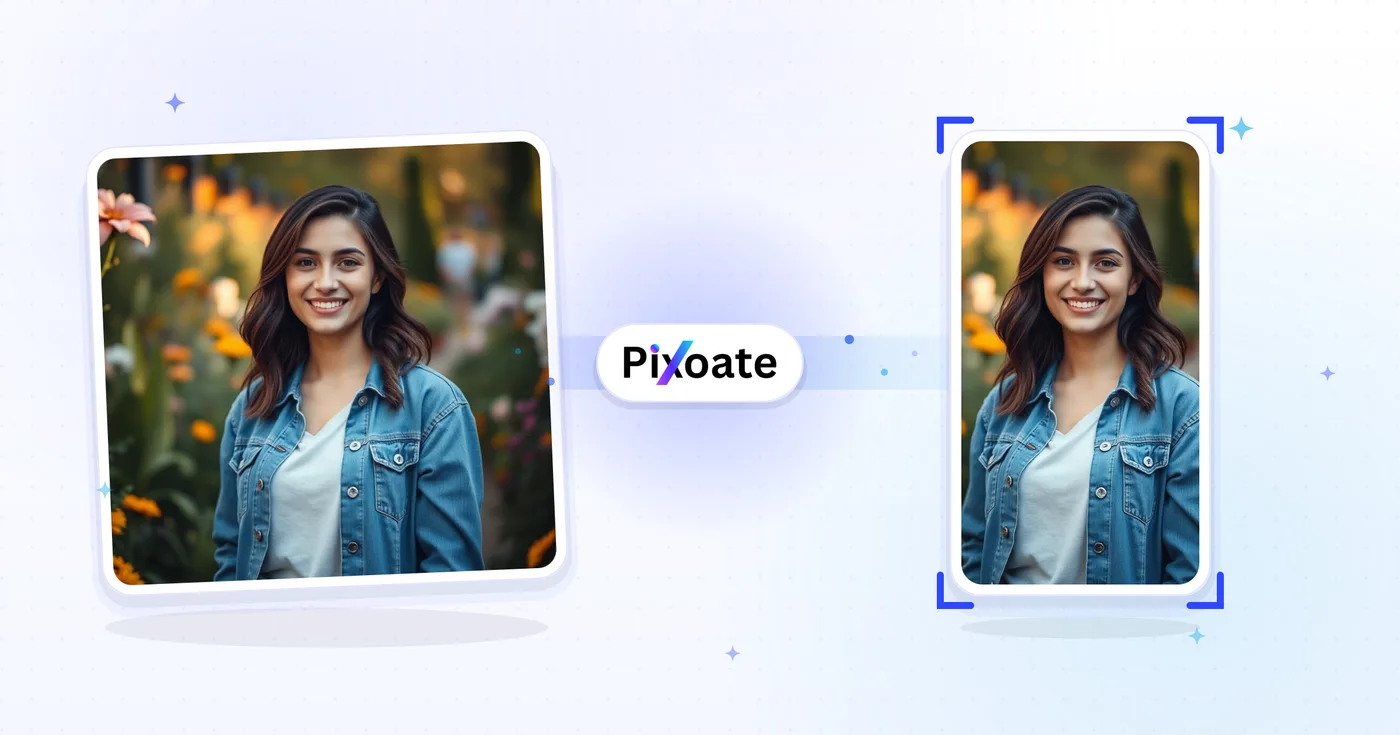
TikTok ਕਵਰ ਰੀਸਾਈਜ਼ਰ - TikTok 1080×1920 ਲਈ ਇੱਕ ਚਿੱਤਰ ਦਾ ਆਕਾਰ ਬਦਲੋ
9:16 ਕਵਰ (1080×1920), ਕੈਰੋਜ਼ਲ ਫੋਟੋਆਂ, ਪ੍ਰੋਫਾਈਲ ਤਸਵੀਰਾਂ, ਅਤੇ ਥੰਬਨੇਲ — ਬਿਨਾਂ ਅੰਦਾਜ਼ੇ ਦੇ ਸਹੀ TikTok ਆਕਾਰ।
ਇੱਕ ਚਿੱਤਰ ਸੁੱਟੋ — ਕਵਰ, ਕੈਰੋਜ਼ਲ ਜਾਂ ਪ੍ਰੋਫਾਈਲ ਚੁਣੋ
TikTok ਇਮੇਜ ਆਕਾਰ
TikTok 9:16 ਵਰਟੀਕਲ ਸਮੱਗਰੀ ਦੇ ਆਲੇ-ਦੁਆਲੇ ਬਣਾਇਆ ਗਿਆ ਹੈ। ਵੀਡੀਓ ਕਵਰ 1080×1920 ਉੱਤੇ ਅੱਪਲੋਡ ਕੀਤੇ ਜਾਣੇ ਚਾਹੀਦੇ ਹਨ — ਇਸ ਤੋਂ ਛੋਟਾ ਕੁਝ ਵੀ ਪਿਲਰ-ਬਾਕਸ ਹੋ ਜਾਂਦਾ ਹੈ ਅਤੇ ਵੱਧ ਚੌੜਾ ਕੁਝ ਵੀ ਕਰੌਪ ਹੋ ਜਾਂਦਾ ਹੈ। ਪ੍ਰੋਫਾਈਲ ਤਸਵੀਰਾਂ ਵਰਗਾਕਾਰ ਹੁੰਦੀਆਂ ਹਨ (ਘੱਟੋ-ਘੱਟ 200×200)। ਫੋਟੋ ਕੈਰੋਸਲ ਵੀਡੀਓ ਵਾਂਗ ਹੀ 9:16 ਫਰੇਮ ਦੀ ਪਾਲਣਾ ਕਰਦੇ ਹਨ। ਇਹ ਟੂਲ ਕਿਸੇ ਵੀ ਚਿੱਤਰ ਨੂੰ ਹਰ ਪਲੇਸਮੈਂਟ ਦੀ ਲੋੜ ਅਨੁਸਾਰ ਠੀਕ ਪਿਕਸਲ ਆਕਾਰ ਵਿੱਚ ਰੀਸਾਈਜ਼ ਕਰਦਾ ਹੈ।
ਤੁਸੀਂ TikTok ਕਵਰ ਰੀਸਾਈਜ਼ਰ ਨਾਲ ਕੀ ਕਰ ਸਕਦੇ ਹੋ
ਸ਼ੁਰੂ ਕਰਨ ਤੋਂ ਪਹਿਲਾਂ ਮੁੱਖ ਸਮਰੱਥਾਵਾਂ ਦੀ ਸਮੀਖਿਆ ਕਰੋ।
- ਵੀਡੀਓ ਕਵਰ ਦਾ ਆਕਾਰ ਬਦਲੋ 9:16 TikTok (1080×1920)
- TikTok ਫੋਟੋ ਕੈਰੋਜ਼ਲ ਲਈ ਆਕਾਰ ਦੀਆਂ ਤਸਵੀਰਾਂ
- ਸਾਫ਼ ਪ੍ਰੋਫਾਈਲ ਤਸਵੀਰਾਂ ਅਤੇ ਥੰਬਨੇਲ ਕੱਟੋ
- ਸੁਰਖੀਆਂ ਨੂੰ ਸਾਫ਼ ਰੱਖਣ ਲਈ ਸੁਰੱਖਿਅਤ ਜ਼ੋਨ ਦੀ ਪੂਰਵਦਰਸ਼ਨ ਕਰੋ
- ਬੈਕਗ੍ਰਾਊਂਡ ਰੰਗ ਨਾਲ ਕਿਨਾਰਿਆਂ ਨੂੰ ਪੈਡ ਕਰੋ ਜਾਂ ਭਰੋ
- JPG, PNG ਜਾਂ WebP ਵਜੋਂ ਸੁਰੱਖਿਅਤ ਕਰੋ
ਸੈਟਿੰਗਾਂ ਦਾ ਹਵਾਲਾ
8 ਸੈਟਿੰਗਾਂ
TikTok ਕਵਰ ਰੀਸਾਈਜ਼ਰ ਲਈ ਉਪਲਬਧ ਨਿਯੰਤਰਣ।
- ਪ੍ਰੋਸੈਸਿੰਗ ਮੋਡਪ੍ਰੀਸੈਟ
- ਇੱਕ ਇਨਪੁੱਟ ਪ੍ਰੋਸੈਸ ਕਰੋ ਜਾਂ ਇੱਕੋ ਸੈਟਿੰਗਾਂ ਨਾਲ ਕਈ ਇਨਪੁੱਟ ਪ੍ਰੋਸੈਸ ਕਰਨ ਲਈ Premium ਬੈਚ ਮੋਡ ਚੁਣੋ। ਉਪਲਬਧ ਇਨਪੁੱਟ ਕਿਸਮਾਂ ਟੂਲ ਉੱਤੇ ਨਿਰਭਰ ਕਰਦੀਆਂ ਹਨ।ਚੋਣਾਂ: ਇੱਕ ਤਸਵੀਰਬੈਚ
ਆਕਾਰ
- TikTok ਆਕਾਰਪ੍ਰੀਸੈਟ
- ਜਿਸ TikTok ਥਾਂ ਲਈ ਰੀਸਾਈਜ਼ ਕਰਨਾ ਹੈ, ਉਹ ਬਿਲਕੁਲ ਸਹੀ ਚੁਣੋ — 1080×1920 ਵੀਡੀਓ ਕਵਰ ਤੋਂ ਲੈ ਕੇ 200×200 ਪ੍ਰੋਫਾਈਲ ਤਸਵੀਰ ਤੱਕ — ਤਾਂ ਜੋ ਨਤੀਜਾ ਉਸ ਥਾਂ ਦੇ ਲੋੜੀਂਦੇ ਪਿਕਸਲ ਆਕਾਰ ਨਾਲ ਮੇਲ ਖਾਵੇ।ਚੋਣਾਂ: ਵੀਡੀਓ / ਕਵਰਫੋਟੋ ਕੈਰੋਜ਼ਲਪ੍ਰੋਫਾਈਲ ਤਸਵੀਰਪ੍ਰੋਫਾਈਲ ਵੀਡੀਓਥੰਬਨੇਲਵਰਗ ਥੰਬਨੇਲ
ਆਊਟਪੁੱਟ
- ਫਿੱਟਪ੍ਰੀਸੈਟ
- Chooses how the image fills the frame: Cover fills and crops overflow, Contain fits the whole image with background bars. Untick Maintain aspect ratio to force exact dimensions, which may distort.ਚੋਣਾਂ: ਕਵਰਸਮਾਉਣਾ
- ਬੈਕਗ੍ਰਾਊਂਡਰੰਗ ਚੋਣਕਾਰ
- ਜਦੋਂ 'ਸਮਾਓ' ਫ਼ਿੱਟ ਖਾਲੀ ਥਾਂ ਛੱਡੇ ਤਾਂ ਪੱਟੀਆਂ ਪਿੱਛੇ ਭਰਨ ਵਾਲਾ ਰੰਗ ਸੈੱਟ ਕਰਦਾ ਹੈ (ਇਸ ਟੂਲ ਲਈ ਮੂਲ ਰੂਪ ਵਿੱਚ ਕਾਲਾ); PNG ਫਾਰਮੈਟ ਚੁਣਨ 'ਤੇ ਇਹ ਲੁਕ ਜਾਂਦਾ ਹੈ ਕਿਉਂਕਿ PNG ਆਉਟਪੁੱਟ ਇਨ੍ਹਾਂ ਥਾਵਾਂ ਨੂੰ ਪਾਰਦਰਸ਼ੀ ਰੱਖਦੀ ਹੈ।
- ਫਾਰਮੈਟਡ੍ਰੌਪਡਾਊਨ
- ਡਾਊਨਲੋਡ ਫ਼ਾਈਲ ਦੀ ਕਿਸਮ ਚੁਣਦਾ ਹੈ: ਫ਼ੋਟੋ ਵਾਲੇ ਕਵਰਾਂ ਲਈ JPG, ਸਾਫ਼ ਟੈਕਸਟ ਜਾਂ ਪਾਰਦਰਸ਼ਤਾ ਲਈ PNG, ਅਤੇ ਛੋਟੀਆਂ ਆਧੁਨਿਕ ਫ਼ਾਈਲਾਂ ਲਈ WEBP ਜਾਂ AVIF।ਚੋਣਾਂ: JPGPNGWEBPAVIF
- ਗੁਣਵੱਤਾਸਲਾਈਡਰਰੇਂਜ: 40–100% · ਮੂਲ: 92%
- JPG, WEBP ਅਤੇ AVIF ਆਊਟਪੁੱਟ ਲਈ ਕੰਪ੍ਰੈਸ਼ਨ ਕੰਟਰੋਲ ਕਰਦਾ ਹੈ — ਵੱਧ ਕੀਮਤਾਂ ਵਧੇਰੇ ਤਿੱਖੀਆਂ ਲੱਗਦੀਆਂ ਹਨ ਪਰ ਫ਼ਾਈਲਾਂ ਵੱਡੀਆਂ ਬਣਾਉਂਦੀਆਂ ਹਨ — ਅਤੇ PNG ਲਈ ਇਹ ਲੁਕਿਆ ਰਹਿੰਦਾ ਹੈ, ਜੋ ਹਮੇਸ਼ਾ ਲੌਸਲੈੱਸ ਹੁੰਦਾ ਹੈ।
ਪ੍ਰੀਵਿਊ
- ਸੇਫ਼ ਜ਼ੋਨ ਦਿਖਾਓਚਾਲੂ/ਬੰਦ
- ਪ੍ਰੀਵਿਊ ਉੱਤੇ ਗੋਲ ਗਾਈਡ ਚਾਲੂ ਜਾਂ ਬੰਦ ਕਰਦਾ ਹੈ (ਮੂਲ ਰੂਪ ਵਿੱਚ ਚਾਲੂ), ਜੋ ਉਹ ਖੇਤਰ ਦਰਸਾਉਂਦਾ ਹੈ ਜੋ TikTok ਅਸਲ ਵਿੱਚ ਦਿਖਾਉਂਦਾ ਹੈ; ਇਹ ਸਿਰਫ਼ ਵਰਗਾਕਾਰ ਪ੍ਰੋਫਾਈਲ ਤਸਵੀਰ ਤੇ ਪ੍ਰੋਫਾਈਲ ਵੀਡੀਓ ਪ੍ਰੀਸੈਟਾਂ ਉੱਤੇ ਦਿਖਦਾ ਹੈ।
AI ਨਾਲ ਚਿੱਤਰ ਦਾ ਵਿਸਤਾਰ
- AI ਨਾਲ ਬੈਕਗ੍ਰਾਊਂਡ ਵਧਾਓਇੱਕ-ਕਲਿੱਕ ਕਰੋ
- ਤਿਆਰ ਕੀਤੀ ਸਰੋਤ ਫ਼ੋਟੋ ਨੂੰ ਬਰਕਰਾਰ ਰੱਖਦੇ ਹੋਏ AI ਨਾਲ ਦ੍ਰਿਸ਼ ਨੂੰ ਚੁਣੇ ਆਕਾਰ ਤੱਕ ਅੱਗੇ ਵਧਾਓ। ਮੁਫ਼ਤ ਡਾਊਨਲੋਡ ਵੈੱਬ ਆਕਾਰ ਦੇ ਹੁੰਦੇ ਹਨ। Premium ਜਾਂ ਕ੍ਰੈਡਿਟ ਪੂਰਾ ਰੈਜ਼ੋਲਿਊਸ਼ਨ ਅਨਲੌਕ ਕਰਦੇ ਹਨ। ਸਮਰਥਿਤ ਅਨੁਪਾਤਾਂ ਲਈ ਆਕਾਰ-ਅਨੁਪਾਤ ਬਰਕਰਾਰ ਰੱਖਣਾ ਲਾਜ਼ਮੀ ਹੈ। Batch ਵਿੱਚ, ਕਤਾਰ ਵਿੱਚ ਲੱਗਿਆ ਹਰ ਚਿੱਤਰ ਵਧਾਇਆ ਜਾਂਦਾ ਹੈ ਅਤੇ ਤੁਹਾਡੇ ਚੁਣੇ ਆਕਾਰ ਤੇ ਫ਼ਾਰਮੈਟ ਵਿੱਚ ਦਿੱਤਾ ਜਾਂਦਾ ਹੈ।
TikTok ਕਵਰ ਰੀਸਾਈਜ਼ਰ ਲਈ ਸੰਬੰਧਿਤ ਟੂਲ
TikTok ਕਵਰ ਰੀਸਾਈਜ਼ਰ ਤੋਂ ਬਾਅਦ ਆਮ ਅਗਲੇ ਪੜਾਵਾਂ ਲਈ ਟੂਲ।

ਸੋਸ਼ਲ ਪਬਲਿਸ਼ਿੰਗ
Instagram ਰੀਸਾਈਜ਼
ਲੋੜ ਪੈਣ 'ਤੇ ਧੁੰਦਲੀ ਜਾਂ ਠੋਸ-ਰੰਗ ਪੈਡਿੰਗ ਦੀ ਵਰਤੋਂ ਕਰਕੇ Instagram ਮਾਪਾਂ 'ਤੇ ਪੂਰੀ ਫੋਟੋ ਫਿੱਟ ਕਰੋ।
ਹੁਣੇ ਅਜ਼ਮਾਓ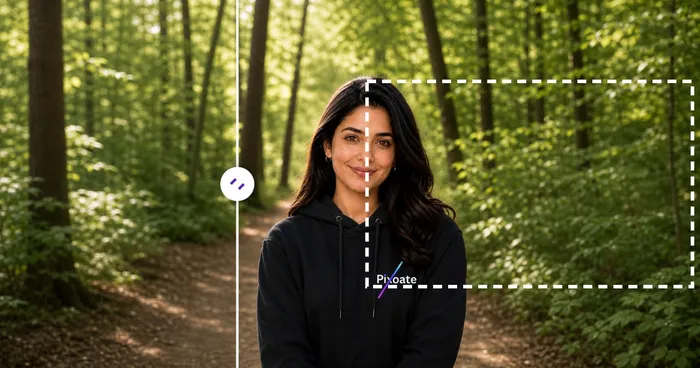
ਸੋਸ਼ਲ ਪਬਲਿਸ਼ਿੰਗ
YouTube ਥੰਬਨੇਲ ਡਾਊਨਲੋਡਰ
Paste a YouTube video URL or ID to view and download its available thumbnails.
ਹੁਣੇ ਅਜ਼ਮਾਓ
ਸੋਸ਼ਲ ਪਬਲਿਸ਼ਿੰਗ
Pinterest ਪਿੰਨ ਰੀਸਾਈਜ਼ਰ
ਸੂਚੀਬੱਧ Pinterest ਪਿੰਨਾਂ, ਪ੍ਰੋਫਾਈਲਾਂ ਅਤੇ ਬੋਰਡ-ਕਵਰ ਮਾਪਾਂ ਲਈ ਚਿੱਤਰਾਂ ਦਾ ਆਕਾਰ ਬਦਲੋ, ਜਿਸ ਵਿੱਚ 2:3 ਅਤੇ ਵਰਗ ਪ੍ਰੀਸੈਟਸ ਸ਼ਾਮਲ ਹਨ।
ਹੁਣੇ ਅਜ਼ਮਾਓਅਕਸਰ ਪੁੱਛੇ ਜਾਂਦੇ ਸਵਾਲ
TikTok ਕਵਰ ਰੀਸਾਈਜ਼ਰ ਤੁਹਾਡਾ ਕੰਮ ਕਰਨ ਵਿੱਚ ਕਿਵੇਂ ਮਦਦ ਕਰਦਾ ਹੈ
ਅਸਲ ਸਮੱਸਿਆਵਾਂ ਜੋ ਇਹ ਹਰ ਰੋਜ਼ ਹੱਲ ਕਰਦੀ ਹੈ — ਕਾਰੋਬਾਰਾਂ, ਸਿਰਜਣਹਾਰਾਂ ਅਤੇ ਰੋਜ਼ਾਨਾ ਦੇ ਕੰਮਾਂ ਲਈ। ਉਹ ਵਰਤੋਂ ਕੇਸ ਲੱਭੋ ਜੋ ਤੁਹਾਡੇ ਲਈ ਫਿੱਟ ਹੈ ਅਤੇ ਸ਼ੁਰੂ ਕਰੋ।
ਕ੍ਰਿਏਟਰ ਵੀਡੀਓ ਕਵਰ ਬ੍ਰਾਂਡਿੰਗ
TikTok ਸਿਰਜਣਹਾਰ ਇਕਸਾਰ ਫੌਂਟਾਂ, ਰੰਗਾਂ ਅਤੇ ਸੁਰਖੀਆਂ ਦੇ ਨਾਲ ਇਕਸੁਰਤਾ ਵਾਲੇ ਵੀਡੀਓ ਕਵਰ ਡਿਜ਼ਾਈਨ ਕਰਦੇ ਹਨ ਤਾਂ ਜੋ ਉਹਨਾਂ ਦਾ ਪ੍ਰੋਫਾਈਲ ਗਰਿੱਡ ਬੇਤਰਤੀਬ ਥੰਬਨੇਲਾਂ ਦੀ ਬਜਾਏ ਕਿਉਰੇਟਿਡ ਬ੍ਰਾਂਡ ਵਜੋਂ ਪੜ੍ਹੇ।
ਰੈਸਟੋਰੈਂਟ ਅਤੇ ਫੂਡ ਬ੍ਰਾਂਡ ਕਵਰ
ਰੈਸਟੋਰੈਂਟ, ਕੈਫੇ ਅਤੇ ਫੂਡ ਬ੍ਰਾਂਡ ਹੀਰੋ ਫੂਡ ਫੋਟੋਗ੍ਰਾਫੀ ਨੂੰ TikTok ਕਵਰ ਮਾਪਾਂ ਤੱਕ ਰੀਸਾਈਜ਼ ਕਰਦੇ ਹਨ ਤਾਂ ਜੋ ਫਾਲੋਅਰਾਂ ਨੂੰ ਡਿਸ਼ ਵੀਡੀਓ ਦੇਖਣ ਅਤੇ ਬਾਇਓ ਵਿੱਚ ਮੀਨੂ ਲਿੰਕ 'ਤੇ ਜਾਣ ਲਈ ਪ੍ਰੇਰਿਤ ਕੀਤਾ ਜਾ ਸਕੇ
ਬਿਊਟੀ ਅਤੇ ਸਕਿਨਕੇਅਰ ਟਿਊਟੋਰੀਅਲ ਕਵਰ
ਬਿਊਟੀ ਕ੍ਰਿਏਟਰ ਅਤੇ ਸਕਿਨਕੇਅਰ ਬ੍ਰਾਂਡ ਸਹੀ TikTok ਡਾਇਮੈਂਸ਼ਨਾਂ ਵਿੱਚ ਪਹਿਲਾਂ/ਬਾਅਦ ਵਾਲੇ ਟਿਊਟੋਰੀਅਲ ਕਵਰ ਡਿਜ਼ਾਈਨ ਕਰਦੇ ਹਨ ਤਾਂ ਜੋ For You ਫ਼ੀਡ ਸਕ੍ਰੋਲ ਤੋਂ CTR ਵੱਧ ਤੋਂ ਵੱਧ ਕੀਤਾ ਜਾ ਸਕੇ
ਫਿਟਨੈੱਸ ਅਤੇ ਵਰਕਆਊਟ ਵੀਡੀਓ ਕਵਰ
ਫਿਟਨੈੱਸ ਨਿਰਮਾਤਾ, ਕੋਚ ਅਤੇ ਘਰੇਲੂ-ਵਰਕਆਊਟ ਬ੍ਰਾਂਡ ਵਰਕਆਊਟ ਸਿਰਲੇਖਾਂ, ਮਿਆਦ ਅਤੇ ਮੁਸ਼ਕਲ ਪੱਧਰਾਂ ਨਾਲ TikTok ਕਵਰ ਡਿਜ਼ਾਈਨ ਕਰਦੇ ਹਨ ਤਾਂ ਜੋ ਉਪਭੋਗਤਾ ਜਾਣ ਸਕਣ ਕਿ ਉਹ ਕਿਸ ਚੀਜ਼ ਲਈ ਵਚਨਬੱਧ ਹੋਣ ਜਾ ਰਹੇ ਹਨ
ਈ-ਕਾਮਰਸ ਉਤਪਾਦ ਡੈਮੋ ਕਵਰ
ਇੱਕ ਉਤਪਾਦ ਕਵਰ ਨੂੰ TikTok ਮਾਪਾਂ ਵਿੱਚ ਬਦਲੋ ਤਾਂ ਕਿ TikTok ਸ਼ੌਪ ਅਤੇ ਇਨ-ਫੀਡ ਵਿਗਿਆਪਨ ਇਸਨੂੰ ਕੱਟਣਾ ਬੰਦ ਕਰ ਦੇਣ।
ਵਿੱਦਿਅਕ ਤੇ ਹਾਊ-ਟੂ ਵੀਡੀਓ ਕਵਰ
ਐਜੂਟੈੱਕ ਕ੍ਰਿਏਟਰ, ਭਾਸ਼ਾ ਅਧਿਆਪਕ ਅਤੇ ਹੁਨਰ-ਸਾਂਝੇ ਕਰਨ ਵਾਲੇ ਸਿੱਖਿਅਕ ਸਾਫ਼-ਸੁਥਰੇ TikTok ਕਵਰ ਡਿਜ਼ਾਈਨ ਕਰਦੇ ਹਨ ਜਿਨ੍ਹਾਂ ਉੱਤੇ ਪਾਠ ਦਾ ਸਿਰਲੇਖ ਤੇ ਮੁੱਖ ਗੱਲ ਯੂਜ਼ਰ ਵੱਲੋਂ ਪਲੇ ਟੈਪ ਕਰਨ ਤੋਂ ਪਹਿਲਾਂ ਹੀ ਦਿਖਾਈ ਦਿੰਦੀ ਹੈ
ਸੰਗੀਤ ਰਿਲੀਜ਼ ਅਤੇ ਪੌਡਕਾਸਟ ਕਲਿੱਪ ਕਵਰ
ਸੰਗੀਤਕਾਰ ਅਤੇ ਪੌਡਕਾਸਟਰ ਨਵੇਂ ਸਿੰਗਲ ਜਾਂ ਐਪੀਸੋਡ ਦਾ ਐਲਾਨ ਕਰਦੀ ਇੱਕ Video/Cover (1080x1920) ਚਿੱਤਰ ਐਕਸਪੋਰਟ ਕਰਦੇ ਹਨ, ਫਿਰ ਟ੍ਰੈਕਲਿਸਟ ਦੀ ਝਲਕ ਦਿਖਾਉਂਦੀਆਂ ਸਲਾਈਡਾਂ ਲਈ Photo carousel ਵਰਤਦੇ ਹਨ, ਸਾਰੇ ਇੱਕੋ 9:16 ਫ੍ਰੇਮ ਵਿੱਚ ਕੱਟੇ ਹੋਏ।
ਪ੍ਰਾਪਰਟੀ ਵਾਕਥਰੂ ਰੀਲ ਕਵਰ
ਰੀਅਲ ਅਸਟੇਟ ਏਜੰਟ ਲਿਸਟਿੰਗ ਫੋਟੋਆਂ ਨੂੰ TikTok ਦੇ Video/Cover ਪ੍ਰੀਸੈੱਟ 'ਤੇ Contain fit ਨਾਲ ਰੀਸਾਈਜ਼ ਕਰਦੇ ਹਨ ਤਾਂ ਜੋ ਵਾਈਡ-ਐਂਗਲ ਲਿਵਿੰਗ-ਰੂਮ ਸ਼ਾਟ ਕ੍ਰੌਪ ਨਾ ਹੋਵੇ, ਵਾਕਥਰੂ ਵੀਡੀਓ ਚੱਲਣ ਤੋਂ ਪਹਿਲਾਂ ਪੂਰਾ ਕਮਰਾ ਦਿੱਸਦਾ ਰੱਖਦੇ ਹੋਏ।
SaaS ਫੀਚਰ ਲਾਂਚ ਕਵਰ
ਪ੍ਰੋਡਕਟ ਮਾਰਕੀਟਰ ਫੀਚਰ-ਐਲਾਨ ਅਤੇ ਡੈਮੋ ਕਲਿੱਪਾਂ ਲਈ, UI ਨੂੰ ਕ੍ਰੌਪ ਕੀਤੇ ਬਿਨਾਂ ਇੱਕ ਪੂਰੇ ਡੈਸਕਟਾਪ ਸਕ੍ਰੀਨਸ਼ਾਟ ਨੂੰ 9:16 ਫ੍ਰੇਮ ਦੇ ਅੰਦਰ ਫਿੱਟ ਕਰਨ ਲਈ ਬ੍ਰਾਂਡ ਵਾਲੇ ਬੈਕਗ੍ਰਾਊਂਡ ਰੰਗ ਨਾਲ Contain fit ਵਰਤਦੇ ਹਨ।
ਕਾਨਫਰੰਸ ਤੇ ਇਵੈਂਟ ਰੀਕੈਪ ਕੈਰੋਸੈਲ
ਸਮਾਗਮ ਪ੍ਰਬੰਧਕ Photo carousel ਪ੍ਰੀਸੈੱਟ ਦੀ ਵਰਤੋਂ ਸੈਸ਼ਨ ਫੋਟੋਆਂ ਦੇ ਇੱਕ ਸੈੱਟ ਨੂੰ ਮੇਲ ਖਾਂਦੀ 9:16 ਸਲਾਈਡਸ਼ੋਅ ਪੋਸਟ ਵਿੱਚ ਆਕਾਰ ਬਦਲਣ ਲਈ ਕਰਦੇ ਹਨ ਜੋ ਉਹਨਾਂ ਹਾਜ਼ਰੀਨ ਲਈ ਕਾਨਫਰੰਸ ਜਾਂ ਮੀਟਅੱਪ ਦਾ ਸਾਰ ਦੱਸਦੀ ਹੈ ਜੋ ਖੁੰਝ ਗਏ।
TikTok Shop ਉਤਪਾਦ ਵੀਡੀਓ ਕਵਰ
TikTok Shop ਵੇਚਣ ਵਾਲੇ ਖਰੀਦਾਰੀ-ਯੋਗ ਵੀਡੀਓ ਪੋਸਟਾਂ ਲਈ ਉਤਪਾਦ ਫੋਟੋਗ੍ਰਾਫੀ ਨੂੰ Video/Cover ਫ੍ਰੇਮ ਵਿੱਚ ਰੀਸਾਈਜ਼ ਕਰਦੇ ਹਨ ਅਤੇ ਬਹੁ-ਕੋਣ ਉਤਪਾਦ ਪ੍ਰਦਰਸ਼ਨੀ ਲਈ Photo carousel ਵਰਤਦੇ ਹਨ, ਸਟੋਰਫ੍ਰੰਟ ਵੀਡੀਓ ਕਵਰਾਂ ਨੂੰ ਇੱਕ ਕ੍ਰੌਪ ਕੀਤੀ ਈ-ਕਾਮਰਸ ਫੋਟੋ ਵਾਂਗ ਦਿਸਣ ਦੀ ਬਜਾਏ TikTok ਦੀ ਲੰਬਵਤ ਫੀਡ ਲਈ ਮੂਲ ਰੱਖਦੇ ਹੋਏ।
ਹਰ ਰੂਪਾਂਤਰ ਲਾਗੂ ਹੁੰਦਾ ਵੇਖੋ
ਹਰ ਫੋਟੋ ਸਲੈਸ਼ ਨੂੰ ਬਿਨਾਂ ਛੂਹ ਕੇ ਪਾਰ ਕਰਦੀ ਹੈ ਅਤੇ ਦੂਜੇ ਪਾਸੇ ਤੋਂ ਬਾਹਰ ਆਉਂਦੀ ਹੈ।























