

Försköna ansikte online — Slät hud och retuschera foton
Fungerar med JPG, PNG, WEBP
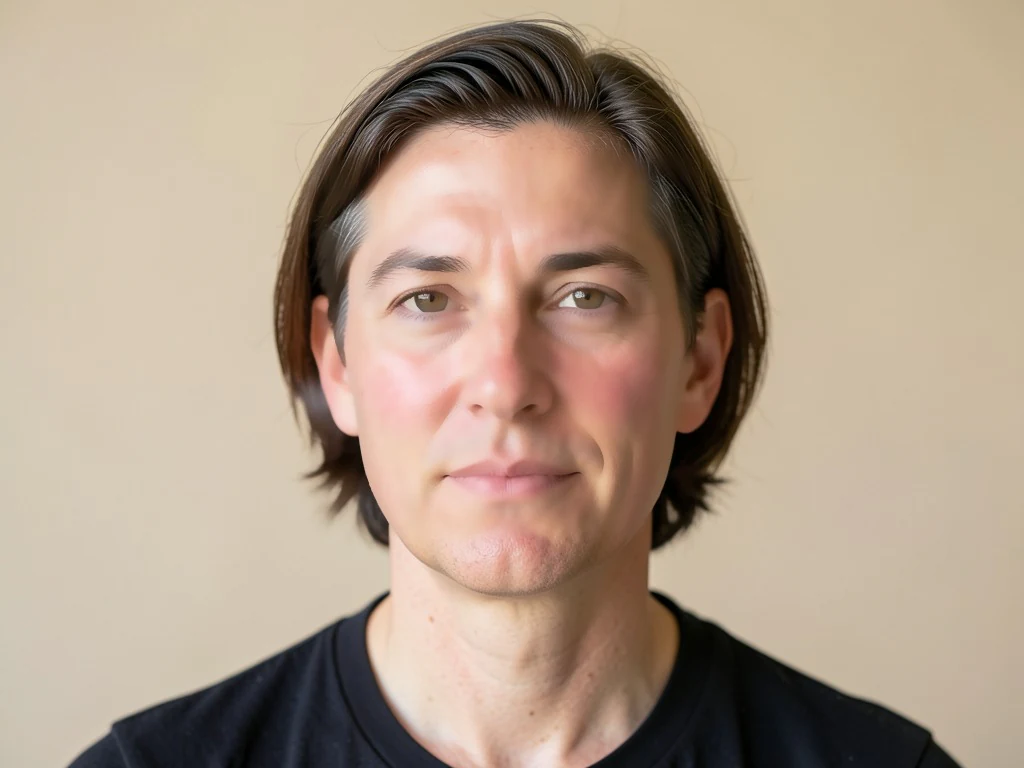
Hårt ljus hittade varje ojämn fläck på din hud. Jämna ut ton och textur utan den suddiga, plastiska looken som ett filter lämnar efter sig.
- Kantbevarande hudutjämning – ögon och hår förblir skarpa
- Jämnar ut hudtonen och mildrar rodnad och ojämn struktur
- Ser ut som dig en bra dag, inte som ett filter
Släpp en selfie eller ett porträtt — få en naturligt retuscherad version tillbaka
Tips för bästa resultat
• Håll det lågt för det mest realistiska utseendet
• Ta bort fläckar först med Fläckborttagaren
• Använd låg styrka för professionella foton eller ID-foton
Om ansiktsförskönaren
Ansiktsförskönaren upptäcker ansiktets hudpartier och tillämpar kantbevarande utjämning endast där, utjämnar textur och ton samtidigt som ögon, ögonbryn, läppar, hår och silhuett hålls skarpa. Detta selektiva tillvägagångssätt ger en polerad, naturlig finish – inte det suddiga, plastiga utseendet hos heltäckande filter.
Så fungerar det
1. Ladda upp en selfie eller ett porträtt
2. AI hittar ansiktshuden
3. Huden jämnas ut, konturerna förblir skarpa
4. Justera styrkan och ladda ner
Perfekt för
• Selfies och porträttfoton
• Profil- och sociala medier-foton
• Professionella porträttbilder
• Evenemangs- och gruppporträtt
Vad du kan göra med Ansiktsförskönare
Granska de viktigaste funktionerna innan du börjar.
- Slät hud på selfies och porträtt
- Jämna ut ojämn hudton med ett tryck
- Retuschera ansikten mjukt för en naturlig look
- Håll ögon, hår och kanter skarpa
- Justera hur mycket utjämning som ska tillämpas
Inställningsreferens
2 inställningar
Tillgängliga kontroller för Ansiktsförskönare.
- BearbetningslägeFörinställningar
- Bearbeta en inmatning eller byt till Premiums batchläge för att bearbeta flera med samma inställningar. Vilka typer av inmatning som stöds beror på verktyget.Alternativ: Enstaka bildBunt
Justera
- UtjämningsstyrkaReglageIntervall: 0–1 · Standard: 0.7
- Styr hur mycket huden jämnas ut, från Naturlig till Glam — håll det lågt för trovärdiga professionella porträtt, dra upp det för ett polerat uttryck till sociala medier.
Relaterade verktyg för Ansiktsförskönare
Verktyg för vanliga nästa steg efter Ansiktsförskönare.
Porträtt & Headshot Studio
Hudfläcksborttagare
Minska synliga fläckar, fläckar och mörka märken samtidigt som du ser över effekten på omgivande hudstruktur.
Prova nu
Fotoförbättring
AI-fotoförbättrare
Justera brus, skärpa, färg och skala i ett förbättringsarbetsflöde och jämför sedan resultatet med originalet.
Prova nu
Fotoförbättring
AI-bilduppskalare
Uppskala en bild med 2×, 3× eller 4× och granska det förbättrade resultatet före nedladdning.
Prova nuVanliga frågor
Så hjälper Ansiktsförskönare dig att få det gjort
Verkliga problem den löser varje dag - för företag, kreatörer och vardagliga uppgifter. Hitta det användningsfall som passar dig och börja.
Profilbilder för dejting som fortfarande ser ut som du
Håll reglaget Utjämningsstyrka nära Naturlig för att mjuka upp trött hud och rodnad för Tinder-, Hinge- eller Bumble-foton utan det överutjämnade utseende som får en profil att flaggas som falsk.
Finjusteringar av influencer- och UGC-innehåll
Jämna ut hud på sponsrade inlägg eller produktfoton innan publicering, och håll varumärkesinnehåll polerat utan ett fullständigt studioretuscheringsflöde.
Porträttbilder för mäklare och agenter
Kör en fastighetsmäklares porträtt genom en lätt bearbetning med Naturlig styrka för objektannonser, visitkort och skyltfoton, och behåll det polerade men trovärdiga utseende som mäklarbyråer förväntar sig utan den plastiga översläthet som får ett mäklarfoto att se falskt ut.
Enhetliga företagsporträtt för personalkatalogen
Behandla varje medarbetarporträtt individuellt med samma låga, Naturlig-styrkeinställning så att företagskatalogen eller LinkedIn-sidan ser genomgående polerad ut, utan att ett heltäckande oskärpefilter plattar ut äkta hudstruktur på något enskilt foto.
Retuschering av bröllops- och porträttkorrektur före leverans till kund
Jämna ut hudton och textur på varje poserat porträtt från en fotografering med en lätt bearbetning i Naturlig styrka innan du skickar korrektur till ett par eller en kund, och minska den manuella retuscheringen per foto som en fotograf annars skulle göra för hand.
Titta på varje transformationsland
Varje foto korsar snedstrecket orört och kommer ut på andra sidan färdigt.























