
Så fungerar det
Upload one portrait and choose the effect strength. AI applies a light photographic finish with instructions to preserve the same person, expression, and composition. Compare the result with your original before downloading.
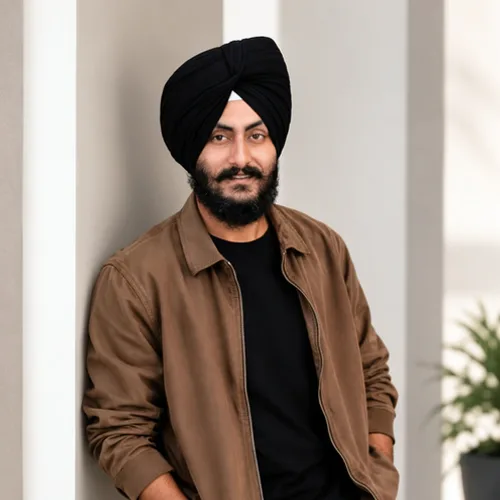

Ge ditt porträtt en lätt finish med justerad belysning, färg och kontrast.
Granska de tillgängliga effektfunktionerna innan du börjar.
Upload one portrait and choose the effect strength. AI applies a light photographic finish with instructions to preserve the same person, expression, and composition. Compare the result with your original before downloading.
Ladda upp ett foto, justera Porträttfinish-intensiteten, jämför dess bearbetade förhandsvisning med källan och ladda ner det färdiga resultatet.
Använd intensitetskontrollen för att balansera Porträttfinish-behandlingen med detaljerna och karaktären hos ditt originalfoto.
En reducerad Porträttfinish-förhandsgranskning gör att justeringarna är lyhörda. Gratis nedladdningar är rena och webbstorlekar; Premium eller en kredit låser upp den ursprungliga upplösningen.
Porträttfinish-uppladdningar bearbetas på säkra servrar och tas automatiskt bort enligt den normala Pixoate-lagringspolicyn.
Upload one portrait and choose the effect strength. AI applies a light photographic finish with instructions to preserve the same person, expression, and composition. Compare the result with your original before downloading.
Porträttfinish använder en AI-åtgärd. Eventuell separat ersättning visas innan denna effekt börjar bearbetas.
clear, well-focused portraits that need a subtle lighting or color adjustment.
Mindre lämpad för: blurred faces, very dark photos, distant subjects, and images without a clear portrait.
Verktyg för vanliga nästa steg efter Fotoeffekter.
Kreativ & Design
Förvandla ett foto till klassiskt, sagobok, klistermärke, akvarell eller anpassade tecknade konstverk med redigerbara AI-anvisningar.
Prova nuKreativ & Design
Konvertera ett foto till en bild i blyertsskissstil och justera skuggdjupet före nedladdning.
Prova nuFotoredigering och verktyg
Gör en bild svartvit. Justera intensiteten och förhandsvisa resultatet.
Prova nuDe starkaste effektplockarna leder detta bälte före resten av katalogen.























