
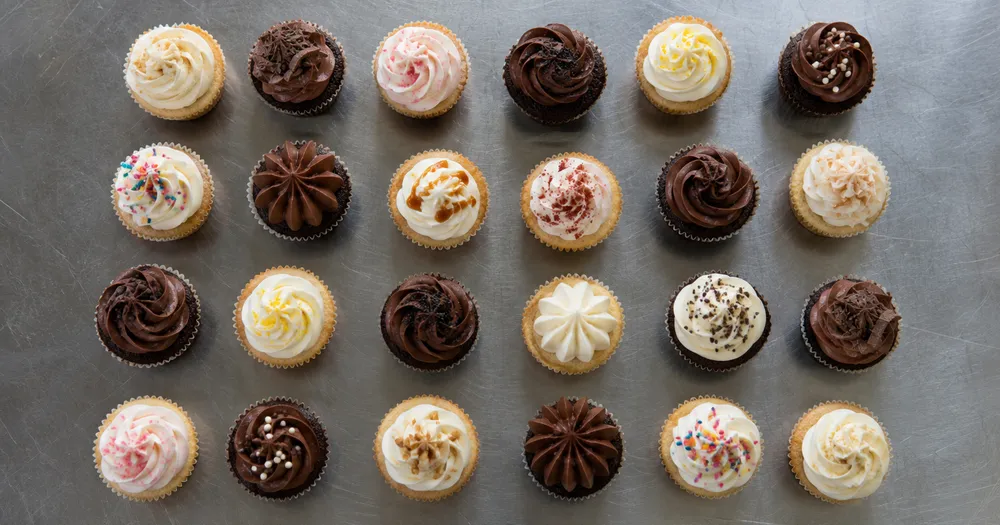
Tæl cupcakes på en bakke fra et foto
Understøtter JPG, PNG og WEBP · Gratis op til 20 MB, Premium op til 50 MB
Spred cupcakes i ét lag på en bakke eller en plan flade, og fotografér direkte ovenfra — registreringer, der tælles med, markeres med prikker til gennemgang. Udviklet til bagerier, cateringfirmaer og fødevareproducenter — gennemgå og ret hvert foto, før det føjes til en CSV- eller PDF-optælling.
- Gennemgå fotoet, og tæl derefter synlige cupcakes
- Upload a photo and get an automatic count
- Review the markers to catch cupcakes counted twice or missed
- Gratis at bruge · Ingen tilmelding kræves · Uden vandmærke
Upload billede
Tips til en nøjagtig optælling
• Brug et jævnt belyst foto, hvor hele cupcakes er med i billedet
• Keep your cupcakes visible and avoid overlapping items
• Prikker og varmekort viser bevarede detekteringer — gennemse og ret optællingen
Om tælleren til Cupcakes
The cupcakes counter counts visible cupcakes from your photo and marks detections for review. Counting starts automatically once the photo and item are ready. Visibility, overlap and similar-looking items can affect the total. Built for bakeries, caterers and food producers.
Sådan fungerer det
1. Tag et foto af din cupcakes
2. Upload your photo to count cupcakes automatically
3. Review the markers and correct the tally if needed
4. Føj til optællingsarket, og eksportér din optælling som CSV
Perfekt til
• Batch output tæller efter dekoration
• Tjek store begivenhedsordrer, inden de tager af sted
• Tæller og viser lageroptællinger gennem dagen
• Affald ved slutningen af dagen og usolgte tal
Ofte stillede spørgsmål
- Skal genstandene være adskilt før optælling?
- Lidt berøring kan fungere, men fulde overlapninger skjuler genstande og gør resultatet mindre pålideligt. Spred dem et lag dybt under jævnt lys, marker et tydeligt eksempel, og gennemgå hver resultatmarkør.
- Hvad hvis fotoet indeholder andet end cupcakes?
- The counter automatically looks for cupcakes in your photo. Similar-looking distractors can still affect the result, so review every marker before using the total.
- Kan jeg tælle flere fotos sammen til én total?
- Yes — count each photo and add every reviewed result to the tally sheet as a labelled row. Export the tally as CSV or a PDF report, or save it to your account.
- Er det gratis og privat?
- Ja. Du kan tælle, gennemgå og downloade et gratis resultat uden en konto. Downloads er gratis og uden vandmærke. Ingen tilmelding kræves. Serverbehandlede fotos krypteres under overførsel og slettes efter vores sikkerhedspolitik.
Hvad du kan gøre med AI-lagertæller
Gennemgå de vigtigste funktioner, før du begynder.
- Tæl hylder, stakke, kasser og paller fra fotos
- Gennemgå og ret fotooptællinger før eksport
- Eksporter din lageropgørelse til en CSV-fil
- Kør en fuld revision hylde for hylde
- Markér eventuelt en vare for at målrette én SKU
- Kombiner massebilleder til en samlet beholdning
- Ignorer små strejfregistreringer for nøjagtighed
Indstillingsreference
15 indstillinger
Tilgængelige kontroller til AI-lagertæller.
Upload
- Enkelt foto / MasseoptællingForudindstillinger
- Vælg et enkeltbillede eller en Premium-masserevision. Gennemgå hvert resultat.Indstillinger: Enkelt fotoMasseoptælling
Antal
- Medfølgende markørerSkyderRækkevidde: 0–1 · Standard: 0.21
- Starts at 21%; slide toward Show more to include weaker markers or Only strongest to hide them.
- Overlay stilForudindstillinger
- Vælg prikker, et varmekort, begge dele eller en ren forhåndsvisning.Indstillinger: BeggePrikkerVarmeIngen
- Hvad skal man tælleTekstinput
- Enter the item to count, then press Enter or leave the field to start automatically. Review every result marker.
Avanceret
- ResultatoverlayRullemenu
- Choose how count markers appear in the on-screen preview; the download keeps its own markers.Indstillinger: Prikker + heatmapKun prikkerKun varmekort
Optælling
- Føj til optællingEt enkelt klik
- Add this count to the tally sheet under the name of the object that was counted. Signed-in accounts add finished counts automatically unless that is turned off under Account settings; in bulk mode every photo also has its own Add to tally button.
- EtiketTekstinput
- Rename a tally row. Edits and removals wait until you choose Save changes, so you can fix several rows at once.
- AntalIndtastning af tal
- Correct a row's count; totals, the chart and exports follow once the change is saved.
- Save changesEt enkelt klik
- Apply every edited or removed tally row in one step, or choose Discard changes to leave the sheet as it was.
Chart
- By objectForudindstillinger
- The chart is the same in every counting tool and covers the tallies of all of them. By object draws a separate line chart for each tally name, such as pipes and people. By tool draws a chart for each counting tool.Indstillinger: By objectBy tool
- PeriodeForudindstillinger
- Choose how far back the chart looks. Days without a count appear as zero.Indstillinger: 7 days30 days90 days12 months
History
- Counting setupGalleri
- Keep comparable counts together. A first setup is created for you, so the first count can be saved straight away.
- Observed atTekstinput
- The date and time of the count, shown as a date and a time field.
- NoterTekstinput
- Starts with every detected object and its count, one per line, such as Pipes - 11. Edit it before saving.
- Save countEt enkelt klik
- Save the count to your account history. Open a saved count later to correct it or download its source photo.
Relaterede værktøjer til AI-lagertæller
Værktøjer til almindelige næste trin efter AI-lagertæller.

Optælling og lager
Objekttæller
Estimer antallet af objekter på et foto. Gennemgå og ret de nummererede markører, før du bruger antallet.
Prøv det nu
Optælling og lager
Live objekttæller
Ret din telefon mod adskilte, fuldt synlige genstande, og gennemse detektormarkørerne, mens tællingen opdateres i realtid.
Prøv det nu
Optælling og lager
Flasketæller
Tæl flasker på hylder, i kasser eller i kølerum fra ét billede, med optalte registreringer markeret til gennemgang.
Prøv det nuSådan hjælper AI-lagertæller dig med at få det gjort
Virkelige problemer, den løser hver dag - for virksomheder, skabere og hverdagsopgaver. Find den use case, der passer til dig, og start.
Cyklustællinger for detailhandel på tværs af lokationer
Managers kan brug Bulk audit til kør Adskilte objekter tilstand på tværs af hver shelf foto, gennemgå hver optælling, og gem hver store's corrected session separately.
Modtagekontroller af varer på lager
Lager staff fotografér hver palle, markér 1-3 eksempel elementer i Eksempler — én per SKU i den shot — og export den reviewed optælling som en CSV til match mod den purchase order.
Apotek kontrolleret lager gennemgang spor
Pharmacies kan opret en shelf-by-shelf AI draft med marking 1-3 eksempel elementer i Eksempler — én per SKU — derefter har en qualified person gennemgå og correct det under den påkrævet manual procedure. Den export supports gennemgå men is ikke en compliance record med itself.
Stikprøvekontrol af tab og svind
Butiksledere kan sammenligne gennemgåede, korrigerede fotooptællinger over tid som en foreløbig krympningsskærm og derefter fysisk verificere uoverensstemmelser, før de skrider til handling.
Optælling af dele for mindre producenter og værksteder
Machine shops fotografér bins af screws, fasteners eller gaskets og markér 1-3 eksempel parts i den Eksempler setting — én per part typografi i en mixed tray — før counting til build planning eller reordering.
Watch hver transformation land
Hver foto crosses den slash untouched og comes out den anden side finished.























