
Sådan fungerer det
Upload ét portræt, og vælg effektstyrken. AI tilføjer en let fotografisk finish med instruktion om at bevare den samme person, det samme udtryk og den samme komposition. Sammenlign resultatet med originalen, før du henter det.
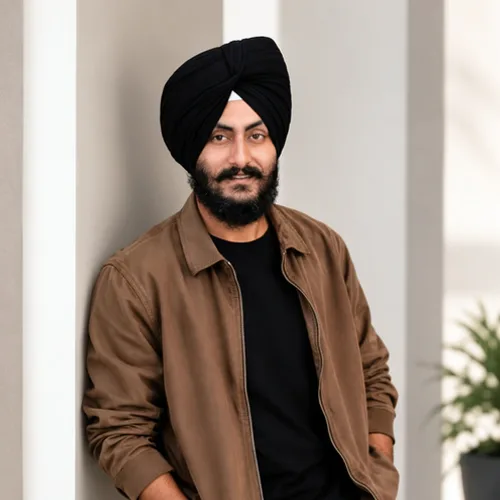

Giv dit portræt en let finjustering af lys, farve og kontrast.
Gennemgå de tilgængelige effektfunktioner, før du begynder.
Upload ét portræt, og vælg effektstyrken. AI tilføjer en let fotografisk finish med instruktion om at bevare den samme person, det samme udtryk og den samme komposition. Sammenlign resultatet med originalen, før du henter det.
Upload et billede, juster Portrætfinish-intensiteten, sammenlign dets behandlede forhåndsvisning med kilden, og download det færdige resultat.
Brug intensitetskontrollen til at balancere Portrætfinish-behandlingen med detaljerne og karakteren af dit originale billede.
En mindre forhåndsvisning af Portrætfinish holder justeringerne responsive. Gratis downloads er uden vandmærke og tilpasset webbrug; Premium eller en kredit låser op for original opløsning.
Portrætfinish-uploads behandles på sikre servere og fjernes automatisk under den normale Pixoate-opbevaringspolitik.
Upload ét portræt, og vælg effektstyrken. AI tilføjer en let fotografisk finish med instruktion om at bevare den samme person, det samme udtryk og den samme komposition. Sammenlign resultatet med originalen, før du henter det.
Portrætfinish bruger en AI-handling. Enhver separat godtgørelse vises, før denne effekt begynder at blive behandlet.
Skarpe portrætter i god fokus, der har brug for en diskret justering af lys eller farve.
Mindre velegnet til: slørede ansigter, meget mørke fotos, motiver på afstand og billeder uden et tydeligt portræt.
Værktøjer til almindelige næste trin efter Fotoeffekter.
Kreativitet og design
Gør en foto til klassisk, eventyrbog, klistermærke, akvarel, eller custom tegnefilm kunstværk med editable AI retninger.
Prøv det nuKreativitet og design
Konverter et billede til et billede i blyantskitsestil, og juster skyggedybden før download.
Prøv det nuFoto Editing & Utilities
Convert an image to black and white. Adjust the intensity and preview the result.
Prøv det nuDen strongest effekt picks lead dette belt før den rest af den catalog.























