

AI 이미지 편집기 — 수정, 교체, 확장, 공간 재연출
정밀하고 높은 품질의 편집을 위한 도구 · AI 결과는 달라질 수 있습니다
원하는 결과를 설명하면 편집 영역을 자동 감지해 장면 전체를 바꿉니다. 정확한 위치 지정, 사물 교체 또는 세부 조정이 필요할 때만 브러시를 사용하세요.
- 하나의 작업 흐름에서 쓰는 집중 편집 모드
- 공간 연출, 불필요한 요소 정리, 하늘·배경 변경 자동 처리
- 이미지 확장과 화면 비율 변환 시 전처리된 원본 프레임을 그대로 복사
이미지 선택
JPG, PNG, WebP, HEIC 등 지원되는 형식을 사용할 수 있습니다. 이 도구의 업로드 한도는 Free 20 MB, Premium 이상 50 MB입니다.
Purpose-built AI editors
Choose a focused image-editing workflow
Every workflow uses the same protected editing engine, with task-specific controls, prompts, and guidance.

워터마크 제거기
사진을 업로드하면 겹쳐진 요소를 자동으로 감지해 해당 영역을 복원합니다.
Open workflow
AI 인물 사진 배경 변경
인물 사진의 조명과 어울리는 배경을 선택한 뒤 피사체의 경계를 확인해 주세요.
Open workflow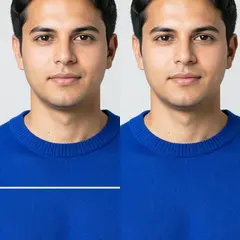
사진 손상 복원
가는 브러시로 갈라진 부분과 옅은 가장자리를 각각 칠해 주세요. 크게 손실된 부분은 ‘찢어진 영역’을 선택하세요.
Open workflow
AI 이미지 확장
원하는 화면 비율을 고르고 필요한 경우 확장할 장면을 설명하세요. 원본 사진 주변에 더 넓은 구도를 생성할 수 있습니다.
Open workflow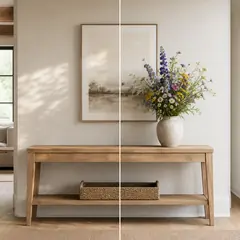
AI 생성형 채우기
영역을 칠하고 바꿀 내용을 설명한 뒤 결과를 확인하고 다운로드하세요.
Open workflow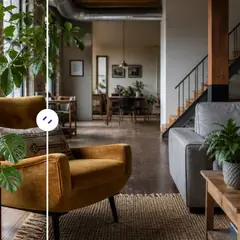
AI 개체 제거
사물과 위치를 설명해 장면을 자동으로 복원하거나, 필요하면 영역을 직접 조정하세요.
Open workflow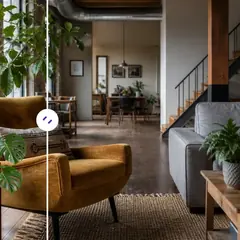
AI 개체 교체
대상을 표시하고 무엇으로 바꿀지 설명해 주세요. 다운로드하기 전에 교체된 부분과 주변을 확인하세요.
Open workflow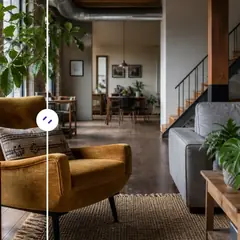
AI를 사용하여 사진에 개체 추가
빈 영역을 선택하고 사물을 설명하면 선택한 공간 안에 생성할 수 있습니다.
Open workflow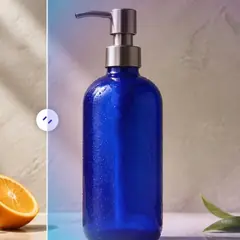
AI 배경 변경
장면 프리셋을 고르거나 완전히 새로운 배경을 설명하세요. 주요 피사체는 자동으로 분리됩니다.
Open workflow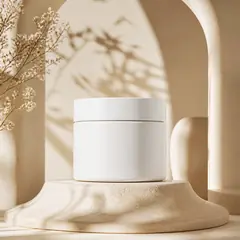
AI 제품 배경 생성기
배경을 선택하고 제품을 중심으로 장면을 생성하세요. 사용하기 전에 가장자리와 세부 요소를 확인하세요.
Open workflow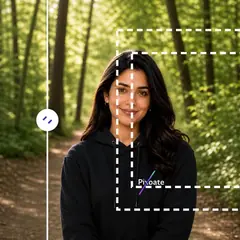
AI 이미지 확장
더 넓은 화면 비율을 선택해 현재 잘린 사진 주변에 자연스러운 공간을 재구성하세요.
Open workflow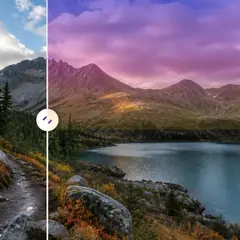
AI 하늘 교체
하늘 프리셋을 고르거나 원하는 하늘 분위기를 설명하세요.
Open workflow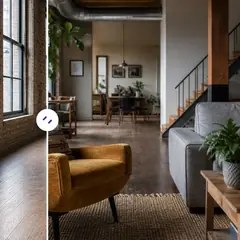
AI 공간 연출
방 스타일을 고르고 프롬프트를 조절하면 전체 공간 연출안을 자동으로 생성합니다. 필요한 경우에만 편집 영역을 세밀하게 조정하세요.
Open workflow
AI 제품 장면 생성기
일상 연출이나 캠페인 콘셉트를 선택해 제품 주변에 장면을 만들어 보세요.
Open workflow
가상 스테이징 AI
방의 용도와 스타일을 고르면 매물용 공간 연출안을 자동으로 생성합니다. 특이한 구조는 직접 세밀하게 조정할 수도 있습니다.
Open workflow
AI 부동산 사진 편집기
부동산 작업 프리셋을 고르세요. 자동 작업은 영역을 칠하지 않고 실행되며, 위치가 중요한 편집은 정확한 영역을 지정하도록 안내합니다.
Open workflowAI 이미지 편집기로 할 수 있는 일
시작하기 전에 주요 기능을 검토하세요.
- 사진을 정사각형, 세로 또는 가로 레이아웃으로 확장
- 새로 설명된 내용으로 칠해진 영역 채우기
- 사진에서 선택한 개체 제거 또는 교체
- 하늘, 배경, 날씨 또는 장면 스타일 변경
- 건축물을 유지하면서 빈 방을 무대에 올리세요
- 제품 사진을 스튜디오나 라이프스타일 장면에 배치하세요.
- 페인팅된 로컬 편집 외부의 원본 픽셀 보호
설정 참고
5 설정
AI 이미지 편집기에 사용 가능한 제어 기능입니다.
편집
- 유형 수정드롭다운
- 이미지, 프롬프트, 선택적 선택 및 출력 모양이 일관되게 처리되도록 집중적인 편집 워크플로우를 선택하십시오.옵션: 워터마크 제거긁힘 복구텍스트 기반 편집생성 채우기매직 지우개객체 대체자배경 체인저제품 배경AI 확장이미지 확장풍경에서 인물로세로에서 가로로하늘 교체룸 스테이징제품 장면전문 프로필 사진
- 편집 내용을 설명하세요.텍스트 입력
- 원하는 시각적 변경 내용을 최대 1000자까지 설명하세요. 객체 제거, 교체, 장면 변경에는 설명이 필요하지만, 확장은 추가 지시 없이도 실행할 수 있습니다.
선택
- 선택 브러시 크기슬라이더범위: 16–160px · 기본값: 64px
- 생성 채우기와 객체 교체에는 브러시로 칠한 영역이 필요합니다. 자동 정리, 배경, 하늘, 스테이징 모드에서는 '영역 직접 조정'을 통해서만 같은 브러시를 사용할 수 있으며, 직접 선택한 영역 밖의 픽셀은 준비된 원본에서 복원됩니다.
출력
- 확장된 화면비프리셋
- 생성된 프레임 내부에 원본 이미지를 유지하면서 확장 및 자르기 작업 흐름을 위해 새로운 캔버스 모양을 선택하세요.옵션: 정사각형 1:1세로 4:5이야기 9:16와이드 16:9세로 3:4풍경 4:3
- AI가 인물의 얼굴 특징과 제품 디테일을 유지하도록 요청켜기 / 끄기
- 귀하의 지시에 따라 명시적으로 변경되지 않는 한 주요 주제의 모양, 정체성, 로고, 라벨 및 읽을 수 있는 텍스트를 유지하도록 편집자에게 요청하십시오.
AI 이미지 편집기 관련 도구
AI 이미지 편집기 이후 일반적인 다음 단계를 위한 도구입니다.
AI 이미지 스튜디오
AI 이미지 확장
AI로 이미지를 경계 너머로 확장하세요. 원본 프레임을 자르지 않고도 사진을 정사각형, 세로, 스토리 또는 와이드스크린 레이아웃으로 변환할 수 있습니다.
지금 사용해 보기AI 이미지 스튜디오
AI 생성형 채우기
이미지의 일부를 칠하고 새로운 AI 생성 콘텐츠로 채웁니다. 근처 픽셀을 보호하면서 간격을 고치고, 세부 정보를 추가하고, 선택한 영역을 교체하세요.
지금 사용해 보기AI 이미지 스튜디오
AI 개체 제거
사진에서 원치 않는 사람, 개체, 전선, 표지판, 잡동사니를 자동으로 제거하고 필요하면 수동으로 정교하게 다듬으세요.
지금 사용해 보기자주 묻는 질문
이 도구 사용 가이드
각 변화를 확인하세요
모든 사진이 원본 그대로 슬래시를 지나 반대편에서 완성된 결과물로 나옵니다.























