
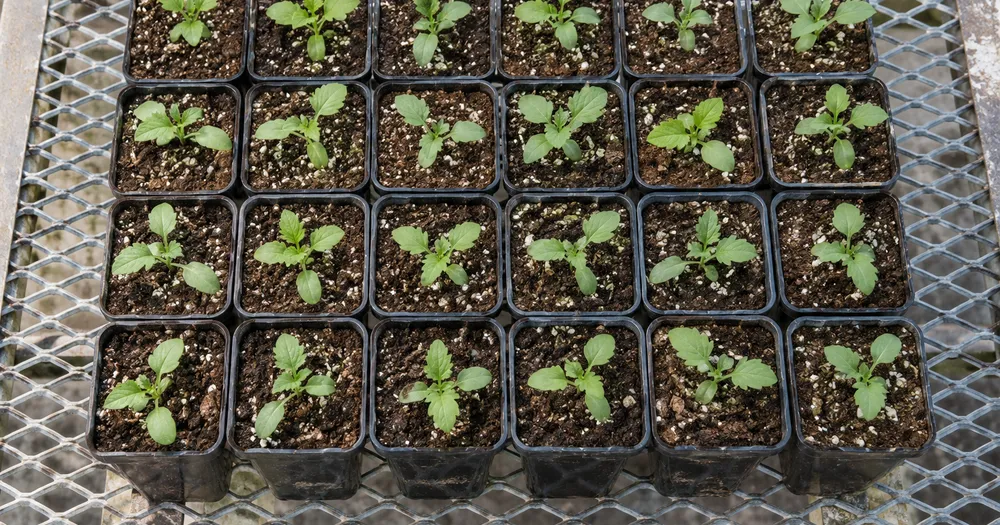
사진에서 쟁반이나 침대에 있는 묘목 수를 센다
이미지 형식 JPG, PNG, WEBP 지원 · 무료 플랜에서는 최대 20 MB, 프리미엄 플랜에서는 최대 50 MB까지 처리할 수 있어요
각 묘목이 구분되어 보이도록 줄을 따라 위쪽이나 높은 각도에서 촬영하세요. 구획별로 세고 집계표에서 합산합니다. 보육원, 정원 센터 및 재배자용입니다. CSV 또는 PDF 집계에 추가하기 전에 각 사진을 검토하고 수정하세요.
- 사진을 검토한 다음 보이는 묘목을 세어 보세요
- Upload a photo and get an automatic count
- Review the markers to catch seedlings counted twice or missed
- 무료 이용 · 회원가입 불필요 · 워터마크 없음
이미지 업로드
정확하게 세기 위한 팁
• 묘목 전체가 프레임 안에 들어오도록 밝기가 고른 사진을 사용하세요
• Keep your seedlings visible and avoid overlapping items
• 점과 히트맵으로 유지된 감지 결과를 표시 — 집계를 검토하고 수정하세요
묘목 카운터 정보
The seedlings counter counts visible seedlings from your photo and marks detections for review. Counting starts automatically once the photo and item are ready. Visibility, overlap and similar-looking items can affect the total. Built for nurseries, garden centres and growers.
작동 방식
1. 묘목 사진을 촬영하세요
2. Upload your photo to count seedlings automatically
3. Review the markers and correct the tally if needed
4. 집계 시트에 추가하고 개수를 CSV로 내보내세요
이런 분께 안성맞춤
• 발아 및 번식 트레이 수
• 성장단계별 생존율 추적
• 재배자에게 배송 전 주문 준비
• 실제 수에 따른 노동력 이식 계획
자주 묻는 질문
- 긴 줄이나 이랑을 어떻게 세나요?
- 한 번에 한 구역씩 가능한 한 높은 각도에서 촬영하고 줄이 선명하게 보이도록 초점을 맞추세요. 집계 시트에 추가하기 전에 각 결과를 검토하고 수정하세요. 표시된 사진은 검토에 도움이 될 뿐, 실제 수량을 증명하지는 않습니다.
- 사진에 묘목 이외의 항목도 있으면 어떻게 되나요?
- The counter automatically looks for seedlings in your photo. Similar-looking distractors can still affect the result, so review every marker before using the total.
- 여러 사진을 하나의 합계로 셀 수 있나요?
- Yes — count each photo and add every reviewed result to the tally sheet as a labelled row. Export the tally as CSV or a PDF report, or save it to your account.
- 무료이고 안전하게 보호되나요?
- 네. 계정 없이 개수를 세고 결과를 확인한 뒤 무료로 다운로드할 수 있습니다. 워터마크가 없으며 가입도 필요하지 않습니다. 서버에서 처리되는 사진은 전송 중 암호화되고 보안 정책에 따라 삭제됩니다.
과일 카운터로 할 수 있는 일
시작하기 전에 주요 기능을 검토하세요.
- 상자, 쟁반, 수확통에 담긴 과일 수 세기
- 사과, 오렌지, 망고 등을 집계하세요
- 수확량을 추정하기 전에 집계된 과일 마커를 하나하나 검토하세요
- 라벨이 붙은 용기 전체에서 수확량 총 추적
- 대량 감사에서 많은 상자를 일괄 계산합니다.
- 뭉쳐 있는 더미를 더 정확히 집계하려면 선택 사항으로 과일을 표시하세요
설정 참고
14 설정
과일 카운터에 사용 가능한 제어 기능입니다.
업로드
- 단일 사진 / 일괄 감사프리셋
- 단일 사진 수 또는 프리미엄 대량 감사를 선택하세요. 모든 결과를 검토하세요.옵션: 단일 사진일괄 감사
개수
- 포함된 마커슬라이더범위: 0–1 · 기본값: 0.21
- 21%부터 시작합니다. 약한 표시까지 포함하려면 더 많이 표시 쪽으로, 강한 표시만 보려면 가장 강한 표시만 쪽으로 슬라이드하세요.
- 오버레이 스타일프리셋
- 점, 히트맵, 둘 다 또는 깨끗한 미리보기를 선택하세요.옵션: 둘 다도트열없음
고급
- 결과 오버레이드롭다운
- Choose how count markers appear in the on-screen preview; the download keeps its own markers.옵션: 점 + 히트맵점만히트맵만
집계
- 집계에 추가원클릭
- Add this count to the tally sheet under the name of the object that was counted. Signed-in accounts add finished counts automatically unless that is turned off under Account settings; in bulk mode every photo also has its own Add to tally button.
- 라벨텍스트 입력
- Rename a tally row. Edits and removals wait until you choose Save changes, so you can fix several rows at once.
- 개수숫자입력
- Correct a row's count; totals, the chart and exports follow once the change is saved.
- Save changes원클릭
- Apply every edited or removed tally row in one step, or choose Discard changes to leave the sheet as it was.
Chart
- By object프리셋
- The chart is the same in every counting tool and covers the tallies of all of them. By object draws a separate line chart for each tally name, such as pipes and people. By tool draws a chart for each counting tool.옵션: By objectBy tool
- 기간프리셋
- Choose how far back the chart looks. Days without a count appear as zero.옵션: 7 days30 days90 days12 months
History
- Counting setup갤러리
- Keep comparable counts together. A first setup is created for you, so the first count can be saved straight away.
- Observed at텍스트 입력
- The date and time of the count, shown as a date and a time field.
- 음표텍스트 입력
- Starts with every detected object and its count, one per line, such as Pipes - 11. Edit it before saving.
- Save count원클릭
- Save the count to your account history. Open a saved count later to correct it or download its source photo.
과일 카운터 관련 도구
과일 카운터 이후 일반적인 다음 단계를 위한 도구입니다.



과일 카운터가 작업을 완수하도록 돕는 방법
비즈니스, 크리에이터, 일상 업무의 실제 문제를 매일 해결합니다. 귀하에게 적합한 사용 사례를 찾아 시작해보세요.
수확일 수확량 추적
Bulk audit를 열어 모든 crate 사진에서 Distinct objects 모드를 실행한 뒤 각 결과를 검토하고, 필요한 경우 집계를 수정하세요.
농산물 직거래 장터 및 노변 판매대 재고
개장 전과 마감 후에 각각 한 가지 과일 종류에 유사 항목 모드를 실행하세요. 두 집계를 모두 검토하고 수정한 후, 그 차이를 판매량 추정치로 활용하세요.
수확량 추정을 위한 과수원 샘플링
조명이 잘 든 나무 윗부분 구역을 촬영해 AI가 보이는 과일을 표본 조사 방식으로 세도록 하고, 과수원 전체 수확량을 추정할 때 '감지 민감도' 슬라이더로 일부 가려진 과일에 맞춰 조정하세요.
선과장 등급 선별 및 상자 검수
'예시' 설정에서 상자에 담긴 품종마다 하나씩 예시 과일을 1~3개 표시하고, 상자를 봉하기 전에는 '유사 항목' 결과를 초안으로 활용하세요. 그런 다음 실제 상자를 직접 확인해 빠지거나 중복된 항목을 바로잡은 뒤 선과장 최종 승인을 진행하세요.
도매 배송 수량 검수
표시된 이미지로 AI 지원 배송 초안을 검토하고, 자격을 갖춘 수동 집계 또는 실물 집계와 비교한 뒤 수정된 집계를 일반 배송 기록과 함께 저장하세요. 이미지 자체는 수량을 증명하지 않습니다.
가정 텃밭 수확량 세기
직접 기른 토마토, 사과, 베리류를 수확할 때 바구니째 촬영해 수확량을 추정하고, 이번 시즌의 집계 행을 추가하기 전에 마커를 검토하고 수정하세요.
각 변화를 확인하세요
모든 사진이 원본 그대로 슬래시를 지나 반대편에서 완성된 결과물로 나옵니다.























