
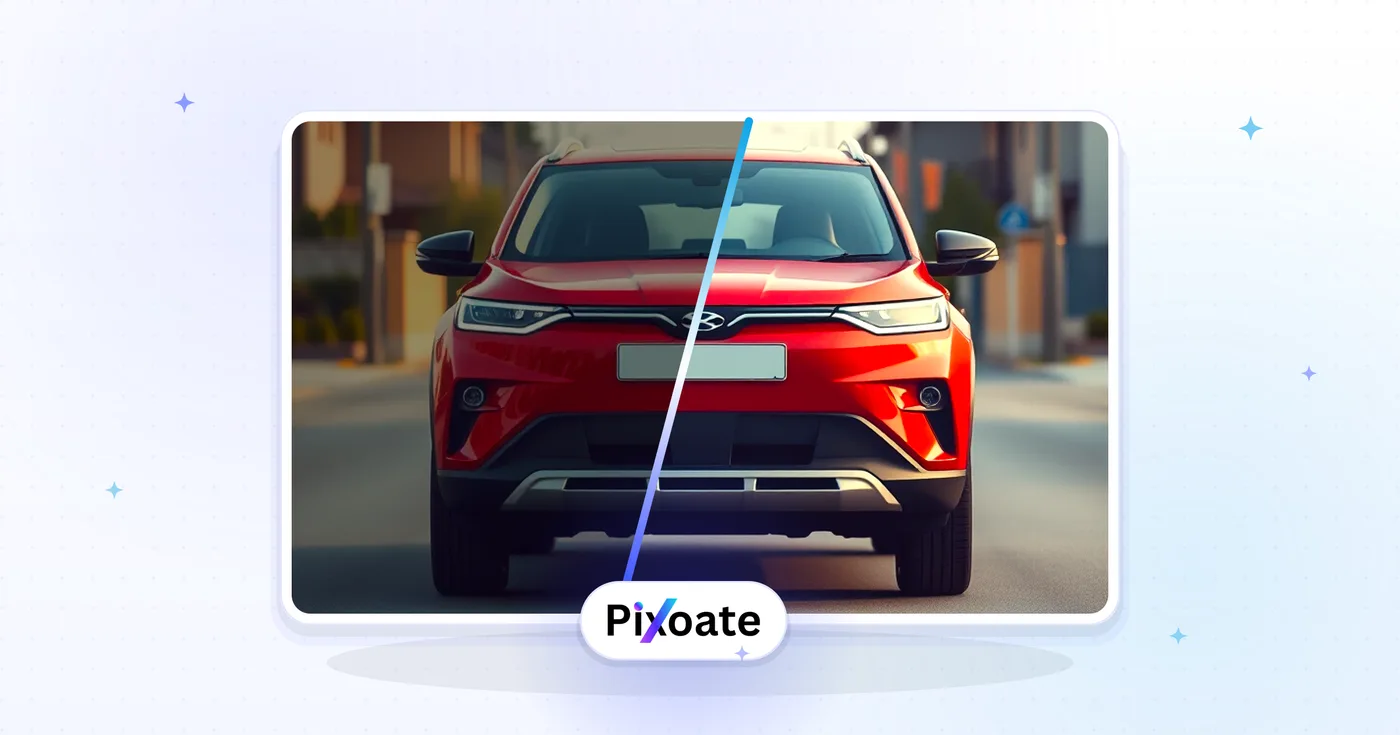
ਦੋ ਚਿੱਤਰਾਂ ਦੀ ਔਨਲਾਈਨ ਤੁਲਨਾ ਕਰੋ - ਚਿੱਤਰ ਸਲਾਈਡਰ ਤੋਂ ਪਹਿਲਾਂ ਅਤੇ ਬਾਅਦ ਵਿੱਚ
Side-by-side screenshots hide subtle edits. Drop two versions, move the split slider to reveal exactly what changed, and export a shareable before-and-after PNG.
ਪਹਿਲਾਂ
"ਪਹਿਲਾਂ" ਵਾਲੀ ਤਸਵੀਰ ਅੱਪਲੋਡ ਕਰੋ
ਬਾਅਦ
"ਬਾਅਦ" ਵਾਲੀ ਤਸਵੀਰ ਅੱਪਲੋਡ ਕਰੋ
ਤੁਸੀਂ ਇਮੇਜ ਤੁਲਨਾ ਨਾਲ ਕੀ ਕਰ ਸਕਦੇ ਹੋ
ਸ਼ੁਰੂ ਕਰਨ ਤੋਂ ਪਹਿਲਾਂ ਮੁੱਖ ਸਮਰੱਥਾਵਾਂ ਦੀ ਸਮੀਖਿਆ ਕਰੋ।
- ਦੋ ਚਿੱਤਰਾਂ ਤੋਂ ਪਹਿਲਾਂ ਅਤੇ ਬਾਅਦ ਦਾ ਸਲਾਈਡਰ ਬਣਾਓ
- ਇੱਕ ਖਿੱਚਣਯੋਗ ਸਪਲਿਟ ਦ੍ਰਿਸ਼ ਨਾਲ ਸੰਪਾਦਨ ਦਿਖਾਓ
- ਹਰੀਜੱਟਲ ਅਤੇ ਵਰਟੀਕਲ ਸਪਲਿਟਸ ਵਿਚਕਾਰ ਸਵਿਚ ਕਰੋ
- ਅਦਲਾ-ਬਦਲੀ ਕਰੋ ਕਿ ਕਿਹੜਾ ਚਿੱਤਰ ਹਰ ਪਾਸੇ ਬੈਠਦਾ ਹੈ
- ਤੁਲਨਾ ਤੋਂ ਪਹਿਲਾਂ/ਬਾਅਦ ਨੂੰ ਇੱਕ PNG ਵਜੋਂ ਨਿਰਯਾਤ ਕਰੋ
ਸੈਟਿੰਗਾਂ ਦਾ ਹਵਾਲਾ
3 ਸੈਟਿੰਗਾਂ
ਇਮੇਜ ਤੁਲਨਾ ਲਈ ਉਪਲਬਧ ਨਿਯੰਤਰਣ।
ਤੁਲਨਾ ਕਰੋ
- ਦਿਸ਼ਾਪ੍ਰੀਸੈਟ
- ਦੋਵੇਂ ਚਿੱਤਰ ਕਿਵੇਂ ਵੰਡੇ ਜਾਣ, ਇਹ ਚੁਣਦਾ ਹੈ: ਖਿਤਿਜੀ (ਮੂਲ) ਪਹਿਲਾਂ ਅਤੇ ਬਾਅਦ ਨੂੰ ਨਾਲੋ-ਨਾਲ, ਵਿਚਾਲੇ ਖੜ੍ਹੀ ਲਕੀਰ ਨਾਲ ਦਿਖਾਉਂਦਾ ਹੈ, ਜਦਕਿ ਲੰਬਕਾਰੀ ਪਹਿਲਾਂ ਨੂੰ ਬਾਅਦ ਦੇ ਉੱਪਰ, ਵਿਚਾਲੇ ਲੇਟਵੀਂ ਲਕੀਰ ਨਾਲ ਰੱਖਦਾ ਹੈ।ਚੋਣਾਂ: ਖਿਤਿਜੀਲੰਬਕਾਰੀ
- ਵੰਡ %ਸਲਾਈਡਰਰੇਂਜ: 0–100% · ਮੂਲ: 50%
- ਤੈਅ ਕਰਦਾ ਹੈ ਕਿ ਦੋਹਾਂ ਤਸਵੀਰਾਂ ਵਿਚਕਾਰ ਵੰਡਣ ਵਾਲੀ ਲਕੀਰ ਕਿੱਥੇ ਰਹੇ — 0 (ਸਿਰਫ਼ ਬਾਅਦ ਵਾਲੀ ਤਸਵੀਰ ਦਿਖੇ) ਤੋਂ 100 (ਸਿਰਫ਼ ਪਹਿਲਾਂ ਵਾਲੀ ਤਸਵੀਰ ਦਿਖੇ) ਤੱਕ; ਐਕਸਪੋਰਟ ਕੀਤਾ ਸਾਂਝਾ ਚਿੱਤਰ ਵੀ ਇਹੀ ਸਥਿਤੀ ਵਰਤਦਾ ਹੈ।
- ਅਦਲ-ਬਦਲਇੱਕ-ਕਲਿੱਕ ਕਰੋ
- ਦੁਬਾਰਾ ਅੱਪਲੋਡ ਕੀਤੇ ਬਿਨਾਂ ਪਹਿਲਾਂ ਤੇ ਬਾਅਦ ਵਾਲੀਆਂ ਤਸਵੀਰਾਂ ਤੁਰੰਤ ਆਪਸ ਵਿੱਚ ਬਦਲ ਦਿੰਦਾ ਹੈ — ਲਾਭਦਾਇਕ ਜੇ ਤੁਸੀਂ ਉਹਨਾਂ ਨੂੰ ਗ਼ਲਤ ਕ੍ਰਮ ਵਿੱਚ ਪਾਇਆ ਹੋਵੇ ਜਾਂ ਦਿਖਾਉਣ ਦੀ ਦਿਸ਼ਾ ਉਲਟਾਉਣੀ ਹੋਵੇ; ਦੋਵੇਂ ਤਸਵੀਰਾਂ ਲੋਡ ਹੋਣ 'ਤੇ ਉਪਲਬਧ।
ਇਮੇਜ ਤੁਲਨਾ ਲਈ ਸੰਬੰਧਿਤ ਟੂਲ
ਇਮੇਜ ਤੁਲਨਾ ਤੋਂ ਬਾਅਦ ਆਮ ਅਗਲੇ ਪੜਾਵਾਂ ਲਈ ਟੂਲ।
ਫ਼ੋਟੋ ਸੰਪਾਦਨ ਅਤੇ ਸਹੂਲਤਾਂ
EXIF ਵਿਊਅਰ ਅਤੇ ਰੀਮੂਵਰ
ਸਥਾਨ, ਡਿਵਾਈਸ ਅਤੇ ਟਾਈਮਸਟੈਂਪ ਖੇਤਰਾਂ ਸਮੇਤ ਸਮਰਥਿਤ EXIF, IPTC ਅਤੇ XMP ਮੈਟਾਡੇਟਾ ਦਾ ਨਿਰੀਖਣ ਕਰੋ, ਫਿਰ ਹਟਾਉਣਯੋਗ ਮੈਟਾਡੇਟਾ ਕਲੀਅਰ ਕਰਨ ਵਾਲੀ ਇੱਕ ਕਾਪੀ ਨਿਰਯਾਤ ਕਰੋ।
ਹੁਣੇ ਅਜ਼ਮਾਓ
ਰਚਨਾਤਮਕ ਅਤੇ ਡਿਜ਼ਾਈਨ
ਇਮੇਜ ਓਵਰਲੇ
ਇੱਕ ਚਿੱਤਰ ਓਵਰਲੇ ਦੀ ਸਥਿਤੀ ਬਣਾਓ, ਧੁੰਦਲਾਪਨ ਅਤੇ ਮਿਸ਼ਰਣ ਨੂੰ ਵਿਵਸਥਿਤ ਕਰੋ, ਅਤੇ ਸੰਯੁਕਤ ਚਿੱਤਰ ਨੂੰ ਡਾਊਨਲੋਡ ਕਰੋ।
ਹੁਣੇ ਅਜ਼ਮਾਓ
ਫ਼ੋਟੋ ਸੰਪਾਦਨ ਅਤੇ ਸਹੂਲਤਾਂ
ਤਸਵੀਰ ਨੂੰ KB ਤੱਕ ਕੰਪਰੈੱਸ ਕਰੋ
JPG, PNG ਜਾਂ WebP ਫਾਈਲਾਂ ਨੂੰ ਚੁਣੇ ਹੋਏ ਆਕਾਰ ਜਿਵੇਂ ਕਿ 20KB, 50KB ਜਾਂ 100KB ਵੱਲ ਸੰਕੁਚਿਤ ਕਰੋ, ਫਿਰ ਨਤੀਜੇ ਦੀ ਸਮੀਖਿਆ ਕਰੋ।
ਹੁਣੇ ਅਜ਼ਮਾਓਅਕਸਰ ਪੁੱਛੇ ਜਾਂਦੇ ਸਵਾਲ
ਇਮੇਜ ਤੁਲਨਾ ਤੁਹਾਡਾ ਕੰਮ ਕਰਨ ਵਿੱਚ ਕਿਵੇਂ ਮਦਦ ਕਰਦਾ ਹੈ
ਅਸਲ ਸਮੱਸਿਆਵਾਂ ਜੋ ਇਹ ਹਰ ਰੋਜ਼ ਹੱਲ ਕਰਦੀ ਹੈ — ਕਾਰੋਬਾਰਾਂ, ਸਿਰਜਣਹਾਰਾਂ ਅਤੇ ਰੋਜ਼ਾਨਾ ਦੇ ਕੰਮਾਂ ਲਈ। ਉਹ ਵਰਤੋਂ ਕੇਸ ਲੱਭੋ ਜੋ ਤੁਹਾਡੇ ਲਈ ਫਿੱਟ ਹੈ ਅਤੇ ਸ਼ੁਰੂ ਕਰੋ।
ਪਹਿਲਾਂ/ਬਾਅਦ ਫ਼ੋਟੋ ਸੰਪਾਦਨ ਸ਼ੋਅਕੇਸ
ਫੋਟੋਗ੍ਰਾਫਰ, ਰੀਟਚਰ ਅਤੇ Lightroom ਕਲਾਕਾਰ ਪੋਰਟਫੋਲੀਓ ਗਾਹਕਾਂ ਨੂੰ ਖਿੱਚਣਯੋਗ ਸਲਾਈਡਰ ਨਾਲ ਰੀਟਚ ਦਾ ਪਹਿਲਾਂ ਅਤੇ ਬਾਅਦ ਦਿਖਾਉਂਦੇ ਹਨ ਜੋ ਸਾਬਤ ਕਰਦਾ ਹੈ ਕਿ ਸੰਪਾਦਨ ਫੀਸ ਦੇ ਯੋਗ ਸੀ
AI ਚਿੱਤਰ ਜਨਰੇਸ਼ਨ ਤੁਲਨਾਵਾਂ
ਜਨਰੇਟ ਕੀਤੇ ਨਤੀਜਿਆਂ ਦੀ ਤੁਲਨਾ ਮੂਲ ਪ੍ਰਾਂਪਟ ਜਾਂ ਸੰਦਰਭ ਚਿੱਤਰ ਨਾਲ ਕਰੋ ਤਾਂ ਜੋ ਪ੍ਰਾਂਪਟ ਲਿਖਣ ਦੇ ਚੋਣਾਂ ਅਤੇ ਦ੍ਰਿਸ਼ਟੀ ਗੁਣਵੱਤਾ ਦੇ ਫਰਕ ਨੂੰ ਦਰਸਾਇਆ ਜਾ ਸਕੇ
ਨਵੀਨੀਕਰਨ ਅਤੇ ਘਰ ਸੁਧਾਰ ਖੁਲਾਸਾ
ਠੇਕੇਦਾਰ, ਆਰਕੀਟੈਕਟ ਅਤੇ ਇੰਟੀਰੀਅਰ ਡਿਜ਼ਾਈਨਰ Instagram, TikTok ਅਤੇ ਪ੍ਰੋਜੈਕਟ ਪੋਰਟਫੋਲੀਓ ਵੈੱਬਸਾਈਟਾਂ 'ਤੇ ਰਸੋਈ, ਬਾਥਰੂਮ ਅਤੇ ਪੂਰੇ-ਕਮਰੇ ਦੀ ਮੁਰੰਮਤ ਦੇ ਪਹਿਲਾਂ/ਬਾਅਦ ਸਲਾਈਡਰ ਦਿਖਾਉਂਦੇ ਹਨ
ਫਿਟਨੈੱਸ ਅਤੇ ਭਾਰ-ਘਟਾਉਣ ਦੀਆਂ ਤਬਦੀਲੀਆਂ
ਨਿੱਜੀ ਟ੍ਰੇਨਰ, ਕੋਚ ਅਤੇ ਫਿਟਨੈੱਸ ਕ੍ਰਿਏਟਰ ਨਵੇਂ ਗਾਹਕ ਖਿੱਚਣ ਲਈ Instagram Reels, TikTok ਅਤੇ YouTube ਵਾਸਤੇ 30-ਦਿਨ, 90-ਦਿਨ ਅਤੇ ਸਾਲ-ਭਰ ਦੇ ਬਦਲਾਅ ਵਾਲੇ ਸਲਾਈਡਰ ਪ੍ਰਕਾਸ਼ਿਤ ਕਰਦੇ ਹਨ
ਉਤਪਾਦ ਡਿਜ਼ਾਈਨ ਦੁਹਰਾਅ ਅਤੇ A/B ਟੈਸਟਿੰਗ
ਉਤਪਾਦ ਡਿਜ਼ਾਈਨਰ, UX ਟੀਮਾਂ ਅਤੇ ਮਾਰਕੀਟਿੰਗ ਲੀਡ ਤੇਜ਼ੀ ਨਾਲ ਫੈਸਲੇ ਲੈਣ ਲਈ Figma ਸਮੀਖਿਆਵਾਂ, ਮਾਰਕੀਟਿੰਗ ਡੈੱਕਾਂ ਅਤੇ ਹਿੱਸੇਦਾਰ ਪ੍ਰੈਜ਼ੈਂਟੇਸ਼ਨਾਂ ਵਿੱਚ ਡਿਜ਼ਾਈਨ ਰੂਪਾਂ ਦੀ ਨਾਲੋ-ਨਾਲ ਤੁਲਨਾ ਕਰਦੇ ਹਨ
ਬਹਾਲੀ ਅਤੇ ਸੰਭਾਲ ਖੁਲਾਸੇ
ਕਲਾ ਬਹਾਲ ਕਰਨ ਵਾਲੇ, ਵਿੰਟੇਜ ਕਾਰ ਡਿਟੇਲਰ ਤੇ ਫ਼ੋਟੋ-ਬਹਾਲੀ ਮਾਹਰ ਪਹਿਲਾਂ/ਬਾਅਦ ਦੇ ਸਲਾਈਡਰ ਦਿਖਾਉਂਦੇ ਹਨ, ਜੋ ਮਿਹਨਤ ਭਰੇ ਕੰਮ ਤੇ ਉਸ ਦੀ ਕੀਮਤ ਨੂੰ ਨਜ਼ਰ ਨਾਲ ਜਾਇਜ਼ ਠਹਿਰਾਉਂਦੇ ਹਨ
ਰੀਅਲ ਅਸਟੇਟ ਸਟੇਜਿੰਗ ਤੇ ਲਿਸਟਿੰਗ ਤੁਲਨਾਵਾਂ
ਲਿਸਟਿੰਗ ਫੋਟੋਆਂ ਅਤੇ ਸੋਸ਼ਲ ਪੋਸਟਾਂ ਵਿੱਚ ਕਿਸੇ ਕਮਰੇ ਨੂੰ ਵਰਚੁਅਲ ਸਟੇਜਿੰਗ ਜਾਂ ਪੂਰੀ ਫਲਿੱਪ ਮੁਰੰਮਤ ਤੋਂ ਪਹਿਲਾਂ ਅਤੇ ਬਾਅਦ ਵਾਲੀ ਦੇ ਨਾਲ ਦਿਖਾਓ — ਲੰਬੇ ਕਮਰੇ ਦੀਆਂ ਤਸਵੀਰਾਂ ਲਈ Vertical ਦਿਸ਼ਾ ਵਰਤੋ ਤਾਂ ਜੋ ਖਰੀਦਦਾਰ ਇੱਕੋ ਨਜ਼ਰ ਵਿੱਚ ਫਰਸ਼-ਤੋਂ-ਛੱਤ ਤੱਕ ਦੀਆਂ ਤਬਦੀਲੀਆਂ ਵੇਖ ਸਕਣ।
ਸਾਫਟਵੇਅਰ UI ਰੀਡਿਜ਼ਾਈਨ ਚੇਂਜਲੌਗ
ਪ੍ਰੋਡਕਟ ਅਤੇ ਇੰਜੀਨੀਅਰਿੰਗ ਟੀਮਾਂ ਰੀਲੀਜ਼ ਨੋਟਸ ਅਤੇ ਅੰਦਰੂਨੀ ਡਿਜ਼ਾਈਨ ਸਮੀਖਿਆਵਾਂ ਵਿੱਚ ਇੱਕ ਐਪ ਦੇ ਪੁਰਾਣੇ ਇੰਟਰਫੇਸ ਦੀ ਮੁੜ-ਡਿਜ਼ਾਈਨ ਕੀਤੇ ਨਾਲ ਤੁਲਨਾ ਕਰਦੀਆਂ ਹਨ, Split % ਸਲਾਈਡਰ ਦੀ ਵਰਤੋਂ ਕਰਕੇ ਇਹ ਕੰਟਰੋਲ ਕਰਨ ਲਈ ਕਿ ਐਕਸਪੋਰਟ ਕੀਤੇ ਸਕ੍ਰੀਨਸ਼ਾਟ ਵਿੱਚ ਹਰ ਵਰਜ਼ਨ ਦਾ ਕਿੰਨਾ ਹਿੱਸਾ ਦਿਸਦਾ ਹੈ।
ਚਮੜੀ ਦੀ ਸੰਭਾਲ ਅਤੇ ਦੰਦਾਂ ਦੇ ਇਲਾਜ ਦੀ ਪ੍ਰਗਤੀ
ਚਮੜੀ-ਰੋਗ ਕਲੀਨਿਕ, ਦੰਦ-ਸਿੱਧਾਈ ਕਰਨ ਵਾਲੇ ਅਤੇ ਸਕਿਨਕੇਅਰ ਬ੍ਰਾਂਡ ਮਰੀਜ਼ ਸਲਾਹ-ਮਸ਼ਵਰੇ ਅਤੇ ਕਲੀਨਿਕ ਮਾਰਕੀਟਿੰਗ ਲਈ ਸਾਫ਼ ਪਹਿਲਾਂ/ਬਾਅਦ ਵਾਲੇ ਕੰਪੋਜ਼ਿਟ ਨਾਲ ਇਲਾਜ ਦੇ ਨਤੀਜੇ ਦਰਜ ਕਰਦੇ ਹਨ — ਤੁਲਨਾ ਅਤੇ ਐਕਸਪੋਰਟ ਪੂਰੀ ਤਰ੍ਹਾਂ ਬ੍ਰਾਊਜ਼ਰ ਵਿੱਚ ਹੀ ਹੁੰਦੇ ਹਨ।
ਵਿਗਿਆਨ ਅਤੇ ਕਲਾਸਰੂਮ ਪ੍ਰਦਰਸ਼ਨ
ਅਧਿਆਪਕ ਕਿਸੇ ਪਾਠ ਸਲਾਈਡ ਜਾਂ ਹੈਂਡਆਊਟ ਲਈ ਕਿਸੇ ਪੌਦੇ ਦੇ ਵਾਧੇ, ਰਸਾਇਣਿਕ ਪ੍ਰਤੀਕਿਰਿਆ ਜਾਂ ਖੋਰ ਦੇ ਪ੍ਰਯੋਗ ਦਾ ਪਹਿਲਾਂ/ਬਾਅਦ ਵਾਲਾ ਕੰਪੋਜ਼ਿਟ ਐਕਸਪੋਰਟ ਕਰਦੇ ਹਨ, ਤਬਦੀਲੀ ਜਿਸ ਧੁਰੇ ਦੇ ਨਾਲ ਹੋਈ ਉਸ ਨਾਲ ਮੇਲ ਕਰਨ ਲਈ ਦਿਸ਼ਾ ਬਦਲਦੇ ਹਨ।
ਇਸ ਟੂਲ ਦੀਆਂ ਗਾਈਡਾਂ
- Renamed HEIC to JPG but It Still Won't Open? Convert the FileRenaming a HEIC file does not turn it into a JPEG. Convert the original, test the downloaded JPG and keep a source copy for Windows and website uploads.
- Virtual Staging for Unfurnished Rentals: Show Layout Ideas to Prospective TenantsUse virtual staging to show furniture layout ideas for unfurnished rentals. Create Pixoate concepts that help tenants picture a room's possible use.
ਹਰ ਰੂਪਾਂਤਰ ਲਾਗੂ ਹੁੰਦਾ ਵੇਖੋ
ਹਰ ਫੋਟੋ ਸਲੈਸ਼ ਨੂੰ ਬਿਨਾਂ ਛੂਹ ਕੇ ਪਾਰ ਕਰਦੀ ਹੈ ਅਤੇ ਦੂਜੇ ਪਾਸੇ ਤੋਂ ਬਾਹਰ ਆਉਂਦੀ ਹੈ।























