
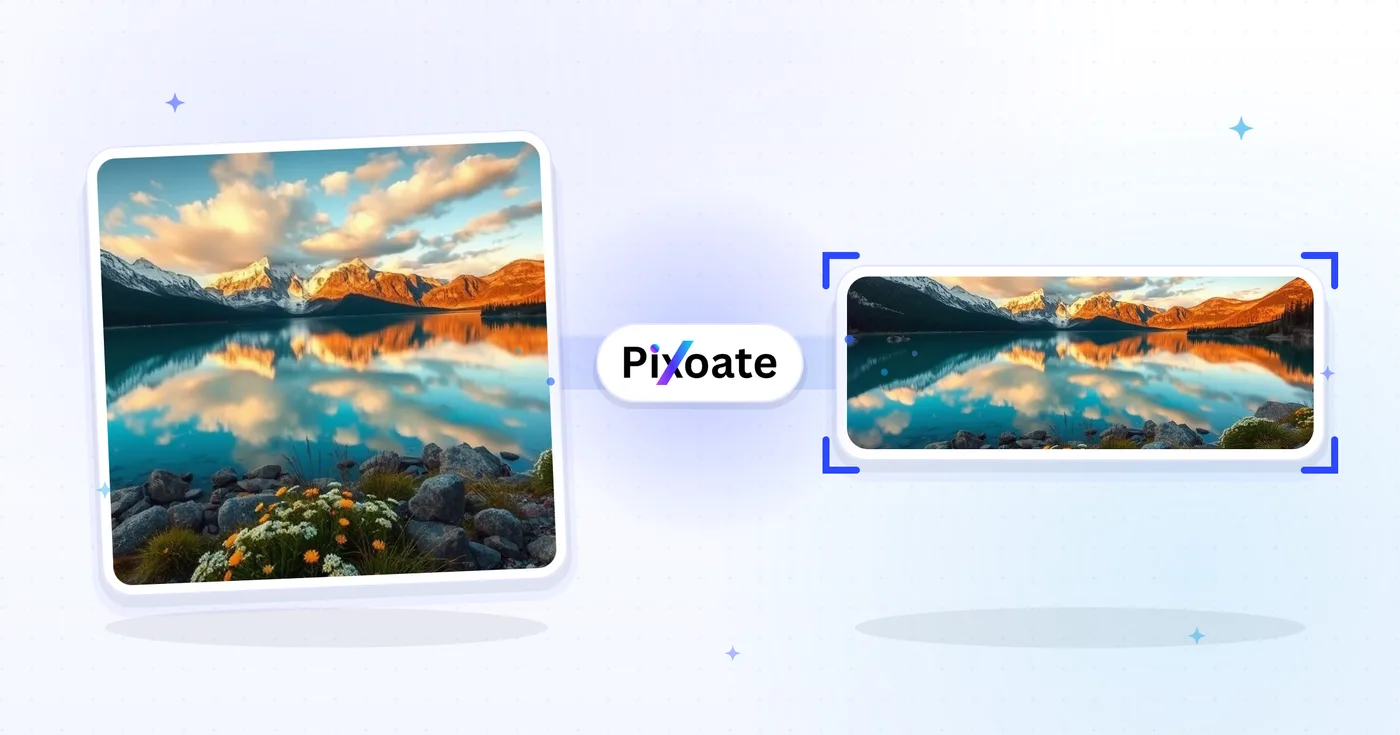
LinkedIn ਫ਼ੋਟੋ ਆਕਾਰ ਬਦਲੋr — Profile 400×400 ਅਤੇ Banner 1584×396
ਆਪਣੀ LinkedIn ਪ੍ਰੋਫਾਈਲ ਤਸਵੀਰ (400×400) ਜਾਂ ਬੈਨਰ (1584×396) ਲਈ ਇੱਕ ਫੋਟੋ ਦਾ ਆਕਾਰ ਬਦਲੋ, ਜਾਂ ਇੱਕ ਲੋਗੋ, ਪੋਸਟ ਜਾਂ ਲੇਖ ਪ੍ਰੀਸੈਟ ਚੁਣੋ, ਚਿੱਤਰ ਦੀ ਸਥਿਤੀ ਬਣਾਓ ਅਤੇ ਚੁਣੇ ਹੋਏ ਮਾਪਾਂ ਨੂੰ ਡਾਊਨਲੋਡ ਕਰੋ।
ਇੱਕ ਚਿੱਤਰ ਸੁੱਟੋ - ਬੈਨਰ, ਪ੍ਰੋਫਾਈਲ ਜਾਂ ਪੋਸਟ ਦਾ ਆਕਾਰ ਚੁਣੋ
LinkedIn ਚਿੱਤਰ ਆਕਾਰ
ਸੂਚੀਬੱਧ ਨਿੱਜੀ ਕਵਰ, ਕੰਪਨੀ ਕਵਰ ਅਤੇ ਪੋਸਟ ਪ੍ਰੀਸੈਟਸ ਵਿੱਚੋਂ ਚੁਣੋ, ਫਿਰ ਚੁਣੋ ਕਿ ਚਿੱਤਰ ਟੀਚੇ ਦੇ ਕੈਨਵਸ ਵਿੱਚ ਕਿਵੇਂ ਫਿੱਟ ਹੈ। ਪਲੇਟਫਾਰਮ ਲੋੜਾਂ ਬਦਲ ਸਕਦੀਆਂ ਹਨ, ਇਸ ਲਈ ਪ੍ਰਕਾਸ਼ਿਤ ਕਰਨ ਤੋਂ ਪਹਿਲਾਂ ਮੌਜੂਦਾ ਲਿੰਕਡਇਨ ਮਾਰਗਦਰਸ਼ਨ ਦੀ ਪੁਸ਼ਟੀ ਕਰੋ।
ਤੁਸੀਂ LinkedIn ਚਿੱਤਰ ਰੀਸਾਈਜ਼ਰ ਨਾਲ ਕੀ ਕਰ ਸਕਦੇ ਹੋ
ਸ਼ੁਰੂ ਕਰਨ ਤੋਂ ਪਹਿਲਾਂ ਮੁੱਖ ਸਮਰੱਥਾਵਾਂ ਦੀ ਸਮੀਖਿਆ ਕਰੋ।
- ਫੋਟੋਆਂ ਨੂੰ 1584×396 ਲਿੰਕਡਇਨ ਬੈਨਰ ਵਿੱਚ ਮੁੜ ਆਕਾਰ ਦਿਓ
- ਪ੍ਰੋਫਾਈਲ ਤਸਵੀਰਾਂ ਅਤੇ ਕੰਪਨੀ ਲੋਗੋ ਲਈ ਆਕਾਰ ਦੀਆਂ ਤਸਵੀਰਾਂ
- ਲਿੰਕਡਇਨ ਪੋਸਟ ਅਤੇ ਲੇਖ ਸਿਰਲੇਖਾਂ ਲਈ ਆਰਟਵਰਕ ਨੂੰ ਫਿੱਟ ਕਰੋ
- ਨਿਰਯਾਤ ਕਰਨ ਤੋਂ ਪਹਿਲਾਂ ਸੁਰੱਖਿਅਤ ਜ਼ੋਨ ਦੀ ਪੂਰਵਦਰਸ਼ਨ ਕਰੋ
- ਇੱਕ ਚੁਣੇ ਹੋਏ ਬੈਕਗ੍ਰਾਊਂਡ ਰੰਗ ਨਾਲ ਖਾਲੀ ਕਿਨਾਰਿਆਂ ਨੂੰ ਭਰੋ
- ਆਪਣੀ ਗੁਣਵੱਤਾ 'ਤੇ JPG, PNG ਜਾਂ WebP ਵਜੋਂ ਨਿਰਯਾਤ ਕਰੋ
ਸੈਟਿੰਗਾਂ ਦਾ ਹਵਾਲਾ
8 ਸੈਟਿੰਗਾਂ
LinkedIn ਚਿੱਤਰ ਰੀਸਾਈਜ਼ਰ ਲਈ ਉਪਲਬਧ ਨਿਯੰਤਰਣ।
- ਪ੍ਰੋਸੈਸਿੰਗ ਮੋਡਪ੍ਰੀਸੈਟ
- ਇੱਕ ਇਨਪੁੱਟ ਪ੍ਰੋਸੈਸ ਕਰੋ ਜਾਂ ਇੱਕੋ ਸੈਟਿੰਗਾਂ ਨਾਲ ਕਈ ਇਨਪੁੱਟ ਪ੍ਰੋਸੈਸ ਕਰਨ ਲਈ Premium ਬੈਚ ਮੋਡ ਚੁਣੋ। ਉਪਲਬਧ ਇਨਪੁੱਟ ਕਿਸਮਾਂ ਟੂਲ ਉੱਤੇ ਨਿਰਭਰ ਕਰਦੀਆਂ ਹਨ।ਚੋਣਾਂ: ਇੱਕ ਤਸਵੀਰਬੈਚ
ਆਕਾਰ
- LinkedIn ਆਕਾਰਪ੍ਰੀਸੈਟ
- ਤੁਸੀਂ LinkedIn 'ਤੇ ਜਿੱਥੇ ਅੱਪਲੋਡ ਕਰ ਰਹੇ ਹੋ, ਉਹ ਥਾਂ ਚੁਣੋ; ਉਸ ਥਾਂ ਲਈ ਸਟੀਕ ਪਿਕਸਲ ਮਾਪ (ਜਿਵੇਂ 1584×396 ਨਿੱਜੀ ਬੈਨਰ, 1200×627 ਪੋਸਟ ਤਸਵੀਰ) ਆਪਣੇ-ਆਪ ਲਾਗੂ ਹੋ ਜਾਂਦੇ ਹਨ।ਚੋਣਾਂ: ਨਿੱਜੀ ਬੈਨਰਕੰਪਨੀ ਬੈਨਰਪ੍ਰੋਫਾਈਲ ਤਸਵੀਰਕੰਪਨੀ ਦਾ ਲੋਗੋਵਰਗ ਲੋਗੋਚਿੱਤਰ ਪੋਸਟ ਕਰੋਲੇਖ ਕਵਰਘਟਨਾ ਕਵਰ
ਆਊਟਪੁੱਟ
- ਫਿੱਟਪ੍ਰੀਸੈਟ
- Choose how the photo fills the target size: Cover crops to fill edge-to-edge, Contain keeps the whole image with padded space. To force the exact size instead, untick Maintain aspect ratio; that may distort.ਚੋਣਾਂ: ਕਵਰਸਮਾਉਣਾ
- ਬੈਕਗ੍ਰਾਊਂਡਰੰਗ ਚੋਣਕਾਰ
- 'ਸਮਾਓ' ਫ਼ਿੱਟ ਵਾਲੇ ਚਿੱਤਰ ਦੁਆਲੇ ਖਾਲੀ ਥਾਂ ਲਈ ਭਰਨ ਵਾਲਾ ਰੰਗ ਸੈੱਟ ਕਰਦਾ ਹੈ; ਮੂਲ ਰੂਪ ਵਿੱਚ LinkedIn ਨੀਲਾ, ਪਰ ਕਿਸੇ ਵੀ ਬ੍ਰਾਂਡ ਰੰਗ ਨਾਲ ਮੇਲ ਕੀਤਾ ਜਾ ਸਕਦਾ ਹੈ। PNG ਲਈ ਲੁਕਿਆ ਰਹਿੰਦਾ ਹੈ, ਕਿਉਂਕਿ ਉਹ ਇਸ ਥਾਂ ਨੂੰ ਪਾਰਦਰਸ਼ੀ ਰੱਖਦਾ ਹੈ।
- ਫਾਰਮੈਟਡ੍ਰੌਪਡਾਊਨ
- ਆਊਟਪੁੱਟ ਫ਼ਾਈਲ ਕਿਸਮ ਚੁਣਦਾ ਹੈ: ਫ਼ੋਟੋਆਂ ਲਈ JPG, ਪਾਰਦਰਸ਼ਤਾ ਲਈ PNG, ਅਤੇ ਤਸਵੀਰ ਖ਼ੁਦ ਹੋਸਟ ਕਰਨ ਵੇਲੇ ਛੋਟੀਆਂ ਫ਼ਾਈਲਾਂ ਲਈ WEBP ਜਾਂ AVIF।ਚੋਣਾਂ: JPGPNGWEBPAVIF
- ਗੁਣਵੱਤਾਸਲਾਈਡਰਰੇਂਜ: 40–100% · ਮੂਲ: 92%
- JPG, WEBP ਅਤੇ AVIF ਆਊਟਪੁੱਟ ਲਈ ਕੰਪ੍ਰੈਸ਼ਨ ਕੰਟਰੋਲ ਕਰਦਾ ਹੈ; ਵੱਧ ਰੱਖਣ ਨਾਲ ਟੈਕਸਟ ਤੇ ਲੋਗੋ ਵਧੇਰੇ ਸਾਫ਼ ਰਹਿੰਦੇ ਹਨ, ਘੱਟ ਰੱਖਣ ਨਾਲ ਫ਼ਾਈਲ ਦਾ ਆਕਾਰ ਘਟਦਾ ਹੈ। PNG ਲਈ ਨਹੀਂ ਦਿਖਾਇਆ ਜਾਂਦਾ, ਜੋ ਹਮੇਸ਼ਾ ਲੌਸਲੈੱਸ ਹੁੰਦਾ ਹੈ।
ਪ੍ਰੀਵਿਊ
- ਸੇਫ਼ ਜ਼ੋਨ ਦਿਖਾਓਚਾਲੂ/ਬੰਦ
- ਪ੍ਰੋਫ਼ਾਈਲ ਤਸਵੀਰ ਪ੍ਰੀਸੈੱਟ ਉੱਤੇ ਦਿਖਦਾ ਹੈ: ਇਹ ਉਹੀ ਗੋਲ ਕਰੌਪ ਉੱਪਰ ਦਿਖਾ ਦਿੰਦਾ ਹੈ ਜੋ LinkedIn ਅਸਲ ਵਿੱਚ ਵਿਖਾਉਂਦਾ ਹੈ, ਅਤੇ ਕੱਟੇ ਜਾਣ ਵਾਲੇ ਵਰਗਾਕਾਰ ਕੋਨਿਆਂ ਨੂੰ ਮੱਧਮ ਕਰ ਦਿੰਦਾ ਹੈ, ਤਾਂ ਜੋ ਤੁਸੀਂ ਆਪਣਾ ਚਿਹਰਾ ਜਾਂ ਲੋਗੋ ਅੰਦਰ ਹੀ ਰੱਖ ਸਕੋ।
AI ਨਾਲ ਚਿੱਤਰ ਦਾ ਵਿਸਤਾਰ
- AI ਨਾਲ ਬੈਕਗ੍ਰਾਊਂਡ ਵਧਾਓਇੱਕ-ਕਲਿੱਕ ਕਰੋ
- ਤਿਆਰ ਕੀਤੀ ਸਰੋਤ ਫ਼ੋਟੋ ਨੂੰ ਬਰਕਰਾਰ ਰੱਖਦੇ ਹੋਏ AI ਨਾਲ ਦ੍ਰਿਸ਼ ਨੂੰ ਚੁਣੇ ਆਕਾਰ ਤੱਕ ਅੱਗੇ ਵਧਾਓ। ਮੁਫ਼ਤ ਡਾਊਨਲੋਡ ਵੈੱਬ ਆਕਾਰ ਦੇ ਹੁੰਦੇ ਹਨ। Premium ਜਾਂ ਕ੍ਰੈਡਿਟ ਪੂਰਾ ਰੈਜ਼ੋਲਿਊਸ਼ਨ ਅਨਲੌਕ ਕਰਦੇ ਹਨ। ਸਮਰਥਿਤ ਅਨੁਪਾਤਾਂ ਲਈ ਆਕਾਰ-ਅਨੁਪਾਤ ਬਰਕਰਾਰ ਰੱਖਣਾ ਲਾਜ਼ਮੀ ਹੈ। Batch ਵਿੱਚ, ਕਤਾਰ ਵਿੱਚ ਲੱਗਿਆ ਹਰ ਚਿੱਤਰ ਵਧਾਇਆ ਜਾਂਦਾ ਹੈ ਅਤੇ ਤੁਹਾਡੇ ਚੁਣੇ ਆਕਾਰ ਤੇ ਫ਼ਾਰਮੈਟ ਵਿੱਚ ਦਿੱਤਾ ਜਾਂਦਾ ਹੈ।
LinkedIn ਚਿੱਤਰ ਰੀਸਾਈਜ਼ਰ ਲਈ ਸੰਬੰਧਿਤ ਟੂਲ
LinkedIn ਚਿੱਤਰ ਰੀਸਾਈਜ਼ਰ ਤੋਂ ਬਾਅਦ ਆਮ ਅਗਲੇ ਪੜਾਵਾਂ ਲਈ ਟੂਲ।

ਸੋਸ਼ਲ ਪਬਲਿਸ਼ਿੰਗ
Facebook ਆਕਾਰ ਬਦਲੋ
ਸੂਚੀਬੱਧ ਫੇਸਬੁੱਕ ਕਵਰ, ਪ੍ਰੋਫਾਈਲ ਅਤੇ ਪੋਸਟ ਮਾਪਾਂ ਲਈ ਫਿੱਟ ਅਤੇ ਫਿਲ ਕੰਟਰੋਲਾਂ ਦੇ ਨਾਲ ਚਿੱਤਰਾਂ ਦਾ ਆਕਾਰ ਬਦਲੋ।
ਹੁਣੇ ਅਜ਼ਮਾਓ
ਸੋਸ਼ਲ ਪਬਲਿਸ਼ਿੰਗ
X / Twitter ਤਸਵੀਰ ਰੀਸਾਈਜ਼ਰ
ਸੂਚੀਬੱਧ X ਸਿਰਲੇਖ, ਪ੍ਰੋਫਾਈਲ, ਪੋਸਟ, ਕਾਰਡ ਅਤੇ ਵਿਗਿਆਪਨ ਮਾਪਾਂ ਲਈ ਚਿੱਤਰਾਂ ਦਾ ਆਕਾਰ ਬਦਲੋ।
ਹੁਣੇ ਅਜ਼ਮਾਓ
ਕਾਰੋਬਾਰੀ ਜਨਰੇਟਰ
ਬਿਜ਼ਨਸ ਕਾਰਡ ਮੇਕਰ
ਇੱਕ ਬਿਜ਼ਨਸ-ਕਾਰਡ ਲੇਆਉਟ ਚੁਣੋ, ਸਮੱਗਰੀ ਅਤੇ ਰੰਗ ਸੈੱਟ ਕਰੋ, ਅਤੇ ਪ੍ਰਿੰਟਿੰਗ ਲਈ ਇੱਕ 10-ਅੱਪ A4 PDF ਡਾਊਨਲੋਡ ਕਰੋ।
ਹੁਣੇ ਅਜ਼ਮਾਓਅਕਸਰ ਪੁੱਛੇ ਜਾਂਦੇ ਸਵਾਲ
LinkedIn ਚਿੱਤਰ ਰੀਸਾਈਜ਼ਰ ਤੁਹਾਡਾ ਕੰਮ ਕਰਨ ਵਿੱਚ ਕਿਵੇਂ ਮਦਦ ਕਰਦਾ ਹੈ
ਅਸਲ ਸਮੱਸਿਆਵਾਂ ਜੋ ਇਹ ਹਰ ਰੋਜ਼ ਹੱਲ ਕਰਦੀ ਹੈ — ਕਾਰੋਬਾਰਾਂ, ਸਿਰਜਣਹਾਰਾਂ ਅਤੇ ਰੋਜ਼ਾਨਾ ਦੇ ਕੰਮਾਂ ਲਈ। ਉਹ ਵਰਤੋਂ ਕੇਸ ਲੱਭੋ ਜੋ ਤੁਹਾਡੇ ਲਈ ਫਿੱਟ ਹੈ ਅਤੇ ਸ਼ੁਰੂ ਕਰੋ।
ਨਿੱਜੀ ਬ੍ਰਾਂਡ ਅਤੇ ਨੌਕਰੀ ਖੋਜ ਬੈਨਰ
ਨੌਕਰੀ ਲੱਭਣ ਵਾਲੇ ਅਤੇ ਨਿੱਜੀ-ਬ੍ਰਾਂਡ ਬਣਾਉਣ ਵਾਲੇ ਅਜਿਹੇ LinkedIn ਬੈਨਰ ਤਿਆਰ ਕਰਦੇ ਹਨ ਜੋ ਉਨ੍ਹਾਂ ਦੀ ਹੈੱਡਲਾਈਨ, ਟੀਚਾ ਉਦਯੋਗ ਅਤੇ ਮੌਜੂਦਾ ਉਪਲਬਧਤਾ ਨੂੰ ਉਜਾਗਰ ਕਰਦੇ ਹਨ — ਜੋ ਕਿਸੇ ਭਰਤੀਕਰਤਾ ਨੂੰ ਸਭ ਤੋਂ ਪਹਿਲਾਂ ਦਿਖਦਾ ਹੈ
ਸੰਸਥਾਪਕ ਤੇ ਅਧਿਕਾਰੀ ਪ੍ਰੋਫਾਈਲ ਬੈਨਰ
ਸਟਾਰਟਅੱਪ ਫ਼ਾਊਂਡਰ, CEO ਤੇ ਅਧਿਕਾਰੀ ਹਿੱਸੇਦਾਰਾਂ ਦੀ ਨਜ਼ਰ ਲਈ ਅਜਿਹੇ ਬੈਨਰ ਪ੍ਰਕਾਸ਼ਿਤ ਕਰਦੇ ਹਨ ਜੋ ਕੰਪਨੀ ਦਾ ਲੋਗੋ, ਮੌਜੂਦਾ ਉਤਪਾਦ ਲਾਂਚ ਤੇ ਨਿਵੇਸ਼ਕ ਮਾਨਤਾ ਨੂੰ ਪ੍ਰਦਰਸ਼ਿਤ ਕਰਦੇ ਹਨ
ਕੰਪਨੀ ਪੇਜ ਹੀਰੋ ਬੈਨਰ
ਮਾਰਕੀਟਿੰਗ ਟੀਮਾਂ ਪ੍ਰੋਫ਼ਾਈਲ ਵਿਜ਼ਿਟਾਂ ਨੂੰ ਫਾਲੋਅਰਾਂ ਅਤੇ ਅਰਜ਼ੀਕਾਰਾਂ ਵਿੱਚ ਬਦਲਣ ਲਈ ਨਵੀਨਤਮ ਪ੍ਰੋਡਕਟ ਸਕ੍ਰੀਨਸ਼ਾਟ, ਗਾਹਕ ਲੋਗੋ ਅਤੇ Glassdoor ਮਾਨਤਾਵਾਂ ਨਾਲ ਕੰਪਨੀ-ਪੰਨੇ ਦੀਆਂ ਕਵਰ ਫ਼ੋਟੋਆਂ ਡਿਜ਼ਾਈਨ ਕਰਦੀਆਂ ਹਨ
ਕਾਨਫਰੰਸ ਬੁਲਾਰੇ ਅਤੇ ਲੇਖਕ ਬੈਨਰ
ਹਰ ਵਾਰ ਲੇਆਉਟ ਨੂੰ ਦੁਬਾਰਾ ਬਣਾਏ ਬਿਨਾਂ ਮੌਜੂਦਾ ਸੀਜ਼ਨ ਲਈ ਇੱਕ ਸਪੀਕਰ ਜਾਂ ਪੌਡਕਾਸਟ ਬੈਨਰ ਨੂੰ ਬਦਲੋ
ਰਿਕਰੂਟਰ ਅਤੇ ਹਾਇਰਿੰਗ ਮੈਨੇਜਰ ਬੈਨਰ
ਰਿਕਰੂਟਰ ਖੁੱਲ੍ਹੀਆਂ ਭੂਮਿਕਾਵਾਂ, ਮਾਲਕ-ਬ੍ਰਾਂਡ ਲਾਭ ਅਤੇ ਟੀਮ ਫੋਟੋਆਂ ਦਾ ਇਸ਼ਤਿਹਾਰ ਦੇਣ ਵਾਲੇ ਬੈਨਰ ਪ੍ਰਕਾਸ਼ਿਤ ਕਰਦੇ ਹਨ ਤਾਂ ਜੋ ਪ੍ਰੋਫਾਈਲ ਵਿਊਜ਼ ਨੂੰ ਅਰਜ਼ੀਆਂ ਅਤੇ ਆਉਣ ਵਾਲੇ ਉਮੀਦਵਾਰ DMs ਵਿੱਚ ਬਦਲਿਆ ਜਾ ਸਕੇ
ਵਿਕਰੀ ਅਤੇ ਕਾਰੋਬਾਰ ਵਿਕਾਸ ਬੈਨਰ
BDR, ਅਕਾਊਂਟ ਐਗਜ਼ੈਕਟਿਵ ਅਤੇ ਸੇਲਜ਼ ਲੀਡਰ ਬੈਨਰ ਦੀ ਵਰਤੋਂ ਆਪਣੇ ਉਤਪਾਦ ਦੀ ਵੈਲਯੂ ਪ੍ਰੋਪ, ਕੇਸ-ਸਟੱਡੀ ਗਾਹਕ ਲੋਗੋ ਅਤੇ ਸੰਭਾਵੀ ਗਾਹਕਾਂ ਲਈ ਇੱਕ ਸਪਸ਼ਟ ਕਾਲ-ਟੂ-ਐਕਸ਼ਨ ਉਜਾਗਰ ਕਰਨ ਲਈ ਕਰਦੇ ਹਨ
ਕੱਟ-ਸੁਰੱਖਿਅਤ LinkedIn ਪ੍ਰੋਫਾਈਲ ਤਸਵੀਰਾਂ
Profile picture ਪ੍ਰੀਸੈਟ ਚੁਣੋ ਅਤੇ Safe Zone ਓਵਰਲੇਅ ਚਾਲੂ ਕਰੋ ਤਾਂ ਜੋ ਬਿਲਕੁਲ ਵੇਖ ਸਕੋ ਕਿ LinkedIn ਦਾ ਗੋਲਾਕਾਰ ਕ੍ਰੌਪ ਕਿਹੜੇ ਕੋਨੇ ਕੱਟੇਗਾ, ਤਾਂ ਜੋ ਪ੍ਰਕਾਸ਼ਿਤ ਕਰਨ ਤੋਂ ਬਾਅਦ ਚਿਹਰੇ ਅਤੇ ਲੋਗੋ ਕਦੇ ਵੀ ਨਾ ਕੱਟੇ ਜਾਣ।
ਵੈਬੀਨਾਰ ਤੇ ਮੀਟਅੱਪ ਇਵੈਂਟ ਕਵਰ
Event cover ਪ੍ਰੀਸੈੱਟ (1776×444) ਨੂੰ Contain fit ਅਤੇ ਬ੍ਰਾਂਡ-ਰੰਗ ਬੈਕਗ੍ਰਾਊਂਡ ਨਾਲ ਵਰਤੋ ਤਾਂ ਜੋ ਤੁਹਾਡੀ ਵੈਬੀਨਾਰ ਦੀ ਮਿਤੀ, ਬੁਲਾਰੇ ਦਾ ਨਾਮ ਅਤੇ ਲੋਗੋ LinkedIn ਦੀ ਇਵੈਂਟ ਕ੍ਰੌਪਿੰਗ ਦੁਆਰਾ ਕੱਟੇ ਜਾਣ ਦੀ ਬਜਾਏ ਪੂਰੀ ਤਰ੍ਹਾਂ ਦਿਖਾਈ ਦੇਣ।
ਇੱਕ ਲੋਗੋ, ਹਰ LinkedIn ਸਥਾਨ
ਕੰਪਨੀ ਦੇ ਲੋਗੋ (300×300) ਅਤੇ ਵਰਗ ਲੋਗੋ (60×60) ਪ੍ਰੀਸੈਟਾਂ ਦੇ ਨਾਲ ਮੇਲ ਖਾਂਦੇ ਬੈਕਗ੍ਰਾਊਂਡ ਰੰਗ ਦੇ ਨਾਲ ਇੱਕੋ ਬ੍ਰਾਂਡ ਮਾਰਕ ਨੂੰ ਨਿਰਯਾਤ ਕਰੋ, ਫਿਰ ਲਿੰਕਡਇਨ ਵਿੱਚ ਹਰੇਕ ਆਕਾਰ ਦੀ ਸਮੀਖਿਆ ਕਰੋ।
ਫਾਸਟ-ਲੋਡਿੰਗ LinkedIn ਗ੍ਰਾਫਿਕਸ
ਜਦੋਂ ਤੁਸੀਂ ਗ੍ਰਾਫਿਕ ਖੁਦ ਹੋਸਟ ਕਰ ਰਹੇ ਹੋ ਤਾਂ Post ਤਸਵੀਰ ਅਤੇ Article ਕਵਰ ਸਾਈਜ਼ਾਂ ਨੂੰ 85%+ ਕੁਆਲਿਟੀ ਉੱਤੇ WebP ਜਾਂ AVIF ਵਜੋਂ ਐਕਸਪੋਰਟ ਕਰੋ, ਟੈਕਸਟ ਜਾਂ ਲੋਗੋ ਉੱਤੇ ਤਿੱਖਾਪਣ ਗੁਆਏ ਬਿਨਾਂ ਲੋਡ ਸਮਾਂ ਤੇਜ਼ ਰੱਖਦੇ ਹੋਏ।
ਹਰ ਰੂਪਾਂਤਰ ਲਾਗੂ ਹੁੰਦਾ ਵੇਖੋ
ਹਰ ਫੋਟੋ ਸਲੈਸ਼ ਨੂੰ ਬਿਨਾਂ ਛੂਹ ਕੇ ਪਾਰ ਕਰਦੀ ਹੈ ਅਤੇ ਦੂਜੇ ਪਾਸੇ ਤੋਂ ਬਾਹਰ ਆਉਂਦੀ ਹੈ।























