
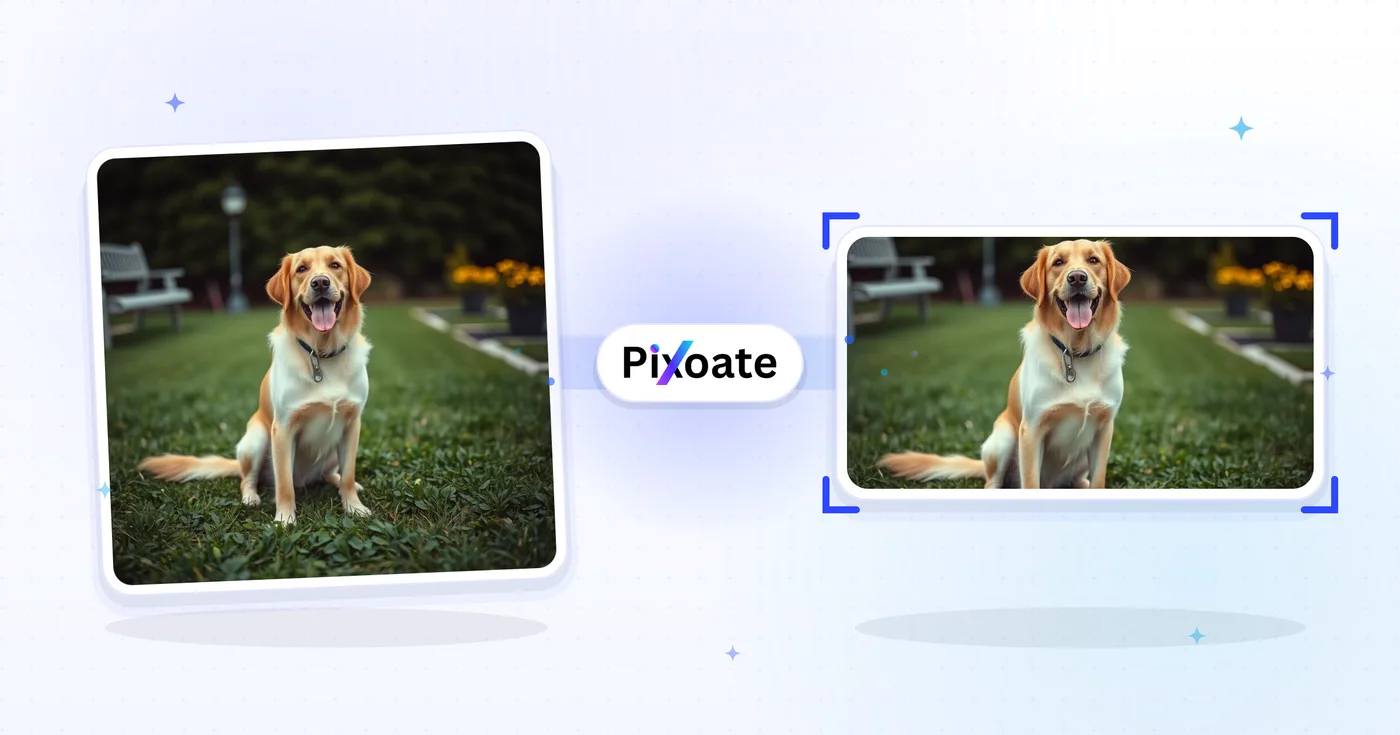
Twitter ਚਿੱਤਰ ਆਕਾਰ ਬਦਲੋr — ਆਕਾਰ ਬਦਲੋ a ਫ਼ੋਟੋ for Twitter ਅਤੇ X Posts
1500×500 ਸਿਰਲੇਖ, ਪ੍ਰੋਫਾਈਲ ਫ਼ੋਟੋਆਂ, 16:9 ਪੋਸਟਾਂ, ਸੰਖੇਪ ਕਾਰਡ, ਅਤੇ ਵਿਗਿਆਪਨ ਦੇ ਆਕਾਰ — X ਅੱਜ ਵਰਤਦੇ ਸਹੀ ਮਾਪਾਂ ਨੂੰ ਡਾਊਨਲੋਡ ਕਰੋ।
ਇੱਕ ਚਿੱਤਰ ਸੁੱਟੋ — ਸਿਰਲੇਖ, ਪੋਸਟ ਜਾਂ ਪ੍ਰੋਫਾਈਲ ਦਾ ਆਕਾਰ ਚੁਣੋ
X (Twitter) ਤਸਵੀਰ ਸਾਈਜ਼
X ਇੱਕ 3:1 ਹੈੱਡਰ ਬੈਨਰ (1500×500), ਚੌਰਸ ਪ੍ਰੋਫਾਈਲ ਤਸਵੀਰ (400×400) ਵਰਤਦਾ ਹੈ, ਅਤੇ ਟਾਈਮਲਾਈਨ ਵਿੱਚ ਅੱਪਲੋਡ ਕੀਤੀਆਂ ਤਸਵੀਰਾਂ ਨੂੰ ਜ਼ੋਰਦਾਰ ਢੰਗ ਨਾਲ ਰੀਸਾਈਜ਼ ਕਰਦਾ ਹੈ। ਸਿੰਗਲ-ਤਸਵੀਰ ਪੋਸਟਾਂ 16:9 (1600×900) 'ਤੇ ਸਭ ਤੋਂ ਵਧੀਆ ਦਿਖਦੀਆਂ ਹਨ, ਜਦਕਿ ਪੋਰਟਰੇਟ 4:5 (1080×1350) ਮੋਬਾਈਲ 'ਤੇ ਵੱਧ ਵਰਟੀਕਲ ਸਕ੍ਰੀਨ ਲੈਂਦੀ ਹੈ। ਵੱਡੀਆਂ ਤਸਵੀਰਾਂ ਵਾਲੇ ਸੰਖੇਪ ਕਾਰਡ 1200×628 ਵਰਤਦੇ ਹਨ — ਉਹੀ OG-ਕਾਰਡ ਅਨੁਪਾਤ ਜੋ LinkedIn ਅਤੇ Facebook ਵਰਤਦੇ ਹਨ। ਇਹ ਟੂਲ ਕਿਸੇ ਵੀ ਤਸਵੀਰ ਨੂੰ ਹਰ ਥਾਂ ਲਈ ਲੋੜੀਂਦੇ ਠੀਕ ਪਿਕਸਲ ਸਾਈਜ਼ 'ਤੇ ਰੀਸਾਈਜ਼ ਕਰ ਦਿੰਦਾ ਹੈ।
ਤੁਸੀਂ X / Twitter ਤਸਵੀਰ ਰੀਸਾਈਜ਼ਰ ਨਾਲ ਕੀ ਕਰ ਸਕਦੇ ਹੋ
ਸ਼ੁਰੂ ਕਰਨ ਤੋਂ ਪਹਿਲਾਂ ਮੁੱਖ ਸਮਰੱਥਾਵਾਂ ਦੀ ਸਮੀਖਿਆ ਕਰੋ।
- ਆਪਣੇ X / Twitter ਸਿਰਲੇਖ ਨੂੰ 1500×500 ਵਿੱਚ ਮੁੜ ਆਕਾਰ ਦਿਓ
- ਸਾਈਜ਼ ਪ੍ਰੋਫਾਈਲ ਤਸਵੀਰਾਂ ਅਤੇ 16:9 ਪੋਸਟ ਚਿੱਤਰ
- ਪੋਰਟਰੇਟ ਪੋਸਟਾਂ, ਸੰਖੇਪ ਕਾਰਡ ਅਤੇ ਵਿਗਿਆਪਨ ਚਿੱਤਰ ਬਣਾਓ
- ਮੁੱਖ ਸਮੱਗਰੀ ਦੀ ਸੁਰੱਖਿਆ ਲਈ ਸੁਰੱਖਿਅਤ ਜ਼ੋਨ ਦੀ ਪੂਰਵਦਰਸ਼ਨ ਕਰੋ
- ਕਿਸੇ ਵੀ ਆਕਾਰ ਅਨੁਪਾਤ ਨੂੰ ਫਿੱਟ ਕਰਨ ਲਈ ਇੱਕ ਬੈਕਗ੍ਰਾਊਂਡ ਸ਼ਾਮਲ ਕਰੋ
- JPG, PNG ਜਾਂ WebP ਵਜੋਂ ਡਾਊਨਲੋਡ ਕਰੋ
ਸੈਟਿੰਗਾਂ ਦਾ ਹਵਾਲਾ
8 ਸੈਟਿੰਗਾਂ
X / Twitter ਤਸਵੀਰ ਰੀਸਾਈਜ਼ਰ ਲਈ ਉਪਲਬਧ ਨਿਯੰਤਰਣ।
- ਪ੍ਰੋਸੈਸਿੰਗ ਮੋਡਪ੍ਰੀਸੈਟ
- ਇੱਕ ਇਨਪੁੱਟ ਪ੍ਰੋਸੈਸ ਕਰੋ ਜਾਂ ਇੱਕੋ ਸੈਟਿੰਗਾਂ ਨਾਲ ਕਈ ਇਨਪੁੱਟ ਪ੍ਰੋਸੈਸ ਕਰਨ ਲਈ Premium ਬੈਚ ਮੋਡ ਚੁਣੋ। ਉਪਲਬਧ ਇਨਪੁੱਟ ਕਿਸਮਾਂ ਟੂਲ ਉੱਤੇ ਨਿਰਭਰ ਕਰਦੀਆਂ ਹਨ।ਚੋਣਾਂ: ਇੱਕ ਤਸਵੀਰਬੈਚ
ਆਕਾਰ
- X / Twitter ਸਾਈਜ਼ਪ੍ਰੀਸੈਟ
- ਜਿਸ X (Twitter) ਥਾਂ ਲਈ ਰੀਸਾਈਜ਼ ਕਰਨਾ ਹੈ, ਉਹ ਬਿਲਕੁਲ ਸਹੀ ਚੁਣੋ — ਹੈਡਰ ਬੈਨਰ (1500×500), ਪ੍ਰੋਫਾਈਲ ਤਸਵੀਰ (400×400), ਪੋਸਟ ਤਸਵੀਰਾਂ, ਲਿੰਕ ਕਾਰਡ ਜਾਂ ਵਿਗਿਆਪਨ — ਅਤੇ ਉਸ ਥਾਂ ਦੇ ਪਿਕਸਲ ਮਾਪ ਆਪਣੇ-ਆਪ ਲਾਗੂ ਹੋ ਜਾਂਦੇ ਹਨ।ਚੋਣਾਂ: ਸਿਰਲੇਖ / ਬੈਨਰਪ੍ਰੋਫਾਈਲ ਤਸਵੀਰਇਕਹਿਰੀ ਪੋਸਟ ਤਸਵੀਰਵਰਗਾਕਾਰ ਪੋਸਟ ਤਸਵੀਰਖੜ੍ਹਵੀਂ ਪੋਸਟ ਤਸਵੀਰਕਾਰਡ ਚਿੱਤਰ (ਵੱਡਾ)ਕਾਰਡ ਚਿੱਤਰ (ਛੋਟਾ)ਵਿਗਿਆਪਨ ਚਿੱਤਰ
ਆਊਟਪੁੱਟ
- ਫਿੱਟਪ੍ਰੀਸੈਟ
- Controls how your image fills the chosen size: Cover fills the frame and crops overflow, Contain fits the whole image and pads gaps. Untick Maintain aspect ratio to force exact dimensions, which may distort proportions.ਚੋਣਾਂ: ਕਵਰਸਮਾਉਣਾ
- ਬੈਕਗ੍ਰਾਊਂਡਰੰਗ ਚੋਣਕਾਰ
- ਜਦੋਂ 'ਸਮਾਓ' ਫ਼ਿੱਟ ਤੁਹਾਡੇ ਚਿੱਤਰ ਦੁਆਲੇ ਖਾਲੀ ਥਾਂ ਛੱਡੇ, ਤਾਂ ਉਸ ਲੈਟਰਬਾਕਸ ਥਾਂ ਪਿੱਛੇ ਭਰਨ ਵਾਲਾ ਰੰਗ ਸੈੱਟ ਕਰਦਾ ਹੈ; ਮੂਲ ਰੂਪ ਵਿੱਚ ਕਾਲਾ ਹੁੰਦਾ ਹੈ ਅਤੇ PNG ਆਉਟਪੁੱਟ ਲਈ ਲੁਕਿਆ ਰਹਿੰਦਾ ਹੈ, ਕਿਉਂਕਿ ਉਹ ਇਨ੍ਹਾਂ ਥਾਵਾਂ ਨੂੰ ਪਾਰਦਰਸ਼ੀ ਰੱਖਦਾ ਹੈ।
- ਫਾਰਮੈਟਡ੍ਰੌਪਡਾਊਨ
- ਆਊਟਪੁੱਟ ਫਾਈਲ ਕਿਸਮ ਚੁਣਦਾ ਹੈ: ਫ਼ੋਟੋਆਂ ਲਈ JPG, ਪਾਰਦਰਸ਼ੀ ਲੈਟਰਬਾਕਸਿੰਗ ਨਾਲ ਲੌਸਲੈੱਸ ਆਊਟਪੁੱਟ ਲਈ PNG, ਅਤੇ ਛੋਟੀਆਂ ਆਧੁਨਿਕ ਫਾਈਲਾਂ ਲਈ WEBP ਜਾਂ AVIF।ਚੋਣਾਂ: JPGPNGWEBPAVIF
- ਗੁਣਵੱਤਾਸਲਾਈਡਰਰੇਂਜ: 40–100% · ਮੂਲ: 92%
- JPG, WEBP ਅਤੇ AVIF ਆਊਟਪੁੱਟ ਲਈ ਕੰਪਰੈਸ਼ਨ ਤੈਅ ਕਰਦਾ ਹੈ; ਘੱਟ ਮੁੱਲ ਫਾਈਲਾਂ ਛੋਟੀਆਂ ਬਣਾਉਂਦੇ ਹਨ, ਵੱਧ ਮੁੱਲ ਵੱਧ ਬਾਰੀਕੀ ਰੱਖਦੇ ਹਨ। PNG ਚੁਣਨ ਉੱਤੇ ਇਹ ਲੁਕ ਜਾਂਦਾ ਹੈ, ਕਿਉਂਕਿ PNG ਹਮੇਸ਼ਾ ਲੌਸਲੈੱਸ ਹੁੰਦਾ ਹੈ।
ਪ੍ਰੀਵਿਊ
- ਸੇਫ਼ ਜ਼ੋਨ ਦਿਖਾਓਚਾਲੂ/ਬੰਦ
- ਪ੍ਰੋਫਾਈਲ ਤਸਵੀਰ ਪ੍ਰੀਸੈੱਟ 'ਤੇ, ਪ੍ਰੀਵਿਊ ਉੱਤੇ X ਦਾ ਗੋਲ ਅਵਤਾਰ ਕਰੌਪ ਵਿਖਾਉਂਦਾ ਹੈ ਤਾਂ ਜੋ ਤੁਸੀਂ ਜਾਂਚ ਸਕੋ ਕਿ ਚਿਹਰੇ ਜਾਂ ਲੋਗੋ ਕੱਟੇ ਤਾਂ ਨਹੀਂ ਜਾਣਗੇ; ਸਾਦੀ ਵਰਗਾਕਾਰ ਤਸਵੀਰ ਵੇਖਣ ਲਈ ਇਸ ਨੂੰ ਬੰਦ ਕਰ ਦਿਓ।
AI ਨਾਲ ਚਿੱਤਰ ਦਾ ਵਿਸਤਾਰ
- AI ਨਾਲ ਬੈਕਗ੍ਰਾਊਂਡ ਵਧਾਓਇੱਕ-ਕਲਿੱਕ ਕਰੋ
- ਤਿਆਰ ਕੀਤੀ ਸਰੋਤ ਫ਼ੋਟੋ ਨੂੰ ਬਰਕਰਾਰ ਰੱਖਦੇ ਹੋਏ AI ਨਾਲ ਦ੍ਰਿਸ਼ ਨੂੰ ਚੁਣੇ ਆਕਾਰ ਤੱਕ ਅੱਗੇ ਵਧਾਓ। ਮੁਫ਼ਤ ਡਾਊਨਲੋਡ ਵੈੱਬ ਆਕਾਰ ਦੇ ਹੁੰਦੇ ਹਨ। Premium ਜਾਂ ਕ੍ਰੈਡਿਟ ਪੂਰਾ ਰੈਜ਼ੋਲਿਊਸ਼ਨ ਅਨਲੌਕ ਕਰਦੇ ਹਨ। ਸਮਰਥਿਤ ਅਨੁਪਾਤਾਂ ਲਈ ਆਕਾਰ-ਅਨੁਪਾਤ ਬਰਕਰਾਰ ਰੱਖਣਾ ਲਾਜ਼ਮੀ ਹੈ। Batch ਵਿੱਚ, ਕਤਾਰ ਵਿੱਚ ਲੱਗਿਆ ਹਰ ਚਿੱਤਰ ਵਧਾਇਆ ਜਾਂਦਾ ਹੈ ਅਤੇ ਤੁਹਾਡੇ ਚੁਣੇ ਆਕਾਰ ਤੇ ਫ਼ਾਰਮੈਟ ਵਿੱਚ ਦਿੱਤਾ ਜਾਂਦਾ ਹੈ।
X / Twitter ਤਸਵੀਰ ਰੀਸਾਈਜ਼ਰ ਲਈ ਸੰਬੰਧਿਤ ਟੂਲ
X / Twitter ਤਸਵੀਰ ਰੀਸਾਈਜ਼ਰ ਤੋਂ ਬਾਅਦ ਆਮ ਅਗਲੇ ਪੜਾਵਾਂ ਲਈ ਟੂਲ।

ਸੋਸ਼ਲ ਪਬਲਿਸ਼ਿੰਗ
Facebook ਆਕਾਰ ਬਦਲੋ
ਸੂਚੀਬੱਧ ਫੇਸਬੁੱਕ ਕਵਰ, ਪ੍ਰੋਫਾਈਲ ਅਤੇ ਪੋਸਟ ਮਾਪਾਂ ਲਈ ਫਿੱਟ ਅਤੇ ਫਿਲ ਕੰਟਰੋਲਾਂ ਦੇ ਨਾਲ ਚਿੱਤਰਾਂ ਦਾ ਆਕਾਰ ਬਦਲੋ।
ਹੁਣੇ ਅਜ਼ਮਾਓ
ਸੋਸ਼ਲ ਪਬਲਿਸ਼ਿੰਗ
LinkedIn ਚਿੱਤਰ ਰੀਸਾਈਜ਼ਰ
Resize images for LinkedIn banners, profiles, posts or article headers using the listed dimensions.
ਹੁਣੇ ਅਜ਼ਮਾਓ
ਸੋਸ਼ਲ ਪਬਲਿਸ਼ਿੰਗ
Instagram ਰੀਸਾਈਜ਼
ਲੋੜ ਪੈਣ 'ਤੇ ਧੁੰਦਲੀ ਜਾਂ ਠੋਸ-ਰੰਗ ਪੈਡਿੰਗ ਦੀ ਵਰਤੋਂ ਕਰਕੇ Instagram ਮਾਪਾਂ 'ਤੇ ਪੂਰੀ ਫੋਟੋ ਫਿੱਟ ਕਰੋ।
ਹੁਣੇ ਅਜ਼ਮਾਓਅਕਸਰ ਪੁੱਛੇ ਜਾਂਦੇ ਸਵਾਲ
X / Twitter ਤਸਵੀਰ ਰੀਸਾਈਜ਼ਰ ਤੁਹਾਡਾ ਕੰਮ ਕਰਨ ਵਿੱਚ ਕਿਵੇਂ ਮਦਦ ਕਰਦਾ ਹੈ
ਅਸਲ ਸਮੱਸਿਆਵਾਂ ਜੋ ਇਹ ਹਰ ਰੋਜ਼ ਹੱਲ ਕਰਦੀ ਹੈ — ਕਾਰੋਬਾਰਾਂ, ਸਿਰਜਣਹਾਰਾਂ ਅਤੇ ਰੋਜ਼ਾਨਾ ਦੇ ਕੰਮਾਂ ਲਈ। ਉਹ ਵਰਤੋਂ ਕੇਸ ਲੱਭੋ ਜੋ ਤੁਹਾਡੇ ਲਈ ਫਿੱਟ ਹੈ ਅਤੇ ਸ਼ੁਰੂ ਕਰੋ।
ਇਨ-ਫੀਡ ਚਿੱਤਰ ਪੋਸਟਾਂ ਜੋ ਕੱਟੀਆਂ ਨਹੀਂ ਜਾਂਦੀਆਂ ਹਨ
ਫੋਟੋ ਨੂੰ X ਫੀਡ ਮਾਪ (1600 × 900) ਤੱਕ ਰੀਸਾਈਜ਼ ਕਰੋ ਤਾਂ ਜੋ ਪ੍ਰੀਵਿਊ ਕ੍ਰਾਪ ਮੁੱਖ ਵਿਸ਼ੇ ਨੂੰ ਦਿਖਾਏ, ਜੋ ਗਲਤ-ਕੱਟੀਆਂ ਪੋਸਟਾਂ ਨਾਲੋਂ ਵੱਧ ਕਲਿੱਕ, ਲਾਈਕ ਅਤੇ ਕੋਟ-ਟਵੀਟ ਲਿਆਉਂਦਾ ਹੈ
ਬ੍ਰਾਂਡ ਅਕਾਊਂਟ ਹੈਡਰ ਨੂੰ ਤਾਜ਼ਾ ਕਰੋ
ਮਾਰਕੀਟਿੰਗ ਟੀਮਾਂ ਮਜ਼ਬੂਤ ਪ੍ਰੋਫ਼ਾਈਲ ਬ੍ਰਾਂਡਿੰਗ ਲਈ ਪ੍ਰੋਡਕਟ ਲਾਂਚ, ਮੁਹਿੰਮ ਹੈਸ਼ਟੈਗ ਅਤੇ ਕਾਨਫਰੰਸ ਹਾਜ਼ਰੀ ਨੂੰ ਉਜਾਗਰ ਕਰਨ ਲਈ ਮੌਸਮ ਅਨੁਸਾਰ X ਹੈਡਰ ਚਿੱਤਰ (1500 × 500) ਤਾਜ਼ਾ ਕਰਦੀਆਂ ਹਨ
ਲਿੰਕ ਕਾਰਡ ਪ੍ਰੀਵਿਊ ਚਿੱਤਰ
ਬਲੌਗ ਪੋਸਟਾਂ ਅਤੇ ਲੈਂਡਿੰਗ ਪੇਜਾਂ ਲਈ ਹੀਰੋ ਤਸਵੀਰਾਂ ਨੂੰ X ਲਿੰਕ-ਕਾਰਡ ਮਾਪ (1200 × 628) ਤੱਕ ਰੀਸਾਈਜ਼ ਕਰੋ ਤਾਂ ਜੋ ਸਾਂਝੇ ਕੀਤੇ ਲਿੰਕ ਇੱਕ ਛੋਟੇ ਥੰਬਨੇਲ ਦੀ ਬਜਾਏ ਇੱਕ ਵੱਡਾ ਪ੍ਰੀਵਿਊ ਕਾਰਡ ਦਿਖਾਉਣ
ਉਤਪਾਦ ਲਾਂਚ ਅਤੇ ਘੋਸ਼ਣਾ ਵਿਜ਼ੁਅਲ
ਸਟਾਰਟਅੱਪ ਫ਼ਾਊਂਡਰ ਤੇ ਉਤਪਾਦ ਮਾਰਕੀਟਰ ਲਾਂਚ ਗ੍ਰਾਫਿਕਸ, GIF ਸਕ੍ਰੀਨਸ਼ੌਟਾਂ ਤੇ ਇਨਫੋਗ੍ਰਾਫਿਕਸ ਦਾ ਆਕਾਰ ਉਹਨਾਂ X ਪੋਸਟਾਂ ਲਈ ਬਦਲਦੇ ਹਨ ਜੋ ਟ੍ਰੈਂਡਿੰਗ ਵਿਸ਼ਿਆਂ ਅਤੇ Product Hunt ਦਰਸ਼ਕਾਂ ਤੱਕ ਪਹੁੰਚਦੀਆਂ ਹਨ
ਖ਼ਬਰਾਂ ਅਤੇ ਖੇਡਾਂ ਦੀ ਲਾਈਵ-ਕਵਰੇਜ ਗ੍ਰਾਫ਼ਿਕਸ
ਖ਼ਬਰ ਅਦਾਰੇ, ਖੇਡ ਖਾਤੇ ਅਤੇ ਲਾਈਵ-ਇਵੈਂਟ ਟੀਮਾਂ ਬ੍ਰੇਕਿੰਗ-ਨਿਊਜ਼ ਗ੍ਰਾਫ਼ਿਕਸ, ਮੈਚ-ਨਤੀਜਾ ਕਾਰਡ ਅਤੇ ਲਾਈਵ ਸਕੋਰਬੋਰਡ ਅੱਪਡੇਟਾਂ ਨੂੰ X ਫ਼ੀਡ ਵਿੱਚ ਸਾਫ਼ ਦਿਖਾਉਣ ਲਈ ਮੁੜ-ਆਕਾਰ ਦਿੰਦੀਆਂ ਹਨ
ਕੋਟ ਟਵੀਟ ਅਤੇ ਥ੍ਰੈੱਡ ਹੀਰੋ ਤਸਵੀਰਾਂ
ਲੰਬੇ-ਫਾਰਮ ਥ੍ਰੈੱਡ ਓਪਨਰਾਂ ਅਤੇ ਕੋਟ-ਟਵੀਟ ਜਵਾਬਾਂ ਲਈ ਹੀਰੋ ਇਮੇਜ ਬਣਾਓ, ਜੋ X ਐਲਗੋਰਿਦਮ 'ਤੇ ਸਿਰਫ਼-ਟੈਕਸਟ ਪੋਸਟਾਂ ਨਾਲੋਂ ਜ਼ਿਆਦਾ ਰੀਟਵੀਟ ਲਿਆਉਂਦੇ ਹਨ
ਸਰਕਲ-ਸੇਫ ਪ੍ਰੋਫਾਈਲ ਪਿਕਚਰ ਅਵਤਾਰ
ਅੰਦਾਜ਼ਾ ਲਗਾਉਣ ਅਤੇ ਦੁਬਾਰਾ-ਅਪਲੋਡ ਕਰਨ ਦੀ ਬਜਾਏ, ਡਾਊਨਲੋਡ ਕਰਨ ਤੋਂ ਪਹਿਲਾਂ ਇਹ ਪੁਸ਼ਟੀ ਕਰਨ ਲਈ ਕਿ ਕੋਈ ਚਿਹਰਾ ਜਾਂ ਲੋਗੋ X ਦੀ ਗੋਲਾਕਾਰ ਅਵਤਾਰ ਕ੍ਰੌਪ ਵਿੱਚ ਬਚ ਜਾਵੇਗਾ, ਬਿਲਟ-ਇਨ safe-zone ਸਰਕਲ ਓਵਰਲੇ ਵਾਲਾ Profile picture ਪ੍ਰੀਸੈੱਟ (400×400) ਵਰਤੋ।
ਮੋਬਾਈਲ ਸਕ੍ਰੋਲਰਾਂ ਲਈ ਵਰਟੀਕਲ ਪੋਰਟ੍ਰੇਟ ਪੋਸਟਾਂ
ਮੋਬਾਈਲ ਟਾਈਮਲਾਈਨਾਂ ਉੱਤੇ ਸਕ੍ਰੀਨ ਦਾ ਵੱਧ ਹਿੱਸਾ ਭਰਨ ਲਈ Vertical post image ਪ੍ਰੀਸੈੱਟ (1080×1350, 4:5) ਐਕਸਪੋਰਟ ਕਰੋ — ਹਵਾਲਾ ਕਾਰਡਾਂ, ਪੋਰਟਰੇਟ ਫੋਟੋਗ੍ਰਾਫੀ ਅਤੇ ਵਰਟੀਕਲ ਥੰਬਨੇਲਾਂ ਲਈ ਆਦਰਸ਼ ਜਿਨ੍ਹਾਂ ਨੂੰ ਸਕ੍ਰੌਲ ਕਰਦੇ ਸਮੇਂ ਵੱਖਰਾ ਦਿਖਣਾ ਚਾਹੀਦਾ ਹੈ।
Ads Manager ਲਈ ਤਿਆਰ ਪ੍ਰਮੋਟਿਡ ਐਡ ਕ੍ਰੀਏਟਿਵ
ਮੁਹਿੰਮ ਕ੍ਰੀਏਟਿਵ ਨੂੰ ਸਮਰਪਿਤ Ad image ਪ੍ਰੀਸੈੱਟ (1600×900) 'ਤੇ Contain fit ਅਤੇ ਬ੍ਰਾਂਡ-ਮੇਲ ਬੈਕਗ੍ਰਾਊਂਡ ਰੰਗ ਨਾਲ ਰੀਸਾਈਜ਼ ਕਰੋ ਤਾਂ ਜੋ ਪੇਡ Promoted ਪੋਸਟਾਂ ਖਿੱਚ ਜਾਂ ਅਣਚਾਹੇ ਕ੍ਰੌਪ ਬਿਨਾਂ ਸਪੈਕ ਪੂਰੀ ਕਰਨ।
ਹਰ ਰੂਪਾਂਤਰ ਲਾਗੂ ਹੁੰਦਾ ਵੇਖੋ
ਹਰ ਫੋਟੋ ਸਲੈਸ਼ ਨੂੰ ਬਿਨਾਂ ਛੂਹ ਕੇ ਪਾਰ ਕਰਦੀ ਹੈ ਅਤੇ ਦੂਜੇ ਪਾਸੇ ਤੋਂ ਬਾਹਰ ਆਉਂਦੀ ਹੈ।























