
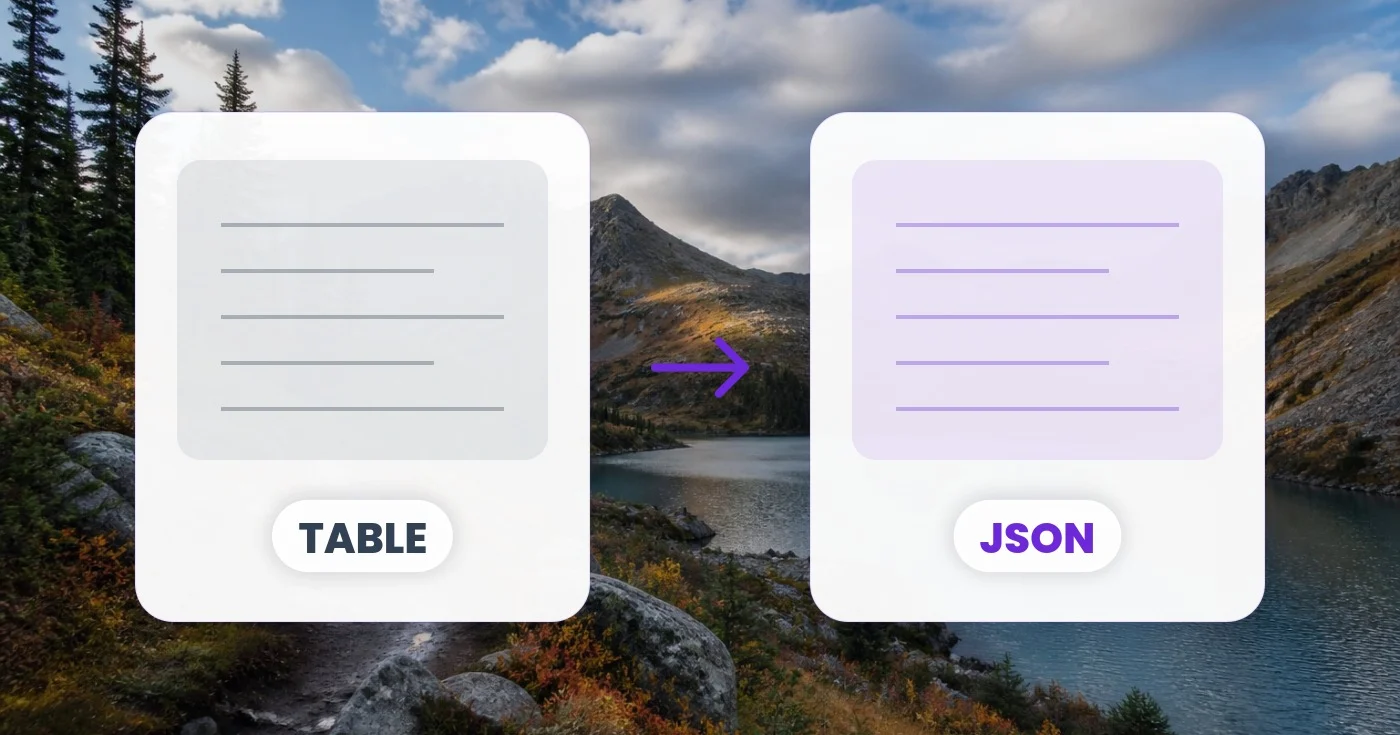
CSV ਤੋਂ JSON ਪਰਿਵਰਤਕ — ਇੱਕ ਸਾਰਣੀ ਨੂੰ JSON ਔਨਲਾਈਨ ਵਿੱਚ ਬਦਲੋ
ਆਪਣੇ ਬ੍ਰਾਊਜ਼ਰ ਵਿੱਚ CSV, TSV, ਪਾਈਪ-ਸੀਮਤ ਜਾਂ ਮਾਰਕਡਾਊਨ ਟੇਬਲ ਨੂੰ JSON, JSONL ਜਾਂ SQL INSERT ਸਟੇਟਮੈਂਟਾਂ ਵਿੱਚ ਬਦਲੋ।
ਇੱਕ ਸਾਰਣੀ ਨੂੰ ਪੇਸਟ ਕਰੋ ਜਾਂ ਇੱਕ CSV ਛੱਡੋ — ਦੂਜੇ ਪਾਸੇ JSON, JSONL ਜਾਂ SQL ਪ੍ਰਾਪਤ ਕਰੋ
ਜਾਂ ਇੱਕ .csv / .tsv ਫਾਈਲ ਅੱਪਲੋਡ ਕਰੋ
ਤੁਸੀਂ ਟੇਬਲ ਤੋਂ JSON ਨਾਲ ਕੀ ਕਰ ਸਕਦੇ ਹੋ
ਸ਼ੁਰੂ ਕਰਨ ਤੋਂ ਪਹਿਲਾਂ ਮੁੱਖ ਸਮਰੱਥਾਵਾਂ ਦੀ ਸਮੀਖਿਆ ਕਰੋ।
- CSV ਜਾਂ TSV ਟੇਬਲ ਨੂੰ JSON ਵਿੱਚ ਬਦਲੋ
- ਸਪ੍ਰੈਡਸ਼ੀਟ ਡੇਟਾ ਨੂੰ SQL INSERT ਸਟੇਟਮੈਂਟਾਂ ਵਿੱਚ ਬਦਲੋ
- ਡਾਟਾ ਪਾਈਪਲਾਈਨਾਂ ਲਈ ਕਤਾਰਾਂ ਨੂੰ JSONL ਵਜੋਂ ਨਿਰਯਾਤ ਕਰੋ
- ਮਾਰਕਡਾਊਨ ਜਾਂ ਪਾਈਪ ਟੇਬਲ ਪੇਸਟ ਕਰੋ ਅਤੇ ਉਹਨਾਂ ਨੂੰ ਬਦਲੋ
- ਖੇਤਰ ਦੇ ਨਾਮ ਦੇ ਤੌਰ ਤੇ ਪਹਿਲੀ ਕਤਾਰ ਵਰਤੋ
- ਕਾਮੇ, ਸੈਮੀਕੋਲਨ ਜਾਂ ਪਾਈਪ ਡੀਲੀਮੀਟਰਾਂ ਨੂੰ ਹੈਂਡਲ ਕਰੋ
ਸੈਟਿੰਗਾਂ ਦਾ ਹਵਾਲਾ
4 ਸੈਟਿੰਗਾਂ
ਟੇਬਲ ਤੋਂ JSON ਲਈ ਉਪਲਬਧ ਨਿਯੰਤਰਣ।
ਸੈਟਿੰਗਾਂ
- ਡਿਲੀਮੀਟਰਡ੍ਰੌਪਡਾਊਨ
- ਤੁਹਾਡੀ ਪੇਸਟ ਕੀਤੀ ਟੇਬਲ ਵਿੱਚ ਕਾਲਮ ਕਿਵੇਂ ਵੰਡੇ ਜਾਣ, ਇਹ ਚੁਣਦਾ ਹੈ — ਕੌਮਾ, ਟੈਬ, ਸੈਮੀਕੌਲਨ, ਪਾਈਪ, ਜਾਂ Markdown ਪਾਈਪਾਂ — ਜਾਂ ਇਸ ਨੂੰ ਆਟੋ-ਪਛਾਣ ਉੱਤੇ ਹੀ ਰਹਿਣ ਦਿਓ, ਤਾਂ ਜੋ ਟੂਲ ਪਹਿਲੀ ਲਾਈਨ ਤੋਂ ਵੱਖ ਕਰਨ ਵਾਲਾ ਚਿੰਨ੍ਹ ਆਪੇ ਚੁਣ ਲਵੇ।ਚੋਣਾਂ: ਆਪੇ-ਆਪ ਖੋਜCSV (ਕੌਮਾ)TSV (ਟੈਬ)ਸੈਮੀਕੋਲਨਪਾਈਪMarkdown ਟੇਬਲ
- ਆਊਟਪੁੱਟਡ੍ਰੌਪਡਾਊਨ
- ਬਦਲਿਆ ਜਾਣ ਵਾਲਾ ਫਾਰਮੈਟ ਚੁਣਦਾ ਹੈ: ਕਾਲਮ ਨਾਵਾਂ ਵਾਲੇ JSON ਆਬਜੈਕਟ, ਸਥਿਤੀ ਮੁਤਾਬਕ JSON ਐਰੇ, ਹਰ ਲਾਈਨ 'ਤੇ ਇੱਕ ਰਿਕਾਰਡ ਵਾਲੀ JSONL, ਜਾਂ ਸਿੱਧਾ ਚਲਾਉਣਯੋਗ SQL INSERT ਸਟੇਟਮੈਂਟਾਂ।ਚੋਣਾਂ: JSON (ਆਬਜੈਕਟ)JSON (ਐਰੇ)JSONLSQL INSERT
- ਪਹਿਲੀ ਕਤਾਰ ਹੈੱਡਰ ਹੈਚਾਲੂ/ਬੰਦ
- ਜਦੋਂ ਇਹ ਚੁਣਿਆ ਹੋਵੇ, ਤਾਂ ਪਹਿਲੀ ਕਤਾਰ ਤੋਂ ਕਾਲਮ ਨਾਂ ਲਏ ਜਾਂਦੇ ਹਨ, ਜੋ JSON ਕੁੰਜੀਆਂ ਜਾਂ SQL ਕਾਲਮਾਂ ਵਜੋਂ ਵਰਤੇ ਜਾਂਦੇ ਹਨ; ਜਦੋਂ ਅਣਚੁਣਿਆ ਹੋਵੇ, ਤਾਂ SQL ਕਾਲਮਾਂ ਦੇ ਨਾਂ ਆਪਣੇ-ਆਪ col_1, col_2 ਰੱਖੇ ਜਾਂਦੇ ਹਨ ਅਤੇ JSON ਆਊਟਪੁੱਟ ਸਥਿਤੀ-ਆਧਾਰਿਤ ਮੁੱਲ ਐਰੇ ਉੱਤੇ ਆ ਜਾਂਦੀ ਹੈ।
- ਟੇਬਲਟੈਕਸਟ ਇਨਪੁੱਟ
- ਤਿਆਰ ਕੀਤੇ SQL INSERT ਸਟੇਟਮੈਂਟਾਂ ਵਿੱਚ ਵਰਤਿਆ ਜਾਣ ਵਾਲਾ ਟੇਬਲ ਨਾਮ ਤੈਅ ਕਰਦਾ ਹੈ (ਮੂਲ ਰੂਪ ਵਿੱਚ my_table); ਸਿਰਫ਼ ਉਦੋਂ ਦਿਖਦਾ ਹੈ ਜਦੋਂ ਆਊਟਪੁੱਟ SQL INSERT ਹੋਵੇ, ਅਤੇ ਅਸੁਰੱਖਿਅਤ ਅੱਖਰ ਆਪਣੇ-ਆਪ ਅੰਡਰਸਕੋਰ ਨਾਲ ਬਦਲ ਦਿੱਤੇ ਜਾਂਦੇ ਹਨ।
ਟੇਬਲ ਤੋਂ JSON ਲਈ ਸੰਬੰਧਿਤ ਟੂਲ
ਟੇਬਲ ਤੋਂ JSON ਤੋਂ ਬਾਅਦ ਆਮ ਅਗਲੇ ਪੜਾਵਾਂ ਲਈ ਟੂਲ।
ਡਿਵੈਲਪਰ ਟੂਲ
JSON ਪ੍ਰੈਟੀਫਾਈ
JSON ਨੂੰ ਪ੍ਰਮਾਣਿਤ ਕਰੋ, ਇਸਨੂੰ 2, 4 ਜਾਂ 8 ਸਪੇਸ ਨਾਲ ਫਾਰਮੈਟ ਕਰੋ, ਜਾਂ ਇਸਨੂੰ ਆਪਣੇ ਬ੍ਰਾਊਜ਼ਰ ਵਿੱਚ ਛੋਟਾ ਕਰੋ।
ਹੁਣੇ ਅਜ਼ਮਾਓ
OCR ਅਤੇ ਡਾਟਾ ਐਕਸਟਰੈਕਸ਼ਨ
ਇਮੇਜ ਤੋਂ CSV
ਇੱਕ ਸਕ੍ਰੀਨਸ਼ੌਟ ਜਾਂ ਫੋਟੋ ਤੋਂ ਇੱਕ ਸਾਰਣੀ ਐਕਸਟਰੈਕਟ ਕਰੋ ਅਤੇ ਮਾਨਤਾ ਪ੍ਰਾਪਤ ਕਤਾਰਾਂ ਅਤੇ ਕਾਲਮਾਂ ਨੂੰ CSV ਵਜੋਂ ਡਾਊਨਲੋਡ ਕਰੋ।
ਹੁਣੇ ਅਜ਼ਮਾਓ
OCR ਅਤੇ ਡਾਟਾ ਐਕਸਟਰੈਕਸ਼ਨ
ਇਮੇਜ ਤੋਂ Excel
ਇੱਕ ਫੋਟੋ ਜਾਂ ਸਕ੍ਰੀਨਸ਼ੌਟ ਤੋਂ ਇੱਕ ਟੇਬਲ ਐਕਸਟਰੈਕਟ ਕਰੋ ਅਤੇ ਸੁਰੱਖਿਅਤ ਕੀਤੀਆਂ ਕਤਾਰਾਂ ਅਤੇ ਕਾਲਮਾਂ ਦੇ ਨਾਲ ਇੱਕ ਸੰਪਾਦਨਯੋਗ .xlsx ਡਾਊਨਲੋਡ ਕਰੋ।
ਹੁਣੇ ਅਜ਼ਮਾਓਅਕਸਰ ਪੁੱਛੇ ਜਾਂਦੇ ਸਵਾਲ
ਟੇਬਲ ਤੋਂ JSON ਤੁਹਾਡਾ ਕੰਮ ਕਰਨ ਵਿੱਚ ਕਿਵੇਂ ਮਦਦ ਕਰਦਾ ਹੈ
ਅਸਲ ਸਮੱਸਿਆਵਾਂ ਜੋ ਇਹ ਹਰ ਰੋਜ਼ ਹੱਲ ਕਰਦੀ ਹੈ — ਕਾਰੋਬਾਰਾਂ, ਸਿਰਜਣਹਾਰਾਂ ਅਤੇ ਰੋਜ਼ਾਨਾ ਦੇ ਕੰਮਾਂ ਲਈ। ਉਹ ਵਰਤੋਂ ਕੇਸ ਲੱਭੋ ਜੋ ਤੁਹਾਡੇ ਲਈ ਫਿੱਟ ਹੈ ਅਤੇ ਸ਼ੁਰੂ ਕਰੋ।
CSV ਤੋਂ API ਮਾਈਗ੍ਰੇਸ਼ਨ
ਤੁਹਾਡੇ ਕੋਲ ਇੱਕ ਸਾਥੀ ਤੋਂ ਇੱਕ ਵਿਰਾਸਤੀ CSV ਨਿਰਯਾਤ ਹੈ ਅਤੇ ਇਸਨੂੰ JSON ਦੀ ਉਮੀਦ ਕਰਦੇ ਹੋਏ ਇੱਕ ਆਧੁਨਿਕ REST API ਵਿੱਚ ਪੋਸਟ ਕਰਨ ਦੀ ਲੋੜ ਹੈ। ਕਨਵਰਟ ਕਰੋ, ਆਪਣੇ ਫੈਚ ਬਾਡੀ ਵਿੱਚ ਕਾਪੀ ਕਰੋ, ਅਤੇ ਆਕਾਰ ਦੀ ਪੁਸ਼ਟੀ ਕਰੋ — ਕਿਸੇ ਗਲੂ ਸਕ੍ਰਿਪਟ ਦੀ ਲੋੜ ਨਹੀਂ ਹੈ।
ਡੇਟਾਬੇਸ ਸੀਡਿੰਗ
ਟੈਸਟ ਡਾਟੇ ਦੇ CSV ਤੋਂ ਚਲਾਉਣ-ਲਈ-ਤਿਆਰ SQL INSERT ਸਟੇਟਮੈਂਟਾਂ ਤਿਆਰ ਕਰੋ। ਸਿੱਧਾ ਆਪਣੀ ਮਾਈਗ੍ਰੇਸ਼ਨ ਫਾਈਲ ਜਾਂ psql ਸ਼ੈੱਲ ਵਿੱਚ ਪਾਓ। ਆਉਟਪੁੱਟ ਸਟ੍ਰਿੰਗ, ਨੰਬਰ, null ਅਤੇ boolean ਨੂੰ ਸਹੀ ਢੰਗ ਨਾਲ ਸੰਭਾਲਦੀ ਹੈ।
BigQuery / Snowflake ਇਨਜੈਸ਼ਨ
ਕਲਾਉਡ ਵੇਅਰਹਾਊਸ CSV ਨਾਲੋਂ JSONL ਨੂੰ ਤੇਜ਼ੀ ਨਾਲ ਲੈਂਦੇ ਹਨ। ਆਪਣੀ ਸਪ੍ਰੈੱਡਸ਼ੀਟ ਨੂੰ JSONL ਵਿੱਚ ਬਦਲੋ ਅਤੇ ਸਿੱਧਾ BigQuery, Snowflake ਜਾਂ Redshift ਸਟੇਜਿੰਗ ਵਿੱਚ ਅੱਪਲੋਡ ਕਰੋ।
Markdown ਦਸਤਾਵੇਜ਼ੀਕਰਨ ਟੇਬਲਾਂ
ਆਪਣੇ Markdown ਦਸਤਾਵੇਜ਼ਾਂ ਤੋਂ ਪੇਸਟ ਨੂੰ ਪ੍ਰੋਗਰਾਮੈਟਿਕ ਪ੍ਰੋਸੈਸਿੰਗ ਲਈ JSON ਵਿੱਚ ਬਦਲੋ — ਮਨੁੱਖ-ਪੜ੍ਹਨਯੋਗ Markdown ਟੇਬਲਾਂ ਤੋਂ FAQ ਆਈਟਮਾਂ, ਨੈਵੀਗੇਸ਼ਨ ਐਂਟਰੀਆਂ ਜਾਂ ਪ੍ਰਾਈਸਿੰਗ ਟੀਅਰ ਡੇਟਾ ਤਿਆਰ ਕਰੋ।
ਫਾਰਮ ਜਮ੍ਹਾਂ ਕਰਨ ਦਾ ਵਿਸ਼ਲੇਸ਼ਣ
ਆਪਣੇ Google Forms ਜਾਂ Typeform ਜਵਾਬਾਂ ਨੂੰ CSV ਵਜੋਂ ਐਕਸਪੋਰਟ ਕਰੋ, JSON ਵਿੱਚ ਬਦਲੋ, ਅਤੇ ਵਿਸ਼ਲੇਸ਼ਣ ਚਲਾਓ ਜਾਂ API ਰਾਹੀਂ ਆਪਣੇ CRM ਵਿੱਚ ਪਾਓ। ਹੈੱਡਰ ਕਤਾਰ ਤੁਹਾਡੇ ਫੀਲਡ ਨਾਮ ਬਣ ਜਾਂਦੀ ਹੈ।
ਸਟੈਟਿਕ ਸਾਈਟ ਡਾਟਾ ਜਨਰੇਸ਼ਨ
ਟੇਬਲ ਡਾਟਾ ਨੂੰ Next.js getStaticProps, Astro content collections ਜਾਂ Hugo data files ਵਿੱਚ ਪਾਓ। JSONL ਖਾਸ ਤੌਰ 'ਤੇ ਉਹਨਾਂ content collections ਲਈ ਲਾਭਦਾਇਕ ਹੈ ਜੋ ਇੱਕ ਕਤਾਰ ਨੂੰ ਇੱਕ ਪੰਨੇ ਨਾਲ ਮੈਪ ਕਰਦੇ ਹਨ।
QA ਟੈਸਟ ਫਿਕਸਚਰ ਜਨਰੇਸ਼ਨ
ਟੈਸਟ ਦ੍ਰਿਸ਼ਾਂ ਦੀ ਇੱਕ ਸਪ੍ਰੈੱਡਸ਼ੀਟ ਪੇਸਟ ਕਰੋ ਅਤੇ JSON ਫਿਕਸਚਰ ਜਾਂ JSONL ਸਿੱਧਾ ਕਿਸੇ Jest, Pytest ਜਾਂ Playwright ਟੈਸਟ ਸੂਟ ਵਿੱਚ ਐਕਸਪੋਰਟ ਕਰੋ, ਹੱਥੀਂ ਲਿਖੀ ਮੌਕ-ਡਾਟਾ ਫਾਈਲ ਨੂੰ ਪੂਰੀ ਤਰ੍ਹਾਂ ਛੱਡ ਦਿਓ।
ਸਪਲਾਇਰ ਕੈਟਾਲਾਗ ਬਲਕ ਇੰਪੋਰਟ
ਕਿਸੇ ਸਪਲਾਇਰ ਦੀ ਕੀਮਤ-ਸੂਚੀ CSV ਨੂੰ ਆਪਣੀ products ਟੇਬਲ ਲਈ SQL INSERT ਸਟੇਟਮੈਂਟਾਂ ਵਿੱਚ ਬਦਲੋ, ਜਾਂ ਕਿਸੇ Shopify/WooCommerce ਬਲਕ-ਇੰਪੋਰਟ ਐਪ ਲਈ JSON ਵਿੱਚ, Table name ਫੀਲਡ ਦੀ ਵਰਤੋਂ ਕਰਕੇ ਉਸ ਸਟੀਕ ਟੇਬਲ ਨੂੰ ਨਿਸ਼ਾਨਾ ਬਣਾਓ ਜਿਸਦੀ ਤੁਹਾਡਾ ਸਟੋਰ ਉਮੀਦ ਕਰਦਾ ਹੈ।
ਨੋ-ਕੋਡ Zapier ਅਤੇ Airtable ਸਿੰਕ
ਕਿਸੇ ਐਕਸਪੋਰਟ ਕੀਤੀ ਸਪ੍ਰੈੱਡਸ਼ੀਟ ਨੂੰ ਉਸ JSON ਐਰੇ ਜਾਂ ਆਬਜੈਕਟ ਬਣਤਰ ਵਿੱਚ ਬਦਲੋ ਜਿਸਦੀ ਕੋਈ Zapier ਵੈੱਬਹੁੱਕ, Airtable ਆਟੋਮੇਸ਼ਨ ਜਾਂ Make.com ਦ੍ਰਿਸ਼ ਉਮੀਦ ਕਰਦਾ ਹੈ, ਬਿਨਾਂ ਕੋਈ ਰੂਪਾਂਤਰਣ ਸਕ੍ਰਿਪਟ ਲਿਖੇ।
ਬੈਂਕ ਸਟੇਟਮੈਂਟ ਰਿਕੰਸੀਲੀਏਸ਼ਨ
ਕਿਸੇ ਐਕਸਪੋਰਟ ਕੀਤੀ ਬੈਂਕ ਜਾਂ ਕਾਰਡ-ਸਟੇਟਮੈਂਟ CSV ਨੂੰ ਨਿੱਜੀ-ਵਿੱਤ ਡੈਸ਼ਬੋਰਡ ਲਈ JSON ਵਿੱਚ ਬਦਲੋ, ਜਾਂ ਲੈਣ-ਦੇਣ ਨੂੰ ਸਿੱਧਾ ਕਿਸੇ ਲੈਜ਼ਰ ਡਾਟਾਬੇਸ ਵਿੱਚ ਲੋਡ ਕਰਨ ਲਈ SQL INSERT ਸਟੇਟਮੈਂਟਾਂ ਵਿੱਚ ਬਦਲੋ।
ਸਟੈਟਿਕ ਸਾਈਟ ਡਾਟਾ ਫਾਈਲ ਜਨਰੇਸ਼ਨ
ਟੀਮ ਬਾਇਓ, ਕੀਮਤ ਸ਼੍ਰੇਣੀਆਂ ਜਾਂ ਉਤਪਾਦ ਸੂਚੀਆਂ ਦੀ ਇੱਕ ਸਪ੍ਰੈੱਡਸ਼ੀਟ ਨੂੰ ਇੱਕ JSON ਡਾਟਾ ਫਾਈਲ ਵਿੱਚ ਬਦਲੋ ਜਿਸ ਉੱਤੇ Hugo, Jekyll, Astro ਜਾਂ Eleventy ਟੈਂਪਲੇਟ ਸਿੱਧੇ ਲੂਪ ਕਰਦੇ ਹਨ, ਉਸ ਹੱਥੀਂ ਲਿਖੀ data/*.json ਫਾਈਲ ਨੂੰ ਛੱਡ ਦਿਓ ਜਿਸਦੀ ਇੱਕ JAMstack ਬਿਲਡ ਨੂੰ ਆਮ ਤੌਰ 'ਤੇ ਲੋੜ ਹੁੰਦੀ ਹੈ।
ਇਸ ਟੂਲ ਦੀਆਂ ਗਾਈਡਾਂ
ਹਰ ਰੂਪਾਂਤਰ ਲਾਗੂ ਹੁੰਦਾ ਵੇਖੋ
ਹਰ ਫੋਟੋ ਸਲੈਸ਼ ਨੂੰ ਬਿਨਾਂ ਛੂਹ ਕੇ ਪਾਰ ਕਰਦੀ ਹੈ ਅਤੇ ਦੂਜੇ ਪਾਸੇ ਤੋਂ ਬਾਹਰ ਆਉਂਦੀ ਹੈ।























