
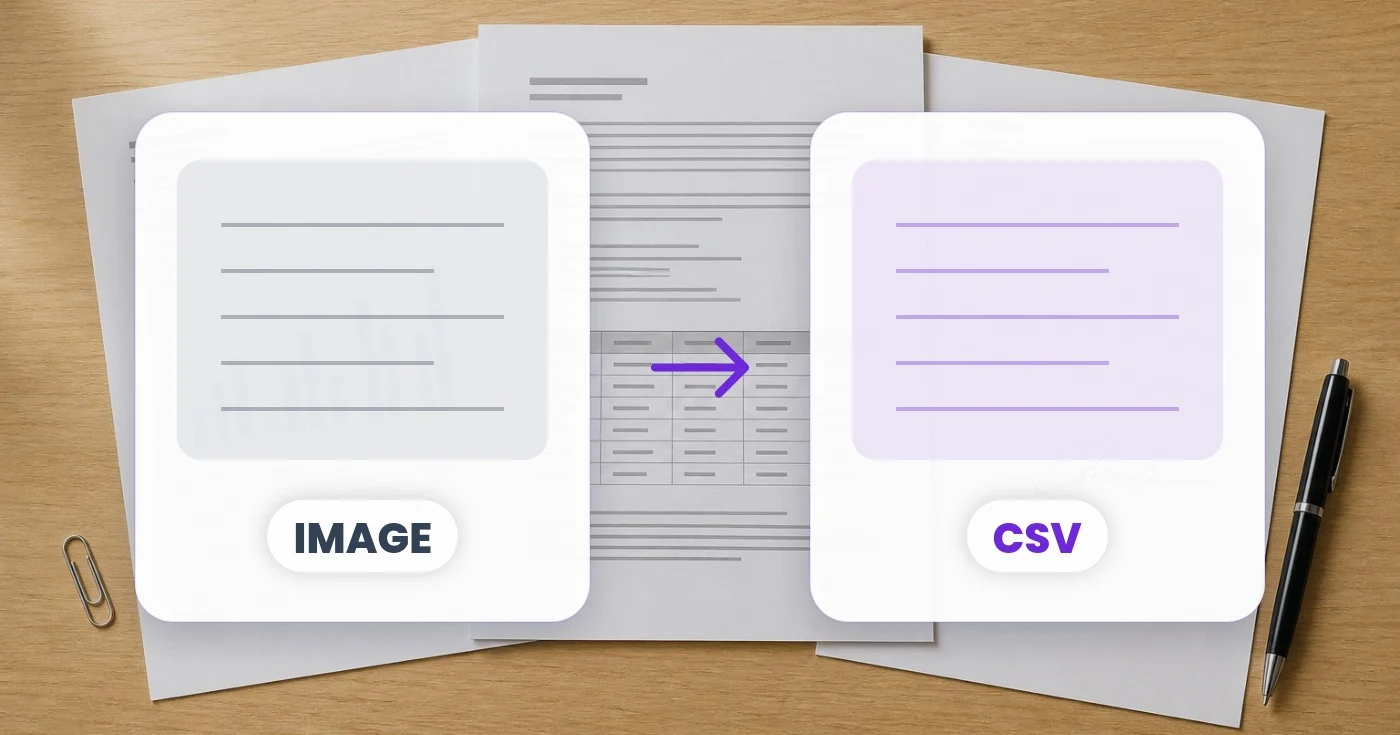
ਚਿੱਤਰ ਤੋਂ CSV ਪਰਿਵਰਤਕ - ਇੱਕ ਚਿੱਤਰ ਤੋਂ CSV ਵਿੱਚ ਇੱਕ ਸਾਰਣੀ ਐਕਸਟਰੈਕਟ ਕਰੋ
ਦੁਬਾਰਾ ਟਾਈਪ ਕੀਤੇ ਬਿਨਾਂ ਟੇਬਲ ਕੱਢੋ। ਐਕਸਪੋਰਟ ਕਰਨ ਤੋਂ ਪਹਿਲਾਂ ਸੈੱਲ ਜਾਂਚੋ।
ਤਸਵੀਰ ਅੱਪਲੋਡ ਕਰੋ
ਡਾਊਨਲੋਡ ਕਰਨ ਤੋਂ ਪਹਿਲਾਂ ਕੱਢੇ ਸੈੱਲ ਜਾਂਚੋ।
ਚਿੱਤਰਾਂ ਦੇ ਸਾਰੇ ਫਾਰਮੈਟ (JPG, PNG, WEBP, HEIC, TIFF…)
ਤੁਸੀਂ ਇਮੇਜ ਤੋਂ CSV ਨਾਲ ਕੀ ਕਰ ਸਕਦੇ ਹੋ
ਸ਼ੁਰੂ ਕਰਨ ਤੋਂ ਪਹਿਲਾਂ ਮੁੱਖ ਸਮਰੱਥਾਵਾਂ ਦੀ ਸਮੀਖਿਆ ਕਰੋ।
- ਟੇਬਲ ਸਕ੍ਰੀਨਸ਼ੌਟਸ ਨੂੰ ਵਰਤੋਂ ਲਈ ਤਿਆਰ CSV ਵਿੱਚ ਬਦਲੋ
- ਕਿਸੇ ਵੀ ਫੋਟੋ ਤੋਂ ਸਪ੍ਰੈਡਸ਼ੀਟ ਡੇਟਾ ਐਕਸਟਰੈਕਟ ਕਰੋ
- ਸਕੈਨ ਕੀਤੇ ਦਸਤਾਵੇਜ਼ਾਂ ਵਿੱਚੋਂ ਕਤਾਰਾਂ ਅਤੇ ਕਾਲਮਾਂ ਨੂੰ ਬਾਹਰ ਕੱਢੋ
- CSV ਫ਼ਾਈਲਾਂ ਪ੍ਰਾਪਤ ਕਰੋ ਜੋ ਤੁਸੀਂ Excel ਜਾਂ Sheets ਵਿੱਚ ਖੋਲ੍ਹ ਸਕਦੇ ਹੋ
- ਕਈ ਭਾਸ਼ਾਵਾਂ ਵਿੱਚ ਚਿੱਤਰਾਂ ਤੋਂ ਡਾਟਾ ਮੁੜ ਪ੍ਰਾਪਤ ਕਰੋ
- ਦੁਬਾਰਾ ਟਾਈਪ ਕੀਤੇ ਬਿਨਾਂ ਪ੍ਰਿੰਟ ਕੀਤੀਆਂ ਟੇਬਲਾਂ ਨੂੰ ਡਿਜੀਟਾਈਜ਼ ਕਰੋ
ਸੈਟਿੰਗਾਂ ਦਾ ਹਵਾਲਾ
3 ਸੈਟਿੰਗਾਂ
ਇਮੇਜ ਤੋਂ CSV ਲਈ ਉਪਲਬਧ ਨਿਯੰਤਰਣ।
- ਪ੍ਰੋਸੈਸਿੰਗ ਮੋਡਪ੍ਰੀਸੈਟ
- ਇੱਕ ਇਨਪੁੱਟ ਪ੍ਰੋਸੈਸ ਕਰੋ ਜਾਂ ਇੱਕੋ ਸੈਟਿੰਗਾਂ ਨਾਲ ਕਈ ਇਨਪੁੱਟ ਪ੍ਰੋਸੈਸ ਕਰਨ ਲਈ Premium ਬੈਚ ਮੋਡ ਚੁਣੋ। ਉਪਲਬਧ ਇਨਪੁੱਟ ਕਿਸਮਾਂ ਟੂਲ ਉੱਤੇ ਨਿਰਭਰ ਕਰਦੀਆਂ ਹਨ।ਚੋਣਾਂ: ਸਿੰਗਲ ਫਾਈਲਬੈਚ
ਸੈਟਿੰਗਾਂ
- ਇੰਜਣਡ੍ਰੌਪਡਾਊਨ
- ਟੇਬਲ ਪਛਾਣਨ ਵਾਲਾ ਇੰਜਣ ਚੁਣਦਾ ਹੈ: ਮੂਲ ਬਹੁਤੀਆਂ ਰਸੀਦਾਂ ਅਤੇ ਇਨਵੌਇਸਾਂ ਸੰਭਾਲ ਲੈਂਦਾ ਹੈ, Table AI (beta) ਮਿਲੇ ਹੋਏ ਹੈਡਰਾਂ ਵਾਲੇ ਔਖੇ ਲੇਆਊਟਾਂ ਲਈ ਢੁਕਵਾਂ ਹੈ, ਜਦਕਿ ਇੰਜਣ 1 ਅਤੇ ਇੰਜਣ 2 ਸਧਾਰਨ ਗ੍ਰਿੱਡਾਂ ਉੱਤੇ ਸਭ ਤੋਂ ਵਧੀਆ ਕੰਮ ਕਰਦੇ ਹਨ।ਚੋਣਾਂ: ਮੂਲਸਾਰਣੀ AI (ਬੀਟਾ)ਇੰਜਣ 1ਇੰਜਣ 2
- ਭਾਸ਼ਾਡ੍ਰੌਪਡਾਊਨ
- Choose the main language in the source. The available choices depend on the selected reader; unsupported languages are hidden. English is the default. Review the extracted text for recognition errors.ਚੋਣਾਂ: ਅੰਗਰੇਜ਼ੀਫ੍ਰੈਂਚਜਰਮਨਸਪੇਨੀਇਤਾਲਵੀਪੁਰਤਗਾਲੀਡੱਚਰੂਸੀਜਾਪਾਨੀਕੋਰੀਅਨਚੀਨੀ (ਸਰਲੀਕ੍ਰਿਤ)ਚੀਨੀ (ਰਵਾਇਤੀ)ਅਰਬੀਹਿੰਦੀਬੰਗਾਲੀਪੰਜਾਬੀਉਰਦੂਵੀਅਤਨਾਮੀਥਾਈਪੋਲਿਸ਼ਸਵੀਡਿਸ਼ਡੈਨਿਸ਼ਨਾਰਵੇਜਿਅਨਫਿਨਿਸ਼ਤੁਰਕੀਯੂਕਰੇਨੀਇੰਡੋਨੇਸ਼ੀਆਈਤਾਮਿਲਤੇਲਗੂਮਰਾਠੀਨੇਪਾਲੀਫਾਰਸੀਯੂਨਾਨੀਇਬਰਾਨੀ
Find the conversion for your document
ਇਮੇਜ ਤੋਂ CSV ਲਈ ਸੰਬੰਧਿਤ ਟੂਲ
ਇਮੇਜ ਤੋਂ CSV ਤੋਂ ਬਾਅਦ ਆਮ ਅਗਲੇ ਪੜਾਵਾਂ ਲਈ ਟੂਲ।

OCR ਅਤੇ ਡਾਟਾ ਐਕਸਟਰੈਕਸ਼ਨ
ਇਮੇਜ ਤੋਂ Excel
ਇੱਕ ਫੋਟੋ ਜਾਂ ਸਕ੍ਰੀਨਸ਼ੌਟ ਤੋਂ ਇੱਕ ਟੇਬਲ ਐਕਸਟਰੈਕਟ ਕਰੋ ਅਤੇ ਸੁਰੱਖਿਅਤ ਕੀਤੀਆਂ ਕਤਾਰਾਂ ਅਤੇ ਕਾਲਮਾਂ ਦੇ ਨਾਲ ਇੱਕ ਸੰਪਾਦਨਯੋਗ .xlsx ਡਾਊਨਲੋਡ ਕਰੋ।
ਹੁਣੇ ਅਜ਼ਮਾਓ
OCR ਅਤੇ ਡਾਟਾ ਐਕਸਟਰੈਕਸ਼ਨ
ਇਮੇਜ ਤੋਂ ਟੈਕਸਟ (OCR)
30+ ਸਮਰਥਿਤ ਭਾਸ਼ਾਵਾਂ ਵਿੱਚ ਸਕ੍ਰੀਨਸ਼ੌਟ, ਫੋਟੋ ਜਾਂ ਸਕੈਨ ਤੋਂ ਸੰਪਾਦਨਯੋਗ ਟੈਕਸਟ ਐਕਸਟਰੈਕਟ ਕਰੋ।
ਹੁਣੇ ਅਜ਼ਮਾਓ
ਡਿਵੈਲਪਰ ਟੂਲ
ਟੇਬਲ ਤੋਂ JSON / SQL
ਆਪਣੇ ਬ੍ਰਾਊਜ਼ਰ ਵਿੱਚ CSV, TSV, ਪਾਈਪ-ਸੀਮਤ ਜਾਂ ਮਾਰਕਡਾਊਨ ਟੇਬਲ ਨੂੰ JSON, JSONL ਜਾਂ SQL INSERT ਸਟੇਟਮੈਂਟਾਂ ਵਿੱਚ ਬਦਲੋ।
ਹੁਣੇ ਅਜ਼ਮਾਓਅਕਸਰ ਪੁੱਛੇ ਜਾਂਦੇ ਸਵਾਲ
ਇਮੇਜ ਤੋਂ CSV ਤੁਹਾਡਾ ਕੰਮ ਕਰਨ ਵਿੱਚ ਕਿਵੇਂ ਮਦਦ ਕਰਦਾ ਹੈ
ਅਸਲ ਸਮੱਸਿਆਵਾਂ ਜੋ ਇਹ ਹਰ ਰੋਜ਼ ਹੱਲ ਕਰਦੀ ਹੈ — ਕਾਰੋਬਾਰਾਂ, ਸਿਰਜਣਹਾਰਾਂ ਅਤੇ ਰੋਜ਼ਾਨਾ ਦੇ ਕੰਮਾਂ ਲਈ। ਉਹ ਵਰਤੋਂ ਕੇਸ ਲੱਭੋ ਜੋ ਤੁਹਾਡੇ ਲਈ ਫਿੱਟ ਹੈ ਅਤੇ ਸ਼ੁਰੂ ਕਰੋ।
CRM ਸੰਪਰਕ ਇੰਪੋਰਟ
ਫ਼ੋਟੋ ਖਿੱਚੀਆਂ ਸੰਪਰਕ ਸੂਚੀਆਂ, ਇਵੈਂਟ ਸਾਈਨ-ਇਨ ਸ਼ੀਟਾਂ ਅਤੇ ਟ੍ਰੇਡ-ਸ਼ੋ ਲੀਡ ਕੈਪਚਰ ਸ਼ੀਟਾਂ ਨੂੰ ਅਜਿਹੀਆਂ CSV ਫਾਈਲਾਂ ਵਿੱਚ ਬਦਲੋ ਜੋ Salesforce, HubSpot ਜਾਂ Pipedrive ਵਿੱਚ ਆਯਾਤ ਕਰਨ ਲਈ ਤਿਆਰ ਹੋਣ।
ਵ੍ਹਾਈਟਬੋਰਡਾਂ ਤੋਂ ਸੇਲਜ਼ ਪਾਈਪਲਾਈਨ
ਸਟੈਂਡਅੱਪ ਵੇਲੇ ਹਫ਼ਤਾਵਾਰੀ ਸੇਲਜ਼ ਵਾਈਟਬੋਰਡ ਨੂੰ ਕੈਪਚਰ ਕਰੋ ਅਤੇ ਪਾਈਪਲਾਈਨ ਸਮੀਖਿਆ, ਪੂਰਵ-ਅਨੁਮਾਨ ਅਤੇ Notion, Airtable ਜਾਂ Excel ਵਿੱਚ ਸਾਂਝੇ ਡੈਸ਼ਬੋਰਡਾਂ ਲਈ ਉਸ ਨੂੰ ਇੱਕ CSV ਵਿੱਚ ਬਦਲੋ।
ਕਾਨਫਰੰਸ ਅਤੇ ਟ੍ਰੇਡ-ਸ਼ੋ ਲੀਡ ਸੂਚੀਆਂ
ਕਾਨਫਰੰਸਾਂ ਦੀਆਂ ਕਾਗ਼ਜ਼ੀ ਸਾਈਨ-ਇਨ ਸ਼ੀਟਾਂ ਅਤੇ ਲੀਡ ਕੈਪਚਰ ਫਾਰਮਾਂ ਨੂੰ ਅਜਿਹੀਆਂ CSV ਵਿੱਚ ਬਦਲੋ ਜੋ ਫਾਲੋ-ਅੱਪ ਮੁਹਿੰਮਾਂ ਲਈ ਸਿੱਧਾ ਤੁਹਾਡੇ ਮਾਰਕੀਟਿੰਗ ਆਟੋਮੇਸ਼ਨ ਟੂਲ ਵਿੱਚ ਪੈ ਜਾਣ।
BI ਟੂਲਾਂ ਲਈ ਸਰਵੇ ਡਾਟਾ
ਕਾਗਜ਼ੀ ਸਰਵੇਖਣ ਜਵਾਬਾਂ ਨੂੰ Tableau, Power BI, Looker ਜਾਂ Metabase ਲਈ ਤਿਆਰ CSV ਵਿੱਚ ਬਦਲੋ — ਸਰਵੇਖਣ ਇਕੱਠਾ ਕਰਨਾ ਮੁਕੰਮਲ ਕਰਨ ਦੇ ਕੁਝ ਮਿੰਟਾਂ ਅੰਦਰ ਹੀ ਵਿਸ਼ਲੇਸ਼ਣ ਸ਼ੁਰੂ ਕਰੋ।
ਪ੍ਰਿੰਟਆਊਟਾਂ ਤੋਂ ਈਮੇਲ ਮਾਰਕੀਟਿੰਗ ਸੂਚੀਆਂ
ਪ੍ਰਾਪਤੀਆਂ, ਭਾਈਵਾਲੀਆਂ ਅਤੇ ਪੁਰਾਣੇ ਡਾਟਾਬੇਸਾਂ ਤੋਂ ਪ੍ਰਿੰਟ ਕੀਤੀਆਂ ਮੇਲਿੰਗ ਸੂਚੀਆਂ ਨੂੰ ਅਜਿਹੀਆਂ CSV ਫਾਈਲਾਂ ਵਿੱਚ ਬਦਲੋ ਜੋ Mailchimp, ConvertKit ਜਾਂ HubSpot Email ਵਿੱਚ ਸਾਫ਼-ਸੁਥਰੇ ਢੰਗ ਨਾਲ ਆਯਾਤ ਹੋਣ।
ਈ-ਕਾਮਰਸ ਇਨਵੈਂਟਰੀ ਸਿੰਕ
ਸਪਲਾਇਰ ਦੀਆਂ ਕੀਮਤ ਸੂਚੀਆਂ ਅਤੇ ਇਨਵੈਂਟਰੀ ਸ਼ੀਟਾਂ ਦੀ ਫੋਟੋ ਖਿੱਚੋ ਅਤੇ ਉਨ੍ਹਾਂ ਨੂੰ ਅਜਿਹੀਆਂ CSV ਵਿੱਚ ਬਦਲੋ ਜੋ ਸਿੱਧਾ Shopify, WooCommerce, BigCommerce ਜਾਂ ਤੁਹਾਡੇ ਆਪਣੇ ਸਟੋਰ ਬੈਕਐਂਡ ਵਿੱਚ ਸਿੰਕ ਹੋ ਜਾਣ।
ਬੈਂਕ ਅਤੇ ਅਕਾਊਂਟਿੰਗ ਸੌਫ਼ਟਵੇਅਰ ਇੰਪੋਰਟ
ਬੈਂਕ ਸਟੇਟਮੈਂਟ ਪ੍ਰਿੰਟਆਊਟਾਂ ਵਿੱਚੋਂ ਟੇਬਲ ਕੱਢੋ ਅਤੇ ਉਹਨਾਂ ਨੂੰ CSV ਰਾਹੀਂ QuickBooks, Xero, Wave ਜਾਂ FreshBooks ਵਿੱਚ ਇੰਪੋਰਟ ਕਰੋ — ਹੱਥੀਂ ਟ੍ਰਾਂਜੈਕਸ਼ਨ ਦਾਖਲ ਕਰਨ ਦੇ ਘੰਟੇ ਬਚਾਉਂਦਾ ਹੈ।
ਐਡਰੈੱਸ ਬੁੱਕਾਂ ਤੇ ਸੰਪਰਕ ਮਾਈਗ੍ਰੇਸ਼ਨ
ਫ਼ੋਨ-ਬੁੱਕ ਪੰਨਿਆਂ, ਐਡਰੈੱਸ-ਬੁੱਕ ਦੀਆਂ ਫ਼ੋਟੋਆਂ ਅਤੇ ਪ੍ਰਿੰਟ ਕੀਤੇ ਸੰਪਰਕ ਰੋਲੋਡੈਕਸਾਂ ਨੂੰ ਅਜਿਹੀਆਂ CSV ਫਾਈਲਾਂ ਵਿੱਚ ਬਦਲੋ ਜੋ Google Contacts, iCloud ਜਾਂ ਤੁਹਾਡੀ ਪਸੰਦ ਦੇ CRM ਵਿੱਚ ਆਯਾਤ ਕਰਨ ਲਈ ਤਿਆਰ ਹੋਣ।
ਖੋਜ-ਪੱਤਰਾਂ ਵਿੱਚੋਂ ਡਾਟਾ ਟੇਬਲਾਂ ਨੂੰ ਡਿਜੀਟਲ ਕਰੋ
ਕਿਸੇ ਜਰਨਲ ਲੇਖ ਜਾਂ ਥੀਸਿਸ ਦੀ ਪ੍ਰਿੰਟ ਕੀਤੀ ਨਤੀਜਾ ਟੇਬਲ ਦੀ ਫੋਟੋ ਖਿੱਚੋ ਅਤੇ ਇਸਨੂੰ CSV ਵਜੋਂ ਐਕਸਪੋਰਟ ਕਰੋ ਜੋ ਦੁਬਾਰਾ-ਵਿਸ਼ਲੇਸ਼ਣ ਲਈ R, Python (pandas), SPSS ਜਾਂ Excel ਵਿੱਚ ਪਾਉਣ ਲਈ ਤਿਆਰ ਹੋਵੇ — ਦਸ਼ਮਲਵ-ਭਰਪੂਰ ਡੇਟਾਸੈੱਟਾਂ ਦੀ ਕੋਈ ਹੱਥੀਂ ਦੁਬਾਰਾ ਟਾਈਪਿੰਗ ਨਹੀਂ।
ਸਰਕਾਰੀ ਰਿਪੋਰਟ ਟੇਬਲਾਂ ਤੋਂ ਓਪਨ ਡੇਟਾ
ਸਕੈਨ ਕੀਤੀਆਂ ਮਰਦਮਸ਼ੁਮਾਰੀ ਟੇਬਲਾਂ, ਚੋਣ ਨਤੀਜਿਆਂ ਜਾਂ ਨਗਰ-ਪਾਲਿਕਾ ਬਜਟ ਪ੍ਰਿੰਟਆਊਟਾਂ ਨੂੰ ਢਾਂਚਾਗਤ CSV ਵਿੱਚ ਬਦਲੋ ਤਾਂ ਜੋ ਪੱਤਰਕਾਰ, ਖੋਜਕਾਰ ਅਤੇ ਸਿਵਿਕ-ਟੈੱਕ ਵਲੰਟੀਅਰ ਹਰ ਕਤਾਰ ਨੂੰ ਦੁਬਾਰਾ ਟਾਈਪ ਕਰਨ ਦੀ ਥਾਂ ਉਹਨਾਂ ਨੂੰ ਓਪਨ ਡੇਟਾਸੈੱਟ ਵਜੋਂ ਪ੍ਰਕਾਸ਼ਿਤ ਕਰ ਸਕਣ।
QA ਅਤੇ ਡਿਵੈੱਲਪਰ ਟੀਮਾਂ ਲਈ ਟੈਸਟ ਫਿਕਸਚਰ
ਕਿਸੇ ਸਪੈੱਕ, ਡਿਜ਼ਾਈਨ ਮੌਕ ਜਾਂ ਪੁਰਾਣੀ ਰਿਪੋਰਟ ਤੋਂ ਇੱਕ ਨਮੂਨਾ ਡੇਟਾ ਟੇਬਲ ਦਾ ਸਕ੍ਰੀਨਸ਼ੌਟ ਲਓ ਅਤੇ ਟੈਸਟ ਡੇਟਾਬੇਸ ਭਰਨ ਜਾਂ ਸਵੈਚਾਲਿਤ ਟੈਸਟ ਕੇਸ ਲਿਖਣ ਲਈ ਇਸਨੂੰ ਸਿੱਧੇ ਇੱਕ CSV ਫਿਕਸਚਰ ਫਾਈਲ ਵਿੱਚ ਬਦਲੋ।
ਪਰਿਵਾਰਕ ਇਤਿਹਾਸ ਬਹੀਆਂ ਤੋਂ ਸਪ੍ਰੈੱਡਸ਼ੀਟ
ਪੁਰਾਣੀਆਂ ਪਰਿਵਾਰਕ ਬਹੀਆਂ, ਬਪਤਿਸਮਾ ਰਜਿਸਟਰ ਜਾਂ ਇਮੀਗ੍ਰੇਸ਼ਨ ਰਿਕਾਰਡ ਟੇਬਲਾਂ ਦੀ ਫੋਟੋ ਖਿੱਚੋ ਅਤੇ ਉਹਨਾਂ ਨੂੰ CSV ਵਿੱਚ ਬਦਲੋ ਤਾਂ ਜੋ ਵੰਸ਼ਾਵਲੀ-ਵਿਗਿਆਨੀ ਨਾਵਾਂ ਅਤੇ ਤਾਰੀਖਾਂ ਨੂੰ ਤੁਰੰਤ ਲੜੀਬੱਧ, ਖੋਜ ਅਤੇ ਕ੍ਰਾਸ-ਰੈਫਰੰਸ ਕਰ ਸਕਣ।
ਇਸ ਟੂਲ ਦੀਆਂ ਗਾਈਡਾਂ
- How to Convert Table Screenshots to CSV for Spreadsheet ImportsConvert a table screenshot to CSV with Pixoate. Review headers, delimiters and leading zeros so extracted data is ready for your spreadsheet import.
- How to Convert an Image to Excel with Editable Rows and ColumnsConvert an image to Excel with editable rows and columns. Use Pixoate to extract table data, then check prices, dates and product codes before sharing.
ਹਰ ਰੂਪਾਂਤਰ ਲਾਗੂ ਹੁੰਦਾ ਵੇਖੋ
ਹਰ ਫੋਟੋ ਸਲੈਸ਼ ਨੂੰ ਬਿਨਾਂ ਛੂਹ ਕੇ ਪਾਰ ਕਰਦੀ ਹੈ ਅਤੇ ਦੂਜੇ ਪਾਸੇ ਤੋਂ ਬਾਹਰ ਆਉਂਦੀ ਹੈ।























