
Räkna träd i rad eller rita från ett foto
Fungerar med JPG, PNG, WEBP · Frigör upp till 20 MB, Premium 50 MB
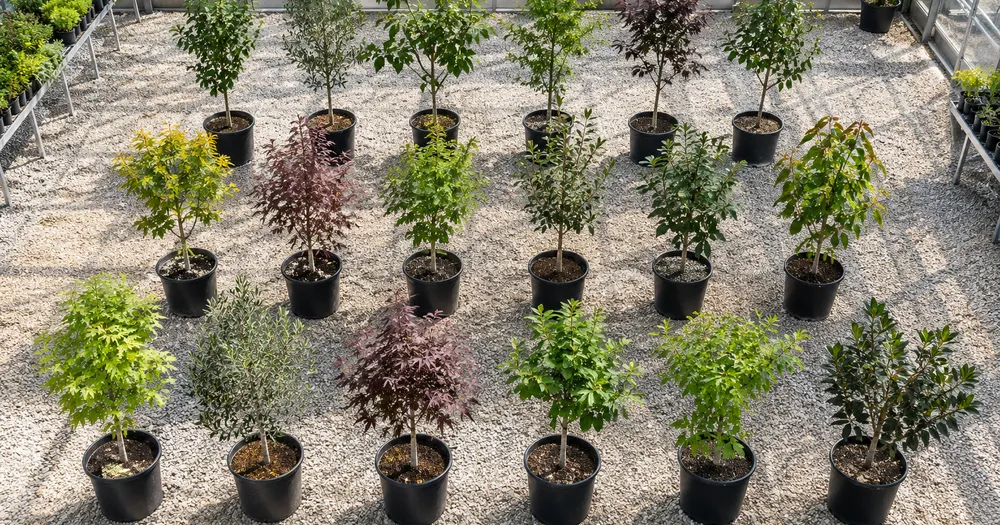
Fotografera längs raderna ovanifrån eller från en hög vinkel så att varje träd syns tydligt. Räkna bädd för bädd och slå samman resultaten i räkningsbladet. Utformat för plantskolor, trädgårdscenter och odlare — granska och korrigera varje foto innan det läggs till i en CSV- eller PDF-sammanställning.
- Granska fotot och räkna sedan synliga träd
- Upload a photo and get an automatic count
- Review the markers to catch trees counted twice or missed
- Gratis att använda · Ingen registrering krävs · Utan vattenstämpel
Ladda upp bild
Tips för en korrekt räkning
• Använd ett jämnt belyst foto där hela träd syns i bild
• Keep your trees visible and avoid overlapping items
• Prickar och värmekarta visar bibehållna detekteringar — granska och korrigera räkningen
Om räknaren för Träd
The trees counter counts visible trees from your photo and marks detections for review. Counting starts automatically once the photo and item are ready. Visibility, overlap and similar-looking items can affect the total. Built for nurseries, garden centres and growers.
Så fungerar det
1. Fotografera din träd
2. Upload your photo to count trees automatically
3. Review the markers and correct the tally if needed
4. Lägg till i räkningslistan och exportera ditt antal som CSV
Perfekt för
• Inventering av plantskolerader med småplantor efter art
• Inventering av fruktträdgårdar och plantage från hög vinkel
• Planteringsverifiering mot en planpost
• Överlevnad räknas mellan säsongerna
Vanliga frågor
- Hur räknar jag långa rader eller odlingsbäddar?
- Fotografera en bädd eller ett avsnitt i taget från så hög vinkel som möjligt, håll raderna i fokus, granska och korrigera sedan varje resultat innan du lägger till det i räknearket. Markerade foton stödjer granskningen men är inte ett bevis på den fysiska mängden.
- Kan den räkna träd från ett drönarfoto?
- Ja — bilder av fruktträdgårdar och planteringar tagna rakt uppifrån där varje trädkrona är tydlig räknas bra. För tät naturskog där trädkronor smälter samman, behandla resultatet som en uppskattning och räkna sektion för sektion.
- Vad händer om fotot innehåller mer än bara träd?
- The counter automatically looks for trees in your photo. Similar-looking distractors can still affect the result, so review every marker before using the total.
- Kan jag räkna flera foton till en totalsumma?
- Yes — count each photo and add every reviewed result to the tally sheet as a labelled row. Export the tally as CSV or a PDF report, or save it to your account.
- Är det gratis och privat?
- Ja. Du kan räkna, granska och ladda ned ett gratisresultat utan konto. Nedladdningarna är gratis och utan vattenstämpel. Ingen registrering krävs. Serverbearbetade foton krypteras under överföring och tas bort enligt vår säkerhetspolicy.
Vad du kan göra med Frukträknare
Granska de viktigaste funktionerna innan du börjar.
- Räkna frukt i lådor, på brickor och i skördebackar
- Tally äpplen, apelsiner, mango och mer
- Granska varje fruktmarkering innan du uppskattar skörden
- Spåra skördesummor över märkta kärl
- Batchräkna många lådor i en massgranskning
- Markera valfritt en frukt för att förfina tätt packade högar
Inställningsreferens
14 inställningar
Tillgängliga kontroller för Frukträknare.
Ladda upp
- Enskilt foto / MassrevisionFörinställningar
- Välj ett enstaka foto eller en Premium-massagranskning. Granska varje resultat.Alternativ: Enskilt fotoMassrevision
Antal
- Inkluderade markörerReglageIntervall: 0–1 · Standard: 0.21
- Starts at 21%; slide toward Show more to include weaker markers or Only strongest to hide them.
- ÖverläggsstilFörinställningar
- Välj punkter, en värmekarta, båda eller en ren förhandsvisning.Alternativ: BådaPunkterVärmeIngen
Avancerat
- ResultatöverläggRullgardinsmeny
- Choose how count markers appear in the on-screen preview; the download keeps its own markers.Alternativ: Punkter + värmekartaEndast punkterEndast värmekarta
Räkning
- Lägg till i räkningslistanEtt klick
- Add this count to the tally sheet under the name of the object that was counted. Signed-in accounts add finished counts automatically unless that is turned off under Account settings; in bulk mode every photo also has its own Add to tally button.
- EtikettTextinmatning
- Rename a tally row. Edits and removals wait until you choose Save changes, so you can fix several rows at once.
- AntalSifferfält
- Correct a row's count; totals, the chart and exports follow once the change is saved.
- Save changesEtt klick
- Apply every edited or removed tally row in one step, or choose Discard changes to leave the sheet as it was.
Chart
- By objectFörinställningar
- The chart is the same in every counting tool and covers the tallies of all of them. By object draws a separate line chart for each tally name, such as pipes and people. By tool draws a chart for each counting tool.Alternativ: By objectBy tool
- PunktFörinställningar
- Choose how far back the chart looks. Days without a count appear as zero.Alternativ: 7 days30 days90 days12 months
History
- Counting setupGalleri
- Keep comparable counts together. A first setup is created for you, so the first count can be saved straight away.
- Observed atTextinmatning
- The date and time of the count, shown as a date and a time field.
- NoterTextinmatning
- Starts with every detected object and its count, one per line, such as Pipes - 11. Edit it before saving.
- Save countEtt klick
- Save the count to your account history. Open a saved count later to correct it or download its source photo.
Relaterade verktyg för Frukträknare
Verktyg för vanliga nästa steg efter Frukträknare.

Räkning & inventering
Objekträknare
Uppskatta hur många objekt som finns på ett foto. Granska och korrigera de numrerade markörerna innan du använder antalet.
Prova nu
Räkning & inventering
Objekträknare i realtid
Rikta din telefon mot separerade, fullt synliga föremål och granska detektormarkörerna när räkningen uppdateras i realtid.
Prova nu
Räkning & inventering
Flaskräknare
Räkna flaskor på hyllor, i backar eller i kylrum från ett foto, med räknade detekteringar markerade för granskning.
Prova nuSå hjälper Frukträknare dig att få det gjort
Verkliga problem den löser varje dag - för företag, kreatörer och vardagliga uppgifter. Hitta det användningsfall som passar dig och börja.
Skördedagsspårning av avkastning
Öppna Bulk-revision för att köra läget Distinkta objekt över varje lådafoto, granska sedan varje resultat innan du jämför den löpande summan med förra säsongen.
Lager för bondemarknader och vägkantsstånd
Kör läget Liknande objekt på en fruktsort innan öppning och igen vid stängning, granska sedan och korrigera båda antalen innan du använder skillnaden som en försäljningsuppskattning.
Fruktträdgårdsstickprov för avkastningsuppskattningar
Fotografera en väl upplyst del av lövverket och låt AI:n räkna synlig frukt som en stickprovsmetod, och använd reglaget Detekteringskänslighet för att finjustera för delvis dold frukt när du uppskattar avkastningen för en hel fruktträdgård.
Sortering och lådgranskning på packhuset
Markera 1-3 exempelfrukter i inställningen Exempel — en per sort i lådan — och använd resultatet av liknande föremål som ett utkast innan en låda försluts. Inspektera sedan den fysiska lådan och korrigera missar eller dubbletter innan packhuset signerar.
Granskning av grossistleveransräkning
Använd den markerade bilden för att granska ett AI-assisterat leveransutkast, jämföra det med en kvalificerad manuell eller fysisk räkning och spara den korrigerade sammanräkningen med normala leveransposter. Bilden är inte bevis på kvantitet i sig.
Skörderäkning i trädgården
Fotografera en korg med hemodlade tomater, äpplen eller bär vid skördetillfället för en skördeuppskattning, granska och korrigera sedan markeringarna innan du lägger till en räkningsrad för säsongen.
Titta på varje transformationsland
Varje foto korsar snedstrecket orört och kommer ut på andra sidan färdigt.























