
GIF 메이커 — 이미지나 비디오로 애니메이션 GIF 만들기
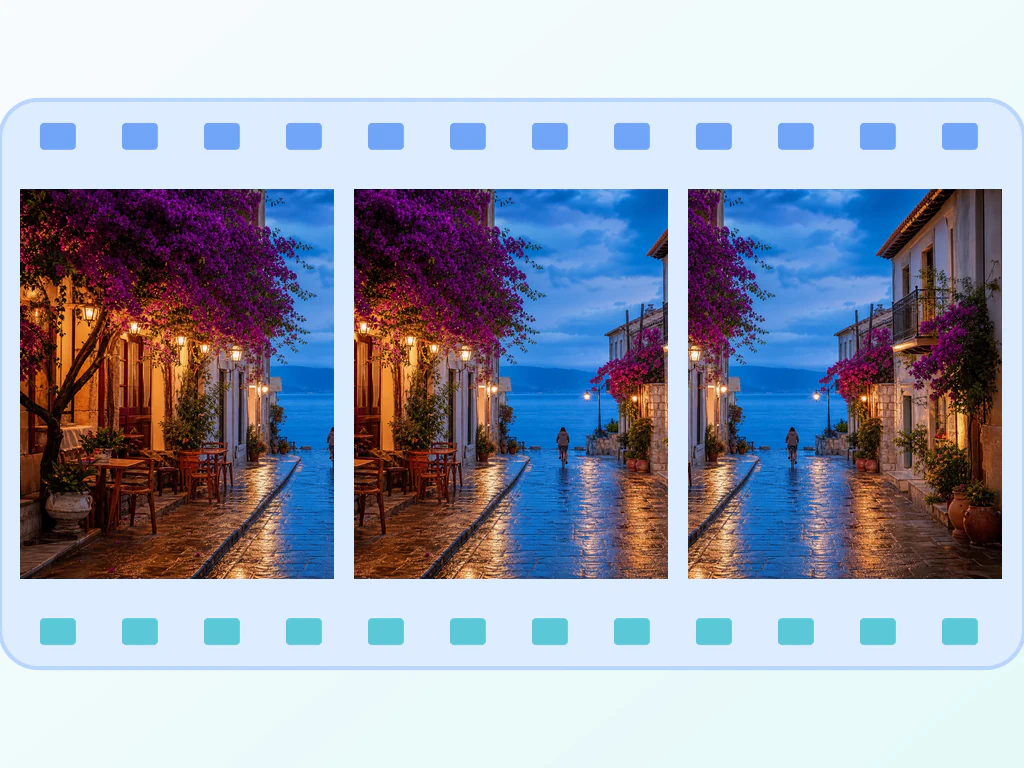
JPG, PNG 및 WEBP 프레임
비디오 클립이 너무 커서 보낼 수 없으며 어쨌든 아무도 재생하지 않습니다. 채팅에 등장하는 순간을 반복하는 애니메이션 GIF로 만드세요.
- 무거운 비디오 클립을 보낼 수 있을 만큼 가벼운 GIF로 변환
- 이미지 프레임이나 비디오에서 애니메이션 GIF 만들기
- 내보내기 전에 다듬기, 재정렬 및 재생 속도 설정
2개 이상의 이미지를 드롭하고 반복되는 GIF를 다시 받으세요.
JPG, PNG, WEBP, AVIF, GIF, BMP 프레임을 2개 이상 끌어다 놓으세요
GIF 메이커로 할 수 있는 일
시작하기 전에 주요 기능을 검토하세요.
- 여러 이미지를 애니메이션으로 만들거나 동영상 클립에서 시작하세요
- 지원되는 영상을 다듬고 회원가입 전에는 10프레임, 회원가입 후에는 50프레임을 샘플링하세요
- 원하는 순서 그대로 이미지 프레임을 드래그하세요
- 프레임 지연, 출력 너비, GIF 품질을 설정하세요
- 애니메이션을 영원히 반복하거나 한 번 재생합니다.
설정 참고
11 설정
GIF 메이커에 사용 가능한 제어 기능입니다.
모드
- 무엇을 움직이게 하고 싶으신가요?프리셋
- 업로드한 사진을 프레임으로 배열하는 방식과, 브라우저가 지원하는 동영상을 잘라 익명으로 최대 10프레임 또는 회원가입 후 50프레임을 샘플링하는 방식 중에서 선택합니다.옵션: 이미지 애니메이션영상 클립을 GIF로 변환하세요
프레임
- 프레임 추가파일 입력
- 언제든 애니메이션에 이미지를 더 추가할 수 있습니다. 새 프레임은 순서 맨 뒤에 추가되며 끌어서 원하는 위치로 옮길 수 있습니다.
- 드래그해 순서 변경원클릭
- 그립 핸들을 드래그하거나 항상 표시되는 화살표 버튼을 사용해 이미지 프레임의 재생 순서를 변경합니다. 순서가 준비되면 GIF 만들기를 선택하세요.
- 프레임 제거원클릭
- 휴지통 아이콘을 사용해 순서에서 프레임 하나를 삭제하고, 새 인코딩을 자동으로 시작하지 않은 채 이전 결과를 지웁니다.
설정
- 프레임 지연 시간슬라이더범위: 50–1000ms · 기본값: 300ms
- 각 프레임이 화면에 머무는 시간을 설정합니다. 단계별 시연처럼 천천히 따라가기 좋은 애니메이션에는 값을 높이고, 빠른 움직임에는 낮추세요.
- 너비슬라이더범위: 160–1280px · 기본값: 480px
- 출력 GIF의 너비를 픽셀 단위로 지정합니다. 모든 프레임이 이 캔버스에 맞춰지므로 너비가 클수록 디테일은 선명해지지만 파일 크기도 커집니다.
- 품질슬라이더범위: 1–30 · 기본값: 10
- 인코딩되는 GIF의 색상 품질을 조절합니다. 값이 낮을수록 띠 현상이 줄어 색이 더 선명하고 깨끗해지지만 인코딩 시간은 길어집니다.
- 무한 반복켜기 / 끄기
- 켜면 완성된 GIF가 끝없이 반복 재생됩니다. 끄면 애니메이션이 한 번만 재생되고 마지막 프레임에서 멈춥니다.
동영상 클립
- 시작슬라이더
- 샘플링되는 영상 구간이 시작되는 지점을 설정합니다. 반드시 끝 지점보다 앞에 있어야 합니다.
- 종료슬라이더
- 샘플링되는 구간이 끝나는 지점을 설정합니다. 클립이 짧을수록 필요한 프레임이 적고 대체로 더 작은 GIF가 만들어집니다.
- 샘플링 속도슬라이더범위: 1–12frames/second · 기본값: 6frames/second
- 안전한 브라우저 작업을 위해 12 FPS와 준비 프레임 50개로 제한된, 초당 샘플링할 프레임 수를 선택합니다.
GIF 메이커 관련 도구
GIF 메이커 이후 일반적인 다음 단계를 위한 도구입니다.

자주 묻는 질문
GIF 메이커가 작업을 완수하도록 돕는 방법
비즈니스, 크리에이터, 일상 업무의 실제 문제를 매일 해결합니다. 귀하에게 적합한 사용 사례를 찾아 시작해보세요.
제품 데모 안내
앱의 핵심 인터랙션을 보여주는 5초짜리 GIF는 정적인 스크린샷보다 눈길을 끌고 동영상보다 가볍습니다. 개발 중에 캡처한 4~8개의 프레임을 넣어 랜딩 페이지에 바로 적용하세요.
Slack 및 Discord 리액션
단체 사진, 우리끼리 통하는 농담 스크린샷, 움직이는 로고로 팀 전용 리액션 GIF를 만드세요. Slack에는 커스텀 이모지로, Discord에는 서버 스티커로 넣을 수 있습니다.
비포/애프터 비교
사진 리터칭, 집 리모델링, 다이어트, 디자인 수정 과정 — 정지 이미지 두 장으로는 표현할 수 없는 변화를 앞뒤로 전환되는 GIF로 보여 주어 소셜 미디어에서 시선을 사로잡으세요.
움직이는 아바타 및 프로필 사진
Twitch, Discord 및 일부 소셜 플랫폼은 움직이는 아바타를 지원합니다. 인물 사진이나 로고 3~5프레임으로 은은하게 맥동하거나 색이 변하는 루프를 만들어 보세요.
프로세스 문서화
여러 단계의 워크플로(빌드 파이프라인 상태, 시간에 따른 대시보드 변화, 분기별 성장 차트)를 모든 Markdown 뷰어(GitHub README, Notion, Confluence)에서 자동 재생되는 GIF로 기록하세요.
교육용 스톱모션
교사가 연속된 칠판 사진, 실험 시연 장면, 단계별 공예 프로젝트 이미지로 스톱모션 GIF를 만듭니다. 시각적 학습자에게 안성맞춤입니다.
Shopify 360° 제품 회전 GIF
회전대 위 제품을 연속 촬영한 사진을 매물용의 끊김 없는 반복 GIF로 만드세요. '무한 반복'을 켜고 너비를 800px 정도로 설정하면, 페이지 로딩을 느리게 하지 않으면서 구매자가 전체 회전 디테일을 볼 수 있습니다.
부동산 매물 둘러보기 반복 영상
방 사진을 느린 속도의 GIF(400-600ms 지연)으로 결합하면 삽입 동영상을 지원하지 않는 매물 사이트와 마켓플레이스에서, 매수인이 결과 페이지를 벗어나지 않고도 빠른 시각적 둘러보기를 할 수 있습니다.
지원 티켓용 가벼운 버그 리포트 순환
UI 결함을 짧은 이미지 시퀀스로 캡처해 좁은 너비(320-480px)와 높은 품질 값으로 렌더링하면 — 만들어진 GIF가 충분히 작아서 화면 녹화 소프트웨어 없이도 지원 티켓이나 채팅 스레드에 바로 붙여 넣을 수 있습니다.
단계별 레시피 핀터레스트 반복 영상
프레임 순서와 타이밍을 제어하여 각 요리 단계의 사진을 Pinterest 핀과 음식 블로그 게시물용 반복 GIF로 변환하세요.
피트니스 및 변화 과정 루프
주간 경과 사진을 정적인 나란히 비교 대신 하나의 반복 재생 GIF로 엮으세요. 일정한 너비와 좀 더 긴 지연(500ms 이상)을 설정하면 처음으로 다시 반복되기 전에 각 주차가 또렷이 보입니다.
온라인 강좌와 문서를 위한 단계별 튜토리얼 GIF
일련의 UI 스크린샷을, 전체 워크플로(예: '여기 클릭, 그다음 여기')를 한눈에 보여주는 자동 반복 안내 GIF로 만드세요. 정적 스크린샷으로 번호 매긴 단계를 일일이 적는 대신, 강좌 레슨, 지식베이스 문서, 온보딩 이메일에 바로 삽입하세요.
각 변화를 확인하세요
모든 사진이 원본 그대로 슬래시를 지나 반대편에서 완성된 결과물로 나옵니다.























