
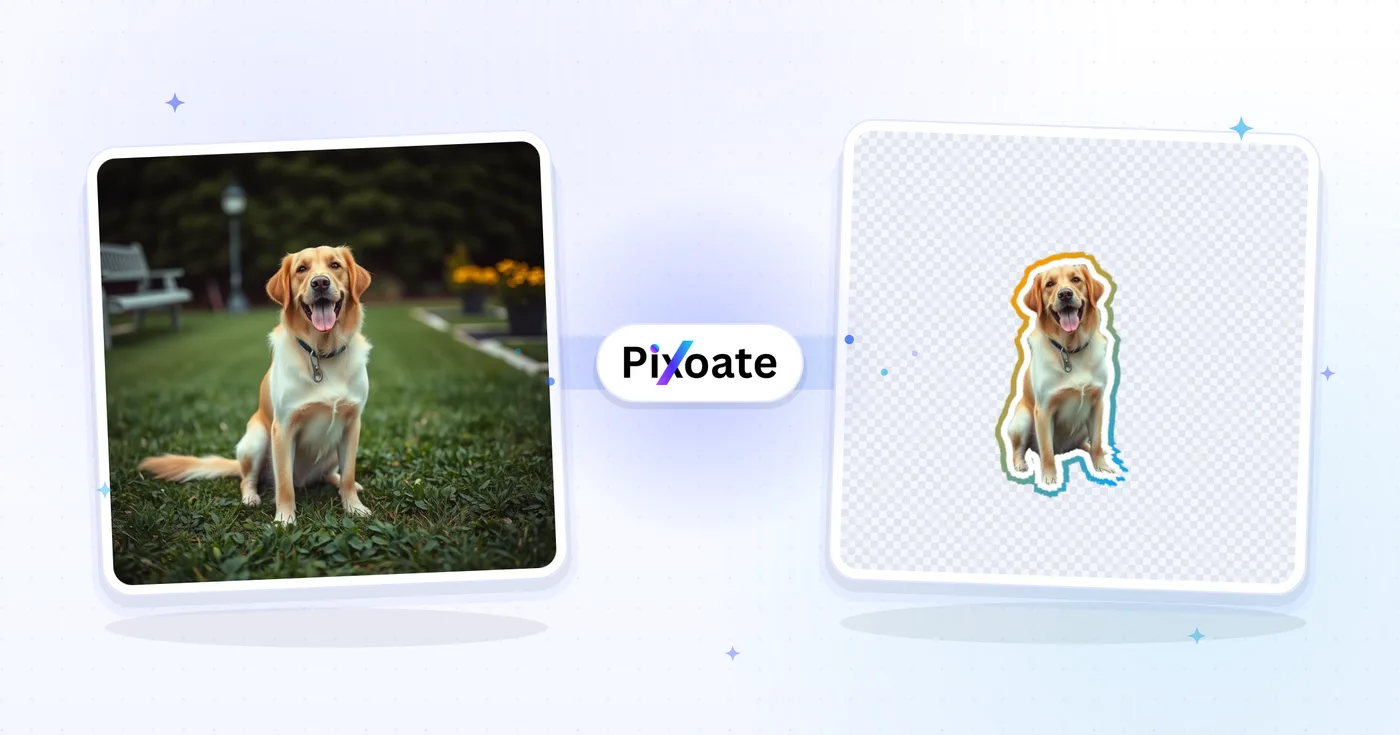
스티커 메이커 — 사진을 WhatsApp 스티커로 변환
사진 배경을 제거하고, 윤곽선을 추가하고, 지원되는 메시지 형식에 맞게 스티커를 내보냅니다.
이미지-스티커로 할 수 있는 일
시작하기 전에 주요 기능을 검토하세요.
- 지원되는 사진을 인쇄 스타일 스티커로 변환
- 컷아웃 주위에 사용자 정의 가능한 흰색 윤곽선 추가
- WhatsApp, Telegram, iMessage용 스티커 만들기
- 피사체의 배경을 자동으로 제거합니다.
- 떼어내는 스티커 모양을 위해 그림자를 추가하세요.
- 윤곽선 두께와 색상을 취향에 맞게 조정
설정 참고
15 설정
이미지-스티커에 사용 가능한 제어 기능입니다.
- 처리 방식프리셋
- 입력 하나를 처리하거나 Premium 일괄 처리 모드에서 여러 입력에 같은 설정을 적용하세요. 입력할 수 있는 자료의 종류는 도구마다 다릅니다.옵션: 단일 이미지일괄 처리
외곽선
- 윤곽선 두께슬라이더범위: 0–40px · 기본값: 12px
- 잘라낸 피사체 둘레에 그려지는 다이컷 테두리의 굵기를 0(테두리 없음)에서 40px까지 설정합니다. 채팅 스티커 크기에서는 8-15px 정도가 또렷하게 보입니다.
- 개요 스타일프리셋
- 단색 테두리와 부드러운 2색 그라데이션 테두리 중에서 선택합니다. Sunset 및 Ocean과 같은 원터치 사전 설정 쌍은 색상 이론 없이 스티커 팩에 프리미엄 모양을 제공합니다.옵션: 단색그라데이션
- 윤곽선 색상색상 선택기
- 스티커 테두리의 색상을 선택합니다. 기본 흰색은 클래식한 스티커 모양을 제공합니다. 그라디언트 모드에서는 테두리가 희미해지는 두 가지 색상을 선택합니다.
- 각도슬라이더범위: 0–360° · 기본값: 180°
- 그라데이션 테두리의 방향을 설정합니다. 180°는 위에서 아래로 페이드되고, 90°는 왼쪽에서 오른쪽으로 페이드됩니다. 미리보기 표시줄에는 완성된 스티커가 사용할 정확한 채우기가 표시됩니다.
- 그라데이션 프리셋프리셋
- 한 번 눌러 그라데이션의 두 색을 함께 설정하세요. 테두리나 외곽선 스타일을 그라데이션으로 선택하면 이 프리셋이 표시됩니다.옵션: 노을오션보라색골드라임캔디
- 그라데이션 시작 색상색상 선택기
- 그라데이션을 선택한 경우 첫 번째 윤곽선 색을 고르세요.
- 그라데이션 끝 색상색상 선택기
- 그라데이션을 선택한 경우 두 번째 윤곽선 색을 고르세요.
효과
- 형식프리셋
- Premium 및 Pro 요금제는 원본 해상도 다운로드, 일괄 처리, 더 큰 업로드와 서버 처리 작업의 사용 한도를 제공합니다. 현재 가격, 체험 조건, 크레딧 및 해당 기능의 한도는 결제 전 화면에서 확인하세요. (PNG) (WhatsApp) (Telegram)옵션: 투명한 PNGWhatsApp / 텔레그램 · 512px WebP
- 그림자 효과켜기 / 끄기
- 테두리를 두른 컷아웃 뒤에 부드러운 그림자를 넣어 실제 인쇄한 다이컷 스티커 같은 느낌을 냅니다. 완전히 평평한 스티커 가장자리를 원하면 끄세요.
- 가로슬라이더범위: -100–100px · 기본값: 0px
- 그림자를 스티커의 왼쪽이나 오른쪽으로 이동합니다. 0으로 두면 조명이 바로 위에 있는 것처럼 보이고, 값을 옮기면 광원이 한쪽 옆에 있는 것처럼 표현됩니다.
- 세로슬라이더범위: -100–100px · 기본값: 12px
- 그림자를 위나 아래로 이동합니다. 양수 값을 주면 그림자가 컷아웃 아래로 내려가 스티커가 페이지에서 살짝 떠오른 것처럼 보입니다.
- 흐림슬라이더범위: 0–100 · 기본값: 12
- 그림자 가장자리의 부드러운 정도를 설정합니다. 0이면 종이를 오려 붙인 듯한 선명한 그림자가 되고, 값을 높일수록 컷아웃 아래로 은은한 안개처럼 퍼집니다.
- 불투명도슬라이더범위: 0–100% · 기본값: 35%
- 그림자의 진하기를 설정합니다. 35% 안팎이면 스티커를 가리지 않으면서 안정감 있게 받쳐 주며, 0%는 그림자를 끈 것과 같습니다.
- 그림자 색상색상 선택기
- 그림자 색상을 선택합니다. 일반 그림자는 검은색, 어두운 배경에서 스티커를 돋보이게 하려면 흰색, 외곽선 주위에 네온 광채를 주려면 밝은 색상을 고르세요.
이미지-스티커 관련 도구
이미지-스티커 이후 일반적인 다음 단계를 위한 도구입니다.



자주 묻는 질문
이미지-스티커가 작업을 완수하도록 돕는 방법
비즈니스, 크리에이터, 일상 업무의 실제 문제를 매일 해결합니다. 귀하에게 적합한 사용 사례를 찾아 시작해보세요.
WhatsApp 리액션 스티커
단체 채팅 사진을 모두가 좋아하는 우리만의 농담 리액션 스티커로 만드세요. 친구 얼굴, 반려동물, 음식 사진 등 무엇이든 이모지보다 10배 더 재미있는 스티커가 됩니다.
Telegram 스티커 팩
커뮤니티, 브랜드, 팬덤을 위한 맞춤 스티커 팩을 만드세요. 각 사진이 일관된 외곽선 스타일의 스티커가 되어 통일감 있는 팩을 완성합니다.
iMessage 스티커 드롭
사진으로 만드는 iOS 스티커 드롭을 사용하면 메시지에 떼어 붙이는 리액션을 추가할 수 있습니다. 멋진 셀카나 반려동물 사진을 iMessage 라이브러리에 영구적인 스티커로 변환하세요.
Discord 서버 이모트
Discord는 서버마다 맞춤 이모트와 스티커를 허용합니다. 커뮤니티 밈, 마스코트 아트, 내부 농담 스크린샷을 업로드에 알맞은 크기의 PNG 스티커로 만드세요.
반려동물 인플루언서 콘텐츠
반려동물 계정 운영자는 귀여운 포즈 하나하나를 스티커로 만들어 팬 참여와 굿즈 디자인에 활용합니다. 스티커는 크라우드펀딩 리워드(인쇄용 다이컷 스티커)로도 안성맞춤입니다.
웨딩 및 이벤트 기념품
결혼식 사진을 스티커 버전으로 만들어 청첩장 동봉물, 감사 카드, 방명록 장식에 활용하세요. 신부들이 매우 좋아하며 점착지에 아름답게 인쇄됩니다.
주문형 인쇄 스티커 상점 등록
고객 사진이나 애완동물 초상화를 Etsy 또는 Redbubble 스티커 상점의 제품 모형으로 전환하세요. 투명 PNG를 선택한 다음 Premium을 사용하거나 선명한 다이컷 인쇄에 필요한 원본 해상도 파일에 대한 크레딧을 사용하세요.
브랜드 포장 및 감사 스티커
소규모 상점들은 로고나 마스코트 사진을 다이컷 스티커로 만들어 주문 포장 삽입물에 활용하며, 브랜드 색상 외곽선을 선택해 모든 배송이 브랜드에 맞는 느낌이 들도록 합니다.
Slack 및 Microsoft Teams 커스텀 이모지
동료들이 팀 사진이나 내부 농담을 업무용 채팅의 맞춤 리액션 이모지로 만듭니다. 외곽선 두께를 얇게 유지해 작은 이모지 크기에서도 또렷하게 보입니다.
노트북 및 물병 데칼 디자인
좋아하는 사진을 노트북, 물병 또는 기획자를 위한 데칼 스타일 스티커로 변환하세요. 프리미엄을 통해 원본 해상도 파일을 사용하거나 접착 비닐에 인쇄할 수 있는 크레딧을 사용하여 투명 PNG로 내보낼 수 있습니다.
이 도구 사용 가이드
각 변화를 확인하세요
모든 사진이 원본 그대로 슬래시를 지나 반대편에서 완성된 결과물로 나옵니다.























