
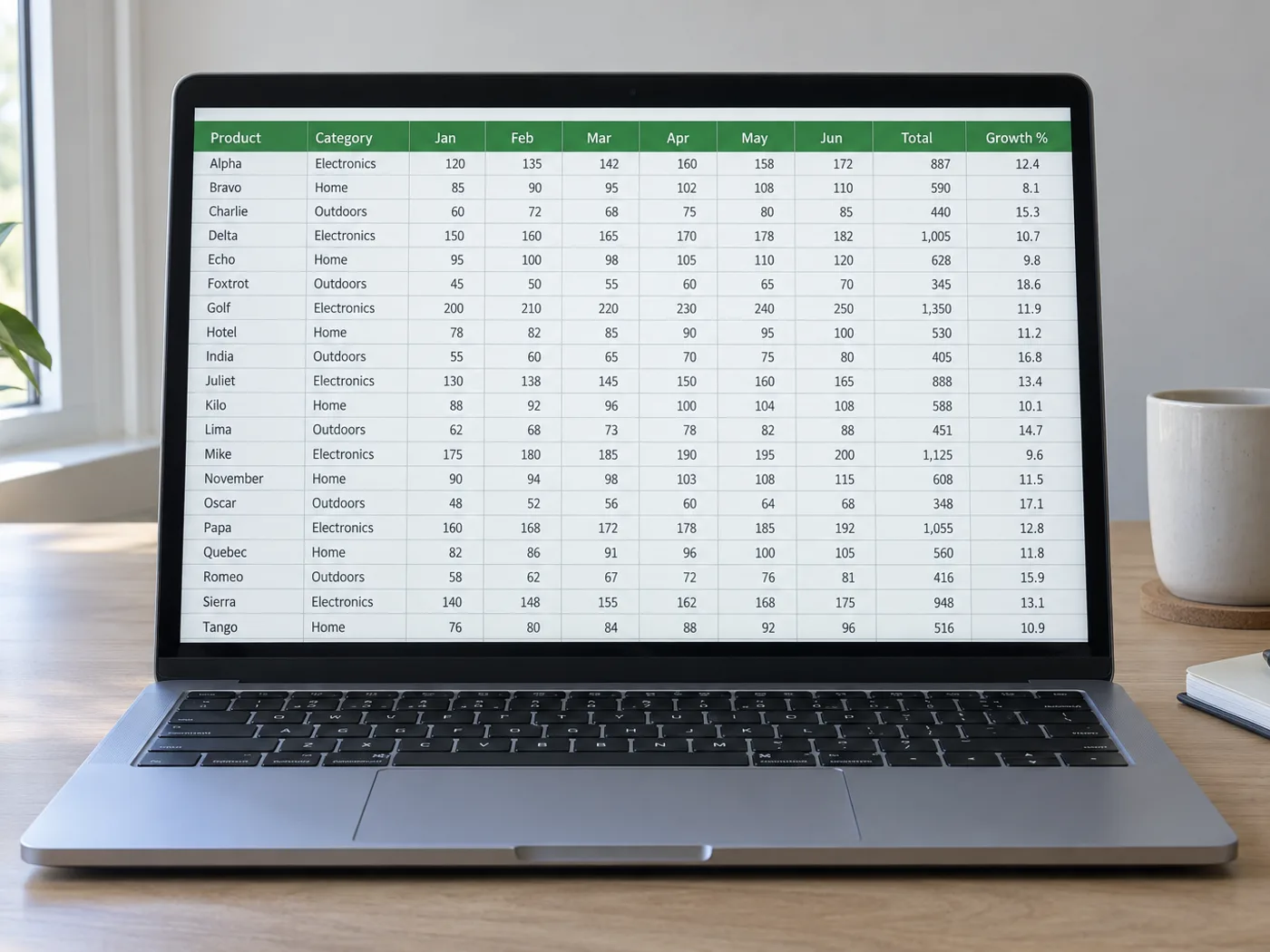
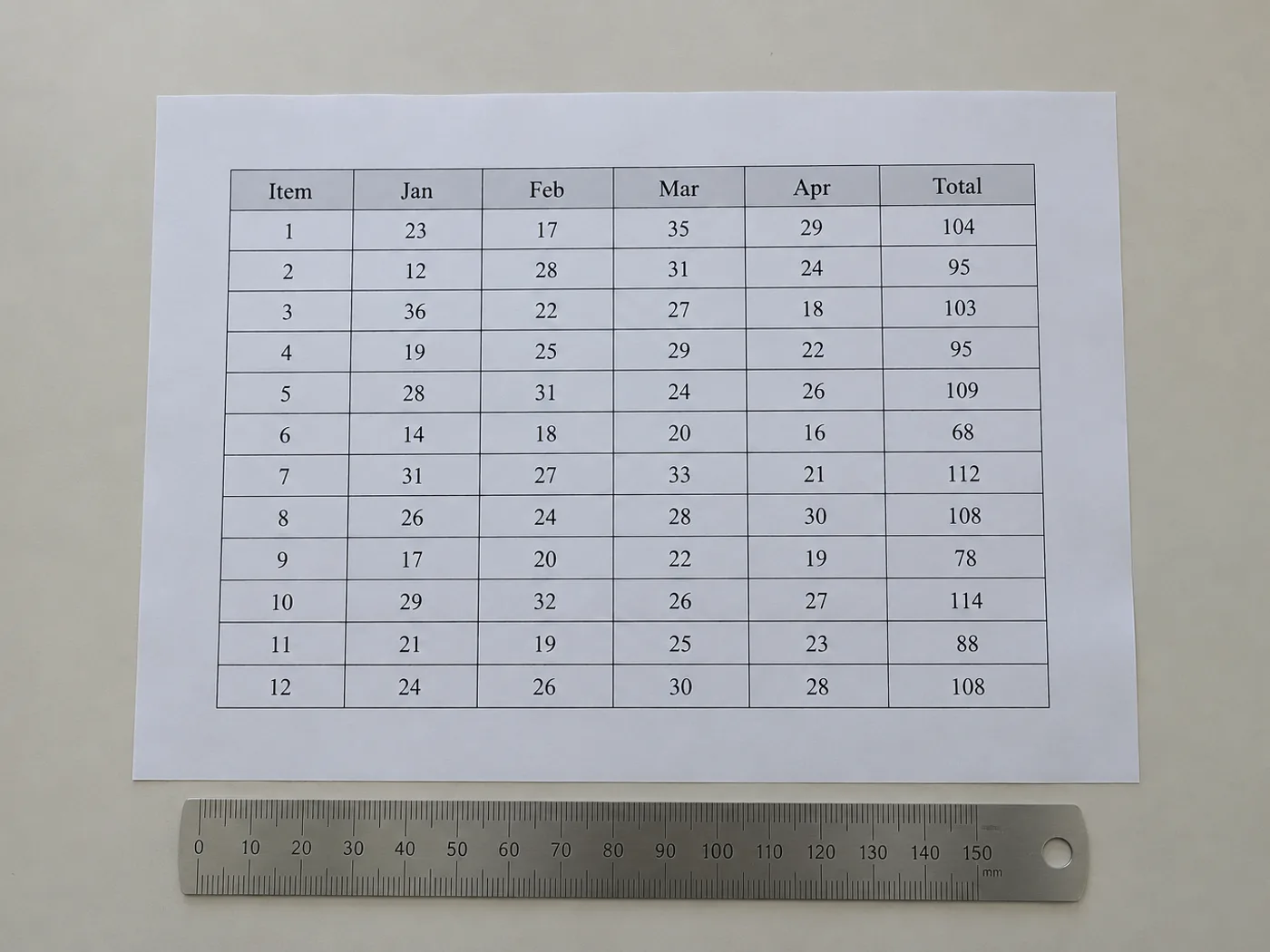
En tabell uten en kildearbeidsbok trenger fortsatt brukbare celler
Hent ut innholdet i tabellens synlige celler når du bare har et bilde. Gjennomgangsruten lar deg korrigere den registrerte strukturen før eksport, noe som er spesielt nyttig for kolonner uten kantlinjer og overskrifter som går over flere felt.
Publiserte referansetabeller
Lag en redigerbar kopi av en rapporttabell til egne beregninger, og behold den opprinnelige kilden og enhetsbetegnelsene.
Tabeller uten tegnede rutenettlinjer
Kontroller at verdier som er justert med mellomrom, har havnet i riktige kolonner før du bruker dem som regnearkdata.
Gjenoppbygg tabellstrukturen før du bruker tallene
- Beskjær til én tabell og behold bildetekster eller enheter som trengs for å tolke verdiene.
- Sammenlign de registrerte kolonnene og radene med bildet, og korriger manglende eller ekstra rutenettelementer.
- Eksporter de gjennomgåtte cellene og gjenskap eventuell presentasjonsspesifikk formatering i Excel.
Kantløse kolonner, sammenslåtte overskrifter og manglende rader
- Må tabellbilder ha synlige rutenettlinjer for uthenting til Excel?
- Tydelig justering kan også vise kolonner. Kantløse oppsett krever grundigere kontroll, fordi tekst som brytes og ujevn avstand kan flytte de registrerte grensene.
- Vil sammenslåtte overskrifter forbli sammenslått i Excel?
- Ikke stol på at oppsettet gjenskapes nøyaktig. Kontroller de uthentede overskriftene, og slå sammen eller del celler i Excel slik at de passer til tabellens betydning.
- Hva om et tabellbilde inneholder fotnoter?
- Behold fotnotene som kontekst, men fjern dem som feilaktig havner som rader i datatabellen. Ta vare på innholdet i en egen merknad ved behov.
- Hvordan kan jeg rette opp en manglende rad før jeg eksporterer XLSX?
- Bruk den redigerbare kontrolltabellen til å legge til eller rette rader. Sammenlign deretter antall rader med bildet før du laster ned arbeidsboken.


























