
Räkna skruvar i en bricka från ett foto
Fungerar med JPG, PNG, WEBP · Frigör upp till 20 MB, Premium 50 MB
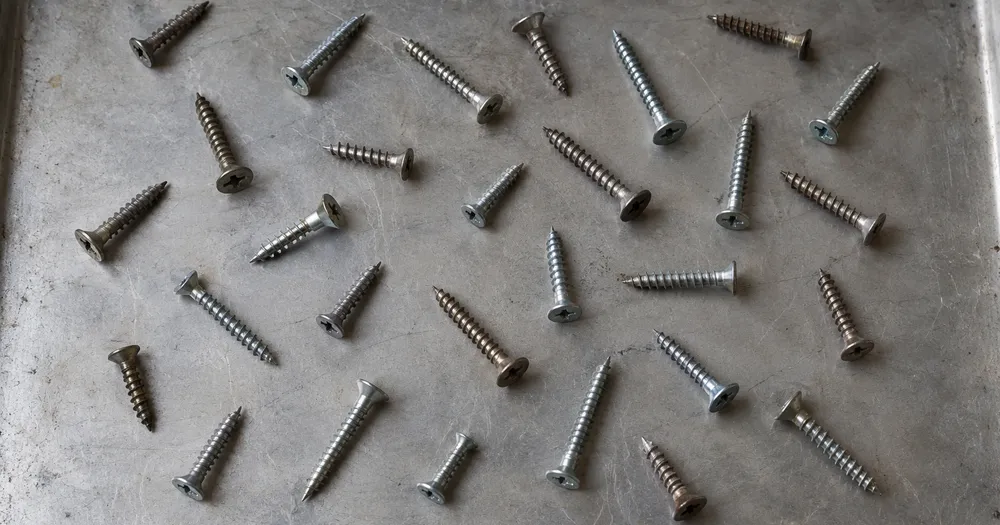
Sprid ut skruvar i ett enda lager på en bricka eller plan yta och fotografera rakt ovanifrån. Räknade fynd markeras med punkter för granskning. Utformat för fabriker, leverantörer av fästelement och underhållsbutiker — granska och korrigera varje foto innan det läggs till i en CSV- eller PDF-sammanställning.
- Granska fotot och räkna sedan synliga skruvar
- Upload a photo and get an automatic count
- Review the markers to catch screws counted twice or missed
- Gratis att använda · Ingen registrering krävs · Utan vattenstämpel
Ladda upp bild
Tips för en korrekt räkning
• Använd ett jämnt belyst foto där hela skruvar syns i bild
• Keep your screws visible and avoid overlapping items
• Prickar och värmekarta visar bibehållna detekteringar — granska och korrigera räkningen
Om räknaren för Skruvar
The screws counter counts visible screws from your photo and marks detections for review. Counting starts automatically once the photo and item are ready. Visibility, overlap and similar-looking items can affect the total. Built for factories, fastener suppliers and maintenance stores.
Så fungerar det
1. Fotografera din skruvar
2. Upload your photo to count screws automatically
3. Review the markers and correct the tally if needed
4. Lägg till i räkningslistan och exportera ditt antal som CSV
Perfekt för
• Kittnings- och orderplockningskontroller före packning
• Ankomstkontrollräkning mot packsedeln
• Lagerrevisioner av kärl och lådor i en underhållsbutik
• Verifiering av en bulkbox-kvantitet mot etiketten
Vanliga frågor
- Måste objekten vara åtskilda innan räkning?
- Lite beröring kan fungera, men fulla överlappningar döljer föremål och gör resultatet mindre tillförlitligt. Sprid dem ett lager djupt under jämnt ljus, markera ett tydligt exempel och granska varje resultatmarkör.
- Vad händer om fotot innehåller mer än bara skruvar?
- The counter automatically looks for screws in your photo. Similar-looking distractors can still affect the result, so review every marker before using the total.
- Kan jag räkna flera foton till en totalsumma?
- Yes — count each photo and add every reviewed result to the tally sheet as a labelled row. Export the tally as CSV or a PDF report, or save it to your account.
- Är det gratis och privat?
- Ja. Du kan räkna, granska och ladda ned ett gratisresultat utan konto. Nedladdningarna är gratis och utan vattenstämpel. Ingen registrering krävs. Serverbearbetade foton krypteras under överföring och tas bort enligt vår säkerhetspolicy.
Vad du kan göra med Objekträknare
Granska de viktigaste funktionerna innan du börjar.
- Räkna objekt på ett foto istället för att räkna för hand
- Räkna mynt, piller, celler, delar och pärlor
- Markera valfritt ett exempel för att rikta in dig på en specifik artikel
- Granska räknade detekteringar med överläggsmarkeringar
- Kör en massgranskning över många foton
- Finjustera känsligheten för att ignorera små prickar
Inställningsreferens
15 inställningar
Tillgängliga kontroller för Objekträknare.
Ladda upp
- Enskilt foto / MassrevisionFörinställningar
- Välj ett enstaka foto eller en Premium-massagranskning. Granska varje resultat.Alternativ: Enskilt fotoMassrevision
Antal
- Inkluderade markörerReglageIntervall: 0–1 · Standard: 0.21
- Starts at 21%; slide toward Show more to include weaker markers or Only strongest to hide them.
- ÖverläggsstilFörinställningar
- Välj punkter, en värmekarta, båda eller en ren förhandsvisning.Alternativ: BådaPunkterVärmeIngen
- Vad ska man räknaTextinmatning
- Enter the item to count, then press Enter or leave the field to start automatically. Review every result marker.
Avancerat
- ResultatöverläggRullgardinsmeny
- Choose how count markers appear in the on-screen preview; the download keeps its own markers.Alternativ: Punkter + värmekartaEndast punkterEndast värmekarta
Räkning
- Lägg till i räkningslistanEtt klick
- Add this count to the tally sheet under the name of the object that was counted. Signed-in accounts add finished counts automatically unless that is turned off under Account settings; in bulk mode every photo also has its own Add to tally button.
- EtikettTextinmatning
- Rename a tally row. Edits and removals wait until you choose Save changes, so you can fix several rows at once.
- AntalSifferfält
- Correct a row's count; totals, the chart and exports follow once the change is saved.
- Save changesEtt klick
- Apply every edited or removed tally row in one step, or choose Discard changes to leave the sheet as it was.
Chart
- By objectFörinställningar
- The chart is the same in every counting tool and covers the tallies of all of them. By object draws a separate line chart for each tally name, such as pipes and people. By tool draws a chart for each counting tool.Alternativ: By objectBy tool
- PunktFörinställningar
- Choose how far back the chart looks. Days without a count appear as zero.Alternativ: 7 days30 days90 days12 months
History
- Counting setupGalleri
- Keep comparable counts together. A first setup is created for you, so the first count can be saved straight away.
- Observed atTextinmatning
- The date and time of the count, shown as a date and a time field.
- NoterTextinmatning
- Starts with every detected object and its count, one per line, such as Pipes - 11. Edit it before saving.
- Save countEtt klick
- Save the count to your account history. Open a saved count later to correct it or download its source photo.
Relaterade verktyg för Objekträknare
Verktyg för vanliga nästa steg efter Objekträknare.

Räkning & inventering
Objekträknare i realtid
Rikta din telefon mot separerade, fullt synliga föremål och granska detektormarkörerna när räkningen uppdateras i realtid.
Prova nu
Räkning & inventering
Personräknare
Uppskatta hur många personer som syns på ett foto. Granska markörerna och kontrollera antalet innan officiell användning.
Prova nu
OCR och dataextraktion
Bild till text (OCR)
Extrahera redigerbar text från en skärmdump, foto eller skanna på 30+ språk som stöds.
Prova nuSå hjälper Objekträknare dig att få det gjort
Verkliga problem den löser varje dag - för företag, kreatörer och vardagliga uppgifter. Hitta det användningsfall som passar dig och börja.
Granskade cykelräkningar i lager
Använd massgranskning för att köra läget Distinkta objekt över varje hyllfoto i kön, granska alla resultat och korrigera siffran per hylla innan du exporterar en cykelräkning.
Smådelslager för makare och Etsy-säljare
Markera strängen, skruven eller komponenten du behöver i inställningen Exempel — 1-3 exempel, ett per deltyp — kör sedan räkningen. Granska de matchande markörerna för bakgrundsfel och lägg sedan till det korrigerade resultatet i räkningsarket.
Räkning av klassrums- och labbmaterial
Skapa ett AI-assisterat utkast med tärningar, spelpjäser, provrör eller labbkit, granska och korrigera sedan markeringarna innan du exporterar en beställningsräkning.
Delbara inventeringsrapporter för team
Spara en slutförd inventering till ditt konto, generera en varumärkt PDF-rapport och dela en skrivskyddad länk så att chefer eller kollegor kan granska räkningen utan att ladda upp något på nytt.
Kvalitetskontrollräkningar i batch för packade färdiga varor
Kör läget för liknande föremål efter att ha markerat 1-3 exempelenheter i inställningen Exempel — en per förpackningstyp i bilden. Granska varje markör och korrigera missar eller dubbletter innan frakt.
Hobbysamlingsräkning för LEGO, samlarkort och modeller
Markera 1-3 exempelbitar i inställningen Exempel — en per bit typ du räknar — kör sedan räkningen. Granska resultatmarkörerna och korrigera räkningen istället för att börja en manuell räkning från noll.
Guider för det här verktyget
- A Shelf Can Look Full While the Products Customers Want Run LowA full-looking shelf can hide gaps in the products people want. Explore Pixoate visible-object counts and the context needed for a useful stock review.
- How to Count Shop Inventory from Shelf PhotosCount visible shelf stock, review object markers and export a tally. Learn how to handle hidden items, mixed products and inventory discrepancies.
Titta på varje transformationsland
Varje foto korsar snedstrecket orört och kommer ut på andra sidan färdigt.























