
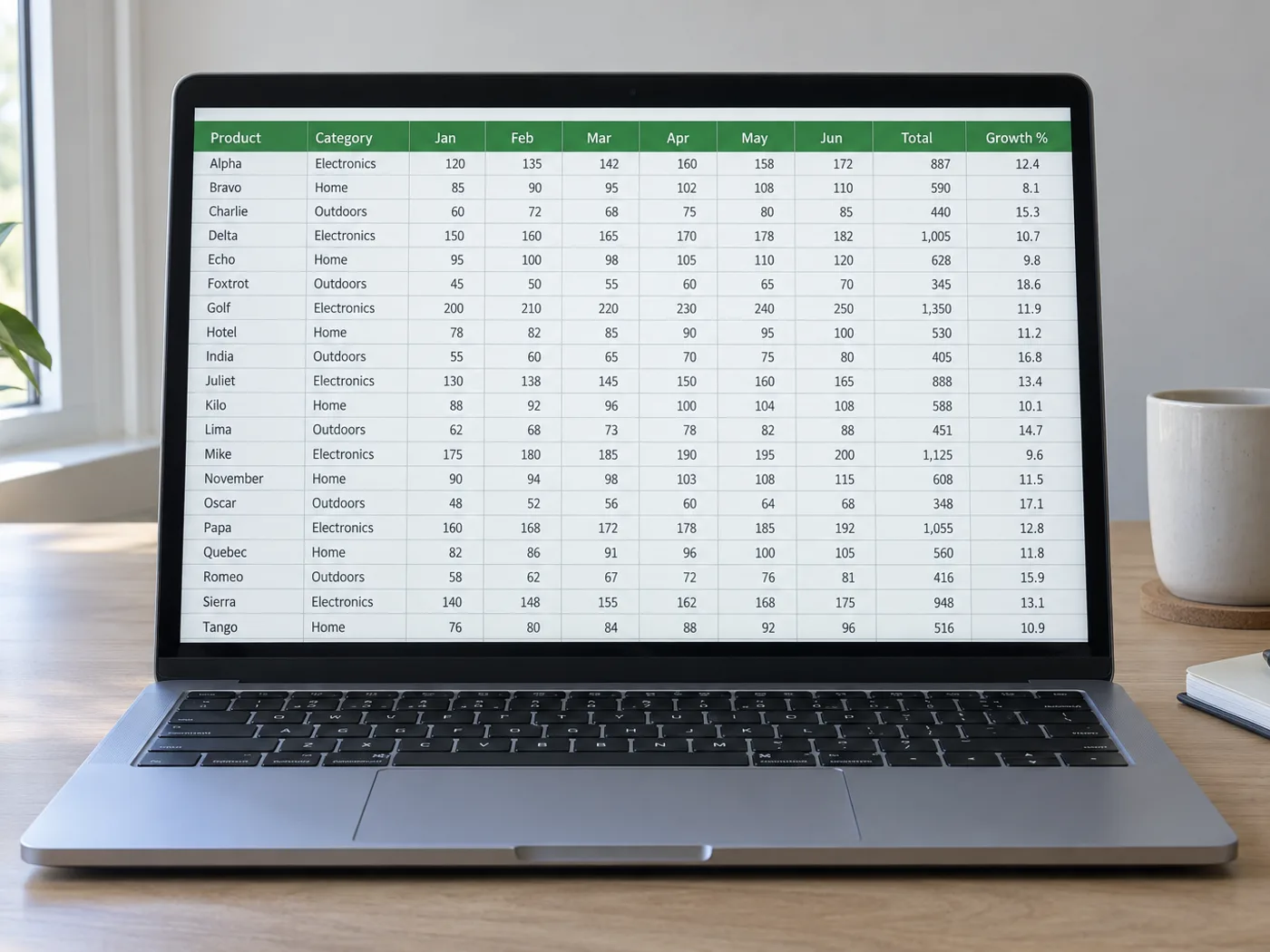
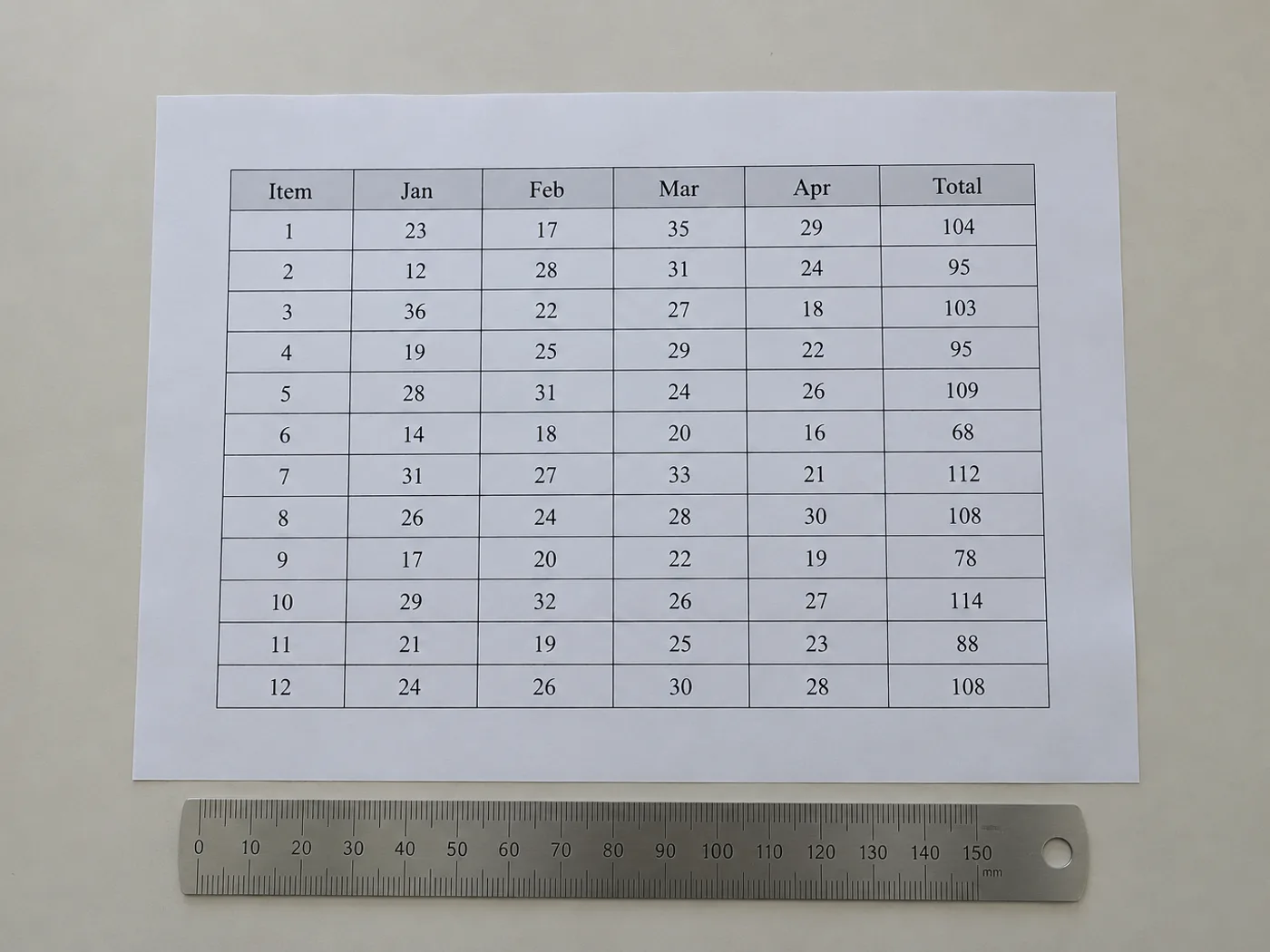
En tabell utan källarbetsbok behöver ändå användbara celler
Återskapa det synliga cellinnehållet i en tabell när du bara har en bild. I granskningsrutnätet kan du rätta den identifierade strukturen före export. Det är särskilt användbart för kolumner utan kantlinjer och rubriker som sträcker sig över flera fält.
Publicerade referenstabeller
Skapa en redigerbar kopia av en rapporttabell för egna beräkningar. Behåll den ursprungliga källan och enhetsbeteckningarna.
Tabeller utan ritade rutlinjer
Kontrollera att värden som justerats med blanksteg hamnat i rätt kolumner innan du använder dem som kalkylbladsdata.
Återskapa tabellstrukturen innan du använder siffrorna
- Beskär till en tabell och behåll bildtexter eller enheter som behövs för att tolka värdena.
- Jämför de identifierade kolumnerna och raderna med bilden och korrigera saknade eller extra rutnätsvärden.
- Exportera de granskade cellerna och återskapa all presentationsspecifik formatering i Excel.
Kantlösa kolumner, sammanfogade rubriker och saknade rader
- Behöver tabellbilder synliga stödlinjer för extrahering till Excel?
- Tydlig justering kan också markera kolumner. Kantlösa layouter kräver noggrannare granskning eftersom radbruten text och ojämna avstånd kan flytta de detekterade gränserna.
- Förblir sammanfogade rubriker sammanfogade i Excel?
- Räkna inte med att layouten återskapas exakt. Kontrollera de extraherade rubrikerna och slå ihop eller dela upp celler i Excel så att de passar tabellens innebörd.
- Vad händer om en tabellbild innehåller fotnoter?
- Behåll fotnoterna som bakgrundsinformation, men ta bort dem om de hamnar som felaktiga rader i datatabellen. Bevara vid behov deras innebörd i en separat anteckning.
- Hur kan jag återställa en saknad rad innan jag exporterar XLSX?
- Lägg till eller rätta rader i den redigerbara granskningstabellen och jämför sedan antalet rader med bilden innan du laddar ner arbetsboken.


























