PDF 转图片

PDF 转图片 — 免费

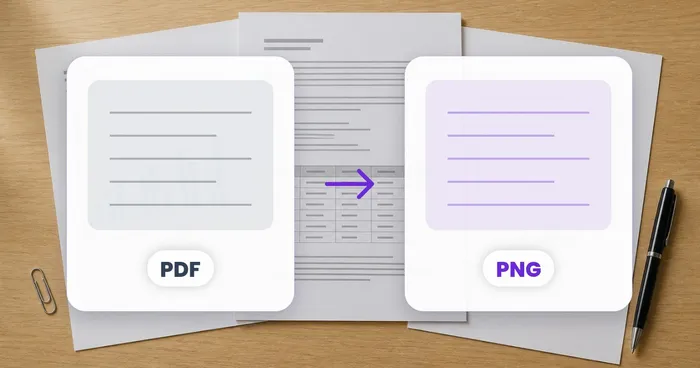
把 PDF 的每一页转成高质量的 JPG 或 PNG 图片 — 可单独下载,也可一次性打包为 ZIP 下载。

  • 每一页都导出为清晰锐利的图片
  • 下载单页或整个 ZIP
  • 免费 · 无需注册 · 文件自动删除

每个 PDF 最大 50 MB

PDF
PDF → images

上传 PDF

拖入一份 PDF 以渲染为图片

PDF up to 50MB

文件在处理后自动删除通过 HTTPS 安全处理

Frequently Asked Questions

上传 PDF,选择目标分辨率(72 / 96 / 150 / 200 / 300 DPI),系统便会生成一个 ZIP 压缩包,其中每页对应一个 PNG,命名为 page-001.png、page-002.png 以此类推。图像尺寸会按您所选的 DPI 匹配 PDF 页面大小,因此一张 Letter 页面在 200 DPI 下会导出为 1700×2200 像素。

usage

五种均可选用。72/96 DPI 适合屏幕预览和缩略图,150 DPI 在通用场景和便于邮件传输的文件大小之间达到最佳平衡,200 DPI 推荐用于存档和高质量网络展示,300 DPI 则匹配海报、横幅和杂志排版的商业印刷质量。

technical

可以。PNG 是默认格式,提供无损质量和透明度支持,但也可选用 JPG,配合质量滑块(60–95)获得小得多的文件,而 WebP 在现代浏览器上提供最佳的体积与质量比。网页缩略图推荐使用 WebP;打印和归档推荐使用 PNG。

features

输出的清晰度取决于源文件——如果原始扫描件为 150 DPI,那么以 300 DPI 渲染只是放大尺寸,并不会增加细节。为获得最佳效果,请将渲染 DPI 设为与原始扫描分辨率一致(或略低于它)。该工具会标记低 DPI 源文件,以免您把存储空间浪费在臃肿的放大件上。

quality

可以。上传后输入页面范围(1-5、12、20-30)或从缩略图预览中挑选页面。这样你只会生成真正需要的页面——非常适合逐页分享幻灯片,或仅提取长篇报告的封面和封底。

features

可以。PDF 在临时工作内存中处理,文件会在转换完成后的几分钟内删除。生成的图片 ZIP 也会在短暂时间后从我们的服务器上自动删除。不会添加水印——这些 PNG/JPG/WebP 文件完全属于你。

privacy

两者皆可。转换完成后,每一页都会以缩略图形式出现在图库中——点击任意一张即可单独保存该图片。若要获取整个文档,请使用“下载全部图片”按钮,所有页面将一次性保存为 page-1.png、page-2.png 等文件。

usage

此工具会把每一页转成可查看或分享的图片。如果你真正需要的是文字 — 用于复制、搜索或编辑 — 请改用「PDF 转文字」工具;它运行 OCR,为你提供干净的 .txt 文件而非图片文件。

tips

Use the Image format dropdown above the preview — PNG is lossless with sharper text edges, ideal for documents with fine print or diagrams, while JPG produces smaller files that are quicker to share when exporting dozens of pages. The change re-renders instantly so you can compare both before downloading the ZIP.

features

No — changing either the Image format or Resolution dropdown automatically re-renders every page with the new setting, without needing to re-drop the file. This makes it easy to try 150 DPI for a quick preview, then bump up to 300 DPI once you're happy with the layout.

usage

For web thumbnails or screen previews, pick JPG at 150 DPI — small files that load fast. For general use and email attachments, 200 DPI (the default) balances clarity and size well in either format. For print, flyers or posters, choose PNG at 300 DPI so text and line art stay crisp at full size.

tips

It's completely free with no daily cap at all — unlike PDF to CSV or PDF to Excel, which run OCR and count against a daily allowance, PDF to Images only renders pages to pictures, so no usage meter or limit applies, signed in or not. Convert as many PDFs, pages and resolutions as you like.

pricing

No — only two settings exist: an Image format dropdown limited to PNG or JPG (no WebP), and a Resolution dropdown fixed to 150, 200 or 300 DPI, with no adjustable quality slider for either format. That's the full range currently offered, whatever other site copy might suggest — there's no hidden advanced panel.

features

No — every page in the uploaded PDF is always rendered; there is no page-range field or page picker in this tool, despite what some site copy implies. If you only need certain pages turned into images, first extract them with PDF Split (by page range) or delete the unwanted ones with Organize PDF, then run the smaller resulting PDF through PDF to Images.

usage

How PDF to Images helps you get it done

Real problems it solves every day — for businesses, creators, and everyday tasks. Find the use case that fits you and start in seconds.

For Business

用于网站预览的 PDF 缩略图

将 PDF 的首页渲染为 PNG 缩略图,用于下载链接、课程目录、引流资源预览卡片和资源库——提升点击率和下载量。

For Business

用于社交分享的演示文稿幻灯片

将 PDF 幻灯片转换为 PNG 单页,用于 LinkedIn 轮播帖、Twitter 图片串和 Instagram 滑动浏览——单张幻灯片比一个 PDF 链接传播得更广。

For Business

从长 PDF 中提取纯图打印

将每一页渲染为 PNG,发送给不接受 PDF 的印刷店——适用于海报印刷、横幅制作和大幅面展示。

Productivity

在 Slack 与 Teams 中分享 PDF 页面

将某一特定页面以 PNG 形式拖入 Slack、Microsoft Teams 或 Discord,让同事无需在单独的查看器中打开整份 PDF,就能直接预览内容。

For Business

电商产品目录预览

将 PDF 产品目录转换为 PNG 预览图,用于商品详情页,让顾客无需下载 PDF 即可在浏览器中直接翻阅。

For Creators

用于投稿的手稿页

作家将 PDF 稿件页面转换成 PNG 图片,以满足某些更倾向于图片投稿而非 PDF 的文学杂志和投稿平台的要求。

Education

可打印的练习题页面

老师将 PDF 练习页渲染为 PNG,嵌入到 Google Slides、Canva 设计或课堂上使用的交互式白板应用中。

Productivity

用于邮件的单页快照

当收件人不需要整份文档时,将单页 PDF 作为 PNG 附件通过邮件发送——文件更小,无需额外的 PDF 阅读器,在任何邮件应用中都能即时预览。

For Developers

Feed Scanned Pages into Archive Viewers

Render a scanned PDF's pages as PNGs at 200-300 DPI for ingestion into image-only archive, DAM or IIIF viewer systems that don't accept PDFs directly.

Official Documents

Convert ID or Passport Pages to Images for Upload Portals That Reject PDFs

Some visa, benefits and DMV renewal portals only accept a JPG or PNG photo of an ID page, not a PDF. Render the scanned PDF page as a single high-resolution JPG or PNG so it uploads cleanly to portals that reject PDF-format documents outright.

Personal Use

Turn Scanned Family Documents into Shareable Photos

Old certificates, letters and genealogy records saved as PDF scans often preview poorly in messaging apps. Convert the pages to individual PNG or JPG images so relatives can view and save them like ordinary photos when shared over text or WhatsApp.