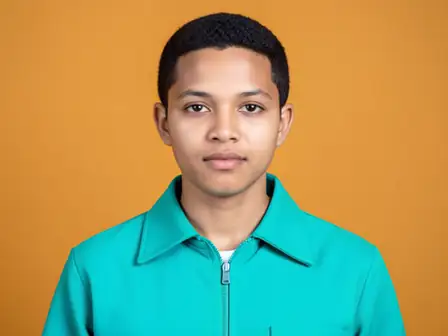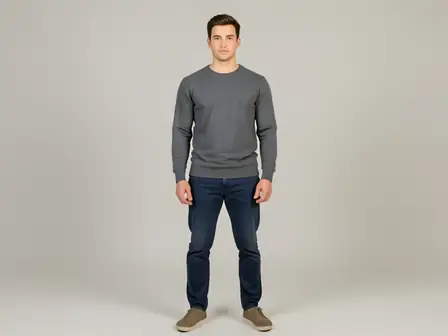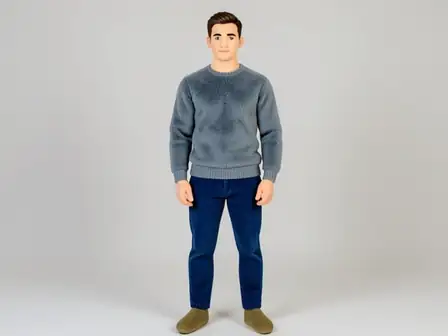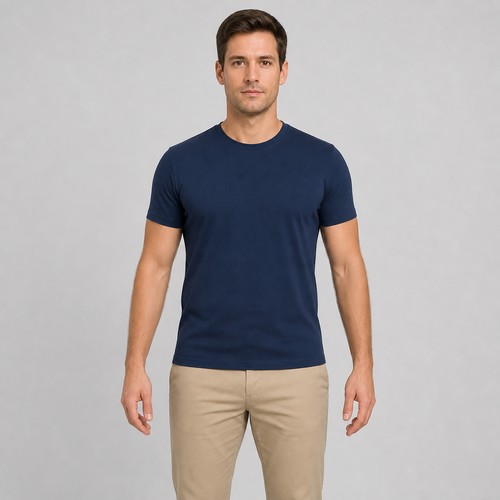
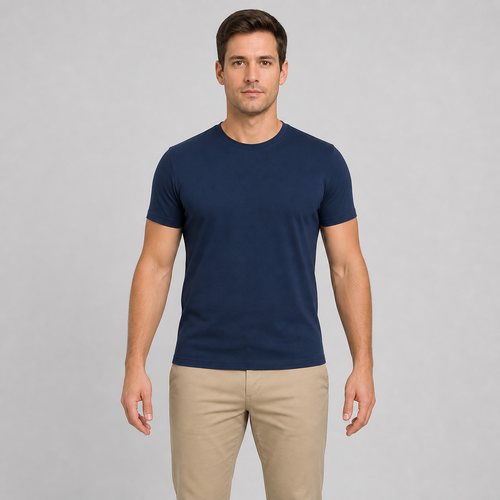
The same source image before and after applying 手臂调整.
手臂调整 photo effect applied to the same source image
Original source image before the 手臂调整 photo effect

手臂调整 — 自然瘦手臂

使用现有源像素,仅让两个已验证且分离的手臂区域更纤细,同时保持面部、肩部、躯干、双手及两个限定区域外的每个像素不变。

上传手臂调整效果照片

您可以利用 手臂调整 效果做什么

在开始之前查看可用的效果功能。

  • Apply the 手臂调整 effect to any photo
  • Fine-tune the effect strength to taste
  • Preview your photo live as you edit
  • Download your edited photo in high quality
  • Apply 手臂调整 to many photos at once

使用流程

手臂调整会对清晰可见且彼此分开的两条手臂进行克制的修改,照片其余部分完全保持拍摄时的样子。工具通过每个人的脸部、肩膀和髋部定位人物,然后在移动任何内容前,将两条手臂与背景、头发、皮肤和衣物分离。调整会在区域边缘逐渐减弱至零,并在新轮廓后填补附近背景,避免出现空隙。脸部和调整区域以外的每个像素都会直接复制到无损 PNG 中。合照中可以选择要修改的人,也可以在设置中开启“应用于所有人”。如果两个人站得太近,无法保证不影响旁边的人,工具会跳过该人物而不是猜测处理。照片不清晰、被裁切或存在歧义时,会改用 AI 对整张照片进行相同调整。

处理中

手臂调整使用 AI 动作。任何单独的余量都会在该效果开始处理之前显示。

最适合

sharp, opaque, front-facing photos with a clear face, both shoulders, elbows, wrists and hips visible, straight arms held away from the torso, and clean background on both sides — including group photos where each person has clear space around them.

不太适合: people packed shoulder to shoulder with no gap between them, side or seated poses, arms crossed or resting against the torso, hidden elbows or wrists, long loose sleeves, busy background between arm and body, transparent cutouts, motion blur, and bodies touching the image edge.

使用方法手臂调整

  • 适度调整手臂宽度,同时保持面部特征、身体结构和服装不变。
  • Keep the shoulders, torso, hands, lower body, and distant background exactly as photographed while narrowing two isolated arm bands.
  • 调整强度,在固定安全上限内选择轻微或更明显的手臂效果。

关于 手臂调整 效果的常见问题与解答

手臂调整会改变哪些部分?
它使用照片中的现有像素,仅收窄两条分离手臂轮廓中已安全分割的中段。变形在到达肩部和手腕前降为零,面部、中央躯干、双手、下半身以及两个区域外的所有像素均保持精确不变。
为什么双臂必须伸直并与躯干分开?
局部手臂变形需要清晰明确的手臂边缘,以及两侧经过验证的背景。当手臂弯曲、贴住躯干、与另一条肢体交叉,或在杂乱背景中失去边缘时,调整形状可能会连身体或背景一起扭曲,因此会改用 AI 对整张照片进行相同调整。
更多肖像与美容效果

查看运动中的特色效果

最强的效果选择在目录的其余部分之前领先于这条腰带。