
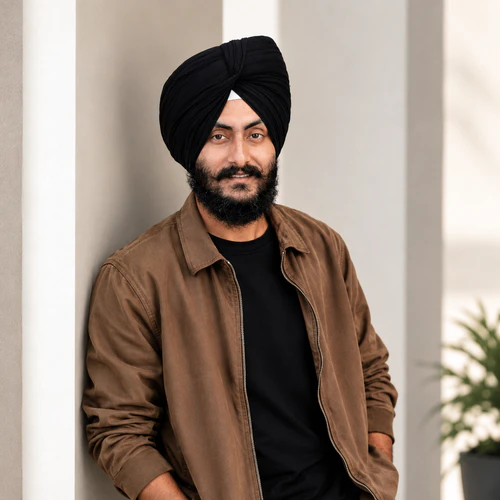
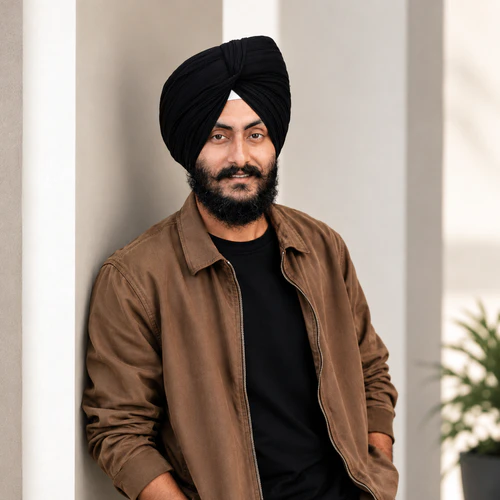
The same source image before and after applying 仪容仪表.
仪容仪表 photo effect applied to the same source image
Original source image before the 仪容仪表 photo effect

Grooming——仅增强现有眉毛和胡须

Define only eyebrow and optional facial-hair detail already visible in your photo, inside verified zones—without inventing hair or changing the face.

上传仪容仪表效果照片

您可以利用 仪容仪表 效果做什么

在开始之前查看可用的效果功能。

  • Apply the 仪容仪表 effect to any photo
  • Fine-tune the effect strength to taste
  • Preview your photo live as you edit
  • Download your edited photo in high quality
  • Apply 仪容仪表 to many photos at once

使用流程

Grooming does not generate, remove, extend, reshape, recolor, sharpen, blur, or patch hair or the portrait. It needs one complete, near-front face: the face is checked carefully and its full shape is mapped. The tool tells face skin apart from accessories only to set safe outer limits—never as proof that a dark pixel is facial hair. It first measures the brightness of bare skin on the verified forehead, then keeps only pixels clearly darker than that skin inside exactly two eyebrow outlines. It can also define facial hair that is already there inside one optional lower-face zone: that area must stay inside the face oval, below the nose, on verified face skin, away from the protected nose and lips, and be large and connected enough, with real fine hair detail nearby in the original. Smooth cast shadows cannot qualify. Very light, absent, or uncertain facial hair is left unchanged. The adjustment only darkens slightly, with a small fixed limit for brows and a slightly higher one for facial hair at full intensity; it adds no artificial strands, texture, edge sharpening, or color. Eyes, irises, nose, lips, inside of the mouth, skin outside the accepted brow and facial-hair detail, ears, scalp hair, turban or other headwear, face shape, expression, lighting, clothing, background, framing, transparency, and every pixel outside the two brow zones and optional facial-hair zone are copied unchanged into a lossless PNG. Side profiles, incomplete or tiny faces, unclear skin, obstructions, brows without enough visible dark detail, and uncertain facial hair are refused or left unchanged rather than redrawn.


处理中

仪容仪表使用 AI 动作。任何单独的余量都会在该效果开始处理之前显示。

最适合

清晰、光线均匀、接近正面的肖像,含一张完整人脸,自然眉毛清晰可见,并可带有已有的胡子或络腮胡细节.

不太适合: 侧脸、倾斜或裁切的面部、眼镜、遮住眉毛或下半脸的头发或双手、过浅或本已清晰的眉毛、低对比度胡须、强烈投影、过小面部、运动模糊及合影.

使用方法仪容仪表

  • 仅适度增强现有两侧眉形,不填补、不延长,也不重塑眉形。
  • Subtly define an already-present moustache or beard while keeping lips, nose, surrounding skin, headwear, hairline, and face shape exactly as photographed.
  • Use intensity to control darkening-only definition while every pixel outside the verified grooming zones stays unchanged.

关于 仪容仪表 效果的常见问题与解答

Grooming 会添加胡须或重塑我的眉毛吗?
No. It only darkens detail already visible inside two verified eyebrow outlines and, when enough original evidence exists, one optional lower-face facial-hair zone. It cannot synthesize strands, fill gaps, extend outlines, remove hair, or change geometry.
为什么不能像虚拟布置编辑房间那样应用 Grooming?
Virtual staging intentionally synthesizes large replaceable room regions. Brows, facial hair, lips, skin, and facial contours are identity-critical and touch at pixel scale. Grooming therefore measures your own pixels inside precisely located, verified zones, caps a darkening-only correction, and refuses uncertain evidence rather than asking a generator to redraw the person.

更多肖像与美容效果

查看运动中的特色效果

最强的效果选择在目录的其余部分之前领先于这条腰带。


















