
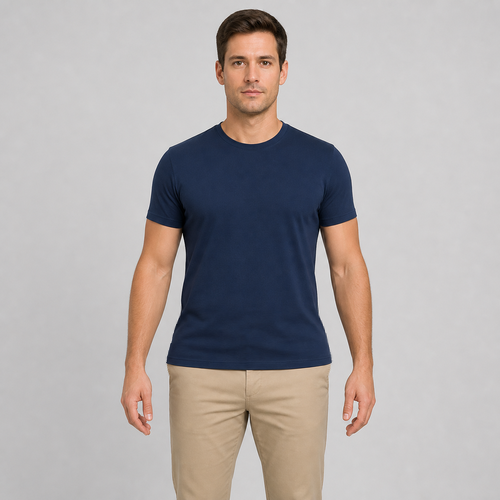
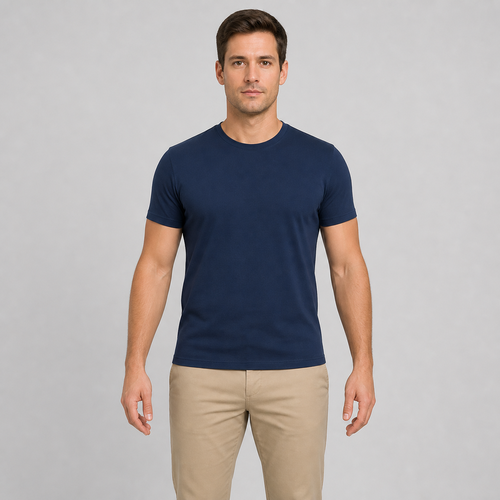
The same source image before and after applying 髋部调整.
髋部调整 applied to the same source image
Original source image before 髋部调整

髋部调整 — 无需重新生成人像,加宽已验证的髋部区域

使用现有源像素加宽一段已验证的下髋部和骨盆衣物区域,同时保持面部、腰部、双手、双腿及限定变形区外的每个像素不变。

上传髋部调整效果照片

您可以利用 髋部调整 效果做什么

在开始之前查看可用的效果功能。

  • Apply the 髋部调整 effect to any photo
  • Fine-tune the effect strength to taste
  • Preview your photo live as you edit
  • Download your edited photo in high quality
  • Apply 髋部调整 to many photos at once

使用流程

Hip Adjust makes a restrained change to a hip and pelvis band you can clearly see, and leaves the rest of the photo exactly as you shot it. It locates each person by their face, shoulders and hips, then separates a hip and pelvis band from the background, hair, skin and clothing before anything moves. The adjustment eases off to nothing at every edge of that area, and nearby background is filled in behind the new outline so no gaps appear. The face and every pixel outside the adjusted area are copied straight into a lossless PNG. In a group photo you pick who to change, or switch on "Apply to everyone" in Settings. Anyone standing too close for their neighbour to stay untouched is left alone rather than guessed at. If the photo is unclear, cut off, transparent or ambiguous, it stops instead of guessing.


处理中

髋部调整使用 AI 动作。任何单独的余量都会在该效果开始处理之前显示。

最适合

sharp, opaque, front-facing photos with a clear face, both shoulders and hips visible, hands held away from the hip outline, and clean background on both sides of the hips — including group photos where each person has clear space around them.

不太适合: people packed shoulder to shoulder with no gap between them, side or seated poses, hands on hips, bags or coats across the hip line, cropped hips, loose or flowing garments, transparent cutouts, motion blur, and bodies touching the image edge.

使用方法髋部调整

  • 预览适度增加可见髋宽的效果,不改变面部身份特征、双手、双腿或整张人像。
  • 仅加宽下髋部和骨盆区域,保持自然腰线和上半身与原图完全一致。
  • 调整强度,在每侧固定 12% 的安全上限内选择轻微或更明显的效果。

关于 髋部调整 效果的常见问题与解答

髋部调整会改变我的腰部、双手或双腿吗?
不会。网格从自然腰线下方开始,在髋部下方不远处逐渐降为零,并且只能在手臂或双手前方已验证的背景间隙内运行。这些受保护区域及测量范围外的所有像素都直接复制自原图。
为什么髋部调整会拒绝宽松衣物或双手靠近髋部的照片?
工具需要连续的衣物轮廓,以及两侧干净且经语义识别的背景。宽松面料、裸露或隐藏的轮廓、贴近的双手和附近物体会让真实髋部边界变得模糊,因此工具会停止,而不是扭曲错误的像素。

更多肖像与美容效果

查看运动中的特色效果

最强的效果选择在目录的其余部分之前领先于这条腰带。


















