
使用流程
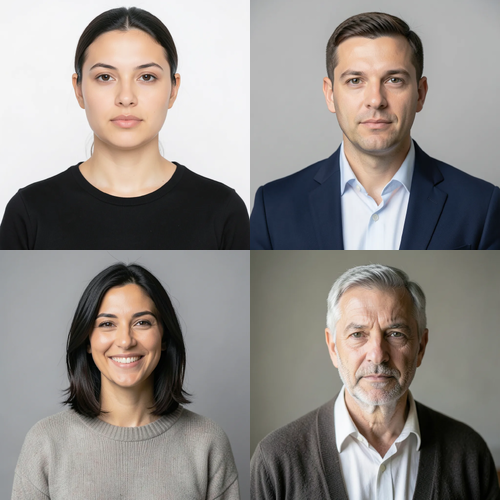
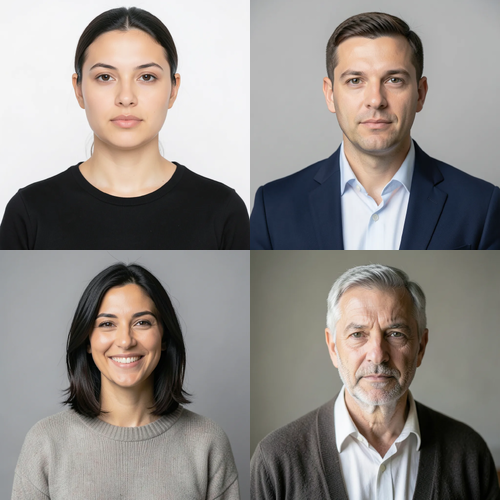
Multi-Face Retouch is a localized group-portrait treatment, not a full-frame generator. It needs at least two complete, near-front faces. Each face is found and checked on its own: its full shape is mapped, and its skin is separated from hair, beard, body, clothing, accessories, background, and neighboring people. Exactly three bounded zones per accepted face cover safe skin on the forehead and both cheeks, and slightly enlarged protective areas keep every eye, iris, eyebrow, nose, and lip untouched. Each face is measured only against its own skin, so another person, background, hair, or beard cannot influence its correction. Only medium-sized patches of uneven tone and color are reduced; fine detail, pores, wrinkles, and age cues are kept. Even at full intensity, each brightness and color correction is capped at a small fixed amount. Eyes, irises, eyebrows, nose, lips, inside of the mouth, hair, beard, face shape, expression, bodies, clothing, lighting, background, collage grid or image edges, framing, transparency, and every pixel outside the accepted zones are copied unchanged into a lossless PNG. It never smooths a whole face, sharpens, reshapes, patches, or regenerates a person. Side profiles, incomplete or tiny faces, unclear skin, obstructions, and already-even faces are left unchanged; the request is refused when fewer than two faces remain safe.
























