
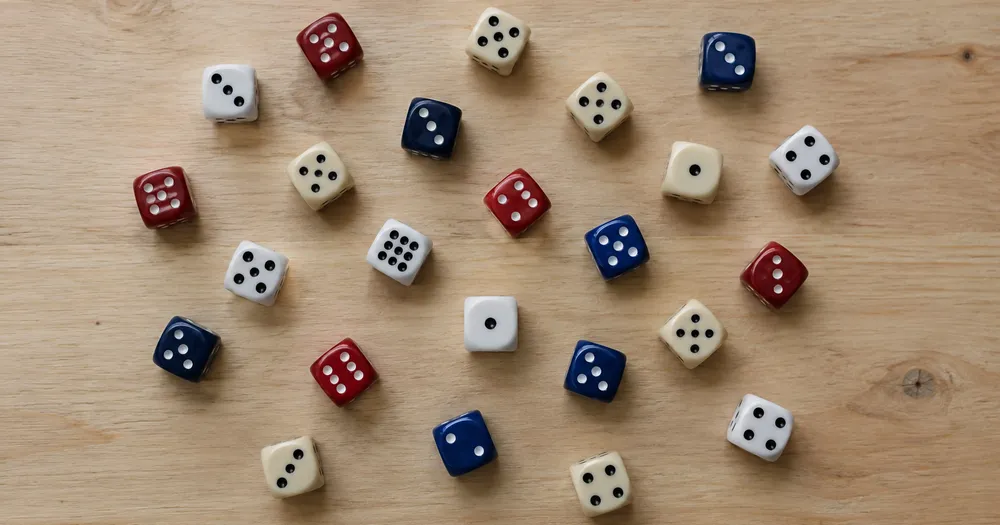
ਇੱਕ ਫੋਟੋ ਤੋਂ ਇੱਕ ਟਰੇ ਵਿੱਚ ਪਾਸਾ ਗਿਣੋ
JPG, PNG, WEBP ਨਾਲ ਕੰਮ ਕਰਦਾ ਹੈ · 20 MB, Premium 50 MB ਤੱਕ ਮੁਫ਼ਤ
ਪਾਸੇ ਨੂੰ ਟਰੇ ਜਾਂ ਸਮਤਲ ਸਤ੍ਹਾ ਉੱਤੇ ਇੱਕੋ ਪਰਤ ਵਿੱਚ ਫੈਲਾਓ ਅਤੇ ਸਿੱਧੇ ਉੱਪਰੋਂ ਫੋਟੋ ਖਿੱਚੋ — ਗਿਣੀਆਂ ਪਛਾਣਾਂ ਉੱਤੇ ਜਾਂਚ ਲਈ ਬਿੰਦੂ ਲੱਗਦੇ ਹਨ. ਇਹ ਕਲੱਬ, ਰੇਂਜ, ਦੁਕਾਨਾਂ ਅਤੇ ਕੁਲੈਕਟਰ ਲਈ ਬਣਾਇਆ ਗਿਆ ਹੈ — ਹਰ ਫੋਟੋ ਨੂੰ CSV ਜਾਂ PDF ਗਿਣਤੀ ਵਿੱਚ ਜੋੜਨ ਤੋਂ ਪਹਿਲਾਂ ਜਾਂਚੋ ਅਤੇ ਠੀਕ ਕਰੋ.
- ਫੋਟੋ ਦੀ ਜਾਂਚ ਕਰੋ, ਫਿਰ ਦਿਸਦੇ ਪਾਸੇ ਗਿਣੋ
- Upload a photo and get an automatic count
- Review the markers to catch dice counted twice or missed
- ਵਰਤਣ ਲਈ ਮੁਫ਼ਤ · ਸਾਈਨਅੱਪ ਦੀ ਲੋੜ ਨਹੀਂ · ਬਿਨਾਂ ਵਾਟਰਮਾਰਕ
ਤਸਵੀਰ ਅੱਪਲੋਡ ਕਰੋ
ਸਹੀ ਗਿਣਤੀ ਲਈ ਨੁਸਖੇ
• ਇਕਸਾਰ ਤੇ ਚੰਗੀ ਰੌਸ਼ਨੀ ਵਾਲੀ ਫੋਟੋ ਵਰਤੋ, ਜਿਸ ਵਿੱਚ ਪਾਸੇ ਪੂਰੀ ਤਰ੍ਹਾਂ ਫਰੇਮ ਵਿੱਚ ਹੋਵੇ
• Keep your dice visible and avoid overlapping items
• ਬਿੰਦੂ ਅਤੇ ਹੀਟਮੈਪ ਬਰਕਰਾਰ ਰੱਖੀਆਂ ਖੋਜਾਂ ਦਿਖਾਉਂਦੇ ਹਨ — ਸਮੀਖਿਆ ਕਰੋ ਅਤੇ ਗਿਣਤੀ ਠੀਕ ਕਰੋ
ਪਾਸੇ ਗਿਣਤੀਕਾਰ ਬਾਰੇ
The dice counter counts visible dice from your photo and marks detections for review. Counting starts automatically once the photo and item are ready. Visibility, overlap and similar-looking items can affect the total. Built for clubs, ranges, shops and collectors.
ਇਹ ਕਿਵੇਂ ਕੰਮ ਕਰਦਾ ਹੈ
1. ਆਪਣੇ ਪਾਸੇ ਦੀ ਫੋਟੋ ਖਿੱਚੋ
2. Upload your photo to count dice automatically
3. Review the markers and correct the tally if needed
4. ਟੈਲੀ ਸ਼ੀਟ ਵਿੱਚ ਸ਼ਾਮਲ ਕਰੋ ਅਤੇ ਆਪਣੀ ਗਿਣਤੀ ਨੂੰ CSV ਵਜੋਂ ਐਕਸਪੋਰਟ ਕਰੋ
ਇਨ੍ਹਾਂ ਲਈ ਢੁਕਵਾਂ
• ਗੇਮ ਅਤੇ ਸ਼ੌਕ ਦੀ ਦੁਕਾਨ ਦੇ ਸਟਾਕ ਦੀ ਗਿਣਤੀ
• ਲੇਬਲ ਦੇ ਵਿਰੁੱਧ ਬਲਕ ਪੈਕ ਪੁਸ਼ਟੀਕਰਨ
• ਕਲੱਬ ਅਤੇ ਇਵੈਂਟ ਸਾਜ਼ੋ-ਸਾਮਾਨ ਦੀ ਜਾਂਚ
• ਇੱਕ ਚਿੰਨ੍ਹਿਤ ਸੰਦਰਭ ਚਿੱਤਰ ਦੇ ਨਾਲ ਸੰਗ੍ਰਹਿ ਸੂਚੀਕਰਨ
ਅਕਸਰ ਪੁੱਛੇ ਜਾਣ ਵਾਲੇ ਸਵਾਲ
- ਕੀ ਗਿਣਤੀ ਤੋਂ ਪਹਿਲਾਂ ਵਸਤੂਆਂ ਨੂੰ ਵੱਖ ਕਰਨ ਦੀ ਲੋੜ ਹੈ?
- ਥੋੜ੍ਹਾ ਜਿਹਾ ਛੂਹਣਾ ਕੰਮ ਕਰ ਸਕਦਾ ਹੈ, ਪਰ ਪੂਰਾ ਓਵਰਲੈਪ ਚੀਜ਼ਾਂ ਨੂੰ ਲੁਕਾਉਂਦਾ ਹੈ ਅਤੇ ਨਤੀਜੇ ਨੂੰ ਘੱਟ ਭਰੋਸੇਯੋਗ ਬਣਾਉਂਦਾ ਹੈ। ਉਹਨਾਂ ਨੂੰ ਇੱਕ ਪਰਤ ਡੂੰਘੀ ਰੋਸ਼ਨੀ ਦੇ ਹੇਠਾਂ ਫੈਲਾਓ, ਇੱਕ ਸਪੱਸ਼ਟ ਉਦਾਹਰਨ ਦੀ ਨਿਸ਼ਾਨਦੇਹੀ ਕਰੋ, ਅਤੇ ਹਰੇਕ ਨਤੀਜੇ ਮਾਰਕਰ ਦੀ ਸਮੀਖਿਆ ਕਰੋ।
- ਜੇ ਫੋਟੋ ਵਿੱਚ ਪਾਸੇ ਤੋਂ ਇਲਾਵਾ ਹੋਰ ਚੀਜ਼ਾਂ ਵੀ ਹੋਣ ਤਾਂ ਕੀ ਹੋਵੇਗਾ?
- The counter automatically looks for dice in your photo. Similar-looking distractors can still affect the result, so review every marker before using the total.
- ਕੀ ਮੈਂ ਕਈ ਫੋਟੋਆਂ ਨੂੰ ਇੱਕ ਕੁੱਲ ਵਿੱਚ ਗਿਣ ਸਕਦਾ ਹਾਂ?
- Yes — count each photo and add every reviewed result to the tally sheet as a labelled row. Export the tally as CSV or a PDF report, or save it to your account.
- ਕੀ ਇਹ ਮੁਫ਼ਤ ਤੇ ਨਿੱਜੀ ਹੈ?
- Yes. You can count, review and download a free result without an account. Downloads are free without a watermark. No signup required. Server-processed photos are encrypted in transit and removed under our Security policy.
ਤੁਸੀਂ ਆਬਜੈਕਟ ਕਾਊਂਟਰ ਨਾਲ ਕੀ ਕਰ ਸਕਦੇ ਹੋ
ਸ਼ੁਰੂ ਕਰਨ ਤੋਂ ਪਹਿਲਾਂ ਮੁੱਖ ਸਮਰੱਥਾਵਾਂ ਦੀ ਸਮੀਖਿਆ ਕਰੋ।
- ਹੱਥਾਂ ਨਾਲ ਗਿਣਤੀ ਕਰਨ ਦੀ ਬਜਾਏ ਇੱਕ ਫੋਟੋ ਵਿੱਚ ਵਸਤੂਆਂ ਦੀ ਗਿਣਤੀ ਕਰੋ
- ਟੈਲੀ ਸਿੱਕੇ, ਗੋਲੀਆਂ, ਸੈੱਲ, ਹਿੱਸੇ ਅਤੇ ਮਣਕੇ
- ਕਿਸੇ ਖ਼ਾਸ ਆਈਟਮ ਨੂੰ ਨਿਸ਼ਾਨਾ ਬਣਾਉਣ ਲਈ ਵਿਕਲਪਿਕ ਤੌਰ 'ਤੇ ਇੱਕ ਉਦਾਹਰਨ ਨਿਸ਼ਾਨਬੱਧ ਕਰੋ
- ਓਵਰਲੇ ਮਾਰਕਰਾਂ ਨਾਲ ਗਿਣੀਆਂ ਪਛਾਣਾਂ ਦੀ ਸਮੀਖਿਆ ਕਰੋ
- ਬਹੁਤ ਸਾਰੀਆਂ ਫੋਟੋਆਂ ਵਿੱਚ ਇੱਕ ਬਲਕ ਆਡਿਟ ਚਲਾਓ
- ਛੋਟੇ ਧੱਬਿਆਂ ਨੂੰ ਨਜ਼ਰਅੰਦਾਜ਼ ਕਰਨ ਲਈ ਫਾਈਨ-ਟਿਊਨ ਸੰਵੇਦਨਸ਼ੀਲਤਾ
ਸੈਟਿੰਗਾਂ ਦਾ ਹਵਾਲਾ
15 ਸੈਟਿੰਗਾਂ
ਆਬਜੈਕਟ ਕਾਊਂਟਰ ਲਈ ਉਪਲਬਧ ਨਿਯੰਤਰਣ।
ਅੱਪਲੋਡ ਕਰੋ
- ਇਕਹਿਰੀ ਫ਼ੋਟੋ / ਬਲਕ ਆਡਿਟਪ੍ਰੀਸੈਟ
- ਇੱਕ ਸਿੰਗਲ-ਫੋਟੋ ਗਿਣਤੀ ਜਾਂ ਪ੍ਰੀਮੀਅਮ ਬਲਕ ਆਡਿਟ ਚੁਣੋ। ਹਰ ਨਤੀਜੇ ਦੀ ਸਮੀਖਿਆ ਕਰੋ.ਚੋਣਾਂ: ਇਕਹਿਰੀ ਫ਼ੋਟੋਬਲਕ ਆਡਿਟ
ਗਿਣਤੀ
- ਸ਼ਾਮਲ ਮਾਰਕਰਸਲਾਈਡਰਰੇਂਜ: 0–1 · ਮੂਲ: 0.21
- Starts at 21%; slide toward Show more to include weaker markers or Only strongest to hide them.
- ਓਵਰਲੇ ਸ਼ੈਲੀਪ੍ਰੀਸੈਟ
- ਬਿੰਦੀਆਂ, ਇੱਕ ਹੀਟਮੈਪ, ਦੋਵੇਂ ਜਾਂ ਇੱਕ ਸਾਫ਼ ਝਲਕ ਚੁਣੋ।ਚੋਣਾਂ: ਦੋਵੇਂਬਿੰਦੀਆਂਗਰਮੀਕੋਈ ਨਹੀਂ
- ਕੀ ਗਿਣਨਾ ਹੈਟੈਕਸਟ ਇਨਪੁੱਟ
- Enter the item to count, then press Enter or leave the field to start automatically. Review every result marker.
ਐਡਵਾਂਸਡ
- ਨਤੀਜਾ ਓਵਰਲੇਡ੍ਰੌਪਡਾਊਨ
- Choose how count markers appear in the on-screen preview; the download keeps its own markers.ਚੋਣਾਂ: ਡੌਟ + ਹੀਟਮੈਪਸਿਰਫ਼ ਡੌਟਸਿਰਫ਼ ਹੀਟਮੈਪ
ਗਿਣਤੀ
- ਟੈਲੀ ਵਿੱਚ ਸ਼ਾਮਲ ਕਰੋਇੱਕ-ਕਲਿੱਕ ਕਰੋ
- Add this count to the tally sheet under the name of the object that was counted. Signed-in accounts add finished counts automatically unless that is turned off under Account settings; in bulk mode every photo also has its own Add to tally button.
- ਲੇਬਲਟੈਕਸਟ ਇਨਪੁੱਟ
- Rename a tally row. Edits and removals wait until you choose Save changes, so you can fix several rows at once.
- ਗਿਣਤੀਨੰਬਰ ਇੰਪੁੱਟ
- Correct a row's count; totals, the chart and exports follow once the change is saved.
- Save changesਇੱਕ-ਕਲਿੱਕ ਕਰੋ
- Apply every edited or removed tally row in one step, or choose Discard changes to leave the sheet as it was.
Chart
- By objectਪ੍ਰੀਸੈਟ
- The chart is the same in every counting tool and covers the tallies of all of them. By object draws a separate line chart for each tally name, such as pipes and people. By tool draws a chart for each counting tool.ਚੋਣਾਂ: By objectBy tool
- ਅੰਤਰਾਲਪ੍ਰੀਸੈਟ
- Choose how far back the chart looks. Days without a count appear as zero.ਚੋਣਾਂ: 7 days30 days90 days12 months
History
- Counting setupਗੈਲਰੀ
- Keep comparable counts together. A first setup is created for you, so the first count can be saved straight away.
- Observed atਟੈਕਸਟ ਇਨਪੁੱਟ
- The date and time of the count, shown as a date and a time field.
- ਸੁਰਟੈਕਸਟ ਇਨਪੁੱਟ
- Starts with every detected object and its count, one per line, such as Pipes - 11. Edit it before saving.
- Save countਇੱਕ-ਕਲਿੱਕ ਕਰੋ
- Save the count to your account history. Open a saved count later to correct it or download its source photo.
ਆਬਜੈਕਟ ਕਾਊਂਟਰ ਲਈ ਸੰਬੰਧਿਤ ਟੂਲ
ਆਬਜੈਕਟ ਕਾਊਂਟਰ ਤੋਂ ਬਾਅਦ ਆਮ ਅਗਲੇ ਪੜਾਵਾਂ ਲਈ ਟੂਲ।
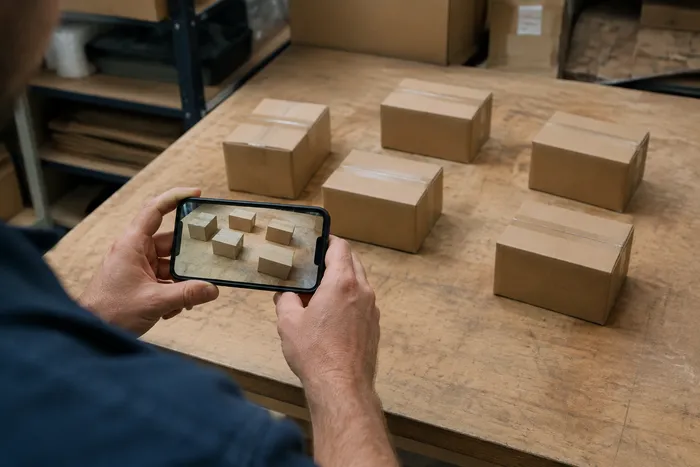
ਗਿਣਤੀ ਅਤੇ ਇਨਵੈਂਟਰੀ
ਲਾਈਵ ਆਬਜੈਕਟ ਕਾਊਂਟਰ
ਆਪਣੇ ਫ਼ੋਨ ਨੂੰ ਵੱਖ ਕੀਤੀਆਂ, ਪੂਰੀ ਤਰ੍ਹਾਂ ਦਿਖਾਈ ਦੇਣ ਵਾਲੀਆਂ ਆਈਟਮਾਂ 'ਤੇ ਨਿਸ਼ਾਨਾ ਬਣਾਓ ਅਤੇ ਡਿਟੈਕਟਰ ਮਾਰਕਰਾਂ ਦੀ ਸਮੀਖਿਆ ਕਰੋ ਕਿਉਂਕਿ ਅਸਲ ਸਮੇਂ ਵਿੱਚ ਗਿਣਤੀ ਦੇ ਅੱਪਡੇਟ ਹੁੰਦੇ ਹਨ।
ਹੁਣੇ ਅਜ਼ਮਾਓ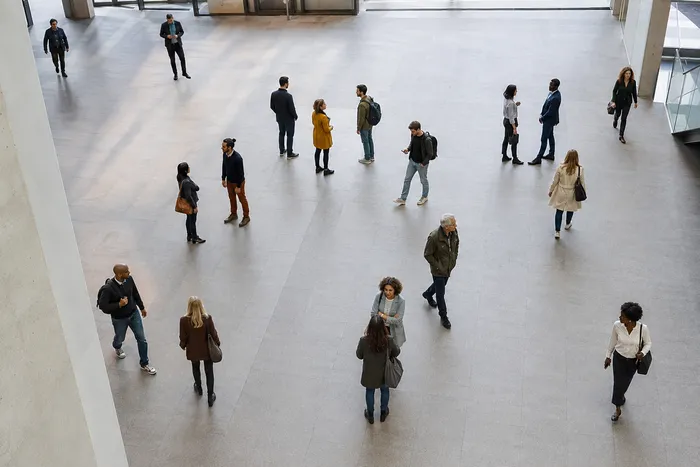
ਗਿਣਤੀ ਅਤੇ ਇਨਵੈਂਟਰੀ
ਪੀਪਲ ਕਾਊਂਟਰ
Estimate how many people appear in a photo. Review the markers and verify the count before official use.
ਹੁਣੇ ਅਜ਼ਮਾਓ
OCR ਅਤੇ ਡਾਟਾ ਐਕਸਟਰੈਕਸ਼ਨ
ਇਮੇਜ ਤੋਂ ਟੈਕਸਟ (OCR)
30+ ਸਮਰਥਿਤ ਭਾਸ਼ਾਵਾਂ ਵਿੱਚ ਸਕ੍ਰੀਨਸ਼ੌਟ, ਫੋਟੋ ਜਾਂ ਸਕੈਨ ਤੋਂ ਸੰਪਾਦਨਯੋਗ ਟੈਕਸਟ ਐਕਸਟਰੈਕਟ ਕਰੋ।
ਹੁਣੇ ਅਜ਼ਮਾਓਆਬਜੈਕਟ ਕਾਊਂਟਰ ਤੁਹਾਡਾ ਕੰਮ ਕਰਨ ਵਿੱਚ ਕਿਵੇਂ ਮਦਦ ਕਰਦਾ ਹੈ
ਅਸਲ ਸਮੱਸਿਆਵਾਂ ਜੋ ਇਹ ਹਰ ਰੋਜ਼ ਹੱਲ ਕਰਦੀ ਹੈ — ਕਾਰੋਬਾਰਾਂ, ਸਿਰਜਣਹਾਰਾਂ ਅਤੇ ਰੋਜ਼ਾਨਾ ਦੇ ਕੰਮਾਂ ਲਈ। ਉਹ ਵਰਤੋਂ ਕੇਸ ਲੱਭੋ ਜੋ ਤੁਹਾਡੇ ਲਈ ਫਿੱਟ ਹੈ ਅਤੇ ਸ਼ੁਰੂ ਕਰੋ।
ਸਮੀਖਿਆ ਕੀਤੀਆਂ ਵੇਅਰਹਾਊਸ ਸਾਈਕਲ ਗਿਣਤੀਆਂ
ਕਤਾਰ ਦੀ ਹਰ ਸ਼ੈਲਫ਼ ਫ਼ੋਟੋ ਉੱਤੇ ਵੱਖਰੀਆਂ ਵਸਤੂਆਂ ਮੋਡ ਚਲਾਉਣ ਲਈ ਬਲਕ ਆਡਿਟ ਵਰਤੋ, ਹਰ ਨਤੀਜਾ ਜਾਂਚੋ ਅਤੇ ਚੱਕਰ ਗਿਣਤੀ ਐਕਸਪੋਰਟ ਕਰਨ ਤੋਂ ਪਹਿਲਾਂ ਹਰ ਸ਼ੈਲਫ਼ ਦੀ ਗਿਣਤੀ ਠੀਕ ਕਰੋ।
ਮੇਕਰਾਂ ਅਤੇ Etsy ਵਿਕਰੇਤਾਵਾਂ ਲਈ ਛੋਟੇ-ਪੁਰਜ਼ੇ ਇਨਵੈਂਟਰੀ
ਨਮੂਨੇ ਸੈਟਿੰਗ ਵਿੱਚ ਲੋੜੀਂਦਾ ਮਣਕਾ, ਪੇਚ ਜਾਂ ਪੁਰਜ਼ਾ ਨਿਸ਼ਾਨਬੱਧ ਕਰੋ—1–3 ਨਮੂਨੇ, ਹਰ ਪੁਰਜ਼ੇ ਦੀ ਕਿਸਮ ਲਈ ਇੱਕ—ਫਿਰ ਗਿਣਤੀ ਚਲਾਓ। ਬੈਕਗ੍ਰਾਊਂਡ ਦੀਆਂ ਗਲਤੀਆਂ ਲਈ ਮਿਲਦੇ ਚਿੰਨ੍ਹ ਜਾਂਚੋ ਅਤੇ ਠੀਕ ਕੀਤਾ ਨਤੀਜਾ ਗਿਣਤੀ ਸ਼ੀਟ ਵਿੱਚ ਜੋੜੋ।
ਕਲਾਸਰੂਮ ਅਤੇ ਲੈਬ ਸਪਲਾਈ ਗਿਣਤੀ
ਪਾਸਿਆਂ, ਗੋਟੀਆਂ, ਟੈਸਟ ਟਿਊਬਾਂ ਜਾਂ ਲੈਬ ਕਿੱਟਾਂ ਦਾ AI-ਸਹਾਇਤਾ ਵਾਲਾ ਡਰਾਫਟ ਤਿਆਰ ਕਰੋ, ਫਿਰ ਰੀਆਰਡਰ ਗਿਣਤੀ ਐਕਸਪੋਰਟ ਕਰਨ ਤੋਂ ਪਹਿਲਾਂ ਨਿਸ਼ਾਨਾਂ ਦੀ ਸਮੀਖਿਆ ਅਤੇ ਸੁਧਾਈ ਕਰੋ।
ਟੀਮਾਂ ਲਈ ਸਾਂਝੀਆਂ ਕੀਤੀਆਂ ਜਾ ਸਕਣ ਵਾਲੀਆਂ ਸਟਾਕ-ਟੇਕ ਰਿਪੋਰਟਾਂ
ਇੱਕ ਮੁਕੰਮਲ ਸਟਾਕ-ਟੇਕ ਨੂੰ ਆਪਣੇ ਖਾਤੇ ਵਿੱਚ ਸਾਂਭੋ, ਬ੍ਰਾਂਡ ਵਾਲੀ PDF ਰਿਪੋਰਟ ਬਣਾਓ, ਅਤੇ ਸਿਰਫ਼-ਪੜ੍ਹਨ ਵਾਲਾ ਲਿੰਕ ਸਾਂਝਾ ਕਰੋ ਤਾਂ ਜੋ ਮੈਨੇਜਰ ਜਾਂ ਸਾਥੀ ਕੁਝ ਵੀ ਦੁਬਾਰਾ ਅੱਪਲੋਡ ਕੀਤੇ ਬਿਨਾਂ ਗਿਣਤੀ ਦੀ ਸਮੀਖਿਆ ਕਰ ਸਕਣ।
ਪੈਕ ਕੀਤੇ ਤਿਆਰ ਮਾਲ ਲਈ ਬੈਚ QC ਗਿਣਤੀਆਂ
ਉਦਾਹਰਨ ਸੈਟਿੰਗ ਵਿੱਚ 1-3 ਉਦਾਹਰਨ ਯੂਨਿਟਾਂ ਨੂੰ ਨਿਸ਼ਾਨਬੱਧ ਕਰਨ ਤੋਂ ਬਾਅਦ ਸਮਾਨ ਆਈਟਮਾਂ ਮੋਡ ਚਲਾਓ — ਸ਼ਾਟ ਵਿੱਚ ਇੱਕ ਪ੍ਰਤੀ ਪੈਕ ਕਿਸਮ। ਹਰ ਮਾਰਕਰ ਦੀ ਸਮੀਖਿਆ ਕਰੋ ਅਤੇ ਸ਼ਿਪਿੰਗ ਤੋਂ ਪਹਿਲਾਂ ਮਿਸ ਜਾਂ ਡੁਪਲੀਕੇਟ ਨੂੰ ਠੀਕ ਕਰੋ।
LEGO, ਟ੍ਰੇਡਿੰਗ ਕਾਰਡ ਅਤੇ ਮਾਡਲਾਂ ਲਈ ਸ਼ੌਕ ਸੰਗ੍ਰਹਿ ਗਿਣਤੀ
ਨਮੂਨੇ ਸੈਟਿੰਗ ਵਿੱਚ 1–3 ਟੁਕੜੇ ਨਿਸ਼ਾਨਬੱਧ ਕਰੋ—ਗਿਣੀ ਜਾ ਰਹੀ ਹਰ ਕਿਸਮ ਲਈ ਇੱਕ—ਫਿਰ ਗਿਣਤੀ ਚਲਾਓ। ਸਿਫ਼ਰ ਤੋਂ ਹੱਥੀਂ ਗਿਣਤੀ ਕਰਨ ਦੀ ਥਾਂ ਨਤੀਜਾ ਚਿੰਨ੍ਹ ਜਾਂਚੋ ਅਤੇ ਗਿਣਤੀ ਠੀਕ ਕਰੋ।
ਇਸ ਟੂਲ ਦੀਆਂ ਗਾਈਡਾਂ
- A Shelf Can Look Full While the Products Customers Want Run LowA full-looking shelf can hide gaps in the products people want. Explore Pixoate visible-object counts and the context needed for a useful stock review.
- How to Count Shop Inventory from Shelf PhotosCount visible shelf stock, review object markers and export a tally. Learn how to handle hidden items, mixed products and inventory discrepancies.
ਹਰ ਰੂਪਾਂਤਰ ਲਾਗੂ ਹੁੰਦਾ ਵੇਖੋ
ਹਰ ਫੋਟੋ ਸਲੈਸ਼ ਨੂੰ ਬਿਨਾਂ ਛੂਹ ਕੇ ਪਾਰ ਕਰਦੀ ਹੈ ਅਤੇ ਦੂਜੇ ਪਾਸੇ ਤੋਂ ਬਾਹਰ ਆਉਂਦੀ ਹੈ।























