

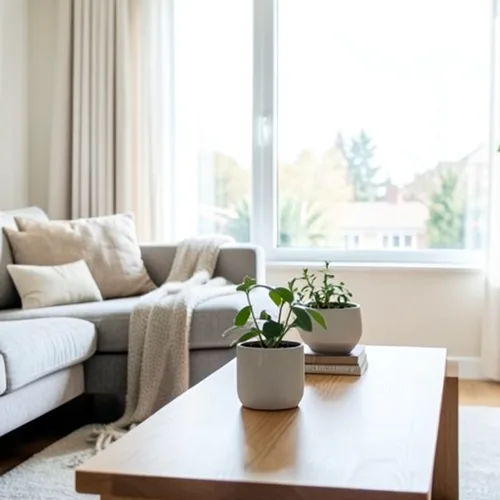
The same source image before and after applying 3D-wigglegram.
3D-wigglegram photo effect applied to the same source image
Original source image before the 3D-wigglegram photo effect

Fotofilter med rörlig 3D-bild online

Create a clean eight-frame depth loop where nearer and farther parts move by different amounts. Control the strength, compare the result, and download a finished image from your browser.

Ladda upp ett foto för 3D-wigglegram-effekten

Vad du kan göra med 3D-wigglegram-effekten

Granska de tillgängliga effektfunktionerna innan du börjar.

  • Apply the 3D-wigglegram effect to any photo
  • Fine-tune the effect strength to taste
  • Preview your photo live as you edit
  • Download your edited photo in high quality
  • Apply 3D-wigglegram to many photos at once

Så fungerar det

Wigglegram 3D estimates which parts of your photo are nearer or farther and keeps one plane near the center of the composition steady. Eight frames then move nearer and farther surfaces sideways by different amounts in a smooth back-and-forth rhythm; intensity changes how far they really move instead of fading a still copy over every frame. Nearer surfaces stay in front where things overlap, edges stay clean, and the narrow gaps that open beside foreground objects are filled by continuing the background behind them. At full strength, movement is capped at 2% of the image width and fades to nothing at the side edges. The unchanged center view appears twice so the loop plays seamlessly, and image and transparency move together in a lossless animated WebP. Very large photos are scaled down proportionally to 1.75 megapixels so all eight lossless frames stay small enough to download.


Bearbetar

3D-wigglegram använder en AI-åtgärd. Eventuell separat ersättning visas innan denna effekt börjar bearbetas.

Bäst för

centrerade porträtt, husdjur, produkter, stilleben, interiörer, arkitektur och scener med tydlig separation mellan förgrund, mellanplan och bakgrund.

Mindre lämpad för: platta scener, motiv utanför mitten, mycket fint hår eller lövverk, genomskinliga eller reflekterande objekt, källfoton med rörelse och stora förändringar av bildvinkeln som skulle kräva ytor som är dolda i originalfotot.

Sätt att använda 3D-wigglegram

    3D-wigglegram frågor

    Vad är ett wigglegram?
    En stereobild som visas som en snabb växling mellan två eller flera synpunkter istället för genom glasögon. Rörelsen i sig förmedlar djup, varför den fungerar på vilken skärm som helst utan specialutrustning.
    Vad gör ett bra wigglegram?
    Place the main subject near the centre and include recognisable detail both in front of and behind it. The central depth stays most stable while other layers move relative to it. One photo cannot reveal surfaces hidden from the camera, so the tool limits motion and continues only the farther visible background across narrow gaps; complex hair, glass, reflections, and wide separations can still reveal imperfect edges. Lower the intensity when that happens.

    Fler Djup & Dimension-effekter

    Smart omfokusering

    Djup & DimensionAvancerad AI

    Håll ett automatiskt identifierat huvudmotiv skarpt med ren, djupmedveten bakgrundsoskärpa

    Öppna sidan

    Tilt-shift-diorama

    Djup & DimensionAvancerad AI

    Förvandla gator och landskap sedda ovanifrån till miniatyrscener med ett rent, djupassisterat fokusband

    Öppna sidan

    Djupanaglyf i 3D

    Djup & DimensionAvancerad AI

    Create a comfortable red-cyan 3D view for standard glasses from the estimated depth of your photo

    Öppna sidan

    Kristallbrytning

    Djup & DimensionAvancerad AI

    Refract only the background through bounded crystal facets while keeping the detected subject fixed

    Öppna sidan

    Parallax Cutout affisch

    Djup & DimensionAvancerad AI

    Bygg fem breda, källanpassade papperslager utan att duplicera personer eller objekt

    Öppna sidan

    Topografiska djuplinjer

    Djup & DimensionAvancerad AI

    Trace 18 clean depth contour bands over your photo without moving people or objects

    Öppna sidan

    Pappersdiorama med djup

    Djup & DimensionAvancerad AI

    Style the frame as up to seven layered paper sheets without duplicating people or objects

    Öppna sidan

    Atmosfärisk djupdimma

    Djup & DimensionAvancerad AI

    Add soft atmospheric haze that grows with the estimated distance in your photo

    Öppna sidan

    Nära–fjärran delad ton

    Djup & DimensionAvancerad AI

    Apply cool-far and warm-near color grading from the estimated depth of your photo

    Öppna sidan

    Glaskulevärld

    Djup & Dimension

    Komprimera och vänd scenen inuti en avgränsad glaskula medan varje pixel utanför förblir oförändrad

    Öppna sidan

    Linsformigt djuptryck

    Djup & DimensionAvancerad AI

    Interlace depth-shifted strips only across the background while keeping the detected subject fixed

    Öppna sidan

    Se de utvalda effekterna i rörelse

    De starkaste effektplockarna leder detta bälte före resten av katalogen.




























