

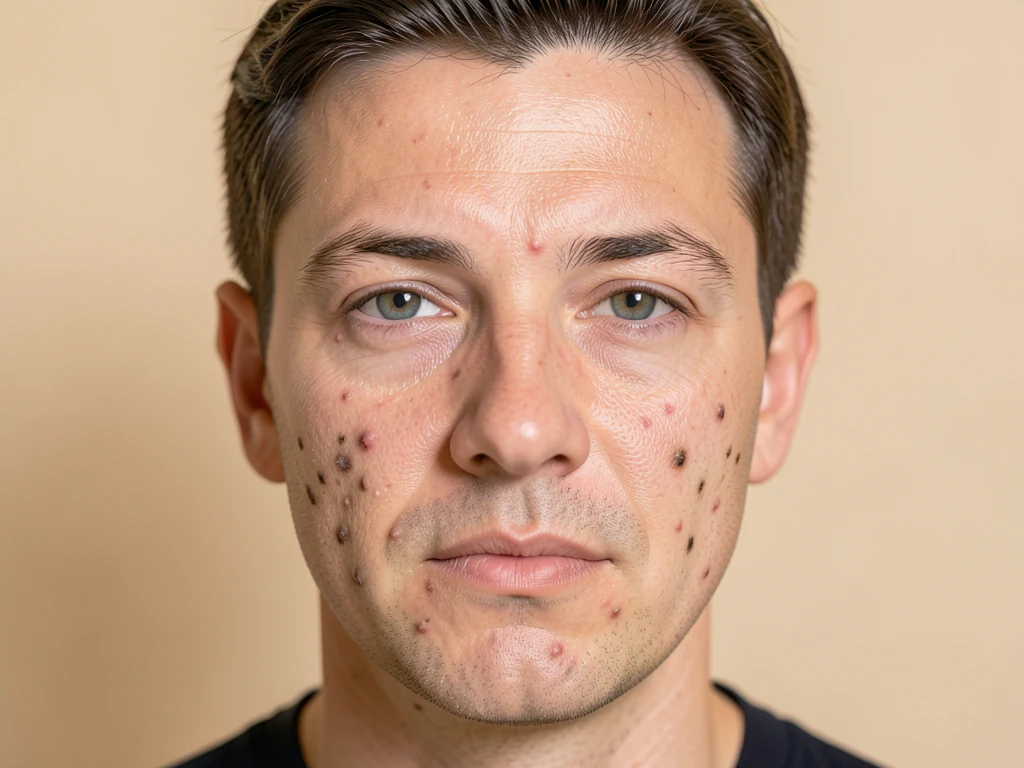
瑕疵去除剂 — 去除在线照片上的粉刺和痤疮
适用于 JPG、PNG、WEBP
Soften small pimples and spots in a clear portrait while keeping facial features and surrounding skin texture.
- 自动识别并修复痘痘、痤疮、斑点和暗沉印记
- Protects eyes, lips and facial hair
- Works best with the complete face visible
上传一张完整面部清晰可见的人像
获得最佳效果的小贴士
• Include the full forehead, eyes and chin; cheek close-ups and collages are not supported
• Raise Retouch strength and Max spot size gradually for remaining small spots
• Compare the result before downloading; deep scars and broad redness may remain
关于瑕疵去除工具
The blemish remover detects small dark, red or bright spots on facial skin and blends them with nearby skin. Eyes, lips and facial hair are protected. Upload a sharp portrait with the complete face visible. If no safe visible repair is possible, the tool explains this before creating a download.
工作原理
1. 上传一张自拍或人像照片
2. AI 自动识别皮肤与瑕疵
3. 用周围干净的皮肤修复瑕疵
4. 调节强度并下载
适用场景
• 自拍和人像照片
• 个人头像和交友照片
• 头像和证件照
• Well-lit faces with small, isolated spots
使用 瑕疵去除工具 可以做什么
在开始之前查看主要功能。
- 祛除面部照片中的痘痘、粉刺和斑点
- 自动清除暗沉痕迹和瑕疵
- 保留自然肌肤质感,避免塑料感
- 精细调节修饰程度
- 保护眼部、嘴唇等关键面部特征
- 仅修复小瑕疵
设置参考
5 个设置
瑕疵去除工具 的可用控件。
- 处理模式预设
- 可逐个处理输入内容,也可切换到 Premium 批量模式,将同一设置应用于多个输入。可用的输入类型取决于所用工具。选项: 单张图片批量
调整
- 修饰强度滑块范围: 0–1 · 默认: 0.7
- 控制去除瑕疵的力度,从“轻度”到“强”——建议从低值开始,只有当痘痘或斑点仍然可见时再调高。
微调
- 修复强度滑块范围: 0–1 · 默认: 0.9
- 设置每处瑕疵的修复程度,从「自然」到「完全」——数值越低保留的真实肤质越多,越高则修补得越干净。
- 最大瑕疵尺寸滑块范围: 0–1 · 默认: 0.5
- 工具能去除的最大斑点尺寸,从“仅小型”到“大型”——调高可清除较大的瑕疵,调低则只处理细小的痕迹。
- 五官保护滑块范围: 0–1 · 默认: 0.8
- 扩大眼睛、眉毛、嘴唇和鼻子周围的安全边距,确保这些部位绝不会被修改 — 如果发现某处五官像是被动过,可将其从“标准”调高至“最大”。



常见问题
瑕疵去除工具 如何助您完成任务
它每天为企业、创作者和日常任务解决实际问题。找到适合您的用例并开始。
毕业纪念册与毕业照修整
在毕业纪念册或毕业照截稿前清除临时冒出的痘痘——针对较大的痤疮调高「最大瑕疵尺寸」,并保持「五官保护」处于高档位,让眼睛和眉毛不受影响。
自然可信的约会资料肌肤修饰
使用较轻的修饰强度和修复力度设置,淡化痘痘或暗斑而不抹去真实的皮肤纹理,让头像照片真实自然。
模特与艺人试镜投递
在把综合卡或试镜投递照片发给经纪公司之前先清理瑕疵,同时用「五官保护」保持面部比例准确,便于选角决策。
交付前的婚礼合影人像
在交付最终相册之前,修复摆拍照片中婚礼团成员临时冒出的痘痘或瑕疵,且不会出现一味模糊滤镜那种塑料般的假面感。























