
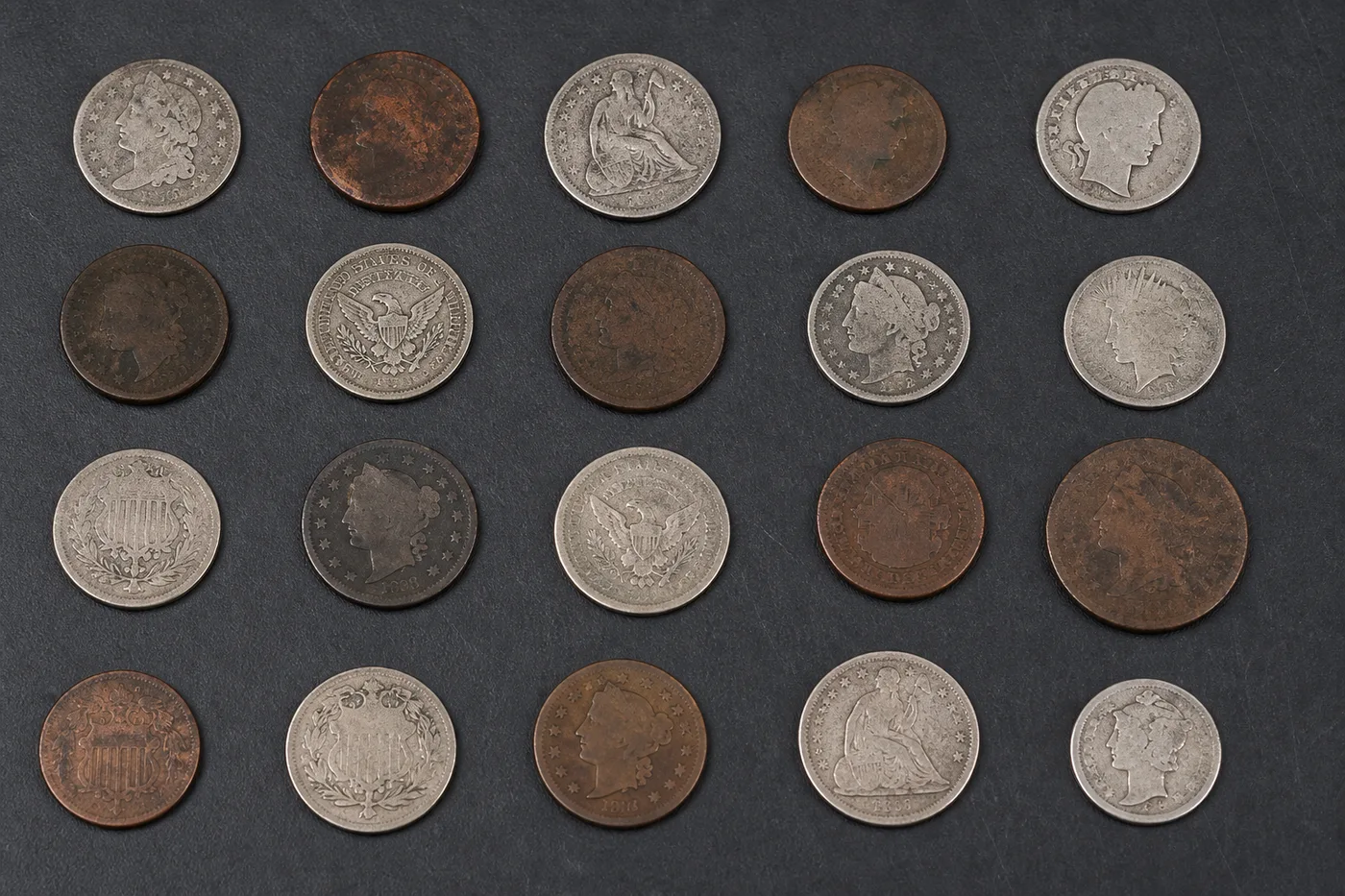
Count coins from a photo
Spread the coins flat, take one photo, and AI counts every coin with a dot on each — till floats, collection jars and hobby collections counted in seconds.
- Counts coins even when they touch or overlap
- Mark 1–3 example coins to count exactly that item
- 免费 · 无需注册 · 文件自动删除
支持 JPG、PNG、WEBP · 免费版最大 5 MB,高级版 50 MB
上传图片
精准计数的小贴士
• Use an even, well-lit photo with the coins fully in frame
• Mark 1–3 example coins when other items share the photo
• Dots and heatmap show what was counted — verify at a glance
关于硬币计数器
The coin counter uses an AI similar-item engine built for dense scenes where coins touch or overlap — the case where counting by hand is slow and error-prone. Mark one to three example coins and it counts exactly that item, marking every counted one on the image so you can verify the total. Built for shops, collectors and cash offices.
工作原理
1. 拍摄你的硬币
2. AI 自动清点 — 可选标记 1–3 个硬币作为示例
3. 通过图像上的圆点和热力图进行核对
4. 添加到统计表,并将计数结果导出为 CSV
适用场景
• Till float and cash-office counts
• Collection jar and donation tallies
• Coin collection inventories
• Arcade and vending machine counts
Done with Coin Counter? Try these next
Hand-picked tools that pair well with Coin Counter. Keep going without losing your file.
物体计数器
自动统计照片中的物品和数量——硬币、药片、细胞、零件、产品、珠子等等。上传图片,AI 即可标记并清点所有物品。免费在线计数工具。
立即试用Live Object Counter
Count stock in real time through your phone camera — point at a shelf, tray or pile and watch the AI count update live. Premium tool for inventory, stock-takes and audits.
立即试用瓶子计数器
Count bottles from a photo online — shelves, crates and cold rooms tallied in seconds with AI. Every bottle marked so you can verify. Free to try, no signup.
立即试用箱子和纸箱计数器
Count boxes and cartons from a photo online — pallets, stacks and truck loads tallied in seconds with AI. Every carton marked for verification. Free to try.
立即试用Pill Counter
Count pills and tablets from a photo online free. AI marks and tallies every pill in seconds — faster than a counting tray, verifiable at a glance.
立即试用人数计数器
自动统计照片或人群中的人数。从一张图片即可估算活动、课堂和聚会的到场人数,并标记每一个人。免费在线人群计数工具。
立即试用Frequently Asked Questions
Slight touching is fine — the density engine keeps touching coins apart. Avoid full overlaps (coins on top of coins): spread them one layer deep for an exact count.
usageMark 1–3 example coins by dragging a box around them and the AI counts exactly that item, ignoring everything else in the frame. Every counted item gets a dot on the image so you can verify the total at a glance.
usageYes — mark 1–3 examples of the denomination you want and the AI counts only coins like it. Count each denomination into its own tally row and export the CSV for your cash sheet.
featuresYes — counting photos is free with no signup for everyday use. Photos are uploaded only to process and are deleted automatically afterwards; we never keep or share them.
privacyCounting mode picks which AI engine runs on your photo. Auto lets the tool choose automatically, Similar items is built for a pile of one coin type — a jar of pennies or a till float of the same denomination — and Distinct objects switches to object detection so mixed denominations in one tray can be told apart. For a mixed-coin tray, start with Distinct objects; for a single-denomination jar, Similar items counts faster and more precisely.
usageSensitivity runs from Low to High and sets how confident the AI needs to be before marking something as a coin. Raise it toward High if coins are being missed in a dim or cluttered photo; lower it toward Low if glare, shadows or reflections off the coins are being counted as extra items. Even, flat lighting on the coins usually needs only a mid-range setting.
technicalResult overlay controls how counted coins are marked on the image: Dots + heatmap shows a dot per coin plus a density heatmap, Dots only keeps the photo clean for reports, and Heatmap only highlights dense clusters without individual markers. Ignore small detections raises the minimum size a mark needs to count, so nudge it toward Large only if stray glare, dust or coin edges are being counted as separate coins.
featuresYes — switch the Single photo toggle to Bulk audit to queue up multiple tray or jar photos. Each photo is counted with your current Sensitivity setting, a grand total is shown, and every photo's count is automatically added to your tally sheet. Bulk auditing is a Premium feature aimed at cash-office and collection-jar counts across multiple containers.
featuresTap Add to tally after each count to log that photo's total into the built-in tally sheet, labelling rows like "Till 2 — pennies" or "Jar A — quarters". Export the sheet as a CSV for your cash records, generate a branded PDF stock-take report, or sign in to save the stock-take to your account and share a read-only link with your team.
featuresSet Counting mode to Distinct objects so different coin types are recognised separately, keep Sensitivity around the middle and nudge it up if small coins are missed, and keep Ignore small detections low so real coins aren't filtered out. Mark 1–3 examples of each denomination in turn, add each run to the tally sheet, and you get a split total per coin type instead of one mixed number.
tipsYes — the tally sheet's CSV export stays free for everyday cash or collection counts, but generating the branded PDF stock-take report and using "Copy team link" to share a saved session both require a Premium plan; trying either on the free plan shows an upgrade prompt instead of the file or link. Saving a stock-take to your account and reopening it later is free, though free accounts can only keep a limited number of saved sessions at once.
pricingTap Mark example items, drag a box around 1-3 examples of the coin denomination you want counted, then tap Done marking — up to 3 examples can be active at once, and each marked box has its own Remove example button if you drag the wrong coin. The counter uses those examples to focus on that denomination and ignore everything else in frame, such as notes, a wallet, or a different coin type; Clear examples wipes all markers so you can re-mark a new denomination on the same photo.
usageHow Coin Counter helps you get it done
Real problems it solves every day — for businesses, creators, and everyday tasks. Find the use case that fits you and start in seconds.
现金室钱箱对账
Photograph the coin trays at close-out and get an exact denomination-by-denomination count using Distinct objects mode, then export the tally as CSV to reconcile against the register total in seconds.
慈善捐款罐与募捐清点
Count a full collection jar or donation bucket without sorting a single coin — spread it flat, run Similar items mode, and log the total straight into a shareable stock-take for your treasurer.
Coin Collection Inventory for Resale
Mark one example of a specific coin type or year with the exemplar tool to get an exact count of just that denomination across a collector's tray, ideal for pricing a lot before listing it on eBay or at a coin show.
Multi-Till Retail Audits
Switch to Bulk audit to photograph every till drawer across a shop in one pass — each photo is counted automatically and rolled into one grand total, then saved to your account and shared with head office via a read-only team link.
Vending & Arcade Machine Collections
Count coin boxes emptied from vending or arcade machines on route, adding each machine's total as its own tally row so a route report breaks down takings machine-by-machine instead of one lump sum.
Personal Spare-Change Jar Savings Tracking
Spread out a jar or piggy bank of loose change at home and count it in Similar items mode to see your savings total instantly, without sorting or rolling a single coin — handy for tracking a savings challenge or deciding when a jar is finally worth a bank trip.
Pixoate






















