
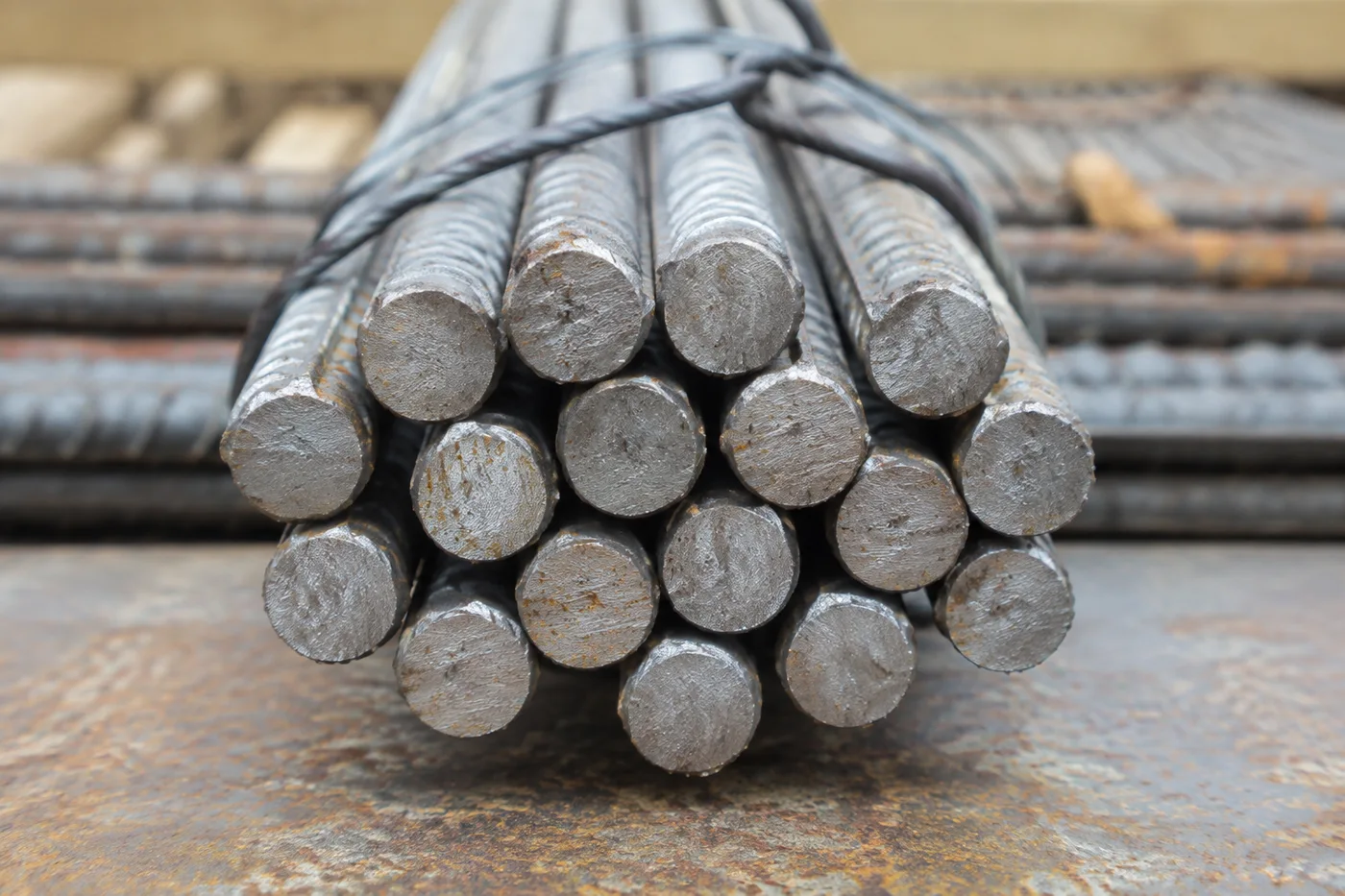
Count rebar and steel rods from a photo
Photograph the bundle end-on and AI counts every bar cross-section in seconds — deliveries, yard stock and load-outs verified without hand-tallying hundreds of rods.
- Counts rods even when they touch or overlap
- Mark 1–3 example rods to count exactly that item
- 免费 · 无需注册 · 文件自动删除
支持 JPG、PNG、WEBP · 免费版最大 5 MB,高级版 50 MB
上传图片
精准计数的小贴士
• Use an even, well-lit photo with the rods fully in frame
• Mark 1–3 example rods when other items share the photo
• Dots and heatmap show what was counted — verify at a glance
关于钢筋与钢棒计数器
The rebar & rod counter uses an AI similar-item engine built for dense scenes where rods touch or overlap — the case where counting by hand is slow and error-prone. Mark one to three example rods and it counts exactly that item, marking every counted one on the image so you can verify the total. Built for construction sites, steel yards and fabricators.
工作原理
1. 拍摄你的钢筋
2. AI 自动清点 — 可选标记 1–3 个钢筋作为示例
3. 通过图像上的圆点和热力图进行核对
4. 添加到统计表,并将计数结果导出为 CSV
适用场景
• Rebar delivery verification
• Steel yard stock counts
• Pipe and tube bundle counting
• Fabrication load-out checks
Done with Rebar & Rod Counter? Try these next
Hand-picked tools that pair well with Rebar & Rod Counter. Keep going without losing your file.
物体计数器
自动统计照片中的物品和数量——硬币、药片、细胞、零件、产品、珠子等等。上传图片,AI 即可标记并清点所有物品。免费在线计数工具。
立即试用Live Object Counter
Count stock in real time through your phone camera — point at a shelf, tray or pile and watch the AI count update live. Premium tool for inventory, stock-takes and audits.
立即试用瓶子计数器
Count bottles from a photo online — shelves, crates and cold rooms tallied in seconds with AI. Every bottle marked so you can verify. Free to try, no signup.
立即试用箱子和纸箱计数器
Count boxes and cartons from a photo online — pallets, stacks and truck loads tallied in seconds with AI. Every carton marked for verification. Free to try.
立即试用Pill Counter
Count pills and tablets from a photo online free. AI marks and tallies every pill in seconds — faster than a counting tray, verifiable at a glance.
立即试用人数计数器
自动统计照片或人群中的人数。从一张图片即可估算活动、课堂和聚会的到场人数,并标记每一个人。免费在线人群计数工具。
立即试用Frequently Asked Questions
Shoot the cut ends of the bundle straight-on so every bar's cross-section is visible, close enough that each end is at least a few pixels across. The AI counts each circular end and puts a dot on it for verification.
usageMark 1–3 example rods by dragging a box around them and the AI counts exactly that item, ignoring everything else in the frame. Every counted item gets a dot on the image so you can verify the total at a glance.
usageYes — anything with a repeated visible end counts the same way: pipes, tubes, conduit, timber battens, even rolled carpets. Photograph the ends and the AI does the rest.
featuresYes — counting photos is free with no signup for everyday use. Photos are uploaded only to process and are deleted automatically afterwards; we never keep or share them.
privacyUse Similar items for a tightly packed bundle where every bar end looks alike, since that engine is built for touching, repeated shapes. Auto lets the AI pick for you and is a safe default for a first try, while Distinct objects only matters if the photo also contains other, unrelated things you don't want counted.
usageDrag the Detection sensitivity slider toward 'Smaller items' if faint or partially-hidden bar ends are being missed, or toward 'Larger items' if shadows and gaps between bars are being counted as extra rods. Re-run the count after each adjustment and check the dots against the photo before trusting the total.
tipsDots mark the centre of every bar the AI counted, which is what you want for verifying an exact tally bar-by-bar. Heatmap instead shades density across the bundle, useful for spotting a cluster the AI struggled with; the default 'Dots + heatmap' shows both at once for the clearest picture.
featuresRaise it toward 'Large only' when rust flecks, cut burrs or background debris in the yard photo are being picked up as tiny false-positive rods. It filters out detections below the size threshold you set, so genuine bar ends stay counted while noise gets dropped.
tipsStart with Similar items mode and mark 2–3 example bar ends across the different diameters so the AI learns the size range, then nudge the sensitivity slider toward 'Smaller items' to catch the thinner bars without losing the thick ones. Finish by raising 'Ignore small detections' slightly if any stray marks slip in, and keep the overlay on 'Dots + heatmap' to eyeball the total before you trust it.
tipsYes — add each counted bundle to the Tally sheet, or switch to Bulk audit mode to queue and count a whole batch of yard photos in one pass with a grand total. Export the tally as CSV or a branded PDF stock-take report, and sign in to save the stock-take to your account so you can share a read-only link with the rest of the crew.
featuresCounting a single bundle photo stays free with no signup. Bulk audit, which queues every delivery photo from the yard into one grand total, is a Premium feature. Signing in lets you save a stock-take for free — up to 3 saved counts — with unlimited saved history on Premium.
pricingThe CSV export of your tally sheet is free for everyone. The branded PDF stock-take report and sharing a read-only link to a saved stock-take with the rest of the crew are both Premium features; free accounts can still save, reopen and export CSV.
pricingYes — every tally row's Count number is directly editable if a recount gives a different total, not just the row's Label. Each row has its own remove button (×) to delete a single delivery, and Clear tally resets the whole sheet to start a new count.
usageYes — Saved stock-takes has an Open in tally button next to each saved session, but loading one replaces everything currently in your tally sheet rather than merging with it. Export or save your current count first if you don't want to lose it, since there's no undo once a saved session loads in.
usageHow Rebar & Rod Counter helps you get it done
Real problems it solves every day — for businesses, creators, and everyday tasks. Find the use case that fits you and start in seconds.
Rebar Delivery Verification at the Gate
Photograph the bundle end-on the moment a delivery arrives and confirm the bar count against the delivery note before signing for it, catching a short delivery on the spot.
Per-Diameter Billing Breakdown
Mark example bar ends for each diameter in a mixed load and run the photo once per size, building a per-diameter split total in the tally sheet for accurate invoicing.
Steel Yard Load-Out Checks
Verify the exact bar count leaving the yard matches the dispatch note before a truck pulls out, with every counted end marked for a quick visual check.
Multi-Delivery Site Audits
Use Bulk audit to count every delivery photo from a site in one session, then export the grand total as a CSV or a branded PDF audit report.
Steel Yard Inventory Shrinkage & Theft Audits
Run periodic photo counts of yard stock and compare against your inventory system to catch shrinkage or theft between deliveries, rather than only counting at the point of delivery or dispatch.
Pixoate






















