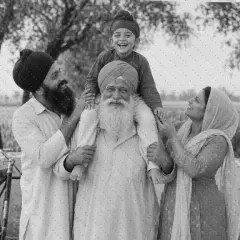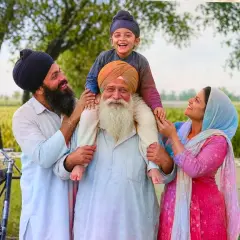
Generate
Image ready精细照片修复
修复照片中的划痕、撕裂和污渍
缺失细节将通过估算补全。如果面部有损坏,请仔细对比人物相似度。
标记受损区域并进行修复,同时保护周围的照片内容。
- 逐个修复受损区域
- 保留周围画面
- 检查重建的细节
选择图片
支持 JPG、PNG、WebP、HEIC 及其他格式。此工具的上传上限为:Free 套餐 20 MB,Premium 及以上套餐 50 MB。
使用 修复照片损伤 可以做什么
在开始之前查看主要功能。
- 修复选中的划痕和污渍
- 修复小范围撕裂区域
- 保留修复区域以外预处理源图的像素
设置参考
5 个设置
修复照片损伤 的可用控件。
修复
- 编辑类型下拉框
- 选择要执行的编辑,提示词、选区工具和输出控件会随编辑类型调整。选项: 划痕修复生成填充
- 一键预设预设
- 一键选择现成的方向;生成自动使用选定的预设。选项: 划痕撕裂区域污渍
- 定制说明(可选)文字输入
- 描述所请求的更改、相关材料、照明、视角和必须保持不变的细节。
选择
- 选择画笔大小滑块范围: 4–160px · 默认: 32px
- 设置画笔宽度,用于标记生成前所需的精确添加、填充或替换区域。
输出
- 要求人工智能保留受试者身份和产品详细信息开/关
- 添加明确的说明以保留主要主题、形状、品牌、标签和可读文本,除非请求更改它们。
免费使用 · 无需注册 · 无水印上传过程全程加密传输已根据我们的数据保留政策移除