表格转 JSON / SQL 转换器 - 在线处理 CSV、TSV、Markdown

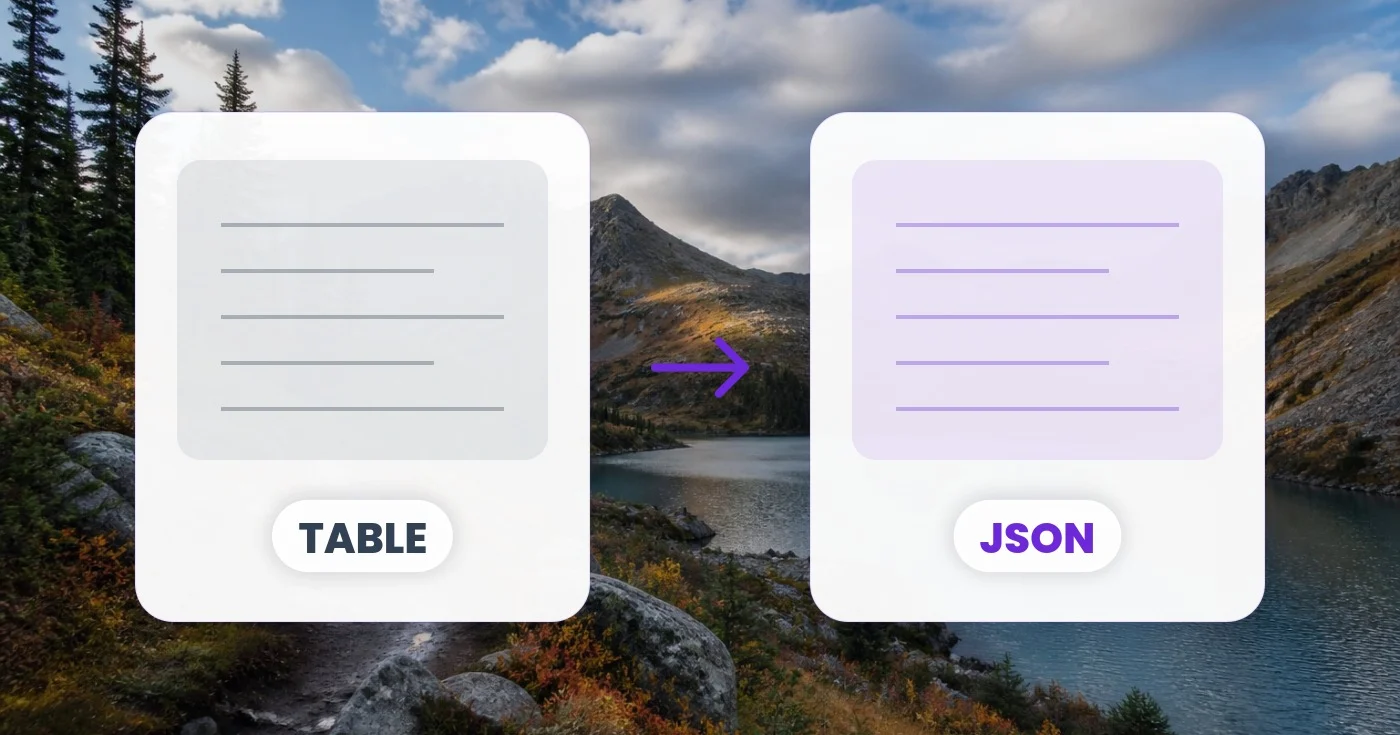
粘贴 CSV、TSV、分号、竖线或 Markdown 表格,即可在浏览器中立即将其转换为 JSON、JSONL 或 SQL INSERT 语句。

在此粘贴 CSV、TSV、分号、竖线或 | markdown | 表格 |……

或拖入 .csv / .tsv 文件

文件在处理后自动删除通过 HTTPS 安全处理

Frequently Asked Questions

将 CSV 粘贴(或拖入 .csv 文件)到输入面板,工具会自动检测分隔符,以表头行作为键将每一行解析为一个 JSON 对象,并即时显示结果。将输出格式切换为 JSON 数组、JSONL 或 SQL INSERT,即可获得你所需的确切结构。

usage

可以。解析器遵循 RFC 4180——用双引号包裹的字段可以包含逗号、换行符甚至字面引号(转义为 "")而不会破坏解析。因此像 "Smith, John" 这样的值仍然保持为单个单元格,而非两个。

technical

该工具会统计第一行非空内容中的制表符、逗号、分号和竖线,并选取出现最多的那个。如果您的文件较为特殊或含义不明,可以覆盖自动检测,手动选择制表符(TSV)、逗号、分号、竖线或 Markdown 表格。

technical

将输出格式切换为 SQL INSERT 并输入表名。工具会把列名清理为合法标识符(将空格、连字符等替换为下划线),并为每一行生成一条 INSERT 语句,其中字符串字面量已正确转义、数值保持原样、空单元格则填入 NULL。非常适合初始化数据库或迁移数据。

features

JSONL(JSON Lines)每行放置一个 JSON 对象,外层不带数组。它是将数据流式传输到 BigQuery、Snowflake、Logstash、Elasticsearch 以及大多数机器学习管道的标准格式。当每一行将被独立摄取时,请选择 JSONL。

features

可以。符合整数或小数格式的值会输出为 JSON 数字,字面量「true」/「false」会变为布尔值,空单元格则变为 null。如果你需要将所有内容都作为字符串处理,请在转换前相应地准备好数值。

technical

可以。选择「Markdown 表格」作为分隔符,然后粘贴标准的以竖线分隔的 Markdown 表格(表头行、分隔行、正文行)。分隔行会被自动跳过,单元格中的空白会被去除。

usage

不会——解析和转换完全在你的浏览器中运行。这让该工具可安全用于敏感的电子表格,如工资单导出、客户名单或绝不应接触第三方服务器的财务记录。

privacy

When checked, the tool treats your table's first row as column names and uses them as the JSON object keys (or generates col_1, col_2... for SQL if you leave it blank). Uncheck it if your data has no header row — a plain list of rows — and the tool will instead output raw JSON arrays or auto-name columns col_1, col_2, etc. for SQL INSERT statements.

features

Switch Output to SQL INSERT and a Table name field appears where you can type your target table's name, such as customers or order_items. The tool automatically sanitizes whatever you enter — replacing spaces and symbols with underscores and prefixing a leading digit — so the generated SQL always has a valid identifier even if your input is messy.

usage

Uncheck 'First row is header' if your export has no column names, set Output to SQL INSERT, and type your real table name in the Table name field. The tool will auto-generate col_1, col_2... column names, coerce numbers and booleans automatically, and produce one properly-escaped INSERT statement per row that you can paste straight into your database client.

tips

JSON (arrays) drops the field names and outputs each row as a plain list of values in column order — for example ["Alice", 34, "Berlin"] instead of {"name":"Alice","age":34,"city":"Berlin"}. It still respects the 'First row is header' checkbox, using that row only to know how many columns to expect rather than as keys. Choose it when the receiving code (a charting library, a positional database driver, or a spreadsheet import) reads values by position rather than by field name; otherwise stick with JSON (objects).

features

Try sample fills the input panel with a short three-row name/age/city table (tab-separated) so you can immediately see how the delimiter detection, header row and each output format behave before you paste real data. Once there's content in the box, a Clear button appears — next to the Input label in the editor view, and again as a full-width button in the Settings panel — that wipes the textarea back to empty in one click instead of selecting and deleting the text manually.

usage

How Table to JSON helps you get it done

Real problems it solves every day — for businesses, creators, and everyday tasks. Find the use case that fits you and start in seconds.

For Developers

从 CSV 迁移至 API

你手头有合作伙伴导出的旧版 CSV,需要将其 POST 到一个期望 JSON 的现代 REST API 中。数秒即可完成转换,复制到你的 fetch 请求体中并核对数据结构——无需编写任何衔接脚本。

For Developers

数据库填充种子数据

从测试数据的 CSV 生成可直接运行的 SQL INSERT 语句。直接放入你的迁移文件或 psql 终端即可。输出会正确处理字符串、数字、空值和布尔值。

For Developers

BigQuery / Snowflake 数据导入

云数据仓库导入 JSONL 比 CSV 更快。将你的电子表格转换为 JSONL,直接上传到 BigQuery、Snowflake 或 Redshift 暂存区。

Publishing

Markdown 文档表格

将从 Markdown 文档粘贴的内容转换为 JSON 以便程序化处理——从易读的 Markdown 表格生成常见问题条目、导航项或价格档位数据。

Productivity

表单提交分析

将 Google Forms 或 Typeform 的回复导出为 CSV,转换为 JSON,然后进行数据分析或通过 API 导入 CRM。表头行将成为你的字段名。

For Developers

静态站点数据生成

将表格数据导入 Next.js 的 getStaticProps、Astro 内容集合或 Hugo 数据文件。对于一行对应一个页面的内容集合,JSONL 尤其好用。

For Developers

QA Test Fixture Generation

Paste a spreadsheet of test scenarios and export JSON fixtures or JSONL straight into a Jest, Pytest or Playwright test suite, skipping the hand-written mock-data file entirely.

For E-commerce

Supplier Catalog Bulk Import

Convert a supplier's price-list CSV into SQL INSERT statements for your products table, or JSON for a Shopify/WooCommerce bulk-import app, using the Table name field to target the exact table your store expects.

Productivity

No-Code Zapier & Airtable Sync

Turn an exported spreadsheet into the JSON array or object shape a Zapier webhook, Airtable automation or Make.com scenario expects, without writing a transformation script.

Finance

银行对账单核对

Convert an exported bank or card-statement CSV into JSON for a personal-finance dashboard, or into SQL INSERT statements to load transactions straight into a ledger database.

Publishing

Static Site Data File Generation

Convert a spreadsheet of team bios, pricing tiers or product listings into a JSON data file that Hugo, Jekyll, Astro or Eleventy templates loop over directly, skipping the hand-written data/*.json file a JAMstack build usually requires.