
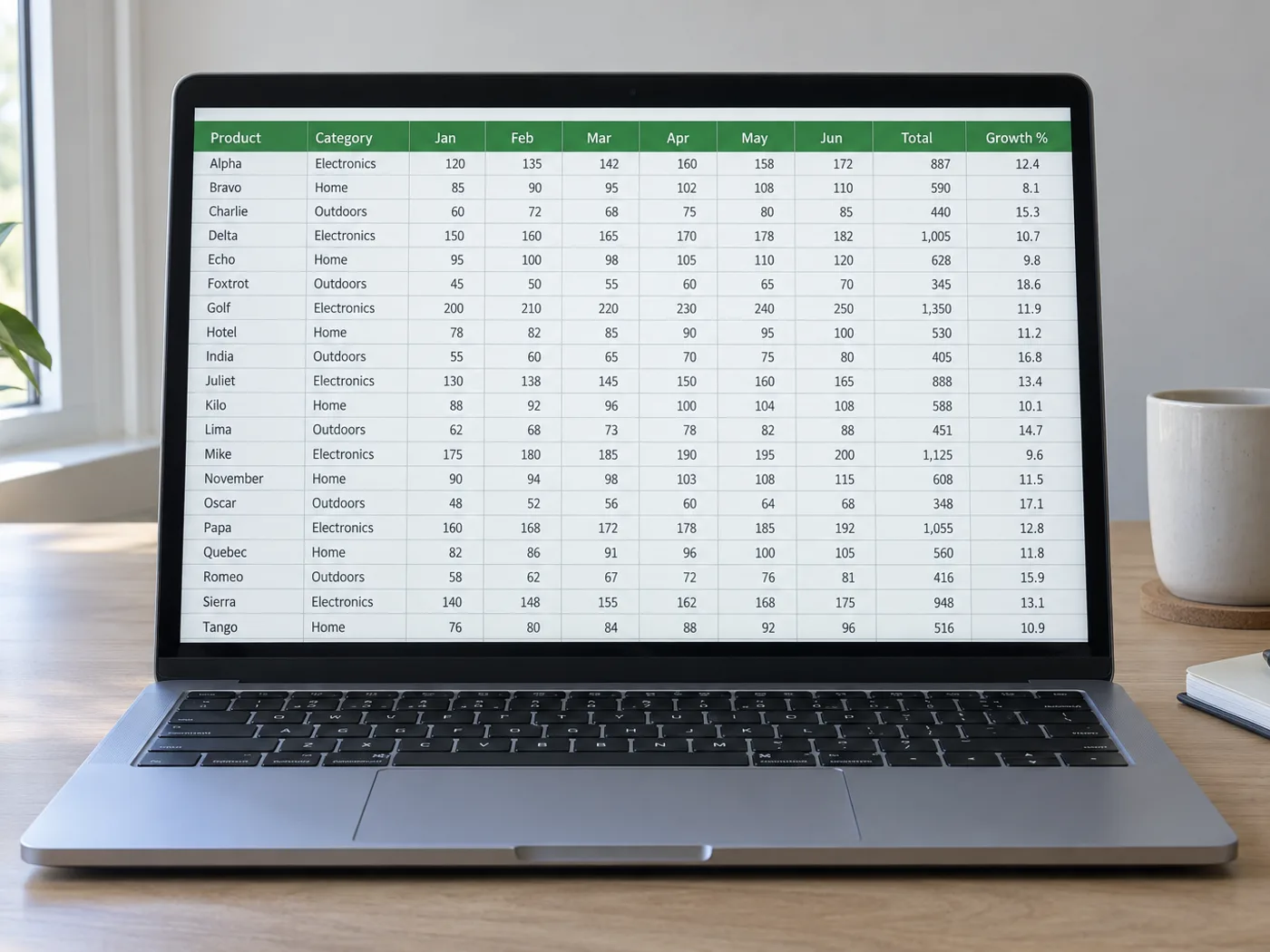
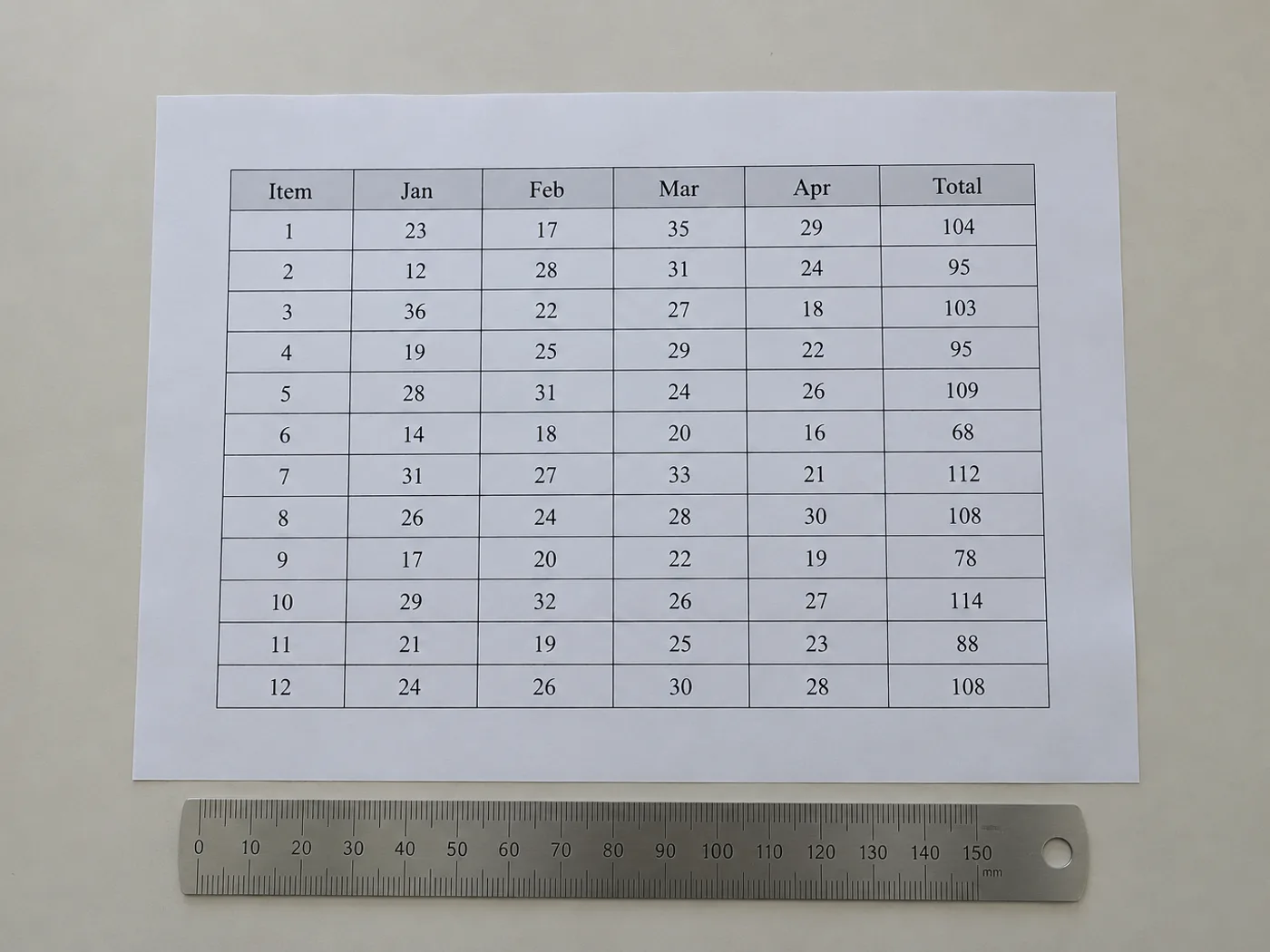
En tabel uden den oprindelige projektmappe skal stadig have brugbare celler
Genskab en tabels synlige celleindhold, når du kun har et billede. I kontrolgitteret kan du rette den registrerede struktur før eksport, hvilket især er nyttigt til kolonner uden rammer og overskrifter, der spænder over flere felter.
Udgivne referencetabeller
Klargør en redigerbar kopi af en rapporttabel til dine egne beregninger, og bevar den oprindelige kilde samt enhedsangivelserne.
Tabeller uden tegnede gitterlinjer
Kontrollér, at værdier justeret med mellemrum er landet i de rette kolonner, før de bruges som regnearksdata.
Genskab tabellens struktur, før tallene bruges
- Beskær til én tabel, og behold de billedtekster eller enheder, der er nødvendige for at forstå værdierne.
- Sammenlign de registrerede kolonner og rækker med billedet; ret manglende eller overflødige felter i gitteret.
- Eksportér de gennemgåede celler, og genskab eventuel præsentationsspecifik formatering i Excel.
Kolonner uden rammer, flettede overskrifter og manglende rækker
- Skal tabelbilleder have synlige gitterlinjer for at kunne udtrækkes til Excel?
- Tydelig justering kan også markere kolonner. Kantløse layouts kræver grundigere kontrol, fordi tekstombrydning og ujævn afstand kan forskyde de registrerede grænser.
- Forbliver flettede overskrifter flettet i Excel?
- Stol ikke på en nøjagtig genskabelse af layoutet. Kontrollér de udtrukne overskrifter, og flet eller opdel celler i Excel, så de passer til tabellens betydning.
- Hvad hvis et tabelbillede indeholder fodnoter?
- Bevar fodnoter som kontekst, men fjern dem, der havner i datagitteret som falske rækker. Bevar om nødvendigt deres betydning i en særskilt note.
- Hvordan kan jeg reparere en manglende række, før jeg eksporterer til XLSX?
- Brug det redigerbare kontrolgitter til at tilføje eller rette rækker, og sammenlign derefter antallet af rækker med billedet, før du henter projektmappen.


























