
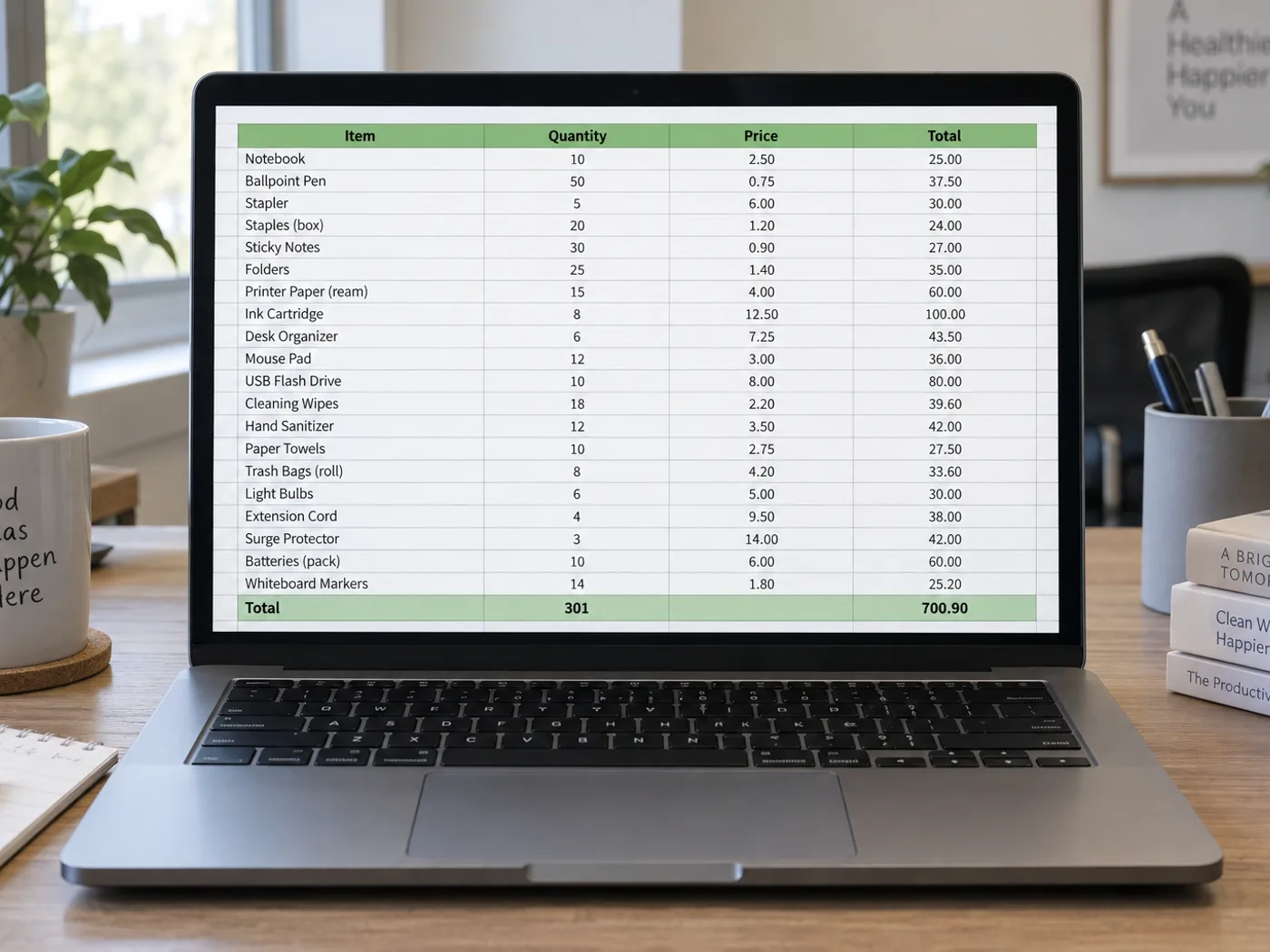
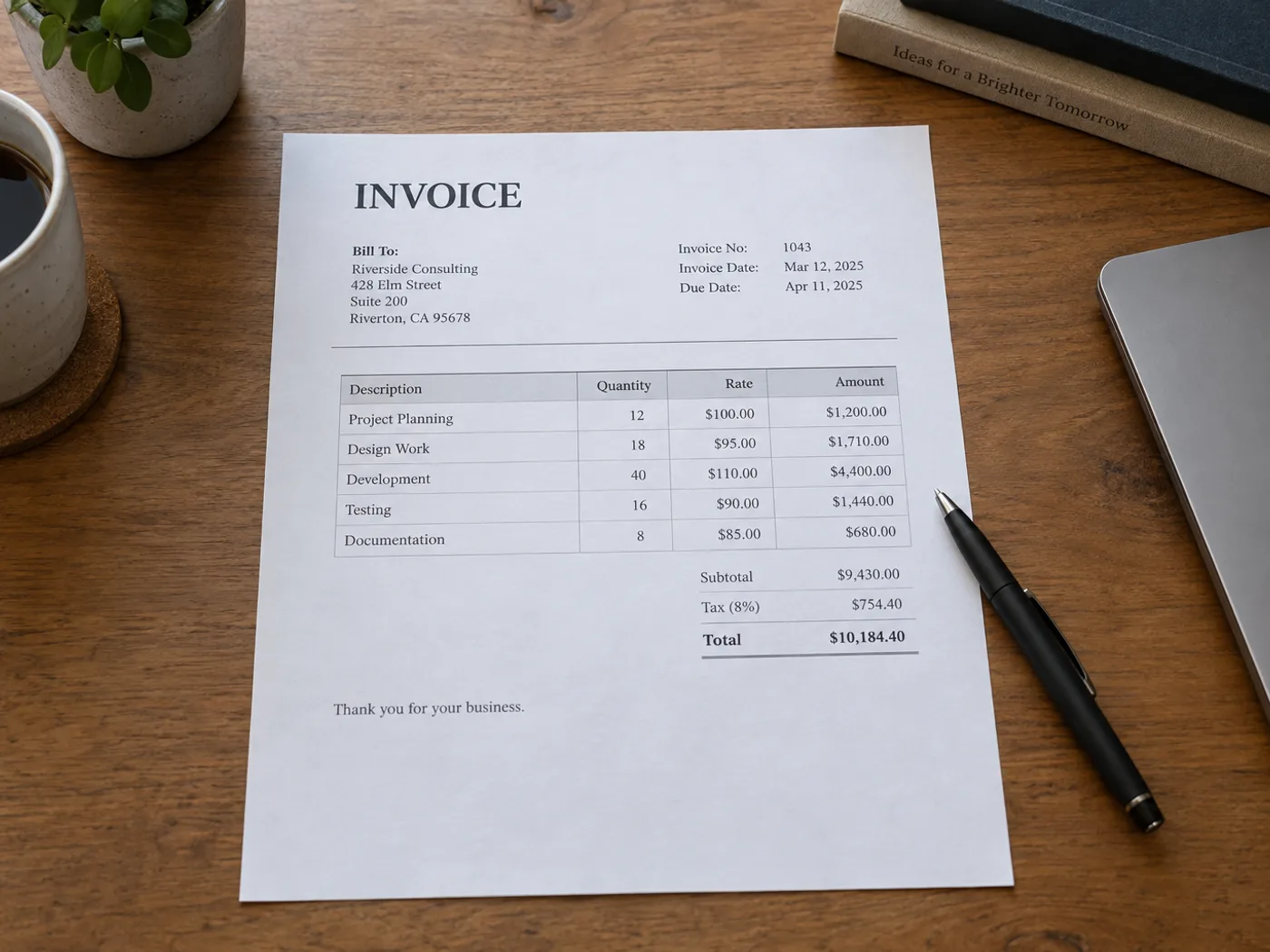
Vertaa laskutettuja rivejä kirjoittamatta laskutaulukkoa uudelleen
Poimi laskurivien taulukko valokuvasta tai skannatusta kuvasta, jotta voit verrata sitä tilaukseen. Tarkista määrä-, yksikköhinta- ja summasarakkeet erikseen. Taulukkoa ympäröivät osoitetiedot ja maksuohjeet eivät ole laskurivejä.
Ostotilausten vertailu
Siirrä toimittajan määrät ja hinnat laskentataulukkoon ja vertaa niitä omiin tilaustietoihisi tarkistettuasi jäljennöksen.
Projektikustannusten kohdentaminen
Laadi tarkistettu luettelo laskutettavista eristä ennen projektikoodien lisäämistä tai kulujen jakamista nykyiseen budjettityökirjaasi.
Valmistele laskurivit omaa täsmäytystäsi varten
- Valitse selkeä laskukuva ja pidä kaikkien tuotesarakkeiden otsikot näkyvissä.
- Vertaa poimittuja tuotekoodeja, määriä, yksikköhintoja ja rivisummaa lähteeseen.
- Poista ruudukosta muu kuin tuoteteksti ja vie XLSX-tiedosto omaa täsmäytystä varten.
Laskujen PDF-tiedostot, verokaavat ja täsmäytys ostotilauksiin
- Hyväksyykö laskusta Exceliin -toiminto olemassa olevan PDF-laskun?
- Tämä sivu hyväksyy kuvat. Käytä PDF to Excel -työkalua PDF-tiedostolle tai lähetä tarvitsemasi laskutaulukon kuvakaappaus.
- Luodaanko laskun verolaskelmat uudelleen kaavoina?
- Muunnin lukee näytetyt arvot. Tarkista laskun laskentatapa ja lisää tarvittavat Excel-kaavat itse.
- Voinko yhdistää poimitun laskun ostotilaukseen täällä?
- Tulos sisältää taulukkomuodossa tarkistettavat tiedot. Ostotilauksiin tai kirjanpitojärjestelmään vertaaminen tehdään omassa työskentelyprosessissasi.
- Miten useita rivitaulukoita sisältävät laskut pitäisi käsitellä?
- Poimi ja tarkista yksi selkeästi rajattu taulukko kerrallaan. Älä oleta, että erilliset veroyhteenvedot tai jatko-osiot yhdistetään oikein.


























