
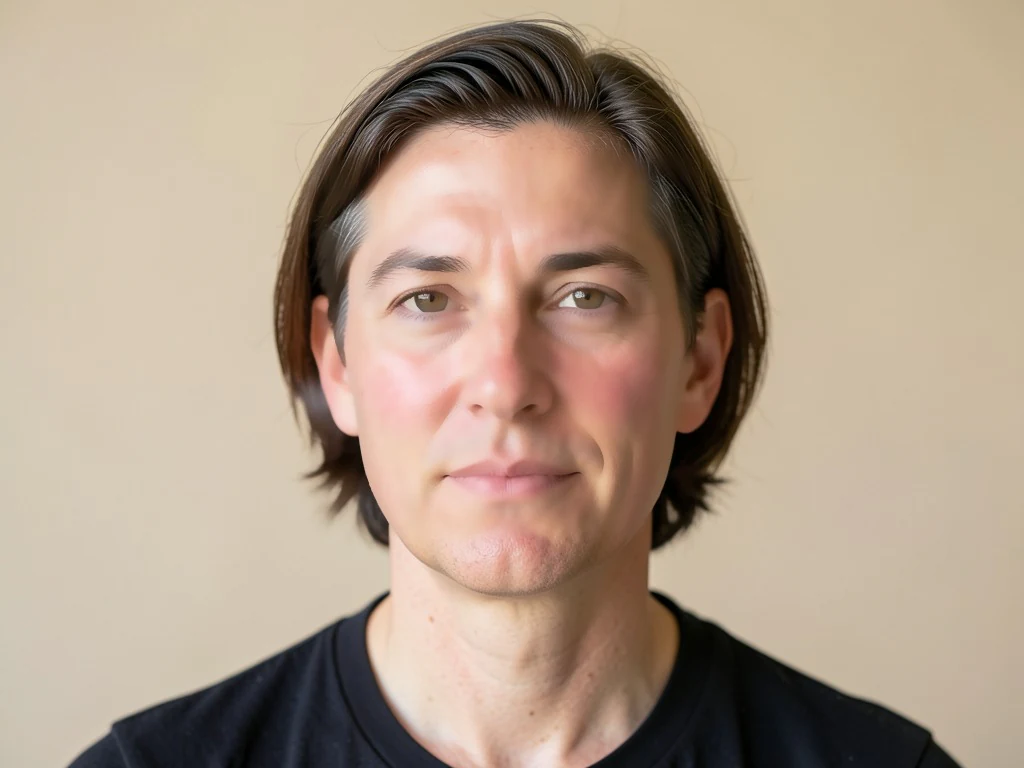

Mempercantik Wajah Secara Online — Menghaluskan Kulit dan Memperbaiki Foto
Bekerja dengan JPG, PNG, WEBP
Cahaya yang keras menemukan setiap bagian yang tidak rata pada kulit Anda. Meratakan warna dan tekstur tanpa buram, tampilan plastik yang ditinggalkan filter.
- Penghalusan kulit yang menjaga tepian — mata dan rambut tetap tajam
- Meratakan warna kulit serta menyamarkan kemerahan dan tekstur
- Terlihat seperti Anda di hari yang baik, bukan seperti filter
Letakkan selfie atau potret — dapatkan kembali versi yang telah diperbaiki secara alami
Tips untuk hasil terbaik
• Setel rendah untuk tampilan paling realistis
• Hilangkan noda terlebih dahulu dengan Blemish Remover
• Gunakan kekuatan rendah untuk foto profesional atau pasfoto
Tentang Pemercantik Wajah
Pemercantik wajah mendeteksi area kulit wajah dan menerapkan penghalusan yang mempertahankan tepi hanya di sana, meratakan tekstur dan tone sambil menjaga mata, alis, bibir, rambut, dan siluet tetap tajam. Pendekatan selektif itu memberi hasil akhir yang halus dan alami — bukan tampilan buram dan plastik dari filter menyeluruh.
Cara Kerjanya
1. Unggah selfie atau potret
2. AI menemukan kulit wajah
3. Kulit dihaluskan, tepian tetap tajam
4. Sesuaikan kekuatan lalu unduh
Cocok Untuk
• Foto selfie dan potret
• Foto profil dan media sosial
• Foto profesional setengah badan
• Potret acara dan foto grup
Apa yang dapat Anda lakukan dengan Pempercantik Wajah
Tinjau kemampuan utama sebelum Anda mulai.
- Kulit halus pada selfie dan potret
- Meratakan warna kulit tidak merata dalam satu ketukan
- Perbaiki wajah dengan lembut untuk tampilan alami
- Jaga agar mata, rambut, dan ujung-ujungnya tetap tajam
- Sesuaikan seberapa banyak penghalusan yang akan diterapkan
Referensi pengaturan
2 pengaturan
Kontrol yang tersedia untuk Pempercantik Wajah.
- Mode pemrosesanPreset
- Proses satu masukan atau beralih ke mode massal Premium untuk memproses beberapa masukan dengan pengaturan yang sama. Jenis masukan yang tersedia bergantung pada alat.Opsi: Gambar tunggalMassal
Sesuaikan
- Kekuatan penghalusanPenggeserJangkauan: 0–1 · Bawaan: 0.7
- Mengatur seberapa banyak kulit dihaluskan, dari Alami hingga Glamor — pertahankan rendah untuk pasfoto profesional yang tetap meyakinkan, naikkan untuk hasil rapi bergaya media sosial.
Alat terkait untuk Pempercantik Wajah
Alat untuk langkah umum selanjutnya setelah Pempercantik Wajah.
Potret & Foto Kepala studio
Penghapus Noda Wajah
Mengurangi noda, flek, dan tanda hitam yang terlihat sambil meninjau efeknya pada tekstur kulit di sekitarnya.
Coba sekarang
foto Enhancement
Peningkat Kualitas Foto AI
Sesuaikan noise, ketajaman, warna, dan skala dalam satu alur kerja penyempurnaan, lalu bandingkan hasilnya dengan aslinya.
Coba sekarang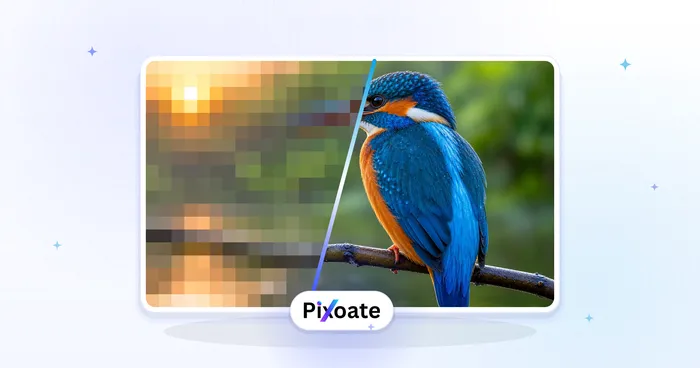
foto Enhancement
Pembesar Gambar AI
Tingkatkan gambar sebesar 2×, 3×, atau 4× dan tinjau hasil yang disempurnakan sebelum diunduh.
Coba sekarangPertanyaan yang Sering Diajukan
Bagaimana Pempercantik Wajah membantu Anda menyelesaikannya
Masalah nyata yang dipecahkannya setiap hari — untuk bisnis, kreator, dan tugas sehari-hari. Temukan kasus penggunaan yang cocok untuk Anda dan mulailah.
Foto Profil Kencan yang Tetap Terlihat Seperti Anda
Jaga slider Smoothing strength mendekati Natural untuk melembutkan kulit lelah dan kemerahan pada foto Tinder, Hinge, atau Bumble tanpa tampilan terlalu halus yang membuat profil ditandai sebagai palsu.
Penyempurnaan Konten Influencer & UGC
Haluskan kulit pada unggahan bersponsor atau foto produk sebelum menerbitkan, menjaga konten merek tampak rapi tanpa alur kerja retouch studio penuh.
Headshot Listing Agen Properti
Jalankan foto kepala agen real estat melalui satu proses berkekuatan rendah Natural untuk listing MLS, kartu nama, dan foto papan tanda halaman, mempertahankan tampilan rapi namun kredibel yang diharapkan agensi tanpa penghalusan berlebihan seperti plastik yang membuat foto agen tampak palsu.
Foto Kepala Korporat yang Konsisten untuk Direktori Tim
Proses setiap headshot karyawan satu per satu dengan pengaturan Natural-strength rendah yang sama sehingga direktori perusahaan atau halaman LinkedIn tampak rapi secara konsisten, tanpa filter buram menyeluruh yang meratakan tekstur kulit asli di salah satu foto.
Retusa Proof Pernikahan & Potret Sebelum Diserahkan ke Klien
Haluskan warna dan tekstur kulit pada setiap potret berpose dari pemotretan dengan satu proses ringan berkekuatan Natural sebelum mengirim proof ke pasangan atau klien, memangkas retouch manual per foto yang seharusnya dilakukan fotografer dengan tangan.
Saksikan setiap transformasi selesai
Setiap foto crosses the slash untouched and comes out the other side finished.























