
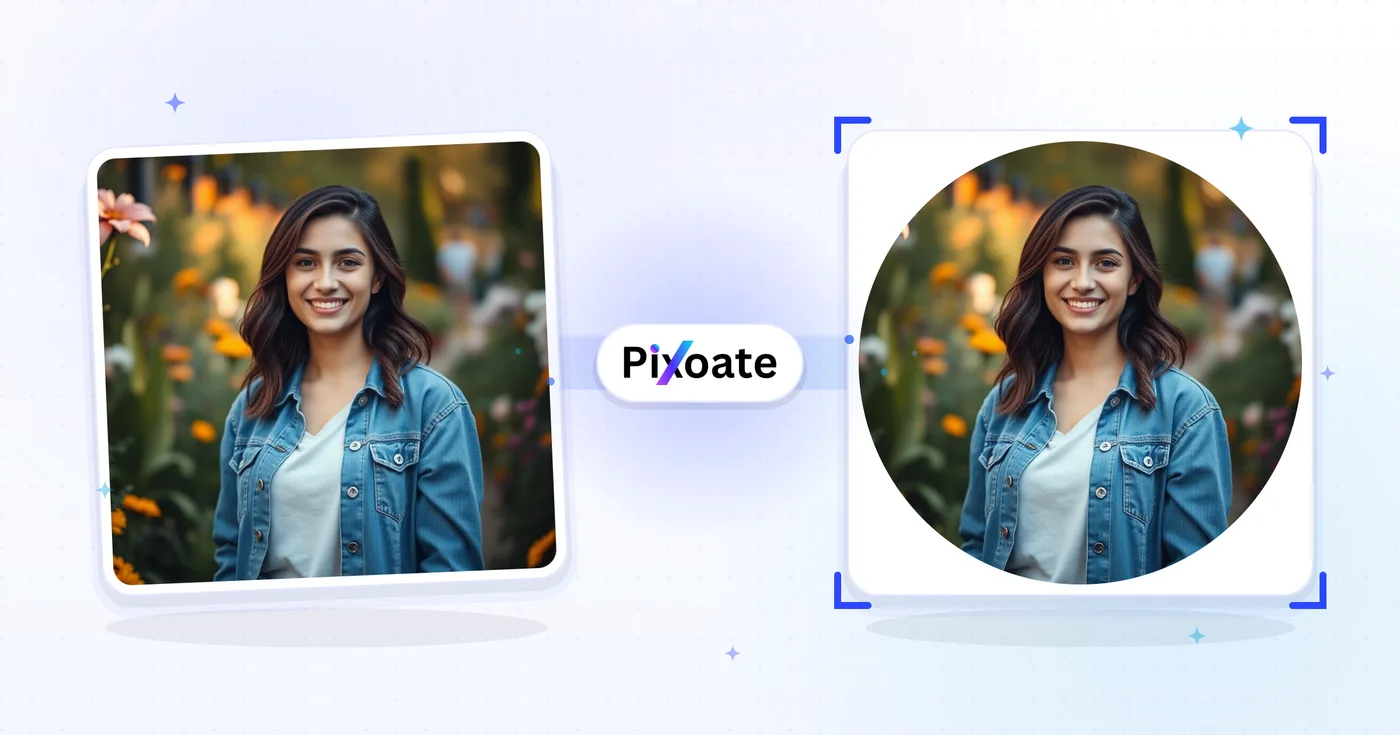
Pangkas Lingkaran — Pangkas Gambar Menjadi Lingkaran Online Gratis
Gambar profil tidak boleh dikirimkan dalam kotak putih. Posisikan potongan melingkar yang bersih secara langsung dan unduh sebagai PNG transparan.
Jatuhkan foto — dapatkan potongan melingkar pada PNG transparan
Pangkas Lingkaran
Pangkas Lingkaran
Buat potongan melingkar untuk gambar profil, avatar, dan tata letak desain.
Cara Menggunakan
Unggah gambar Anda, sesuaikan area pemotongan, dan unduh gambar berbentuk lingkaran Anda.
Kemampuan memotong lingkaran
Keluaran melingkar
Posisikan potongan melingkar dan tinjau tepinya di pratinjau sebelum mengunduh.
Kontrol langsung
Pindahkan dan ubah ukuran area pemotongan dengan kontrol yang disediakan.
Keamanan dan retensi
File yang diproses di server ditangani berdasarkan kebijakan Keamanan kami.
Apa yang dapat Anda lakukan dengan Pangkas Lingkaran
Tinjau kemampuan utama sebelum Anda mulai.
- Pangkas foto yang didukung menjadi lingkaran
- Buat gambar profil dan avatar berbentuk bulat
- Download PNG transparan tanpa kotak putih
- Position and resize the circle before saving
- Tetapkan warna latar belakang solid di belakang lingkaran
- Simpan potongan lingkaran sebagai PNG atau JPG
Referensi pengaturan
6 pengaturan
Kontrol yang tersedia untuk Pangkas Lingkaran.
- Mode pemrosesanPreset
- Proses satu masukan atau beralih ke mode massal Premium untuk memproses beberapa masukan dengan pengaturan yang sama. Jenis masukan yang tersedia bergantung pada alat.Opsi: Gambar tunggalMassal
Pangkas
- Preset Lingkaran CepatPreset
- Ukuran lingkaran terpusat sekali ketuk: Profil sebesar 80% dari sisi terpendek untuk avatar, Besar membentang dari tepi ke tepi pada sisi terpanjang, Sedang 70%, dan Kecil 50% untuk close-up yang rapat.Opsi: ProfilBesarSedangKecil
- radiusSatu klik
- Tombol minus dan plus memperkecil atau memperbesar lingkaran pemotongan dalam kelipatan 5% dari sisi terpendek foto, memberi pengaturan ukuran yang presisi tanpa perlu menyeret pegangan tepi di kanvas.
Keluaran
- Format Outputtarik-turun
- Chooses the saved file type. PNG is always the mulai choice and keeps everything outside the circle transparent, as does WebP; Saja JPEG fills that area with a solid latar belakang Warna.Opsi: PNG (Transparan)JPEGWebP
- KualitasPenggeserJangkauan: 1–100% · Bawaan: 92%
- Mengatur kompresi JPEG dari 1% hingga 100%; nilai lebih tinggi menjaga tepi lingkaran tetap tajam dengan konsekuensi file lebih besar. Hanya muncul saat JPEG menjadi format hasil.
- Warna Latar BelakangPemilih warna
- Picks the solid Warna that fills the corners outside the circle when exporting to JPEG, which cannot store transparency; hidden for PNG and WebP, which Pertahankan those corners transparent.
Alat terkait untuk Pangkas Lingkaran
Alat untuk langkah umum selanjutnya setelah Pangkas Lingkaran.
Pengeditan Foto & Utilitas
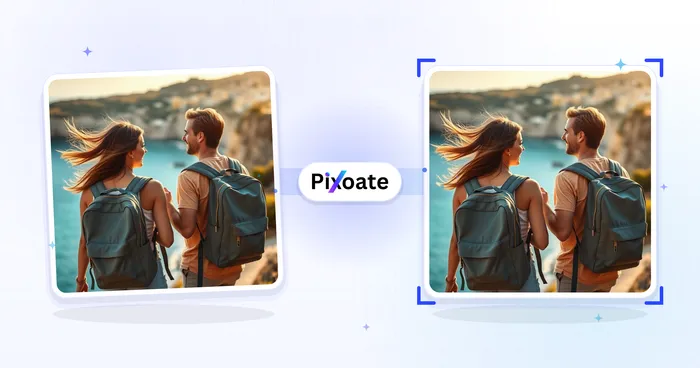
Pangkas Gambar
Seret untuk memangkas gambar. Pilih rasio prasetel atau masukkan dimensi yang tepat.
Coba sekarang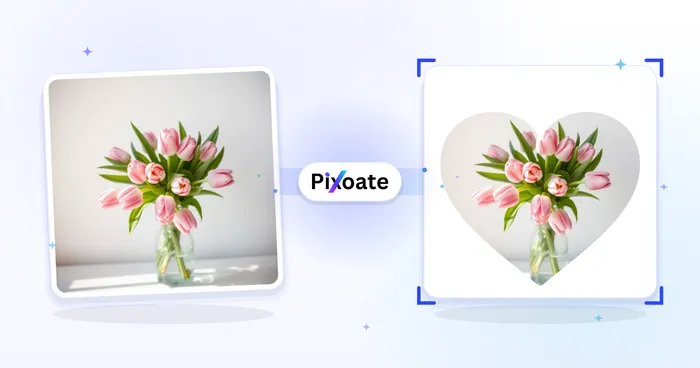
Pengeditan Foto & Utilitas
Pangkas Berdasarkan Bentuk
Pangkas foto menjadi bentuk hati, bintang, lingkaran, segitiga, atau khusus dan unduh PNG transparan.
Coba sekarang
Studio Latar Belakang
Hapus Latar Belakang
Hapus latar belakang foto dan unduh PNG transparan. Periksa rambut dan tepinya sebelum digunakan.
Coba sekarangPertanyaan yang Sering Diajukan
Bagaimana Pangkas Lingkaran membantu Anda menyelesaikannya
Masalah nyata yang dipecahkannya setiap hari — untuk bisnis, kreator, dan tugas sehari-hari. Temukan kasus penggunaan yang cocok untuk Anda dan mulailah.
Foto Profil Instagram & WhatsApp
Buat foto profil melingkar yang sempurna untuk Instagram, WhatsApp, LinkedIn, Discord, dan Telegram yang terlihat profesional
Desain Logo
Rancang logo melingkar dan elemen merek untuk bisnis dan organisasi
Sampul Instagram Stories & Highlights
Buat sampul highlight melingkar untuk Instagram stories, badge profil, dan konten story media sosial yang menonjol
Desain Situs Web
Rancang elemen melingkar untuk situs web, termasuk foto tim, testimoni, dan sorotan fitur
Ikon Aplikasi
Buat ikon aplikasi melingkar dan elemen antarmuka untuk aplikasi seluler
Komposisi Artistik
Buat komposisi melingkar artistik untuk seni digital dan proyek kreatif
Pin & Bros Foto Personal
Pangkas foto berbentuk lingkaran untuk mengisi templat kancing, pin, atau gantungan kunci print-on-demand secara tepat, sehingga produk bulat die-cut tidak memotong wajah atau logo di tepinya.
Avatar Panggilan Video Profesional
Pangkas foto profil menjadi lingkaran rapi berukuran untuk Zoom, Microsoft Teams, Slack, dan Google Meet, yang semuanya menampilkan foto profil dalam bingkai bundar — atur komposisinya dengan benar sebelum Anda mengunggah alih-alih membiarkan aplikasi memotongnya otomatis.
Lencana Headshot Agen Properti untuk Papan & Kartu
Pangkas foto kepala agen Anda berbentuk lingkaran untuk sisipan papan halaman, kartu nama, dan lencana tanda tangan email, menggunakan preset Profil untuk menjaga wajah tetap di tengah sesuai harapan templat MLS dan pialang.
Sisipan Foto Suvenir & Ornamen Pernikahan
Pangkas foto pasangan menjadi ukuran lingkaran untuk hiasan foto, label suvenir pernikahan berbentuk bulat, atau kenang-kenangan pesta yang memerlukan sisipan bulat, bukan potongan persegi.
Foto Kepala untuk Direktori Perusahaan & Halaman Tim
Pangkas sekumpulan foto kepala karyawan atau pendiri berbentuk lingkaran ke ukuran dan pembingkaian yang sama untuk halaman Tentang atau tim sebuah situs web, menyesuaikan gaya avatar bulat yang digunakan sebagian besar halaman tim agensi, startup, dan SaaS alih-alih foto persegi panjang yang tidak seragam.
Saksikan setiap transformasi selesai
Setiap foto crosses the slash untouched and comes out the other side finished.























