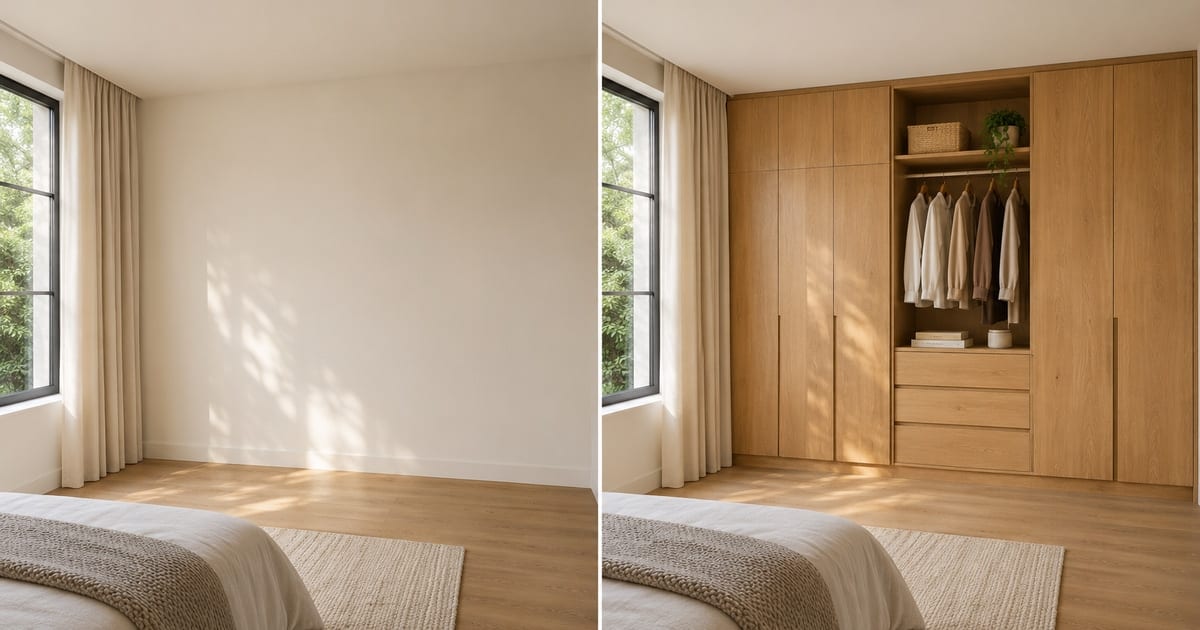
AI ਨਾਲ ਅਲਮਾਰੀ ਦਾ ਡਿਜ਼ਾਈਨ ਬਣਾਓ
AI ਨਾਲ ਬਣਿਆ ਨਤੀਜਾ ਵੱਖਰਾ ਹੋ ਸਕਦਾ ਹੈ; ਪ੍ਰਕਾਸ਼ਿਤ ਕਰਨ ਤੋਂ ਪਹਿਲਾਂ ਪੂਰਾ ਨਤੀਜਾ ਜਾਂਚੋ
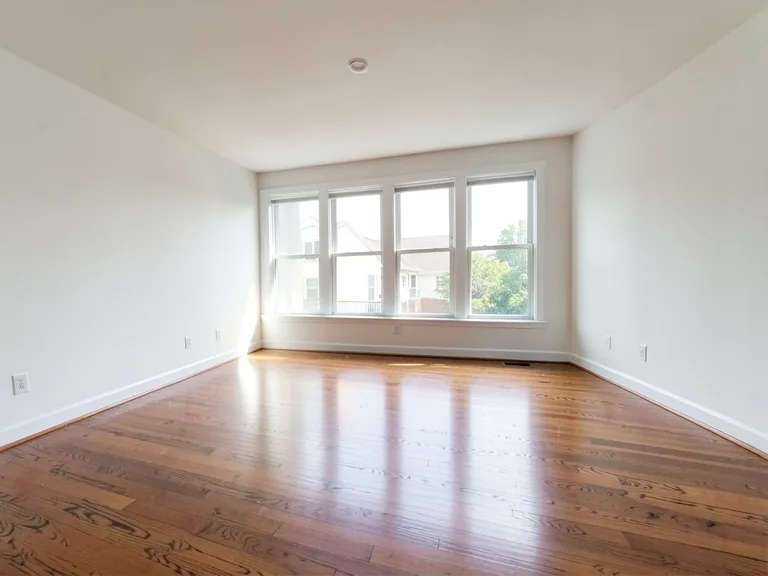
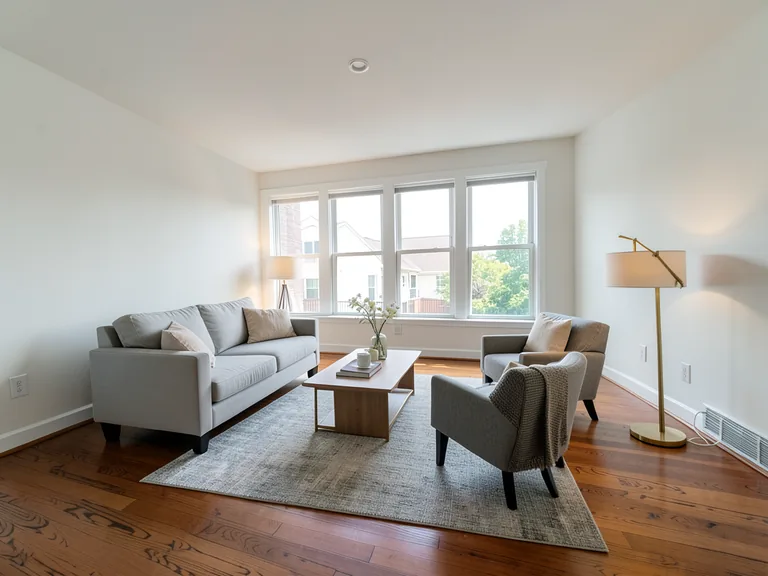
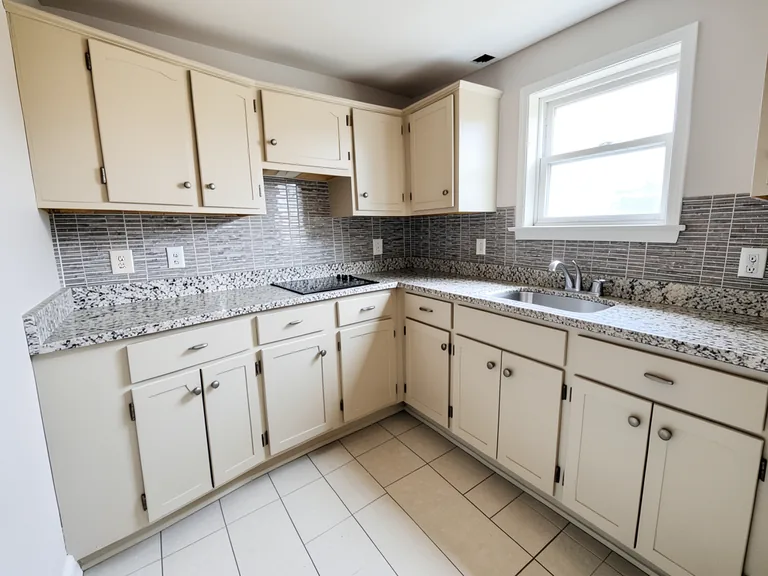
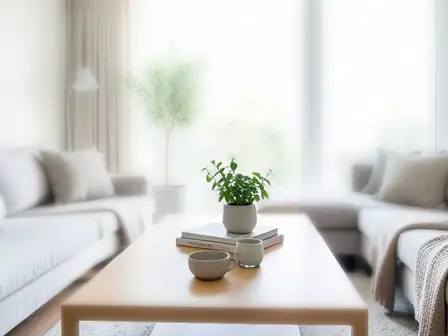
A wardrobe is usually the largest piece of storage a household ever buys, and it is usually chosen from a showroom sample or a catalog render of somebody else's bedroom. This designer places a wardrobe on a photo of your own room: floor-to-ceiling built-ins, sliding doors for a tight space, a walk-in closet, or a corner unit. Change the finish, add mirror doors, LED lighting or loft storage with one tap, and see whether the design suits the wall before a carpenter takes a measurement.
- Prepared Wardrobe Designer AI direction
- ਬਦਲਣਯੋਗ ਪ੍ਰੌਂਪਟ
- ਪੂਰੇ ਨਤੀਜੇ ਦੀ ਜਾਂਚ ਲਾਜ਼ਮੀ ਹੈ
Choose a source image for Wardrobe Designer AI
JPG, PNG, WebP, HEIC ਅਤੇ ਹੋਰ ਸਮਰਥਿਤ ਫਾਰਮੈਟ। ਇਸ ਟੂਲ ਵਿੱਚ Free ਨਾਲ 20 MB ਤੱਕ ਅਤੇ Premium ਜਾਂ ਇਸ ਤੋਂ ਉੱਪਰਲੇ ਪਲਾਨਾਂ ਨਾਲ 50 MB ਤੱਕ ਅੱਪਲੋਡ ਕਰ ਸਕਦੇ ਹੋ।
AI ਨਾਲ ਅਲਮਾਰੀ ਦਾ ਡਿਜ਼ਾਈਨ ਬਣਾਓ ਲਈ ਸੈੱਟਅੱਪ ਕਰੋ
ਤਿਆਰ ਸੈਟਿੰਗ
- ਸ਼ੁਰੂਆਤੀ ਬਿੰਦੂ
- ਇੱਕ ਸਰੋਤ ਚਿੱਤਰ ਅੱਪਲੋਡ ਕਰੋ
- ਪੰਨਾ ਸਹੀ ਐਡਿਟਿੰਗ ਵਰਕਫਲੋ ਉੱਤੇ ਖੁੱਲ੍ਹਦਾ ਹੈ; ਸ਼ੁਰੂ ਕਰਨ ਲਈ ਸਿਰਫ਼ ਅੱਪਲੋਡ ਕਰਨਾ ਲਾਜ਼ਮੀ ਹੈ।
- ਤਿਆਰ ਵਰਕਫਲੋ
- Prepared Wardrobe Designer AI staging direction
- Wardrobe Designer AI opens with the Wardrobe Designer AI direction preselected, so there is no need to find the operation manually.
- ਆਉਟਪੁੱਟ ਫਾਰਮੈਟ
- ਤੁਹਾਡੇ ਅੱਪਲੋਡ ਵਰਗਾ ਹੀ
- ਨਤੀਜੇ ਦਾ ਆਕਾਰ ਤੁਹਾਡੇ ਅੱਪਲੋਡ ਕੀਤੇ ਚਿੱਤਰ ਵਰਗਾ ਹੀ ਰਹਿੰਦਾ ਹੈ।
- ਨਿਯਮ ਦੀ ਸਮੀਖਿਆ ਕਰੋ
- ਵਰਤਣ ਤੋਂ ਪਹਿਲਾਂ ਬਣਾਏ ਗਏ ਪੂਰੇ ਨਤੀਜੇ ਦੀ ਜਾਂਚ ਕਰੋ
- ਬਣਾਏ ਚਿੱਤਰ ਵੱਖਰੇ ਹੋ ਸਕਦੇ ਹਨ; ਡਾਊਨਲੋਡ ਤੋਂ ਪਹਿਲਾਂ ਅੰਤਿਮ ਨਤੀਜੇ ਨੂੰ ਮਨਜ਼ੂਰ ਕਰਨ ਦਾ ਹੱਕ ਵਰਤੋਂਕਾਰ ਕੋਲ ਰਹਿੰਦਾ ਹੈ।
ਸਭ ਤੋਂ ਵਧੀਆ ਵਰਤੋਂ
- Compare sliding-door and hinged-door wardrobes on one wall
- Show a carpenter or interior designer the look you want
- Decide between a walk-in closet and a built-in before ordering
ਅਕਸਰ ਪੁੱਛੇ ਜਾਣ ਵਾਲੇ ਸਵਾਲ
- Can I use this picture to order the wardrobe?
- Use it to settle the design: the style, finish, door type and what goes inside. It is a concept at plausible scale, not a measured drawing. Hand it to your carpenter or supplier as the look you want, and let them measure the wall, check the door swing and confirm the real dimensions.
- Which wardrobe suits a small room?
- Sliding doors save the swing space a hinged door needs, and floor-to-ceiling units use height instead of floor area. Try both on the same photo and look at how much floor remains in each version, which is the number that matters in a small room.
- Can I add mirror doors, lights and a dressing table?
- Yes. The "Add to your result" buttons include mirror doors, LED strip lighting, a shoe rack, drawers, loft storage and a dressing table. Combine as many as you like and add your own wording in the custom instructions box.
- What should the photo show?
- The whole wall where the wardrobe will go, floor to ceiling, shot from a few steps back and held level. Clear the wall of boxes and hanging clothes so the AI places the design on bare wall rather than around clutter.
ਤੁਸੀਂ ਏਆਈ ਕਮਰੇ ਦੀ ਸਜਾਵਟ ਨਾਲ ਕੀ ਕਰ ਸਕਦੇ ਹੋ
ਸ਼ੁਰੂ ਕਰਨ ਤੋਂ ਪਹਿਲਾਂ ਮੁੱਖ ਸਮਰੱਥਾਵਾਂ ਦੀ ਸਮੀਖਿਆ ਕਰੋ।
- ਆਪਣੇ ਆਪ ਹੀ ਪੂਰੇ ਕਮਰੇ ਦੇ ਫਰਨੀਚਰ ਪਲੇਸਮੈਂਟ ਦੀ ਯੋਜਨਾ ਬਣਾਓ
- ਲਿਵਿੰਗ ਰੂਮ, ਬੈੱਡਰੂਮ, ਦਫਤਰ ਅਤੇ ਡਾਇਨਿੰਗ ਰੂਮ ਨੂੰ ਰੀਸਟਾਇਲ ਕਰੋ
- ਸਥਿਰ ਆਰਕੀਟੈਕਚਰ ਅਤੇ ਕੈਮਰਾ ਦ੍ਰਿਸ਼ਟੀਕੋਣ ਨੂੰ ਸੁਰੱਖਿਅਤ ਰੱਖੋ
- Premium ਬੈਚ ਮੋਡ ਵਿੱਚ ਪ੍ਰਾਪਰਟੀ ਸੈੱਟਾਂ ਨੂੰ ਪ੍ਰੋਸੈਸ ਕਰੋ
ਸੈਟਿੰਗਾਂ ਦਾ ਹਵਾਲਾ
5 ਸੈਟਿੰਗਾਂ
ਏਆਈ ਕਮਰੇ ਦੀ ਸਜਾਵਟ ਲਈ ਉਪਲਬਧ ਨਿਯੰਤਰਣ।
ਕਾਰਜ ਪ੍ਰਵਾਹ
- ਸਿੰਗਲ ਚਿੱਤਰ ਜਾਂ ਬੈਚ ਚਿੱਤਰਪ੍ਰੀਸੈਟ
- ਇੱਕ ਚਿੱਤਰ ਦੀ ਪ੍ਰਕਿਰਿਆ ਕਰੋ, ਜਾਂ ਇੱਕ ਸੈੱਟ 'ਤੇ ਇੱਕੋ ਆਟੋਮੈਟਿਕ ਵਿਅੰਜਨ ਨੂੰ ਲਾਗੂ ਕਰਨ ਲਈ Premium ਬੈਚ ਚਿੱਤਰਾਂ ਦੀ ਵਰਤੋਂ ਕਰੋ ਅਤੇ ਇੱਕ ZIP ਡਾਊਨਲੋਡ ਕਰੋ।ਚੋਣਾਂ: ਇੱਕ ਤਸਵੀਰਚਿੱਤਰਾਂ ਦਾ ਬੈਚ
ਸ਼ੈਲੀਆਂ
- ਇੱਕ ਛੋਹ ਵਾਲੇ ਪ੍ਰੀਸੈੱਟਪ੍ਰੀਸੈਟ
- ਇੱਕ ਟੈਪ ਨਾਲ ਤਿਆਰ ਦਿਸ਼ਾ ਚੁਣੋ; ਬਣਾਉਣ ਵੇਲੇ ਚੁਣੀ ਪ੍ਰੀਸੈੱਟ ਆਪਣੇ ਆਪ ਵਰਤੀ ਜਾਂਦੀ ਹੈ।ਚੋਣਾਂ: ਆਧੁਨਿਕ ਬੈਠਕ ਕਮਰਾਸਕੈਂਡੇਨੇਵੀਅਨਲਗਜ਼ਰੀ ਅੰਦਰੂਨੀ ਸਜਾਵਟਹੋਮ ਆਫਿਸਸੌਣ ਵਾਲਾ ਕਮਰਾਰਸੋਈ ਕਮਰਾਬੋਹੀਮੀਅਨਉਦਯੋਗਿਕਮਿਡ-ਸੈਂਚੁਰੀ ਮਾਡਰਨਫਾਰਮਹਾਊਸਸਮੁੰਦਰੀ ਤੱਟ ਵਾਲਾਬੱਚਿਆਂ ਦਾ ਕਮਰਾ
- ਕਸਟਮ ਹੁਕਮ (ਇਛਾ ਮੌਤ)ਟੈਕਸਟ ਇਨਪੁੱਟ
- ਮੰਗੀ ਗਈ ਤਬਦੀਲੀ, ਸੰਬੰਧਿਤ ਸਮੱਗਰੀ, ਰੌਸ਼ਨੀ, ਦ੍ਰਿਸ਼ਟਿਕੋਣ, ਅਤੇ ਉਹ ਵੇਰਵੇ ਜਿਨ੍ਹਾਂ ਨੂੰ ਬਦਲਣਾ ਨਹੀਂ ਚਾਹੀਦਾ, ਦਾ ਵਰਣਨ ਕਰੋ।
ਚੋਣ
- ਚੋਣ ਬੁਰਸ਼ ਆਕਾਰਸਲਾਈਡਰਰੇਂਜ: 4–160px · ਮੂਲ: 32px
- ਆਟੋਮੈਟਿਕ ਚੋਣ ਡਿਫ਼ਾਲਟ ਹੈ। ਸਿਰਫ਼ ਉਦੋਂ ਖੇਤਰ ਨੂੰ ਹੱਥੀਂ ਸੁਧਾਰੋ ਖੋਲ੍ਹ ਕੇ ਇਹ ਬਰਸ਼ ਚੌੜਾਈ ਸੈੱਟ ਕਰੋ, ਜਦੋਂ ਚਿੱਤਰ ਲਈ ਹੋਰ ਸਟੀਕ ਐਡਿਟ ਹੱਦ ਦੀ ਲੋੜ ਹੋਵੇ।
ਆਊਟਪੁੱਟ
- ਏਆਈ ਨੂੰ ਵਿਸ਼ੇ ਦੀ ਪਛਾਣ ਅਤੇ ਉਤਪਾਦ ਦੇ ਵੇਰਵੇ ਸੁਰੱਖਿਅਤ ਰੱਖਣ ਲਈ ਕਹੋਚਾਲੂ/ਬੰਦ
- ਸਪਸ਼ਟ ਹਦਾਇਤ ਜੋੜਦਾ ਹੈ ਕਿ ਜਦ ਤੱਕ ਬੇਨਤੀ ਵਿੱਚ ਬਦਲਾਅ ਨਾ ਮੰਗਿਆ ਹੋਵੇ, ਮੁੱਖ ਵਿਸ਼ਾ, ਆਕਾਰ, ਬ੍ਰਾਂਡਿੰਗ, ਲੇਬਲ ਅਤੇ ਪੜ੍ਹਨ ਯੋਗ ਟੈਕਸਟ ਬਰਕਰਾਰ ਰਹਿਣ।
AI ਨਾਲ ਅਲਮਾਰੀ ਦਾ ਡਿਜ਼ਾਈਨ ਬਣਾਓ ਲਈ ਸੰਬੰਧਿਤ ਟੂਲ
AI ਨਾਲ ਅਲਮਾਰੀ ਦਾ ਡਿਜ਼ਾਈਨ ਬਣਾਓ ਤੋਂ ਬਾਅਦ ਆਮ ਅਗਲੇ ਪੜਾਵਾਂ ਲਈ ਟੂਲ।
ਵਰਚੁਅਲ ਸਜਾਵਟ ਅਤੇ ਜਾਇਦਾਦ
ਏਆਈ ਰੀਅਲ ਅਸਟੇਟ ਫ਼ੋਟੋ ਐਡੀਟਰ
AI ਨਾਲ ਰੀਅਲ-ਅਸਟੇਟ ਫੋਟੋਆਂ ਨੂੰ ਸੰਪਾਦਿਤ ਕਰੋ: ਫਰਨੀਚਰ ਜਾਂ ਟੀਵੀ ਸ਼ਾਮਲ ਕਰੋ, ਕੰਧਾਂ ਨੂੰ ਪੇਂਟ ਕਰੋ, ਗੜਬੜ ਨੂੰ ਹਟਾਓ, ਅਸਮਾਨ ਨੂੰ ਬਦਲੋ, ਲੈਂਡਸਕੇਪਿੰਗ ਵਿੱਚ ਸੁਧਾਰ ਕਰੋ, ਅਤੇ ਸ਼ਾਮ ਦੇ ਬਾਹਰਲੇ ਹਿੱਸੇ ਬਣਾਓ।
ਹੁਣੇ ਅਜ਼ਮਾਓ
ਵਰਚੁਅਲ ਸਜਾਵਟ ਅਤੇ ਜਾਇਦਾਦ
ਵਰਚੁਅਲ ਸਜਾਵਟ ਏਆਈ
ਰੀਅਲ ਐਸਟੇਟ ਲਿਸਟਿੰਗਾਂ ਲਈ ਖਾਲੀ ਕਮਰੇ ਏਆਈ ਫਰਨੀਚਰ ਨਾਲ ਵਰਚੁਅਲ ਢੰਗ ਨਾਲ ਸਜਾਓ। ਲਿਵਿੰਗ ਰੂਮ, ਬੈੱਡਰੂਮ, ਦਫ਼ਤਰ, ਡਾਇਨਿੰਗ ਅਤੇ ਸ਼ਾਨਦਾਰ ਧਾਰਨਾਵਾਂ ਬਣਾਓ।
ਹੁਣੇ ਅਜ਼ਮਾਓ
ਫ਼ੋਟੋ Enhancement
AI ਫ਼ੋਟੋ ਐਨਹਾਂਸਰ
ਇੱਕ ਸੁਧਾਰ ਵਰਕਫਲੋ ਵਿੱਚ ਸ਼ੋਰ, ਤਿੱਖਾਪਨ, ਰੰਗ ਅਤੇ ਪੈਮਾਨੇ ਨੂੰ ਵਿਵਸਥਿਤ ਕਰੋ, ਫਿਰ ਨਤੀਜੇ ਦੀ ਅਸਲੀ ਨਾਲ ਤੁਲਨਾ ਕਰੋ।
ਹੁਣੇ ਅਜ਼ਮਾਓਇਸ ਟੂਲ ਦੀਆਂ ਗਾਈਡਾਂ
- How to Create Furnishing Proposals for Interior Design Clients with AICreate AI furnishing proposals for interior design clients with Pixoate. Compare room concepts and assemble clear presentation PDFs for discussion.
- Beautifully Staged, Believably Sized: Why Virtual Furniture Must Fit the RoomVirtual furniture needs believable proportions. Explore room-scale reviews and Pixoate comparisons that keep attractive staging concepts grounded in reality.
ਹਰ ਰੂਪਾਂਤਰ ਲਾਗੂ ਹੁੰਦਾ ਵੇਖੋ
ਹਰ ਫੋਟੋ ਸਲੈਸ਼ ਨੂੰ ਬਿਨਾਂ ਛੂਹ ਕੇ ਪਾਰ ਕਰਦੀ ਹੈ ਅਤੇ ਦੂਜੇ ਪਾਸੇ ਤੋਂ ਬਾਹਰ ਆਉਂਦੀ ਹੈ।