

Edytor obrazów AI — edytuj, zastępuj, rozszerzaj i zmieniaj aranżację
Do precyzyjnej edycji wysokiej jakości · wyniki AI mogą się różnić
Opisz wynik, a automatyczne wykrywanie obszaru edycji zajmie się zmianą całej sceny. Pędzla używaj do dokładnego umieszczania, zastępowania obiektów lub opcjonalnego dopracowania.
- Wyspecjalizowane tryby edycji w jednym procesie
- Automatyczna aranżacja, porządkowanie sceny oraz zmiana nieba i tła
- Rozszerzanie obrazu i zmiana proporcji kopiują przygotowany kadr źródłowy dokładnie
Wybierz obraz
JPG, PNG, WebP, HEIC i inne obsługiwane formaty. W tym narzędziu Free obsługuje do 20 MB, a Premium i wyższe pakiety do 50 MB.
Purpose-built AI editors
Choose a focused image-editing workflow
Every workflow uses the same protected editing engine, with task-specific controls, prompts, and guidance.

Usuwanie znaku wodnego
Prześlij zdjęcie i pozwól automatycznemu wykrywaniu zlokalizować nakładkę oraz naprawić jej obszar.
Open workflow
Zmiana tła portretu z AI
Wybierz scenerię pasującą do oświetlenia portretu, a następnie sprawdź krawędzie postaci.
Open workflow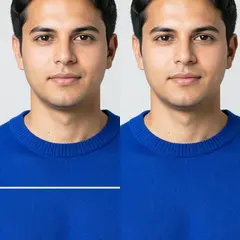
Naprawa uszkodzeń zdjęcia
Użyj wąskiego pędzla, aby pokryć każde pęknięcie i jego jasne krawędzie. W przypadku większego brakującego fragmentu wybierz „Przedarty obszar”.
Open workflow
Rozszerzenie obrazu AI
Wybierz docelowe proporcje, opcjonalnie opisz brakującą scenę i wygeneruj większą kompozycję wokół oryginalnego zdjęcia.
Open workflow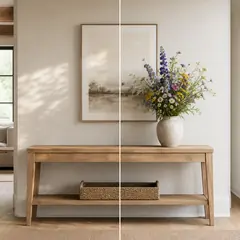
Wypełnienie generatywne AI
Zamaluj zaznaczenie, opisz nową zawartość i sprawdź wynik przed pobraniem.
Open workflow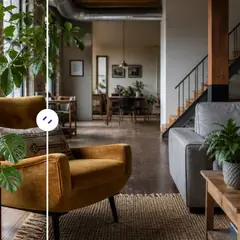
Usuwanie obiektów AI
Opisz obiekt i jego położenie, a następnie automatycznie wygeneruj uporządkowaną scenę lub ręcznie dopracuj obszar.
Open workflow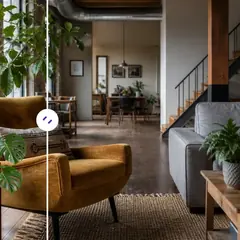
Zamiennik obiektu AI
Zaznacz obiekt i opisz, co ma go zastąpić. Przed pobraniem sprawdź nowy element i jego otoczenie.
Open workflow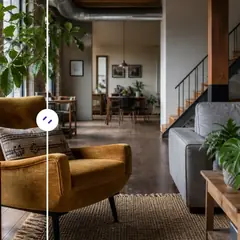
Dodaj obiekt do zdjęcia za pomocą AI
Zaznacz pusty obszar, opisz obiekt i wygeneruj go w wybranym miejscu.
Open workflow
Zmieniacz tła AI
Wybierz gotową scenę lub opisz zupełnie nowe otoczenie. Główny obiekt zostanie automatycznie odseparowany.
Open workflow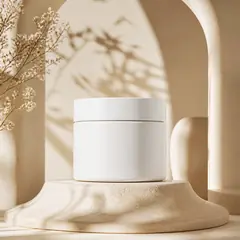
Generator tła produktu AI
Wybierz scenerię i wygeneruj otoczenie produktu. Przed użyciem sprawdź jego krawędzie i szczegóły.
Open workflow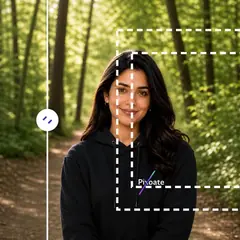
AI cofnij przycięcie obrazu
Wybierz większe proporcje i odtwórz prawdopodobną przestrzeń wokół obecnego kadru.
Open workflow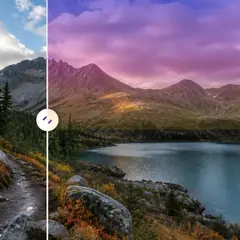
Wymiana AI Sky
Wybierz gotowe niebo lub opisz oczekiwaną atmosferę.
Open workflow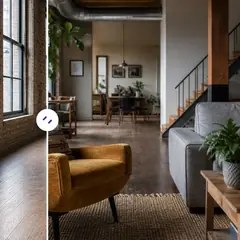
Inscenizacja pokoju AI
Wybierz styl pomieszczenia, dostosuj instrukcję i automatycznie wygeneruj pełną koncepcję aranżacji. Dopracuj obszar edycji tylko w razie potrzeby.
Open workflow
Generator scen produktów AI
Wybierz codzienną lub reklamową scenerię i wygeneruj ją wokół produktu.
Open workflow
Wirtualna aranżacja z AI
Wybierz przeznaczenie i styl pomieszczenia, a następnie automatycznie wygeneruj pełną koncepcję do oferty. Nietypowe układy nadal możesz dopracować ręcznie.
Open workflow
Edytor zdjęć nieruchomości AI
Wybierz gotowe zadanie dla nieruchomości. Automatyczne działania nie wymagają malowania, a edycje zależne od położenia poproszą o dokładny obszar.
Open workflowCo możesz zrobić za pomocą Edytor obrazów AI
Zanim zaczniesz, przejrzyj główne możliwości.
- Rozszerzaj zdjęcia do układów kwadratowych, pionowych lub poziomych
- Fill a painted area z newly described content
- Usuń or replace wybrane objects in a zdjęcie
- Zmień niebo, tło, pogodę lub styl sceny
- Scena empty rooms while retaining their architecture
- Umieszczaj zdjęcia produktów w scenach studyjnych lub lifestylowych
- Protect oryginalne pixels outside a painted local edit
Odniesienie do ustawień
5 ustawień
Dostępne elementy sterujące dla Edytor obrazów AI.
Edytuj
- Typ edycjiLista rozwijana
- Wybierz the focused editing workflow so the obraz, prompt, optional selection, i output shape are hiled consistently.Opcje: Usuwanie znaków wodnychNaprawa zarysowańTekst-based editWypełnianie generatywneMagiczna gąbkaZamiennik obiektuZmieniacz tłaProdukt tłoRozwiń sztuczną inteligencjęUncrop obrazKrajobraz na portretPortret to liscapeWymiana niebaPomieszczenie stagingProdukt sceneProfesjonalny headshot
- Opisz edycjęWprowadzanie tekstu
- Describe the visual change in up to 1000 characters; object removal, replacement, i scene changes require it, while expansion can run zout extra direction.
Wybierzion
- Wybierzion brush sizeSuwakZasięg: 16–160px · Domyślne: 64px
- Wypełnianie generatywne i zastępowanie obiektów wymagają zamalowanego obszaru. Tryby automatycznego czyszczenia, tła, nieba i aranżacji udostępniają ten sam pędzel wyłącznie przez opcję Ręcznie dopracuj obszar; piksele poza ręcznym zaznaczeniem są przywracane z przygotowanego źródła.
Wynik
- Expied aspect ratioUstawienia gotowe
- Wybierz nowy kształt płótna dla rozszerzania i odkadrowywania, zachowując oryginalny obraz wewnątrz wygenerowanej ramki.Opcje: Kwadrat 1:1Portret 4:5Relacja 9:16Szeroki 16:9Portret 3:4Krajobraz 4:3
- Poproś sztuczną inteligencję o zachowanie tożsamości podmiotu i szczegółów produktuWł./Wył
- Poproś redaktora, aby zachował kształt, tożsamość, logo, etykiety i czytelny tekst głównego tematu, chyba że Twoje instrukcje wyraźnie je zmienią.
Powiązane narzędzia dla Edytor obrazów AI
Narzędzia do typowych kolejnych kroków po Edytor obrazów AI.
Studio obrazu AI
Rozszerzenie obrazu AI
Rozszerz obraz poza jego krawędzie za pomocą AI. Zamieniaj zdjęcia na układy kwadratowe, pionowe, do relacji lub panoramiczne bez przycinania oryginalnego kadru.
Wypróbuj terazStudio obrazu AI
Wypełnienie generatywne AI
Pomaluj część obrazu i wypełnij ją nową treścią wygenerowaną przez sztuczną inteligencję. Napraw luki, dodaj szczegóły lub zamień wybrane obszary, chroniąc jednocześnie pobliskie piksele.
Wypróbuj terazStudio obrazu AI
Usuwanie obiektów AI
Automatycznie usuwaj ze zdjęć niechcianych ludzi, obiekty, kable, znaki i bałagan, z opcjonalnym ręcznym dopracowaniem dla precyzyjnego czyszczenia.
Wypróbuj terazNajczęściej zadawane pytania
Poradniki do tego narzędzia
Obejrzyj each transformation li
Every zdjęcie crosses the slash untouched i comes out the other side finished.























