
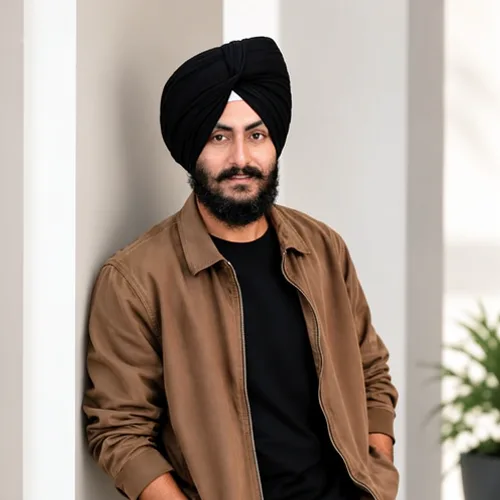
The same source image before and after applying Thay đổi biểu thức AI.
Thay đổi biểu thức AI applied to the same source image
Original source image before Thay đổi biểu thức AI

AI thay đổi biểu cảm — chọn biểu cảm mới cho một gương mặt

Pick the expression you want and keep everything else in the photo as it was.

Tải ảnh lên để tạo hiệu ứng Thay đổi biểu thức AI

Bạn có thể làm gì với hiệu ứng Thay đổi biểu thức AI

Xem lại các khả năng hiệu ứng có sẵn trước khi bạn bắt đầu.

  • Apply the Thay đổi biểu thức AI effect to any photo
  • Fine-tune the effect strength to taste
  • Preview your photo live as you edit
  • Download your edited photo in high quality
  • Apply Thay đổi biểu thức AI to many photos at once

Cách hoạt động

Chọn biểu cảm mong muốn, sau đó tải lên một ảnh có một khuôn mặt rõ nét. Khuôn mặt sẽ được tạo lại với biểu cảm đó và đặt trở lại ảnh gốc trong vùng mặt và da tự động, vì vậy tóc, quần áo, nền, bố cục và độ phân giải đều lấy từ ảnh bạn tải lên. Nếu kết quả không khác biệt rõ rệt so với ảnh gốc, công cụ sẽ cho bạn biết thay vì tính phí cho một hình ảnh không thay đổi.


Đang xử lý

Thay đổi biểu thức AI sử dụng hành động AI. Mọi khoản phụ cấp riêng biệt đều được hiển thị trước khi hiệu ứng này bắt đầu xử lý.

Tốt nhất cho

sharp portraits with the whole face visible, such as headshots, profile photos and family snapshots; in a group photo every clear face gets the expression.

Ít phù hợp hơn với: side profiles, faces covered by hands, hair or sunglasses, very small faces in a wide shot, and heavy motion blur.

Các cách sử dụng Thay đổi biểu thức AI

  • Turn a neutral headshot into a warm, approachable smile for a profile.
  • Try a calm or serious look for a formal document photo without a reshoot.
  • So sánh nhiều biểu cảm trong cùng một buổi chụp trước khi chọn ảnh chân dung cuối cùng.

Câu hỏi Thay đổi biểu thức AI

Will it change my face shape or identity?
No. Only the expression is regenerated, and the rest of the face structure is asked to stay the same. Compare the result with the original before downloading and keep the original if any detail looks off.
Why was my photo refused?
The tool needs at least one clear face turned towards the camera to isolate a safe area. Side profiles, covered faces and very small faces are refused rather than guessed. In a group photo, faces that cannot be isolated are left untouched.

Thêm hiệu ứng Chuyển đổi và sửa chữa AI

Xem các hiệu ứng đặc trưng khi chuyển động

Lựa chọn có hiệu ứng mạnh nhất dẫn đầu đai này trước phần còn lại của danh mục.


















